

ColorMe.ai:Free AI Coloring Page Generator
hapiga · Image
ColorMe.ai is a web-based AI coloring page generator that turns photos and text prompts into printable line art. You upload a picture or describe a scene, pick a style, and the platform produces ready-to-print coloring pages in PNG or PDF. It's aimed at parents, teachers, hobbyists, and small sellers who want custom coloring book pages without any drawing skill, and it handles both photo input and pure text descriptions.
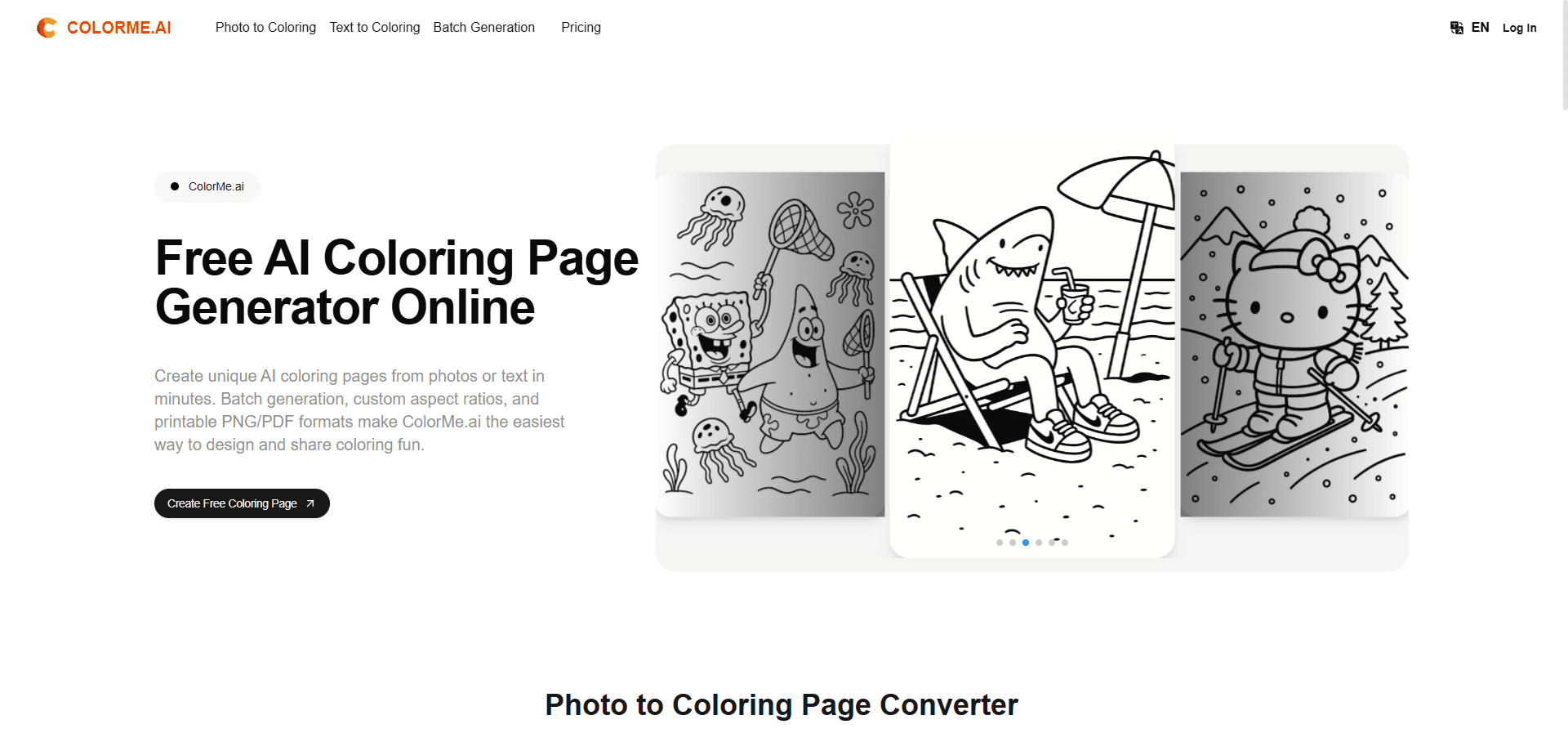
About ColorMe.ai:Free AI Coloring Page Generator
What Is ColorMe.ai
ColorMe.ai is an online tool for making coloring pages with AI. You give it a photo of a family member, a pet, or a favorite scene, or you type a short description, and it converts that input into clean black-and-white line drawings. The output is print-ready, so you can send it to a home printer or turn a stack of pages into a small coloring book.
The platform targets people who want custom coloring pages but have no illustration background. Parents use it for birthday activities, teachers for classroom worksheets, and small sellers for low-volume commercial coloring books. It works as a coloring book maker, not just a single-page tool. It also handles text prompts, which means you don't need a source photo to get started.
Pricing is the other thing to weigh before committing. Basic, Plus, Studio, and Enterprise each set a monthly generation cap, and ColorMe.ai pricing climbs fast once you need commercial rights or higher volume.
The main limits are worth knowing up front. The free entry point is thin, so serious use means a paid plan. Commercial rights only come with the Studio and Enterprise tiers. And like any AI generator, output quality depends on the style you pick and how clear your source photo is. There's no separate mobile app here, it runs in the browser.
Getting Started
- Open the ColorMe.ai site in your browser and create an account or sign in with an email address.
- Choose an input method: upload a photo for photo to coloring page, or type a description for text to coloring page.
- Select a style and generation settings, then let the generator produce your page. Each run returns two variations.
- Preview both variations, remove backgrounds or watermarks if you need to, and adjust until the line art looks right.
- Export the page as PNG or PDF, then print it or save it into a coloring book file.
Product Information
A quick look at ColorMe.ai:Free AI Coloring Page Generator's pricing, supported platforms, and performance.
Best for
The users, tasks, and scenarios where this tool fits best.
Users
- Parents
- Teachers
- Hobbyists and small sellers
Tasks
- Photo to coloring page
- Text to coloring page
- Batch generation
Scenarios
- Preparing party or classroom activities
- Making a personalized gift
- Producing a small coloring book
Key features
Photo to Coloring Page
Upload any photo and ColorMe.ai redraws it as clean line art. This is the core use case. It works for portraits, pets, and scenery. The 4x upscale option on paid plans keeps detail sharper when you print at larger sizes.
Text to Coloring Page
Type a short description and the generator builds a page from scratch, which is handy when you don't have a photo on hand or want a very specific scene like a dragon curled around a castle tower. Results vary more here than with photos, so expect a few tries to get the look you want.
Multiple Styles and Two Variations Per Run
Each run returns two variations, so you get options without re-running the prompt. What styles are on offer? Simple, detailed, and a few other looks. That matters. A simple style suits young kids, while detailed line art keeps adults busy for an hour.
PNG and PDF Export
Pages export as high-quality PNG or PDF, the two formats that matter for printing and sharing. PDF works well for assembling multi-page coloring books, while PNG is easier to drop into other tools. Both come out clean enough to send straight to a printer.
Background and Watermark Removal
The tool strips backgrounds and watermarks from generated pages, so the output is clean enough to print or sell. On lower tiers you can still remove watermarks, but commercial use isn't included.
Batch Generation
Paid plans support generating many pages in one go, which saves you from repeating a one-by-one workflow when you're building a full coloring book with dozens of themed pages. If you only need the occasional single sheet, this feature barely matters.
Custom Branding on Enterprise
The top tier adds custom branding options along with the highest generation volume. That fits businesses pushing out large numbers of pages under their own name.
Pros and cons
Pros
- Handles both photos and text prompts, so you can start with a source image or describe a scene from scratch when you don't have a usable photo lying around.
- Two variations per generation give you options without extra cost.
- PNG and PDF export covers both printing and coloring-book assembly.
- Commercial rights on Studio and Enterprise plans let you sell the pages you make.
- Browser-based, so there's nothing to install.
Cons
- Commercial use is locked behind the higher tiers, so Basic and Plus are personal-use only.
- Entry-level page counts are limited, and unused generations don't roll over month to month.
- Style results are uneven with text prompts, meaning more trial and error than photo input.
- No dedicated mobile app, which is a problem if you mostly work from a phone.
Frequently asked questions
You can turn photos or text prompts into printable coloring pages. The tool converts a family photo, a pet picture, or a described scene into black-and-white line art you can print, color, or collect into a book.
Related content
Explore related tools, skills, and articles for ColorMe.ai:Free AI Coloring Page Generator.
ColorMe.ai:Free AI Coloring Page Generator Alternatives

X Ray Interpreter
X-ray Interpreter · ImageX Ray Interpreter is a web-based AI radiology tool that turns X-rays, CT scans, MRI, ultrasound, and PET images into plain-language reports. You upload a scan, get a preliminary X-ray interpretation in moments, then ask follow-up questions if something needs explaining. It works as a second opinion and a learning aid, not as a medical diagnosis.

Aieasypic
AIEasyPic · ImageAIEasyPic is an AI image generator that turns plain text prompts into finished artwork in seconds. You can also train custom models on your own photos, swap faces in existing images, and create short video clips from text, all from a browser. It suits casual creators who want quick visuals and hobbyists who want to build a personal model without touching any code.

Chargen
Chargen · ImageChargen is an AI character generator and worldbuilding toolkit built for Dungeons & Dragons and other tabletop RPGs. It turns a one-line idea into a painted character portrait, spins up NPCs, monsters, maps and encounters from the same session, and keeps every creature's details close at hand. The tabletop RPG art side runs on a credit system called Gold, while the text generators stay free for everyone.