

Command Center
Command Center · Coding
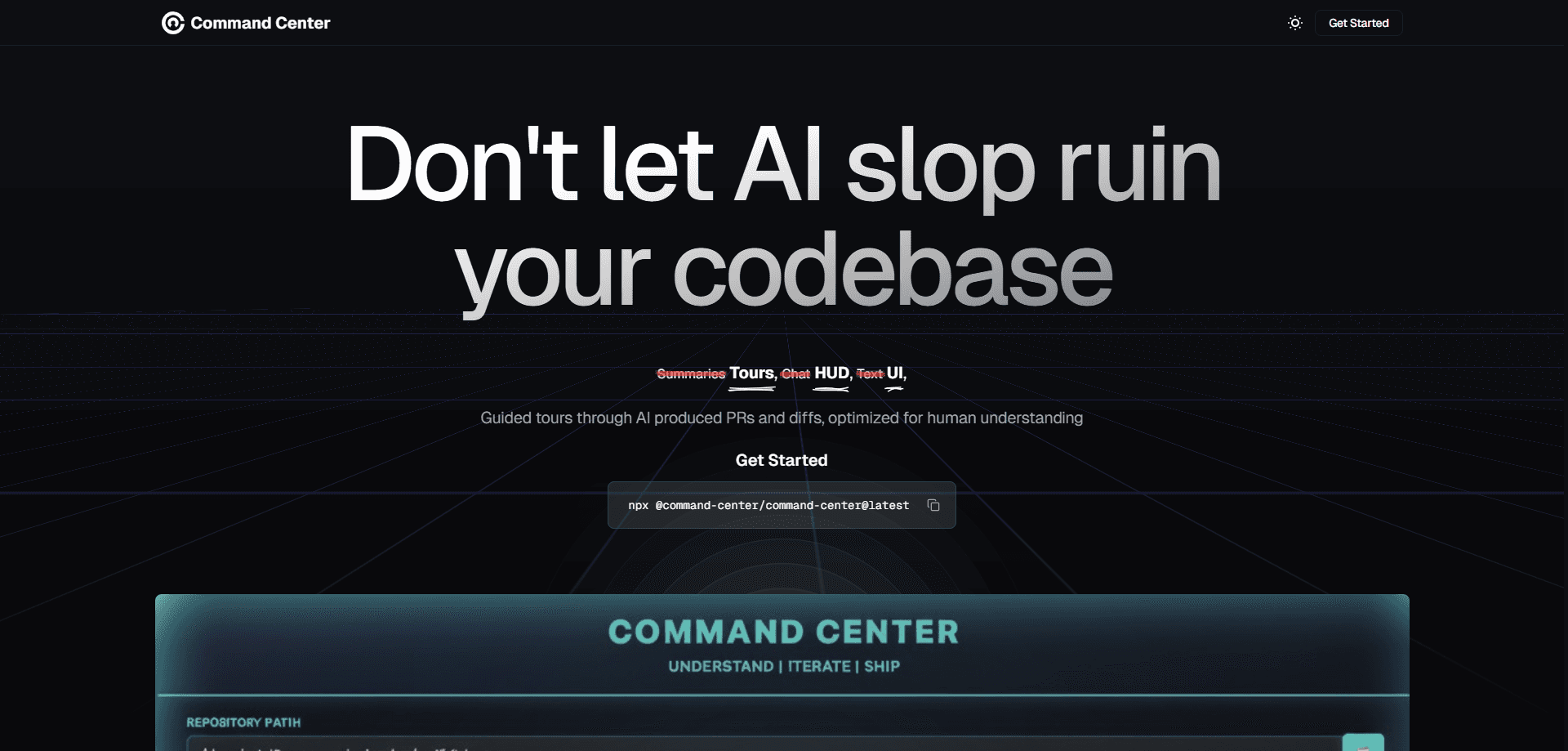
Command Center is an AI coding agent workspace for running agents on real projects. It pulls Claude Code, Codex, OpenCode, and its own bundled agent into one place, then adds the parts most agent tools skip: an ordered walkthrough of every diff, a refactoring agent that cleans up messy AI output, and 30-second snapshots you can roll back to. Think of it as a code review tool that assumes the code was written by AI. It targets developers who already generate code fast with AI but lose hours reviewing, cleaning, and trusting what the agents produced. It runs on macOS, Windows, and Linux, and a free tier is available before you pay anything.
About Command Center
What Is Command Center
Command Center is a post-IDE development tool built around a blunt observation. Writing code with AI is now the easy part. The hard part starts when an agent hands you a pull request with 50 files and thousands of lines. You still have to figure out what changed and whether it's safe to merge, and no amount of faster generation answers that question for you. Command Center positions itself as the workspace where that second half of the job happens.
Instead of locking you into one vendor's agent, it runs several at once. You prompt Claude Code, Codex, and OpenCode in the same window. Different models tend to catch mistakes made by other models, and that agent-agnostic design is the main thing separating Command Center from single-agent apps.
The catch is scope. Every agent in Command Center is tied to a git repository. It won't spin up an agent for pure research or for driving your computer the way some general-purpose AI apps can. If your work lives mostly outside a codebase, this isn't the tool for you.
That limitation is deliberate. Git is what makes the walkthroughs and snapshots reliable.
Getting Started
- Download the desktop app for macOS, Windows, or Linux from the official site.
- Open a git repository as a workspace, or create one, so the agents have somewhere to work.
- Connect the coding agents you already use and run them from the single Command Center window.
- Prompt an agent the way you normally would, then read the resulting changes as a guided walkthrough instead of an alphabetical file list.
- Send feedback straight from the diff viewer, kick off a refactoring pass if the code needs cleanup, and commit when it's ready.
Product Information
A quick look at Command Center's pricing, supported platforms, and performance.
Best for
The users, tasks, and scenarios where this tool fits best.
Users
- Developers who already lean on AI coding agents
- Engineering teams merging AI-written code
- Solo builders shipping fast
Tasks
- Reading a big AI-generated diff
- Catching duplication and brittle design before merge
- Running multiple coding agents at once
- Undoing a bad change
Scenarios
- A Thursday-night PR that an agent grew to hundreds of files
- Comparing how two different agents handle the same task
- A small fix while reviewing
- Early prototyping where the code will be rewritten anyway
Key features
Agent-agnostic workspace
Command Center runs Claude Code, Codex, OpenCode, and its bundled CC Basic agent in one window. The pitch is simple. Models catch each other's mistakes, so mixing them is a feature, not clutter. You keep prompting the way you already do, with nothing to migrate.
Guided code walkthroughs
Large diffs normally arrive as an alphabetical file list with no story. Command Center turns them into walkthroughs that lead you through the changes in logical order, so you read the code itself rather than a summary of it. One user quoted on the site reports getting through a 400-line diff in under half the usual time.
Live diff viewer with in-line feedback
The diff viewer works like a GitHub-style code review surface, and feedback goes straight back to the agent from the same screen. Spot something wrong mid-review? Tell the AI right away. No tool switching needed.
One-click refactoring agent
A dedicated refactoring agent hunts for duplication, brittle abstractions, and maintainability problems that a quick skim won't catch, which matters because AI-generated code tends to look correct right up until a reviewer notices the same helper function copied five times. Press a button and it runs over your files before merge. That's aimed squarely at the "AI slop" fast generation leaves behind.
30-second workspace snapshots
Command Center keeps snapshots of every workspace so you can restore the codebase to any point in history. Snapshots cover all agents and humans. Rollbacks don't get confused about who made which change, unlike single-agent undo.
One-keystroke parallelism
Running agents on different tasks normally means juggling tabs and losing the plot of what each one changed, and that context loss is usually what makes parallel agent work feel harder than it should. Command Center swaps workspaces with a keystroke. Iterate on a plan in one agent, implement it in another, and skip the context drift.
Fresh agents for small tasks
When you want a clean context for a tiny tweak, you can spawn a new agent for that single note with one keypress. That keeps the main conversation free of noise from unrelated edits.
Pros and cons
Pros
- Runs several coding agents together instead of locking you to one vendor's model.
- Walkthroughs make reviewing large AI diffs dramatically faster than alphabetical file lists, which is exactly the bottleneck that slows teams down once agents start producing hundreds of files per task.
- Snapshots every 30 seconds cover all agents and people, so rollbacks are reliable.
- Free tier plus a $9/month Starter plan keeps the entry cost low.
- Available on macOS, Windows, and Linux, not just one platform.
Cons
- Every agent must be tied to a git repository, so you can't use it for research or general computer tasks.
- It won't generate much value if you rarely review sizeable AI diffs, since the entire design is tuned for developers who let agents write a lot of code and then have to read it carefully before merge.
- Pricing details beyond the free tier and two paid plans are thin on the public site, so teams need to confirm limits directly.
- No clear public API, which matters if you want to script or integrate it into an existing pipeline.
Frequently asked questions
It's a workspace for running AI coding agents and then reviewing, cleaning, and shipping what they produce. You use it after the code is generated, on the part of the job most agent tools ignore, which is understanding a large diff and fixing the maintainability problems that fast generation quietly leaves behind.
Related content
Explore related tools, skills, and articles for Command Center.
Command Center Alternatives
Forefront
Forefront · CodingForefront is a web platform for building with open-source AI. It lets you fine-tune leading open-source language models on your own data, evaluate how they perform, and run them through an API or export them to host yourself. Developers who want the convenience of a closed-source platform but insist on owning their models and data are the target audience here.

Startkit
StartKit.AI · CodingStartkit is a boilerplate for building AI SaaS and AI wrapper products. Think of it as an AI startup boilerplate with the boring parts already wired up: authentication, Stripe and Lemon Squeezy payments, usage limits, transactional email, and an AI API starter that talks to OpenAI, Anthropic, Groq, or Llama. You clone the repo, set your price, and start on the part of your product that people actually pay for. It's Next.js under React and Tailwind, so most of the boilerplate code already feels familiar.
Testim
Tricentis · CodingTestim is an AI-powered test automation platform for building and running end-to-end tests across web, mobile, and Salesforce applications. It leans on machine learning to keep tests stable when an interface changes, so teams spend less time fixing broken selectors. Not bad for an automated testing tool you can start using today. You create tests by recording actions in a browser, then optionally add JavaScript when you need more control. It's a solid pick for busy QA teams.