

Composite
Composite Sciences, Inc. · Productivity
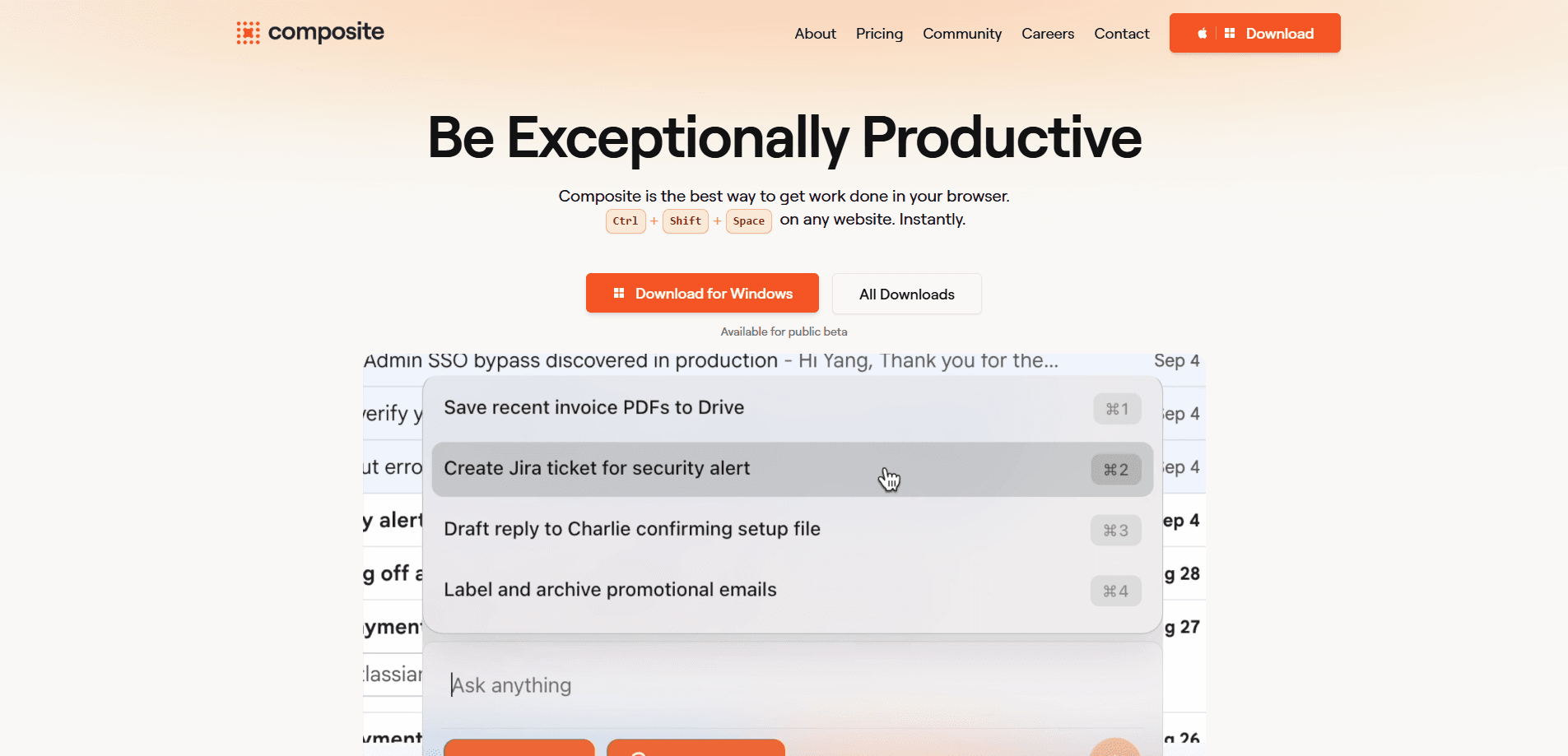
Composite is a browser automation tool that predicts what you're about to do and then does it for you. It runs locally in the browser you already use, connects to your existing tabs, and fires up with a single shortcut (Cmd+Shift+Space on Mac). Instead of building workflows or switching to a new browser, you describe a task and watch Composite click, type, and navigate across the sites you're already signed into. It's aimed at professionals who lose hours to repetitive web work like filing expenses, checking vendors, or pulling together updates.
About Composite
What Is Composite
Composite is an AI browser agent from Composite Sciences, Inc. It attaches to the browser you're already using, such as Chrome, Edge, or Arc, and works as an autopilot rather than a separate app. You summon it with a keyboard shortcut, describe the task in plain language, and it carries out the clicks, typing, and page navigation on your behalf.
The problem it targets is digital busywork. Copying data between tools, filling out the same forms, researching vendors, or compiling a status update all eat into time you'd rather spend on real work. Composite predicts these tasks and offers to run them. It's an AI productivity tool that gets sharper the more you use it.
The biggest limitation is scope. Composite is macOS-only right now, so Windows and Linux users are left out for the moment. It's also in beta and free during that period, which means features and pricing can shift. So is it ready for daily work? Yes, with the usual beta caveats.
Getting Started
- Download the Composite app for macOS from the official site and open it.
- Grant it access to the browser you already use and let it connect to your existing tabs.
- Press Cmd+Shift+Space to summon the agent on any website.
- Describe the task in plain language and let Composite predict the steps.
- Review what it does and let it run, or take over mid-task if something needs a nudge.
Product Information
A quick look at Composite's pricing, supported platforms, and performance.
Best for
The users, tasks, and scenarios where this tool fits best.
Users
- Knowledge workers who live in the browser all day and want repetitive tasks handled without switching tools
- Founders and operators who juggle research, vendor checks, and status updates across many tabs
- Mac users who want automation inside their current browser setup rather than a new app to migrate to
Tasks
- Filing and submitting expense reports that require the same form fields every time
- Assessing vendors by pulling details from multiple sites into one view
- Drafting a sales or project update by gathering numbers from several dashboards
- Job searching by running the same searches and applications across listings
Scenarios
- End-of-week admin that you keep putting off because it's tedious
- Early-stage research where you need to compare a handful of options fast
- Multi-tab workdays where tasks run in background tabs while you focus on something else
Key features
Shortcut-Driven Automation
Composite lives behind a single keyboard shortcut. Press Cmd+Shift+Space on any website and it appears, ready to act. There's no toolbar to hunt for and no separate window. Start a task in a second, not a setup session.
Predictive Task Execution
Rather than waiting for you to spell out every step, Composite predicts what you need done and offers to do it. It clicks, types, and navigates through the flow on your behalf. That's the core difference between this and a plain macro recorder. Macros replay fixed actions. This doesn't.
Zero Setup on Any Website
Composite works instantly on sites without integrations or workflow building. You don't wire up connectors or design a flow chart first. It uses the browser you're already in and the sessions you're already signed into, so a task on a new site doesn't require any configuration.
Runs in Your Existing Browser
It connects to Chrome, Edge, or Arc instead of asking you to migrate. Setup takes about 30 seconds. Because it uses your real browser profile, it can handle the logged-in, work-ready sites you actually depend on. That's a different approach from hosted AI browsers that start from a blank slate.
Learns From Your Habits
The tool improves the more you use it and starts suggesting tasks to take off your plate. If you file the same report every Friday, it can learn that pattern rather than making you re-explain it each time. Early on, expect to give more direction. It sharpens as it sees your routine.
Background Multi-Tasking
Tasks run in background tabs, so you can keep working on something else while Composite handles the busywork, or watch it live if you want to keep an eye on it. For long, multi-step jobs, that means you're not blocked staring at a spinner. Just set it and move on.
Local Processing and Data Handling
Composite runs locally in your browser rather than in the cloud, and the company states it keeps zero data retention with its AI subvendors. For people handling sensitive work, that local-first design is a meaningful part of the pitch. You'll still want to confirm it fits your company's rules. Worth checking.
Pros and cons
Pros
- Works in the browser you already use, so there's no migration and setup takes about 30 seconds
- Predicts and executes tasks instead of replaying rigid macros, which fits messy real-world flows
- Generous free tier of 5,000 AI requests per month, and it's free during beta
- Learns your recurring patterns and proactively suggests tasks over time
- Can run tasks in background tabs so your main work isn't blocked
Cons
- macOS-only for now, so Windows and Linux users can't use it at all
- Being in beta means features and pricing may change without much warning
- Running inside your personal browser profile can raise questions with strict corporate IT policies
Frequently asked questions
It handles repetitive browser work: filing expenses, assessing vendors, drafting updates, and job searches are the examples the company shows. Anything that involves clicking, typing, and moving between sites can be a candidate. If it's tedious and it's in a browser, it's fair game.
Related content
Explore related tools, skills, and articles for Composite.
Composite Alternatives

Swms
Swms AI · Writing · Productivity · BusinessSwms is an AI safety compliance tool that turns a plain description of a job into ready-to-use safety documents. Describe your project, trade, and known hazards, and it writes a safe work method statement, job hazard analysis, safe work procedure, RAMS, or safety data sheet in seconds. It also ships with Oscar, a chat assistant that answers workplace safety questions in any language. Teams in construction, mining, transport, and warehousing use it to cut the paperwork that usually eats into a workday.

Wordly AI Translation
Wordly · Voice & Language · ProductivityWordly AI Translation is a real-time AI translation and captioning platform built for meetings, conferences, and events. It delivers live translation, captions, transcripts, and summaries in more than 60 languages, and attendees join by scanning a QR code or opening a link instead of using dedicated headsets. The platform works with Zoom, Microsoft Teams, Google Meet, and Webex, and it's designed for organizations that want multilingual access without hiring human interpreters for every session. Simple as that.

Rows
Rows (Superhuman) · Productivity · BusinessRows is an AI spreadsheet and data analysis tool that imports live data from more than 50 sources, then lets you work with it using plain language instead of SQL queries or nested formulas. You can pull numbers out of PDFs, connect ad platforms, databases, and bank accounts, and ask the AI to build reports, merge datasets, or set up models that recalculate themselves. It runs in the browser, works like a spreadsheet, and now sits under the Superhuman umbrella.