

Conduit
Amrit Baveja · Productivity
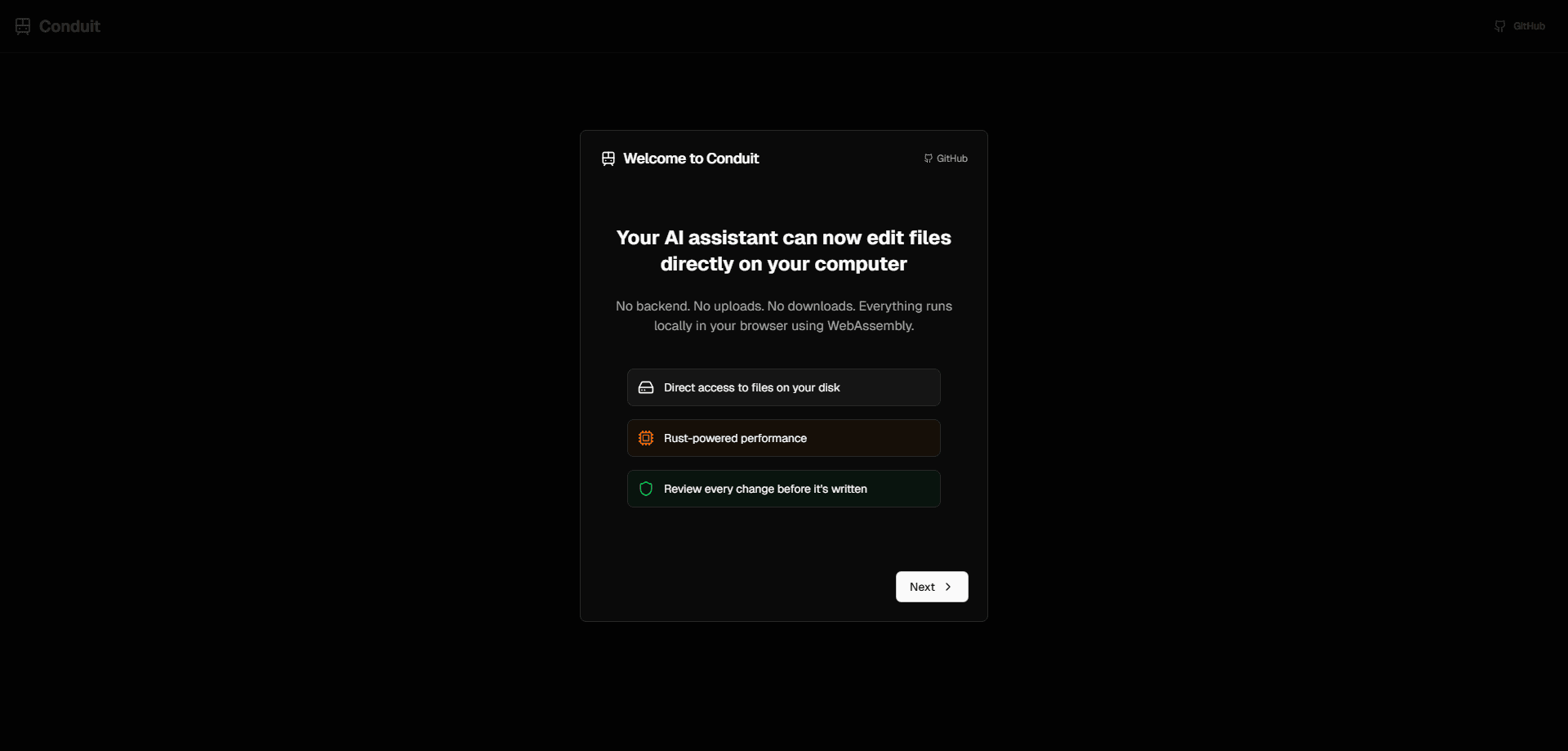
Conduit is a browser-based AI file system assistant that lets an AI agent work on your local files without any installs, uploads or backend. You open a folder through the File System Access API, describe what you want in plain language, and the agent searches, renames, organizes or edits files on your machine. It runs entirely in Chromium desktop browsers, so nothing leaves your computer and there's no account to set up.
About Conduit
What Is Conduit
Conduit is a browser file manager with an AI agent built in, from developer Amrit Baveja. Its whole pitch is simple. You don't install a desktop app, and you don't upload a single file to a server. The agent reads and writes directly against your real file system using the browser's File System Access API, backed by a Rust-to-WASM core for the heavy lifting.
That design solves a real annoyance. Most AI file helpers either want your documents in their cloud or require a clunky native app. Conduit skips both. You grant a folder permission once, and the agent works inside that boundary.
So where's the catch? Browser support. Full read, write and directory access only works on desktop Chromium browsers. There's no mobile support at all. Safari and Firefox can pick files but can't do the full job, so if you're on those browsers, Conduit isn't a fit yet.
Getting Started
- Open conduit.amrit.sh in a desktop Chromium browser such as Chrome, Edge or Opera.
- Grant the app access to a local folder through the File System Access prompt.
- Type a request in plain language, like "find every invoice PDF from last quarter" or "rename these screenshots by date."
- Review the agent's proposed file operations and let it run them on your machine.
- Keep working in the same folder, or open a different one for the next task.
Product Information
A quick look at Conduit's pricing, supported platforms, and performance.
Best for
The users, tasks, and scenarios where this tool fits best.
Users
- Developers and tinkerers
- Privacy-conscious users
- Non-coders
Tasks
- Local file search
- Batch renaming
- File organization
- Quick edits
Scenarios
- Cleaning up a downloads folder that's grown out of control.
- Finding a contract or receipt buried somewhere in a project directory.
- Reorganizing a photo or asset library before a deadline.
- Auditing what's actually taking up space in a folder you rarely open.
Key features
Real file system access in the browser
Conduit uses the File System Access API to read, write and browse directories directly from the browser tab. The agent acts on your actual files, not copies in a sandbox, so changes show up immediately in Finder or Explorer. That's the part most browser tools can't do, and it's why Conduit only runs on desktop Chromium.
No backend and no uploads
There's no server sitting between you and your files. Nothing gets uploaded for processing either. The reasoning happens in your browser against local data, which is unusual for an in-browser AI tool. For anyone handling sensitive documents or client work, that removes the main reason people hesitate to hand their files over to an AI file tool.
AI agent driven by plain language
You describe the outcome, and the agent figures out the steps. Ask this AI file organizer to find files matching a description, rename a batch, or move things into folders. It plans the operation and runs it. The AI integration layer is built around Anthropic's Claude tools.
Rust and WASM performance core
File operations run through a Rust-to-WASM core instead of pure JavaScript. It's a technical choice. The payoff is practical: scanning and manipulating large folders stays responsive rather than locking up the tab.
Open source and self-hostable
Conduit is released under the Apache 2.0 license and the source lives on GitHub. You can run the hosted version, or clone the repo and build it yourself with Rust, Node.js and pnpm if you'd rather host it locally.
Type-safe tool interface
The file system layer exposes typed tools the agent calls, which keeps operations predictable and cuts down on the agent doing something unexpected with your files during a batch task. It's an internal design detail, but it shows in how reliably the agent carries out requests.
Pros and cons
Pros
- No install and no account: it's ready the moment you open the tab.
- Files never leave your machine, which matters for private documents.
- Plain-language requests replace manual digging through folders.
- Open source under Apache 2.0, so you can inspect or self-host it.
- Free to use with no paid tier in sight.
Cons
- Desktop Chromium only. Safari and Firefox can't do full file access, and mobile is off the table.
- No API, so you can't wire Conduit into other apps or automation.
- Browser permission prompts mean you re-grant folder access in some sessions, which gets old fast.
- As a young project, expect rough edges and a feature set that's still filling out.
Frequently asked questions
Conduit is an AI file system assistant that runs in your browser. You point it at a local folder, describe a task in plain language, and an AI agent searches, renames, organizes or edits the files for you without any uploads.
Related content
Explore related tools, skills, and articles for Conduit.
Conduit Alternatives

Swms
Swms AI · Writing · Productivity · BusinessSwms is an AI safety compliance tool that turns a plain description of a job into ready-to-use safety documents. Describe your project, trade, and known hazards, and it writes a safe work method statement, job hazard analysis, safe work procedure, RAMS, or safety data sheet in seconds. It also ships with Oscar, a chat assistant that answers workplace safety questions in any language. Teams in construction, mining, transport, and warehousing use it to cut the paperwork that usually eats into a workday.

Wordly AI Translation
Wordly · Voice & Language · ProductivityWordly AI Translation is a real-time AI translation and captioning platform built for meetings, conferences, and events. It delivers live translation, captions, transcripts, and summaries in more than 60 languages, and attendees join by scanning a QR code or opening a link instead of using dedicated headsets. The platform works with Zoom, Microsoft Teams, Google Meet, and Webex, and it's designed for organizations that want multilingual access without hiring human interpreters for every session. Simple as that.

Rows
Rows (Superhuman) · Productivity · BusinessRows is an AI spreadsheet and data analysis tool that imports live data from more than 50 sources, then lets you work with it using plain language instead of SQL queries or nested formulas. You can pull numbers out of PDFs, connect ad platforms, databases, and bank accounts, and ask the AI to build reports, merge datasets, or set up models that recalculate themselves. It runs in the browser, works like a spreadsheet, and now sits under the Superhuman umbrella.