

ContentPilots
ContentPilots · Video
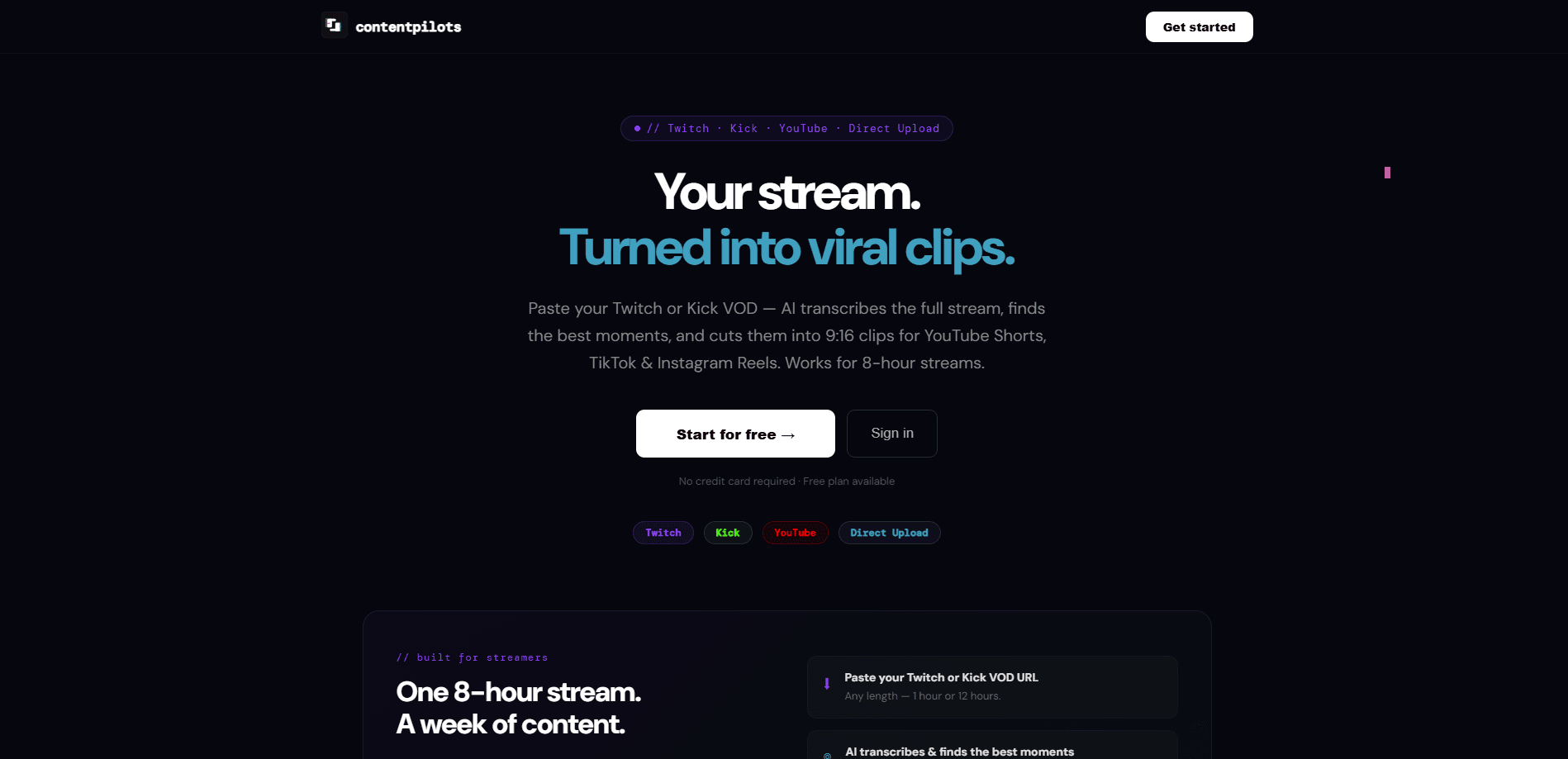
ContentPilots is an AI clip maker built for Kick and Twitch streamers who want shorts without editing. You drop a VOD URL or start it while you're live, and it finds the moments worth posting, cuts them to 9:16, burns your live chat into the frame, and schedules them to TikTok, YouTube Shorts and Instagram Reels. The hook is timing. Most tools only work after a stream ends. This one can pull clips as the broadcast runs.
About ContentPilots
What Is ContentPilots
ContentPilots is a web-based AI stream clipping tool. Point it at a Kick or Twitch VOD, or connect your channel and let it watch while you're broadcasting, and it does the highlight hunting for you. It transcribes the full stream, scores the strongest moments, and exports vertical clips with karaoke-style captions attached.
The pitch is aimed squarely at streamers who already have hours of footage and no time to comb through it. Instead of scrubbing a five-hour VOD by hand, you get a shortlist of ready-to-post clips and a calendar to drip them out. Two things set it apart from generic video repurposers: native Kick support, and the option to burn your Twitch or Kick chat overlay into the clip itself, which is the visual signature of a lot of gaming shorts.
The tradeoffs are real. Credits run the show. Every AI action eats into a monthly allowance, and heavy creators will burn through the lower tiers fast. The free plan is thin enough that it works more as a demo than a workflow.
Getting Started
- Sign up with email or a connected platform, then open Studio from the sidebar.
- Paste a Kick, Twitch or YouTube VOD URL, or upload a local video file.
- Let the AI scan the transcript and surface the top moments, or switch to Manual clips and set your own timestamps.
- Pick a camera layout for the 9:16 frame, confirm the captions, and approve the AI-written title, description and hashtags.
- Schedule the clips to your connected platforms, or set up Autopilot so new VODs get clipped automatically.
Product Information
A quick look at ContentPilots's pricing, supported platforms, and performance.
Best for
The users, tasks, and scenarios where this tool fits best.
Users
- Kick and Twitch streamers
- Gaming content creators with a facecam
- Solo creators who post daily
Tasks
- Turning a long VOD into shorts
- Producing chat overlay clips
- Auto-post to TikTok without babysitting
- Repurposing one stream across platforms
Scenarios
- Posting highlights while you're still live
- Running a channel on autopilot overnight
- Keeping a week of content on standby
- Cutting a specific highlight play
Key features
Live stream clipping
Most clip tools wait until the stream is over. ContentPilots can pull moments in real time while you're broadcasting. Why does that matter? A good play doesn't have to sit until tomorrow. It's the feature the whole product is built around.
Chat overlay burned into the clip
Twitch and Kick chat can be baked directly into the vertical frame. The chat-facecam layout splits the screen roughly 40% facecam, 20% live chat and 40% gameplay, while chat-content gives chat the bottom half of the frame. If your audience reacts in real time, that reaction becomes part of the short instead of something viewers never see.
AI highlight detection
Point it at a VOD and it transcribes the whole thing, then scores the moments most likely to land. You don't have to trust it blindly either. Manual clips mode lets you set your own timestamps when you already know which play you want.
Karaoke captions
Captions are word-by-word and animated, the style that keeps eyes on the screen when people watch with sound off. The tool's own onboarding claims word-by-word captions get roughly twice the watch time of plain subtitles. You can also download the caption file as SRT if you want it elsewhere.
Vertical layouts and head tracking
Nine layouts cover the usual streaming setups: standard black bars, blurred backgrounds, split gameplay, facecam-only, podcast splits and auto-detection. The default output is 9:16 clips, ready for the vertical feed. Head Track keeps the streamer's face centred in the frame, which takes about 30 seconds to apply and saves a lot of manual reframing.
AI titles, descriptions and hashtags
Every clip comes with generated metadata, so the blank-caption problem disappears. Thumbnails can also be generated as three variants per video on the Creator plan and up.
Multi-platform scheduling
Connect platforms, then spread clips across the week with a content calendar. Autopilot detects four to six moments per stream and schedules them about six hours apart, which is a reasonable drip rate for most posting habits and keeps a steady flow going without daily manual input. The top tiers cover YouTube, TikTok, Instagram, LinkedIn and X.
Kick support
Kick is often an afterthought in clipping tools that focus on Twitch and YouTube. ContentPilots treats Kick VODs and Kick live streams as native sources, which narrows the field considerably for anyone who streams there. Few streamer tools cover it at all.
Pros and cons
Pros
- Clips while you're live, not just after the fact, which shortens the gap between a good moment and a posted short.
- Kick is a first-class source, so streamers on that platform aren't stuck with workarounds.
- Chat overlay can be burned into the frame, matching the look many gaming shorts already use.
- Metadata and captions are generated automatically, cutting the busywork after the cut.
- Autopilot and batch scheduling keep posting consistent without daily manual effort.
Cons
- Credits gate everything. Free users get 25 credits a month, which covers about one clipping job, so the free tier is really a trial.
- No public API, so you can't wire ContentPilots into your own pipeline or custom dashboards.
- It's a web tool only, with no desktop or mobile app for editing clips offline.
- The most useful features, like live clipping and the full platform set, sit behind paid tiers starting at $12/mo.
Frequently asked questions
It turns long Kick, Twitch and YouTube videos into vertical shorts for TikTok, YouTube Shorts and Instagram Reels. The AI picks the highlights, adds captions and metadata, and schedules the posts.
Related content
Explore related tools, skills, and articles for ContentPilots.
ContentPilots Alternatives
Griffin by Tavus
Tavus · Voice & Language · Video · ChatbotGriffin by Tavus is the first Human Interaction Model: a full-duplex, video-to-video system that watches, listens, and answers during a live video call in real time.

Syllaby AI Avatar 2.0
Syllaby · Video · MarketingSyllaby AI Avatar 2.0 turns a script into a presenter-led video with a reusable AI avatar, natural voice, B-roll and automatic subtitles, all in one browser workflow.

Vitra.ai
Vitra.ai · Voice & Language · Video · MarketingVitra.ai is an agentic content platform that creates, translates, reviews, and publishes video, images, documents, and app content in 120 languages from one shared brief.