
CopyCopter
Blackstar Properties · Video
CopyCopter is an AI text to video generator that turns written prompts and still images into video, then hands you a browser timeline to cut, animate, and export the result.
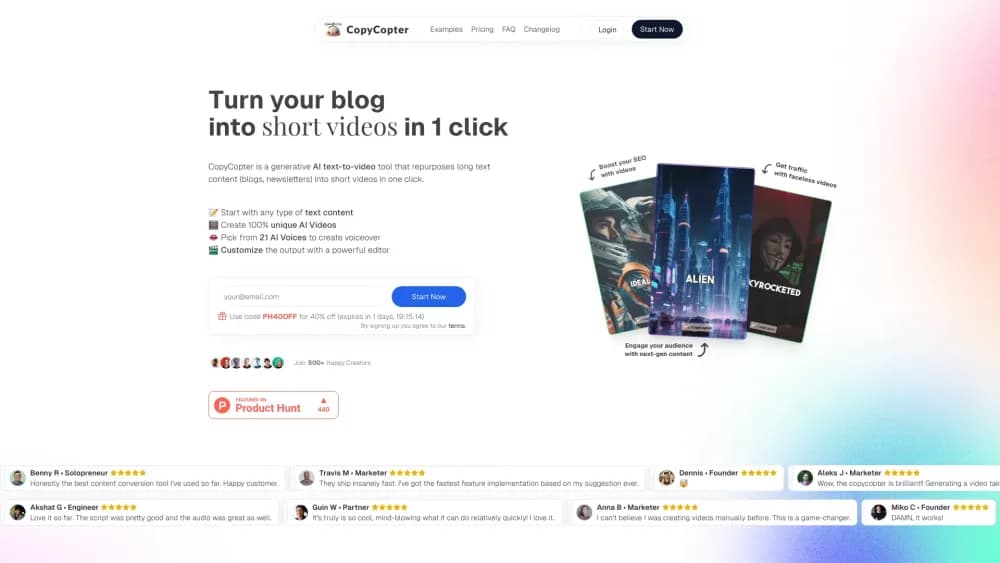
About CopyCopter
What Is CopyCopter
CopyCopter is an AI video maker built around two jobs that usually live in separate apps. One is generation: you describe a scene in text or drop in an image, pick a model, and the platform produces a clip. The other is editing: a workspace called CopyCopter Studio lets you lay those clips on a multi-track timeline, animate them with motion curves, add titles and audio, and render the finished cut in the cloud.
That split matters because most AI video tools stop at the generated clip. You get something impressive, then you bounce to a separate editor to make it usable. CopyCopter keeps both halves in the browser, which is why the team describes Studio as a director's environment rather than a filter app.
The tradeoff sits in how you pay. CopyCopter dropped flat subscriptions in favor of a credit system, so cost scales with what you actually generate. Image generation runs 1 to 2 credits, image-to-video 6 to 24, and a full project 10 to 130, which means heavier work drains a balance faster than you might expect if you cut long videos often.
Getting Started
- Create an account on copycopter.ai and buy a starting balance of credits.
- Start a project, then generate a clip from a text prompt or upload an image to convert into motion.
- Pick an AI model that fits the look you want, from fast image generation to cinematic video.
- Open CopyCopter Studio and arrange your clips on the multi-track timeline.
- Animate layers with the curve editor, add titles and audio, then render and share the export.
Product Information
A quick look at CopyCopter's pricing, supported platforms, and performance.
Best for
The users, tasks, and scenarios where this tool fits best.
Users
- Social media creators
- Solo marketers
- Hobbyist animators
Tasks
- Text to video
- Image to video
- Browser video editing
Scenarios
- Daily short-form posting
- Trailer and promo cuts
- Concepting before a shoot
Key features
Multi-Track Timeline
Studio organizes a project into layered tracks for video, imagery, text, and audio. You can add unlimited tracks, solo or mute individual lanes, and time every element at the frame level. It's the part that separates CopyCopter from a one-click clip generator, because you compose scenes instead of accepting whatever the model returns.
Curves-Driven Motion
A curve editor lets you animate position, scale, and rotation with easing options like Ease In, Out, Spring, and Bounce. You shape how a layer moves over time rather than picking a preset transition, which is what gives pull-quotes, logos, and product shots a custom rhythm.
Model Engine
CopyCopter pulls in a range of AI models, from perennial favorites to newer releases, and exposes them with style presets and a raw mode for full control. You match the model to the job, whether that's fast image generation or a heavier cinematic video pass, without leaving the platform.
Image to Motion
The platform takes a still image, upscales it, and converts it into moving footage. This is the workflow behind many of the gallery pieces, and it helps creators keep a consistent character or style across a series of clips rather than starting from a fresh prompt each time.
Style Engine
A growing catalogue of visual styles sits on top of the models, with cinematic, photo-real, and artistic options. Prompt modification runs under the hood to sharpen outputs, and raw mode is there when you'd rather steer the look yourself.
Motion Graphics
Titles, overlays, and shape layers can be imported as SVG or transparent PNG, then positioned, scaled, rotated, and animated. Google Fonts support for titles and per-object timing make it practical to build lower-thirds and animated captions inside the same project.
Cloud Rendering and Export
Rendering happens on cloud hardware rather than your machine, with project autosave and versioned exports. You can deliver in platform aspect ratios or a filmic look, export to WebM and H.264, and push finished clips straight to YouTube or TikTok.
Pros and cons
Pros
- Generation and editing live in one browser workspace, so you skip the export-and-reimport step most AI video tools force.
- The curve editor gives real motion control, which suits creators who care about the final frame.
- Model choice is broad, covering quick image runs and heavier video passes under one account.
- Cloud rendering means long exports don't depend on your laptop's specs.
- Direct export to YouTube and TikTok shortens the path from idea to post.
Cons
- There's no free plan, so you have to buy credits before you can test a single generation.
- Credit costs climb fast for long projects, where a single render can consume over a hundred credits.
- The subscription model was retired, so anyone who wants a flat monthly fee from an AI video editing platform has to adapt to pay-as-you-go spending.
- Studio launched as a private beta in late 2025, and the official docs still describe some sections as work in progress, so a few rough edges remain.
Frequently asked questions
CopyCopter is used to generate video from text or images and then edit it in the browser. You create clips with AI models, arrange them on a timeline, add motion and audio, and render a finished cut.
Related content
Explore related tools, skills, and articles for CopyCopter.
CopyCopter Alternatives

Vadu AI
Vadu AI · Image · VideoVadu AI is a web-based AI video generator that turns written prompts or still images into short clips, and it can also generate images on its own. You type what you want, pick a model and style, and the platform renders the result in minutes. A free plan covers light testing, while paid tiers run from $9 to $77.40 per month based on how many credits you burn.

Mykaraoke Video
MyKaraoke Video · VideoMykaraoke Video is an online karaoke video maker and lyric video maker that turns any song into a finished, lyrics-synced video right in your browser. It handles the slow part for you. The AI pulls vocals out of the mix and locks the lyrics to the beat, then lets you customize background, fonts, and colors before exporting in 1080p MP4. If you make lyric videos for social media, party nights, or music promotion, it skips the software installs and manual timing work entirely. Want a karaoke video generator that doesn't eat your whole evening? That's the pitch here.

Finalframe
Finalframe · VideoFinalframe is a set of free, browser-based tools for grabbing exact frames out of a video clip. Its best-known feature, the Final Frame Extractor, lets you extract the last frame of any video so you can use it as the starting image for AI video tools like Luma Dream Machine, Runway, or Kling. Want to keep a clip going? That last frame is your starting point. The tool runs locally in your browser, needs no sign-up, and costs nothing. A separate paid AI video-generation app from the same team is currently offline while it's rebuilt.