

coworking.live
coworking.live · Productivity
coworking.live is a virtual coworking platform that pairs you with others for focused work sessions, then tracks your tasks.
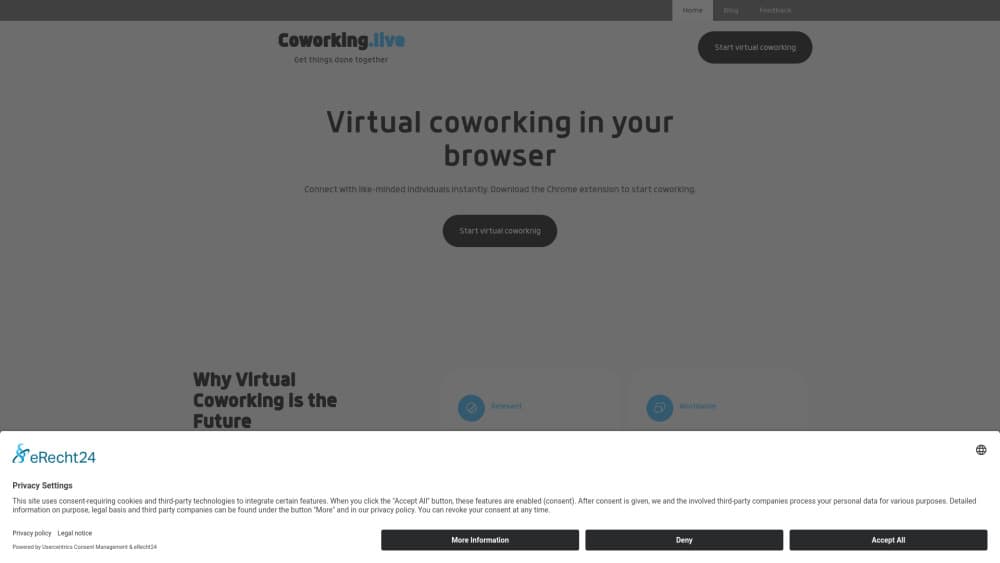
About coworking.live
What Is coworking.live
coworking.live bills itself as a distributed deep work platform and coworking space software. The idea comes straight from the physical version. In a real coworking room, being around other people who are heads-down makes it easier for you to stay heads-down too, and that small bit of social pressure does more for focus than any productivity hack. coworking.live recreates that pressure online as an online coworking space you reach from your browser.
The main entry point is a Chrome extension. Instead of a heavy desktop app, you install a browser add-on, drop into a session, and work alongside other people who are doing the same thing at the same time. The platform is built around connecting you with like-minded individuals for collaborative work sessions, then keeping your tasks in view so the session has a point.
This isn't a project management suite or a team chat tool. It's for the moment before the work starts, when the hard part is sitting down and staying there.
The catch is that value depends on other people showing up. An empty room does nothing for focus. That's the trade. It's less a deep work app you run alone and more of a shared space, so the remote work accountability only kicks in when the room is full. Nobody there? Nothing happens.
Getting Started
- Open the coworking.live website and add the Chrome extension to your browser.
- Create an account and set up a profile so the platform can match you with people who work on similar things.
- Add the tasks you want to move on, so each session has a clear target.
- Join a work session and focus alongside other users for a set period.
- Review what you finished and adjust your task list before the next session.
Product Information
A quick look at coworking.live's pricing, supported platforms, and performance.
Best for
The users, tasks, and scenarios where this tool fits best.
Users
- Remote workers who struggle to start
- Freelancers working alone
- Students and solo builders
Tasks
- Deep work blocks
- Task tracking through the day
- Accountability sprints
Scenarios
- A quiet office at home
- Beating procrastination on a task you keep dodging
- Getting through a pile of small tasks
Key features
A Chrome extension as the front door
coworking.live runs through a browser extension rather than an installed desktop program. That keeps the setup light. You add it to Chrome, and the platform sits one click away while you're already in the browser for most of your work. For people who live in tabs all day, that's less friction than opening another heavy app. No downloads. No dock clutter. Just a click.
Virtual coworking sessions
The core of the product is a shared session where you work at the same time as other users. This is the digital version of sitting in a coworking room, and it leans on the same psychology. When everyone around you is working, quitting early feels worse. Even a silent screen full of other people can be enough to keep you going. It sounds odd. It works anyway. Why does that work? Because watching someone else grind makes quitting feel like quitting in public.
Matching with like-minded people
The platform's stated goal is to connect you with like-minded individuals, not just any random user. If you're writing, working next to another writer tends to fit better than sitting in a room built for something else, because the shared goal does more for focus than raw headcount ever will. It's the difference between a crowded space and a room that matches your work. Same effort. Better fit.
Task tracking inside sessions
Tasks stay part of the picture, not a separate app you forget to open. You note what you want to get done, work the session, and mark it off. Simple. Pairing the to-do list with the session keeps the focus on output rather than hours logged, and it means the list you wrote at the start is the same list you face when the timer runs down.
Built around deep work
The product's own framing is a distributed deep work platform, which sets the tone for the type of work it targets. It's aimed at long, uninterrupted stretches, not quick message exchanges. That means the whole layout is tuned for someone who wants to disappear into one task for an hour or more rather than someone chasing a stream of short pings. So if your week is a run of five-minute errands, this won't fit. The focus shapes who gets value from it and who doesn't.
Pros and cons
Pros
- Light setup through a Chrome extension, so there's no bulky install.
- The presence of other people makes it easier to start and harder to quit early.
- Tasks and focus sessions sit together, so your list stays in front of you.
- The like-minded matching is more useful than dropping into a random crowd.
- It targets deep work specifically, so the whole design points at long focus blocks.
Cons
- The experience depends on other people being online; an empty room gives you little of the accountability benefit.
- It runs through Chrome, so anyone on another browser or without the extension is left out.
- There's no standalone desktop or mobile app, which limits when and where you can use it.
- Price and plan details aren't clearly published, so it's hard to judge the cost before signing up.
Frequently asked questions
It's a virtual coworking platform and deep work tool. You add a Chrome extension, join work sessions with other people, track tasks, and stay focused alongside them instead of working alone.
Related content
Explore related tools, skills, and articles for coworking.live.
coworking.live Alternatives

Swms
Swms AI · Writing · Productivity · BusinessSwms is an AI safety compliance tool that turns a plain description of a job into ready-to-use safety documents. Describe your project, trade, and known hazards, and it writes a safe work method statement, job hazard analysis, safe work procedure, RAMS, or safety data sheet in seconds. It also ships with Oscar, a chat assistant that answers workplace safety questions in any language. Teams in construction, mining, transport, and warehousing use it to cut the paperwork that usually eats into a workday.

Wordly AI Translation
Wordly · Voice & Language · ProductivityWordly AI Translation is a real-time AI translation and captioning platform built for meetings, conferences, and events. It delivers live translation, captions, transcripts, and summaries in more than 60 languages, and attendees join by scanning a QR code or opening a link instead of using dedicated headsets. The platform works with Zoom, Microsoft Teams, Google Meet, and Webex, and it's designed for organizations that want multilingual access without hiring human interpreters for every session. Simple as that.

Rows
Rows (Superhuman) · Productivity · BusinessRows is an AI spreadsheet and data analysis tool that imports live data from more than 50 sources, then lets you work with it using plain language instead of SQL queries or nested formulas. You can pull numbers out of PDFs, connect ad platforms, databases, and bank accounts, and ask the AI to build reports, merge datasets, or set up models that recalculate themselves. It runs in the browser, works like a spreadsheet, and now sits under the Superhuman umbrella.