
Craion AI
Craion AI · Image
Craion AI is a free AI art generator that turns short text prompts into images you can download and reuse. It runs in the browser, needs no install, and keeps the core text-to-image feature open to everyone. If you want quick visual ideas without paying or learning design software, this AI image generator is built for exactly that.
About Craion AI
What Is Craion AI
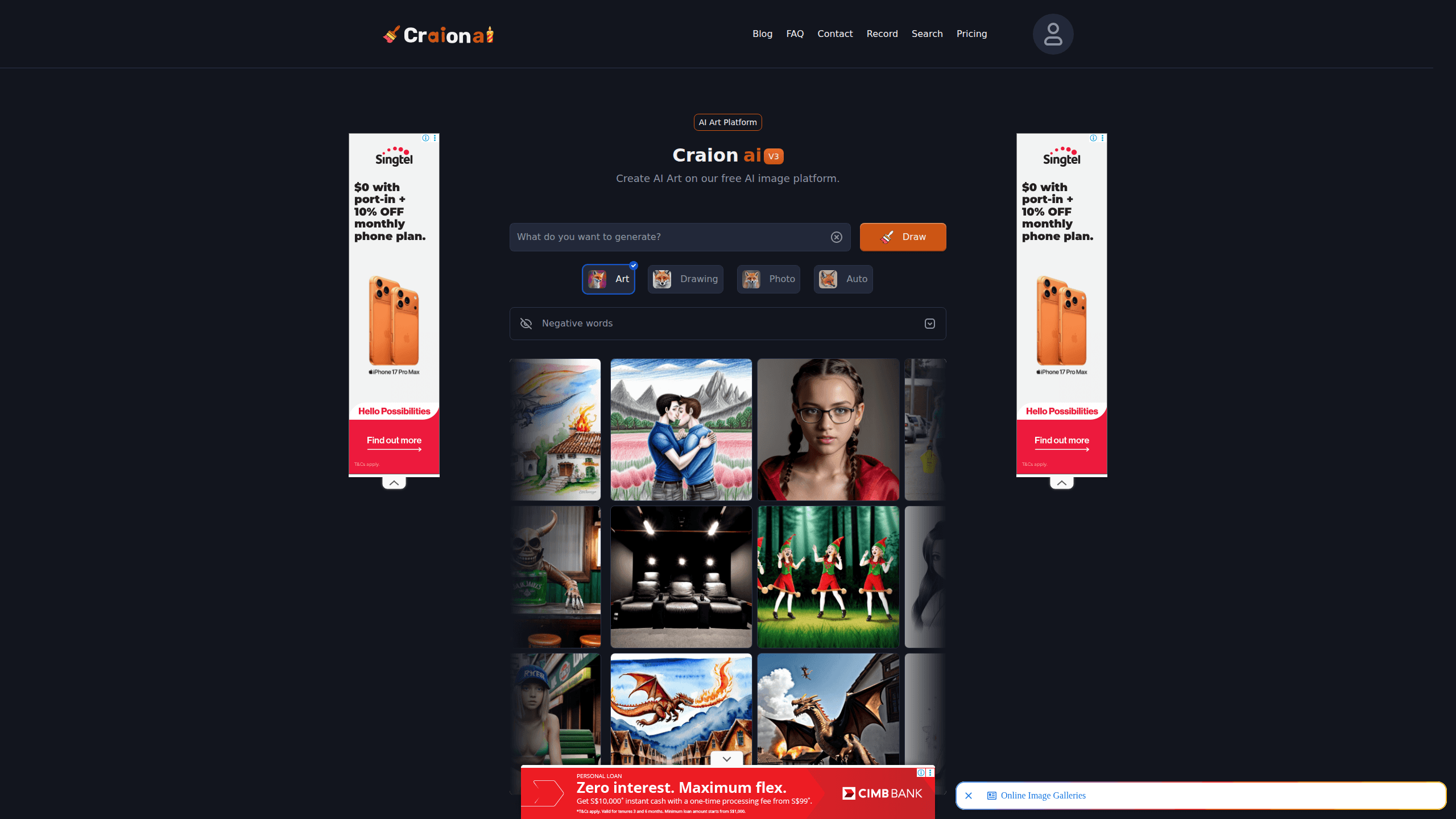
Craion AI, often written as Craionai, is a web-based AI art platform for making pictures from written descriptions. You type what you want to see, choose a model, and it renders an image in seconds. There's no account needed to try it, and the creators have said the free text-to-image tool will stay free and unlimited.
The main problem it solves is speed. Instead of hiring an illustrator or wrestling with editing software, you describe the scene and get a result you can refine, which is the whole appeal for someone who needs a decent image right now rather than a perfect one next week. That makes it useful for mood boards, blog art, phone wallpapers and other small visual jobs where a rough-but-good image beats no image at all.
Two limits matter. First, there's no mobile app, so you work from a browser on desktop or phone. Second, the free tier can slow down or queue when traffic spikes, so you might see a "too much traffic" message during busy hours.
Getting Started
- Open craionai.com in your browser. No sign-up is required for basic use.
- Type your idea into the prompt box. Be specific about subject, lighting and style for better results.
- Pick a model such as the Photo model for realistic images, and add negative words to exclude things you don't want.
- Click generate and wait for the image to render. Try the prompt ideas button if you're stuck for inspiration.
- Download the ones you like, or save them and search the gallery for similar prompts to build on.
Product Information
A quick look at Craion AI's pricing, supported platforms, and performance.
Best for
The users, tasks, and scenarios where this tool fits best.
Users
- Beginners with no design background
- Content creators on a budget
- Hobbyists and casual players
Tasks
- Turning a written scene into an image
- Generating photorealistic AI images
- Finding AI prompt ideas
Scenarios
- Making art for a personal blog or social post
- Mocking up a mood board for a project
- Exploring styles for fun
Key features
Free Text to Image Generation
The core of the platform is simple. You write a prompt and Craion AI renders it, and the makers say the text-to-image tool stays free and unlimited. That's the main draw over credit-based rivals. The trade-off is that free means shared capacity, so peak-time waits are possible.
The Photo Model for Realistic Output
Craion AI ships a Photo model aimed at realistic imagery. You can pick it without writing extra style words, which saves guesswork if you just want something that looks like a photograph, and it stays the fastest route to photorealistic AI images for people who don't want to spend an evening learning prompt craft.
Prompt Ideas and Prediction
Stuck for a starting point? A prompt ideas button suggests directions to get you moving. The platform also predicts and expands prompts, which pushes beginners toward richer descriptions. It's a small touch that makes the AI image generator friendlier to first-timers.
Negative Prompts
Negative words let you tell the model what to leave out. It's a basic control, but it matters when a scene keeps adding unwanted elements, like extra people or the wrong colors. With a bit of practice, negative prompts become the quickest way to fix repeat mistakes.
Searchable AI Art Gallery
The gallery holds a large library of user-made images, and every image shows the prompt that created it. You can type a theme and browse results, and if you upload a reference image you can search for visually similar AI art. For anyone who learns best by seeing what worked instead of reading a prompt-writing tutorial, this is the feature that turns the free AI art generator into a teaching tool.
Download, Save and Similar Images
Once you get a result worth keeping, you can download it or save it for later. The similar images option helps you explore variations around a concept rather than starting from scratch each time. It's a practical loop: generate, tweak, generate again.
Pros and cons
Pros
- Free and unlimited text to image, so you can experiment without counting credits.
- No account needed for basic use, which keeps the starting friction low.
- The Photo model makes realistic images possible without heavy prompt writing.
- The gallery shows prompts behind each image, which helps you learn what works.
Cons
- No mobile app, so everything runs through a browser on desktop or phone.
- Free usage can stall during high traffic, and you may hit a "too much traffic" notice.
- Output quality varies by prompt, so rough first attempts are normal rather than the exception.
Frequently asked questions
It generates images from text prompts. You describe a scene, character or style, and it renders a picture you can download. People use it for blog art, wallpapers, mood boards and general creative experiments.
Related content
Explore related tools, skills, and articles for Craion AI.
Craion AI Alternatives

X Ray Interpreter
X-ray Interpreter · ImageX Ray Interpreter is a web-based AI radiology tool that turns X-rays, CT scans, MRI, ultrasound, and PET images into plain-language reports. You upload a scan, get a preliminary X-ray interpretation in moments, then ask follow-up questions if something needs explaining. It works as a second opinion and a learning aid, not as a medical diagnosis.

Aieasypic
AIEasyPic · ImageAIEasyPic is an AI image generator that turns plain text prompts into finished artwork in seconds. You can also train custom models on your own photos, swap faces in existing images, and create short video clips from text, all from a browser. It suits casual creators who want quick visuals and hobbyists who want to build a personal model without touching any code.

Chargen
Chargen · ImageChargen is an AI character generator and worldbuilding toolkit built for Dungeons & Dragons and other tabletop RPGs. It turns a one-line idea into a painted character portrait, spins up NPCs, monsters, maps and encounters from the same session, and keeps every creature's details close at hand. The tabletop RPG art side runs on a credit system called Gold, while the text generators stay free for everyone.