
Crayon AI
Crayon AI · Image
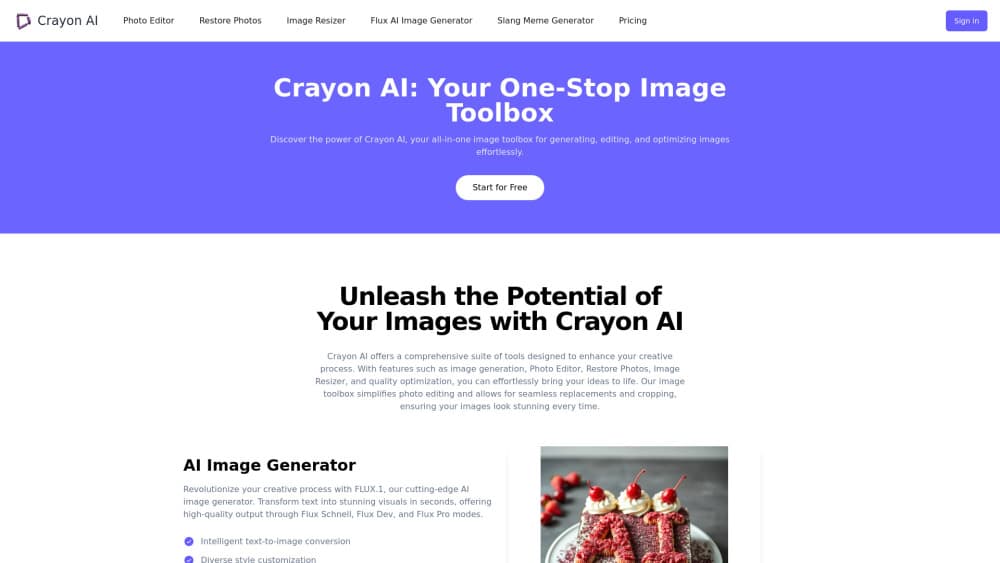
Crayon AI is a browser-based AI photo editor that generates, edits and restores images. Made for casual creators and small teams.
About Crayon AI
What Is Crayon AI
Crayon AI is an online image toolbox. Image creation, photo editing and cleanup all fit into one browser tab. No install needed. You upload a photo or type a prompt and let the site do the rest, which saves you from installing a heavyweight desktop editor just to crop a picture or strip a background. That matters if you need a quick product shot, a cleaned-up profile picture, or a meme before a deadline.
The toolset is wide for a free web app. Text-to-image generation, background removal, crop and resize tools, plus photo restoration, all sit in the same place. A few novelty generators for memes and random animals round it out. Every tool gets its own page, so you don't dig through menus to find what you need. The main build targets people who post to social media, run small shops, or tinker with AI art on the side, which means the same person can generate a banner, strip its background and resize it for three different platforms in one sitting. That covers a lot of ground.
Does it keep up with a dedicated editor? No, and it never claims to. It's built for speed over polish.
The catch is that Crayon AI runs on credits. The free tier is limited, and heavier work like video generation eats through a monthly allowance fast. Output quality also depends on the model behind each tool, which the site changes over time. If you need precise layer-based control like Photoshop, this isn't that. It's a fast, no-install pick for everyday online photo editing.
So who should bother? Anyone who wants a decent image without opening a design app, which is most people who need one fast and don't care about pixel-level bragging rights. It won't win awards, but it gets the job done.
Getting Started
- Open crayonai.net and pick a tool from the list, like the AI Image Generator or Remove Background.
- Sign in to get your free credits, since most tools need an account to process an image.
- Upload a photo or type a text prompt describing what you want the tool to produce.
- Adjust the output with the built-in editor, then download the result or share it straight to social media.
Product Information
A quick look at Crayon AI's pricing, supported platforms, and performance.
Best for
The users, tasks, and scenarios where this tool fits best.
Users
- Casual creators
- Small business owners
- Social media managers
Tasks
- Generating images from text
- Removing backgrounds
- Restoring old photos
- Resizing and cropping
Scenarios
- Last-minute social posts
- Product listing prep
- Quick personal projects
Key features
AI Image Generator
The image generator turns a text prompt into a finished picture in seconds, and because it supports several style options you can push the output toward a photo look, an illustration or something more abstract without rewriting your prompt from scratch. It's the entry point for most people who land on the site, and it sets the tone for what the rest of the toolbox does. Type, wait, done.
Background Remover
This tool detects the subject in a photo and cuts the background away automatically. Edges come out clean enough for listings and profile pictures. The whole thing runs without manual masking, which saves you the trouble of tracing an outline by hand when you have a dozen product shots to get through. If you've ever spent ten minutes on a single outline, this is the shortcut. Huge time saver.
AI Photo Editor
The editor handles the basics: crop, resize, rotate, flip, draw, add text, stickers and shapes. It doubles as an image resizer and a text tool in one. It won't replace a layered desktop app, but it covers what most people need for a quick fix, and because changes preview in real time you aren't guessing at the result or undoing a string of surprises.
Photo Restoration
Restore Photos brings damaged or faded images back to something usable. It cuts noise, sharpens faces in old pictures, and lifts color and vibrancy. It's aimed at scanned family photos and low-quality phone shots rather than professional retouching, so don't expect miracles on a shot that's missing half its pixels. Good enough for the family album.
Meme Generator
The meme tool ships with a set of popular templates and can write caption text for you with one click, so even people who claim they have no sense of humor can produce something shareable in under a minute. You can download the result or push it straight to social media. It's a small feature. It still pulls in casual visitors all the same.
Pros and cons
Pros
- Runs entirely in the browser, so there's nothing to install and it works on most devices.
- Bundles image creation, photo editing and cleanup tools in one place. No jumping between five different sites.
- Free tier lets you test the main tools before paying anything.
- The editor covers everyday tasks like cropping, resizing and adding text without a learning curve.
- Restoration and background removal are genuinely useful for old photos and product shots.
Cons
- Credits run out fast on heavier tasks, so video work on the Basic plan won't last a month of regular use.
- No layer-based editing, which means precise compositing still needs a real desktop editor.
- The free allowance is limited, so casual users may hit the cap before finishing a project.
Frequently asked questions
There's a free tier with limited credits, and two paid plans at $10 and $20 a month if you need more. The Pro plan raises image and video limits and adds faster generation and unlimited downloads.
Related content
Explore related tools, skills, and articles for Crayon AI.
Crayon AI Alternatives

X Ray Interpreter
X-ray Interpreter · ImageX Ray Interpreter is a web-based AI radiology tool that turns X-rays, CT scans, MRI, ultrasound, and PET images into plain-language reports. You upload a scan, get a preliminary X-ray interpretation in moments, then ask follow-up questions if something needs explaining. It works as a second opinion and a learning aid, not as a medical diagnosis.

Aieasypic
AIEasyPic · ImageAIEasyPic is an AI image generator that turns plain text prompts into finished artwork in seconds. You can also train custom models on your own photos, swap faces in existing images, and create short video clips from text, all from a browser. It suits casual creators who want quick visuals and hobbyists who want to build a personal model without touching any code.

Chargen
Chargen · ImageChargen is an AI character generator and worldbuilding toolkit built for Dungeons & Dragons and other tabletop RPGs. It turns a one-line idea into a painted character portrait, spins up NPCs, monsters, maps and encounters from the same session, and keeps every creature's details close at hand. The tabletop RPG art side runs on a credit system called Gold, while the text generators stay free for everyone.