
Creatok
Creatok · Video · Marketing
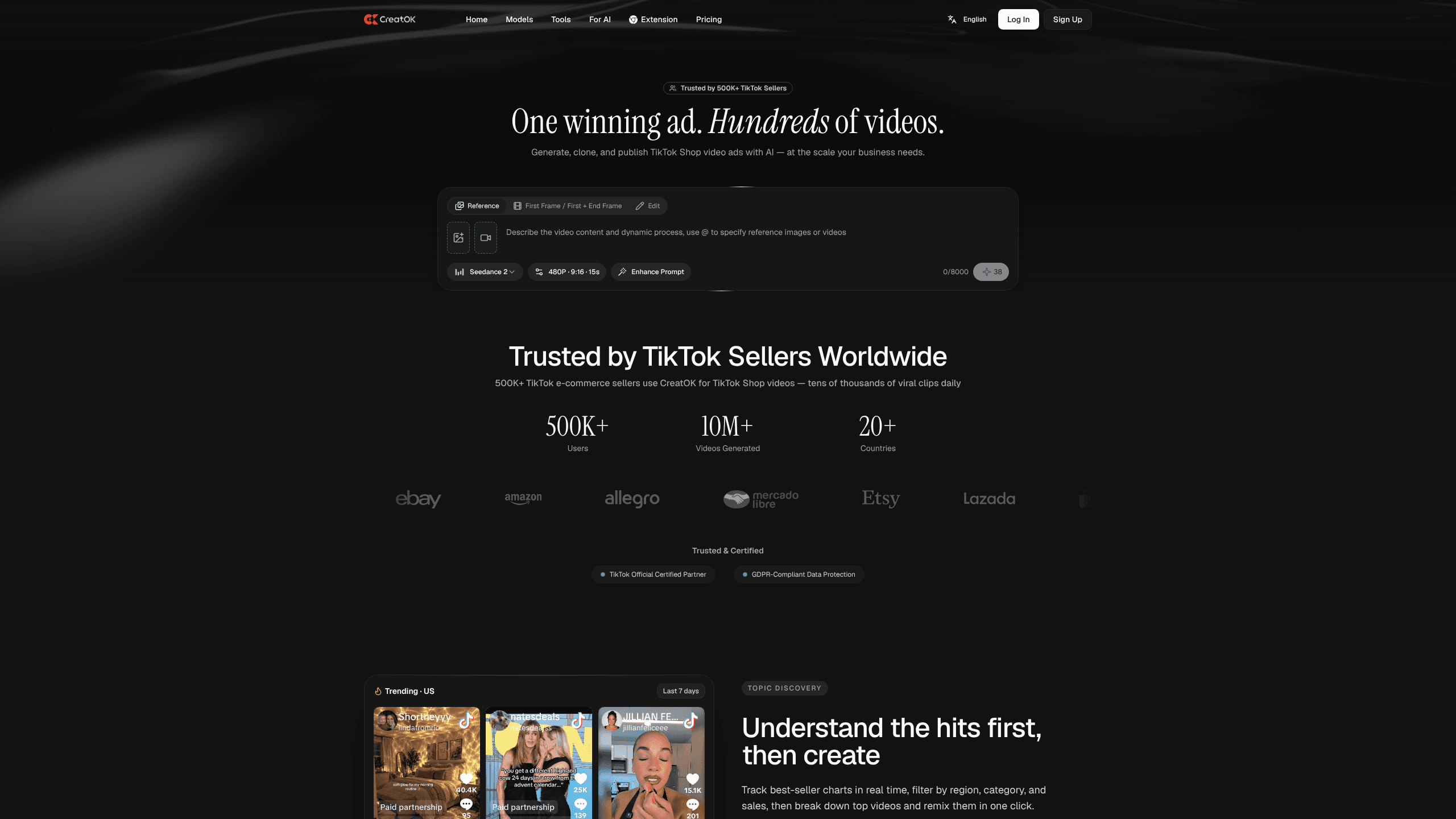
Creatok is an AI TikTok video generator built for TikTok Shop sellers who need ad volume without a production crew. You paste a product link or a reference video, pick a model, and it returns a finished short video you can publish straight to a shop or ad account. Over 500K sellers use it to clone winning creatives and push variations fast. Ever wondered how a single product photo becomes a scrolling-stopper? That's the whole idea here.
About Creatok
What Is Creatok
Creatok is a web-based AI video studio for short-form commerce. It covers the whole loop: an ad built from a product URL, a viral video cloned into a new variant, captions and translations for other markets, then a publish through official TikTok workflows. The pitch is simple. One winning ad can become hundreds of testable videos. That scale is the real product.
Under the hood, it leans on third-party model providers rather than training its own. The model menu lists Kling 3, Seedance 2.5, MiniMax H3, and others, so you switch engines per task instead of locking into one look. That flexibility matters more than it sounds, because in practice one model tends to handle product motion beautifully while a different one is clearly stronger at human faces and lip movement, and being able to swap between them mid-project is the difference between a clip you post and a clip you scrap.
The main limits are scope and cost. Creatok is tuned for TikTok Shop, so if you sell on Instagram Reels or YouTube Shorts first, you'll be exporting and reworking. Credit-based pricing also means heavy iteration burns budget. Run many variants, not one polished hero clip, and the math works. Burn one hero clip instead? Not ideal. The logic is that testing cheap variants gives you far better signal about what actually converts with your audience than pouring the whole budget into a single polished video that might simply miss.
Getting Started
- Sign up at creatok.ai with an email address and open the workspace.
- Paste a product link into Product to Video, or upload a reference video to clone it.
- Pick a model and a creative direction, then confirm the auto-pulled product assets.
- Generate the video, adjust captions or voiceover, and preview the result.
- Connect a TikTok Shop account and publish, or download the file for other channels.
Product Information
A quick look at Creatok's pricing, supported platforms, and performance.
Best for
The users, tasks, and scenarios where this tool fits best.
Users
- TikTok Shop sellers
- Dropshippers and small e-commerce brands
- Solo content creators monetizing via affiliate links
Tasks
- Turning a product URL into a short commerce ad
- Cloning a viral TikTok video's structure
- Translating and recaptioning ads for other markets
- Removing subtitles or watermarks from source clips
- Publishing finished videos to TikTok Shop
Scenarios
- Launching a new product and needing a batch of ad angles by tomorrow
- Entering a new language market
- Reviving a stale campaign
- Running a lean operation with no in-house editor
Key features
Product Link to Video
Paste a product URL and Creatok builds an ad around it, pulling product visuals and details, then letting you choose the creative direction. It cuts the blank-page problem for sellers who know their product but not how to shoot it. You still confirm the assets before generating, so bad scrapes don't slip through. Total time from link to first draft? A couple of minutes.
One-Click Viral Cloning
Feed in a viral reference video and the tool rebuilds its structure with your product. That's the feature sellers talk about most. It keeps pacing and framing while swapping the subject, which is far faster than storyboarding from zero. Proven hooks become reusable templates, and that's where the volume advantage comes from.
Multi-Model Video Generation
The workspace lets you switch between models like Kling 3, Seedance 2.5, and MiniMax H3 on a per-project basis. Different engines suit different jobs, and picking the right one is often what separates a usable clip from a throwaway. You aren't stuck with a single house model. Match the engine to the shot. Simple.
Video Translate and Captions
Video Translate adapts ads for other languages, which matters for cross-border sellers running the same product in several markets. Combined with caption tooling, it keeps a proven ad working after a language swap instead of forcing a full re-edit. One ad, many markets. That's the goal.
Watermark and Subtitle Removal
Dedicated removers strip subtitles and watermarks from source footage. It's a practical first step before you fold a clip into a new edit, and it saves you from re-shooting. Clean source means less cleanup later in the timeline. If you've ever tried to salvage a competitor-style clip with burned-in captions, you know exactly how much time this saves.
TikTok Shop Video Publishing
The video publisher pushes finished videos to TikTok Shop through official workflows. You skip manual uploads and keep publishing inside the same tool where you made the video. That keeps the loop tight when you're shipping daily.
Broader AI Toolkit
For a seller producing a full campaign, having the thumbnail, the storyboard, and the transcript in the same workspace saves a surprising amount of back-and-forth.
Pros and cons
Pros
- Cloning viral videos turns proven hooks into reusable templates, which is the fastest path to testable TikTok Shop video ads.
- Multi-model access lets you match the engine to the task instead of settling for one look.
- Publishing to TikTok Shop runs through official workflows, so the pipeline stays in one place.
- No watermark and a commercial license come with the paid tiers, useful for sellers running paid ads.
- The wider image and transcript tools cover supporting assets without extra subscriptions.
Cons
- It's built around TikTok Shop, so sellers focused on Instagram Reels or YouTube Shorts will do extra export work.
- Credit-based pricing means heavy iteration gets expensive, and costs are hard to predict before you commit.
- There's no public API, so teams that want to automate at scale are stuck with the web interface.
Frequently asked questions
It's an AI video generator for TikTok Shop sellers. You make short product ads by pasting a product link or cloning a reference video, then publish the result directly to your shop or ad account without leaving the workspace.
Related content
Explore related tools, skills, and articles for Creatok.
Creatok Alternatives

Vadu AI
Vadu AI · Image · VideoVadu AI is a web-based AI video generator that turns written prompts or still images into short clips, and it can also generate images on its own. You type what you want, pick a model and style, and the platform renders the result in minutes. A free plan covers light testing, while paid tiers run from $9 to $77.40 per month based on how many credits you burn.

Mykaraoke Video
MyKaraoke Video · VideoMykaraoke Video is an online karaoke video maker and lyric video maker that turns any song into a finished, lyrics-synced video right in your browser. It handles the slow part for you. The AI pulls vocals out of the mix and locks the lyrics to the beat, then lets you customize background, fonts, and colors before exporting in 1080p MP4. If you make lyric videos for social media, party nights, or music promotion, it skips the software installs and manual timing work entirely. Want a karaoke video generator that doesn't eat your whole evening? That's the pitch here.

Finalframe
Finalframe · VideoFinalframe is a set of free, browser-based tools for grabbing exact frames out of a video clip. Its best-known feature, the Final Frame Extractor, lets you extract the last frame of any video so you can use it as the starting image for AI video tools like Luma Dream Machine, Runway, or Kling. Want to keep a clip going? That last frame is your starting point. The tool runs locally in your browser, needs no sign-up, and costs nothing. A separate paid AI video-generation app from the same team is currently offline while it's rebuilt.