

Creen AI
Creen · Video
Creen AI is a browser-based AI generator that puts video, image, and audio tools in one tab, and you can run 40+ models including Sora 2 and VEO 3.1 without signing up for anything or entering a card. The free tier is generous enough for most daily work. It's an AI generator no sign up flow for creators who want one AI image generator and free AI video generator instead of a stack of separate subscriptions.
About Creen AI
What Is Creen AI
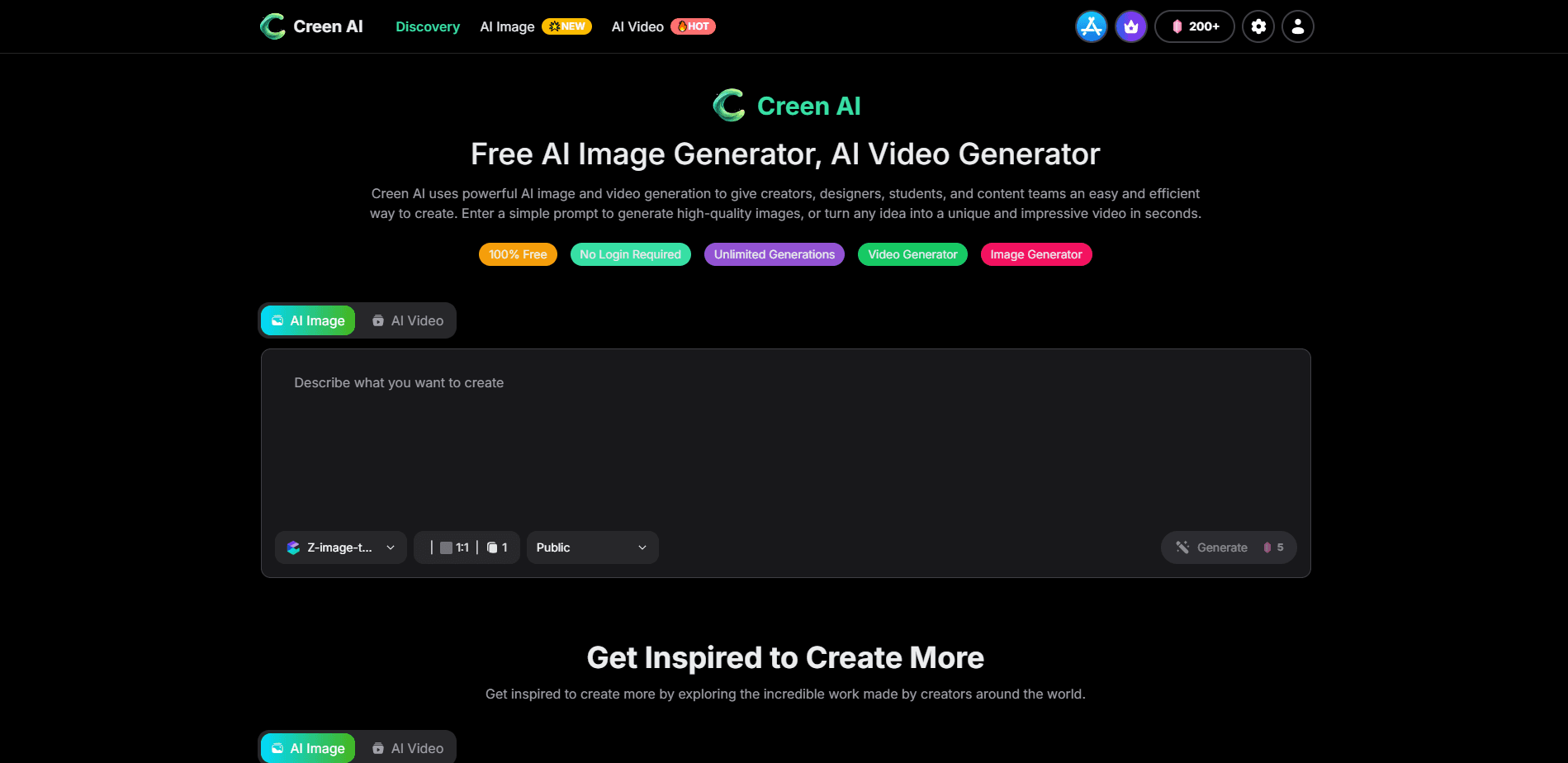
Creen AI is a free AI generator that handles three formats in a single workspace: video, image, and audio. The pitch is simple. Most people who juggle AI tools end up paying for four or five subscriptions, then copy-pasting prompts between them all day. Creen puts 28 video models, 11 image models, and 7 audio models behind one prompt box, and lets you switch engines with a click.
The bigger draw is access. You get a daily quota on lighter models like Z-Image Turbo and Seedream 5.0 Lite without paying, and no account is required to start. Premium engines such as Sora 2 Pro and VEO 3.1 spend credits, but the everyday loop stays free.
The trade-off is depth. Creen is a wide, fast studio rather than a specialist that helps you manage long projects. If you need fine-grained project management, shared team libraries, or a formal API for automation, this isn't built for that. It's a generator, and it's honest about being one.
Getting Started
- Open creen.ai in your browser. No popup. No email gate.
- Pick a route: image generator for stills, video generator for motion, or audio for voice work. Each is a one-click jump, and you can move from text to video at any point.
- Type a prompt, or drag in reference images for the image-to-image flow.
- Choose a model from the picker, then confirm. Credits are shown before you commit.
- Export in HD, or send a finished still straight into image-to-video to animate it.
Product Information
A quick look at Creen AI's pricing, supported platforms, and performance.
Best for
The users, tasks, and scenarios where this tool fits best.
Users
- Social media creators
- Small e-commerce sellers
- Students and hobbyists
- Designers comparing engines
Tasks
- Text to video
- Animating a still photo
- Restyling existing photos
- Voice-over and dubbing
Scenarios
- Posting daily short-form content when you have no time to edit
- Building a product catalog on a tight budget
- Testing an idea before a client meeting
- Mocking up a poster or thumbnail
Key features
One Workspace for Video, Image, and Audio
Creen keeps every format on the same page and the same prompt. A still you make in the image generator can go straight into image-to-video without leaving the tab. For people who used to bounce between three tools, the reduction in friction is the main selling point.
40+ Frontier Models in a Single Tab
The lineup covers 28 video models, 11 image models, and 7 audio models. That includes Sora 2, VEO 3.1, Nano Banana Pro, Seedance 2.0, Kling V3, and Grok Imagine Video. If you've ever wanted to run the same prompt through several of the biggest engines on the market without paying for each one separately, this is where that becomes a single click instead of a week of subscription juggling.
A Free Quota That Finishes Real Work
Most free tools stop you after a few generations and ask for a card before you can do anything useful with the output. Creen grants a daily quota large enough to iterate a full design cycle on models like Z-Image Turbo and Nano Banana 2, and premium engines only cost credits when you deliberately opt in, with the cost shown before you generate.
4K Stills and 1080p Video
Image output reaches 4K (3840 × 2160), and video renders at 1080p and 24fps, with clips up to 10 seconds. Those numbers cover social posts, thumbnails, and short ads for the vast majority of everyday creator work. Anything longer or higher-spec than that will need a different tool.
Seed Control and Prompt Weighting
Every generation shows its seed value, so you can copy it and lock the same composition later. Prompt weighting and negative prompts let you push a subject forward or cut unwanted elements. Working artists need repeatable output. This gives it to them.
No Login Required
The studio opens without an account, an email, or a popup. You can generate, download, and leave. That matters when you want to test output quality before handing over any personal data.
Pros and cons
Pros
- Free daily quota that covers most routine generation, with no sign-up to start. Just open it.
- One interface for video, image, and audio cuts tool-switching time.
- 40+ models, including Sora 2 and VEO 3.1, switchable on the same prompt.
- 4K image output and seed control give you repeatable, high-resolution results.
- New models get added to the same workspace without an upgrade fee.
Cons
- No public API, so you can't wire Creen into an automated pipeline.
- Premium models burn credits fast, which pushes heavy users toward a paid tier.
- Video caps at 10 seconds and 1080p, which rules out longer professional edits.
- No team libraries or shared project management, so it stays a solo tool.
Frequently asked questions
Yes, there's a free tier with a daily quota on lighter models like Z-Image Turbo and Seedream 5.0 Lite. Premium engines such as Sora 2 Pro and VEO 3.1 spend credits, so heavy use of those will push you toward a paid plan.
Related content
Explore related tools, skills, and articles for Creen AI.
Creen AI Alternatives

Vadu AI
Vadu AI · Image · VideoVadu AI is a web-based AI video generator that turns written prompts or still images into short clips, and it can also generate images on its own. You type what you want, pick a model and style, and the platform renders the result in minutes. A free plan covers light testing, while paid tiers run from $9 to $77.40 per month based on how many credits you burn.

Mykaraoke Video
MyKaraoke Video · VideoMykaraoke Video is an online karaoke video maker and lyric video maker that turns any song into a finished, lyrics-synced video right in your browser. It handles the slow part for you. The AI pulls vocals out of the mix and locks the lyrics to the beat, then lets you customize background, fonts, and colors before exporting in 1080p MP4. If you make lyric videos for social media, party nights, or music promotion, it skips the software installs and manual timing work entirely. Want a karaoke video generator that doesn't eat your whole evening? That's the pitch here.

Finalframe
Finalframe · VideoFinalframe is a set of free, browser-based tools for grabbing exact frames out of a video clip. Its best-known feature, the Final Frame Extractor, lets you extract the last frame of any video so you can use it as the starting image for AI video tools like Luma Dream Machine, Runway, or Kling. Want to keep a clip going? That last frame is your starting point. The tool runs locally in your browser, needs no sign-up, and costs nothing. A separate paid AI video-generation app from the same team is currently offline while it's rebuilt.