

Presentation 2.0 by CubeOne
CubeOne · Productivity · Chatbot
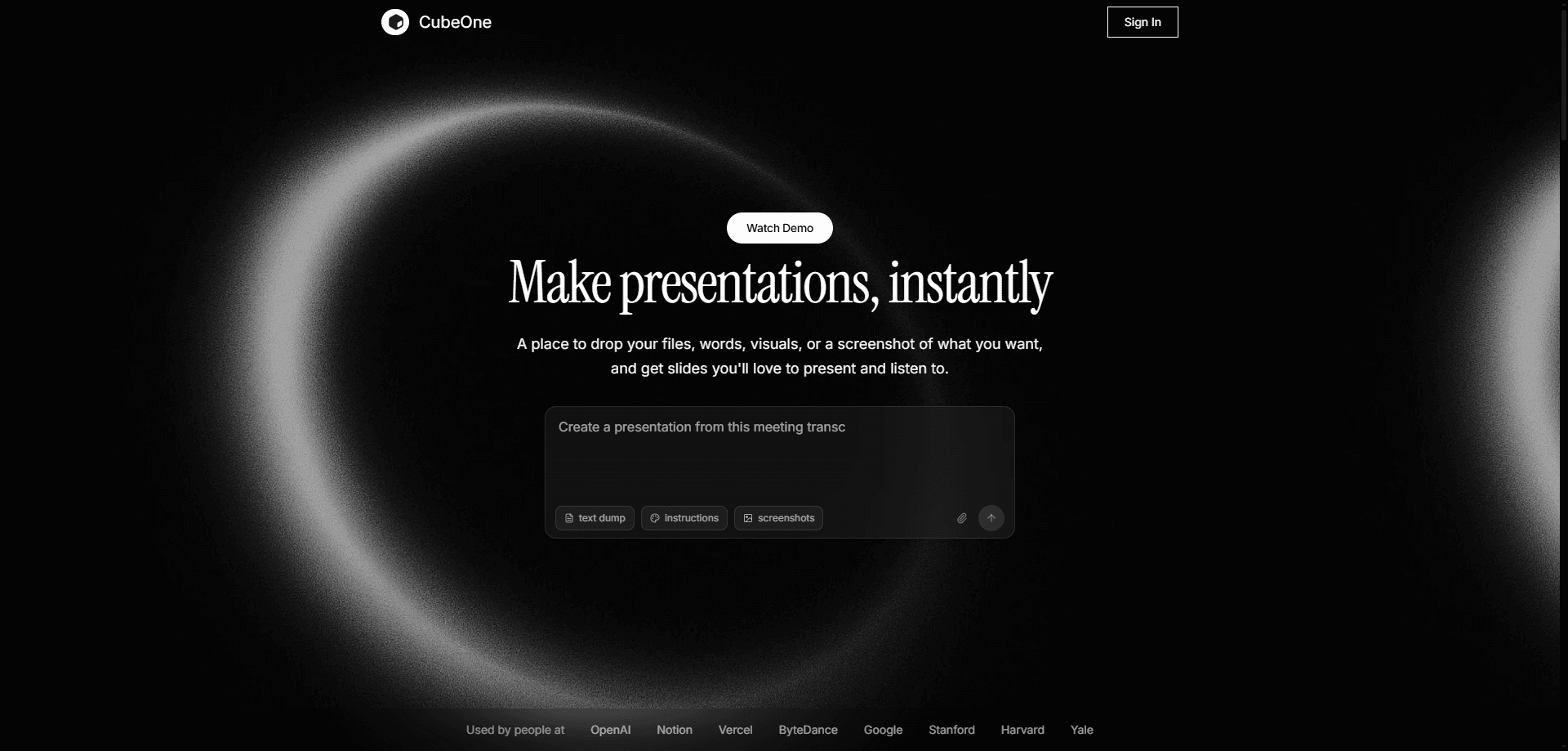
Presentation 2.0 by CubeOne is an AI presentation tool that turns a short brief into a full deck you can keep editing. You describe the goal in chat, and it drafts sections, writes the copy and lays out slides using models like Fable 5, GPT-5.6 Sol and Gemini 3.1 Pro. The point is to skip the blank-canvas phase: you start from a finished draft, then adjust anything you like.
About Presentation 2.0 by CubeOne
What Is Presentation 2.0 by CubeOne
Presentation 2.0 by CubeOne is an AI presentation generator built around chat instead of menus. You paste a brief, attach docs or photos, and the tool plans the structure and produces slides on its own. It sits between a design suite and a text assistant: less manual canvas work than a traditional editor, more control than a one-shot generator that spits out a fixed template.
The tool is aimed at people who make decks often but don't want to design them. Every element it creates stays editable and can be dragged anywhere. So the AI draft is a starting point, not a locked output. It also handles a self-talking presentation mode, where the deck can narrate itself. That helps for async reviews and recorded pitches.
The main limit is trust in the first pass. AI layouts still need a human eye for tone and accuracy. The free-form canvas rewards users who know what they want. Expect to review the draft. If you want a finished deck with no edits, you'll be disappointed.
Getting Started
- Open getcube.one and start a new deck, then type a brief describing your topic, audience and goal.
- Attach any docs, photos or notes you want the AI to read, and let it plan the sections.
- Generate the slides, then edit by chatting, or drag elements freely and ask for changes.
- Use Beautify to restyle a rough draft into a polished look in one click.
- Download the deck as a fully editable PPTX, or run it in self-talking presentation mode.
Product Information
A quick look at Presentation 2.0 by CubeOne's pricing, supported platforms, and performance.
Best for
The users, tasks, and scenarios where this tool fits best.
Users
- Founders and small teams pitching investors
- Consultants who live in decks
- Students and teachers
Tasks
- Turning a written brief into a first draft
- Restyling a messy deck
- Generating a chart, title or image exactly where you want it
- Producing a self-talking deck for async sharing
Scenarios
- Late-night pitch prep before a morning meeting
- Quarterly business reviews
- Product launch decks for marketing
- Conference talks and workshops
Key features
Chat-to-slides generation
You describe the deck you want and the AI builds it. The tool reads a brief, plans three or more sections and writes the slide copy. That skips the empty-canvas stage. It pulls from several underlying models, including Fable 5, GPT-5.6 Sol and Gemini 3.1 Pro. Pick the one that fits your task.
Fully freeform editing
Every element the tool creates stays editable and drags anywhere without snapping to a rigid grid. You aren't locked into a template. You can rearrange, resize or swap parts by hand. Don't want to touch the layout? Edit in plain language and let the AI apply the change.
Beautify one-click restyle
Drop anything onto a slide, however rough, and Beautify redesigns it into a polished version in a single click. It keeps your text and structure. This is the fastest path when your content is ready but the visuals look unfinished.
Region-based generation
Draw a region on a slide and describe what you want there, whether that's a title, a chart, an image or a set of bullets. The AI generates the element exactly inside the space you drew. That precision beats prompting the whole slide and hoping the layout lands where you pictured it. Big difference.
Editable PPTX export
You can download the finished deck as a fully editable PPTX file. That matters for anyone handing slides to a client, a teammate or a corporate template. The file opens in standard presentation software. It doesn't stay trapped in the web app.
Self-talking presentation mode
The deck can present itself, narrating the slides without a live speaker. For recorded pitches, async reviews and training material, that saves the step of recording a separate voiceover. It's a fit for teams that share decks over email or a wiki. They just play on their own.
Pros and cons
Pros
- Chat-based editing means you can rewrite slide content in plain language without ever opening a design panel or hunting through menus for the right control.
- Freeform elements drag anywhere, so the layout isn't boxed into fixed templates.
- Beautify slides in one click: a rough draft becomes a clean slide without a manual rebuild.
- Editable PPTX export keeps decks usable after they leave the app.
- Self-talking presentation mode supports async sharing without a live presenter.
Cons
- There's no free plan, so you can't test the full workflow without paying from $15/mo.
- The public site doesn't document API access at all, which blocks teams hoping to automate deck creation or wire the tool into an existing content pipeline.
- First drafts still need human review for accuracy and tone before you present them.
Frequently asked questions
It's an AI presentation tool for building and editing slide decks through chat. You give it a brief, and it plans sections, writes copy and lays out slides that you can then adjust by hand or by asking for changes.
Related content
Explore related tools, skills, and articles for Presentation 2.0 by CubeOne.
Presentation 2.0 by CubeOne Alternatives

Swms
Swms AI · Writing · Productivity · BusinessSwms is an AI safety compliance tool that turns a plain description of a job into ready-to-use safety documents. Describe your project, trade, and known hazards, and it writes a safe work method statement, job hazard analysis, safe work procedure, RAMS, or safety data sheet in seconds. It also ships with Oscar, a chat assistant that answers workplace safety questions in any language. Teams in construction, mining, transport, and warehousing use it to cut the paperwork that usually eats into a workday.

Wordly AI Translation
Wordly · Voice & Language · ProductivityWordly AI Translation is a real-time AI translation and captioning platform built for meetings, conferences, and events. It delivers live translation, captions, transcripts, and summaries in more than 60 languages, and attendees join by scanning a QR code or opening a link instead of using dedicated headsets. The platform works with Zoom, Microsoft Teams, Google Meet, and Webex, and it's designed for organizations that want multilingual access without hiring human interpreters for every session. Simple as that.

Rows
Rows (Superhuman) · Productivity · BusinessRows is an AI spreadsheet and data analysis tool that imports live data from more than 50 sources, then lets you work with it using plain language instead of SQL queries or nested formulas. You can pull numbers out of PDFs, connect ad platforms, databases, and bank accounts, and ask the AI to build reports, merge datasets, or set up models that recalculate themselves. It runs in the browser, works like a spreadsheet, and now sits under the Superhuman umbrella.