


Cursor
Anysphere · Coding
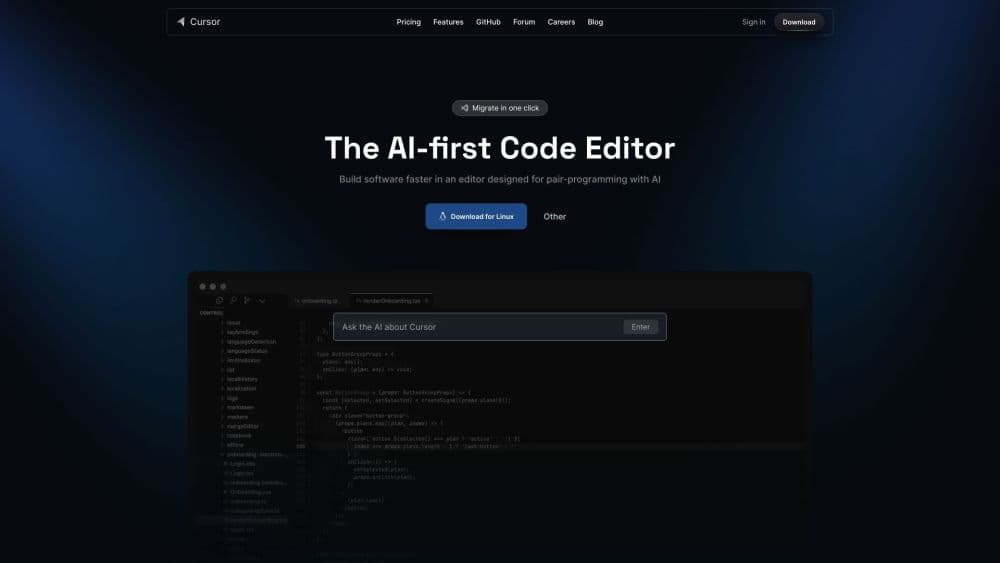
Cursor is an AI code editor and coding agent built by Anysphere. It reads your whole codebase, writes and edits code, and runs agents that finish tasks across your editor, terminal, and GitHub.
About Cursor
What Is Cursor
Cursor is an AI-native code editor and coding agent. As an AI programming tool, you point it at a project, describe what you want in plain language, and it reads across your files, plans the change, and writes the code. Under the hood it's a fork of VS Code, so the editor, extensions, and keybindings you already know are still there. What changes is the center of gravity: instead of typing every line, you steer an agent that does the work and shows you the diff.
The problem it targets is the slow middle of software work. Writing a new feature means re-reading old code you forgot, fixing a bug means tracing logic across files, and reviewing a pull request means checking the change against its description. Cursor tries to fold those into one loop: ask, generate, verify, merge. It ships its own model, Composer, alongside third-party models from OpenAI, Anthropic, Google, and others, so you can pick what fits the task.
Two things set the boundaries. Everything routes through Cursor's servers and the models it connects to, so a fully offline or air-gapped setup isn't the target. And on large codebases, the AI still works best on local edits and single modules; ask it to rework an entire system and pieces can slip. For developers who already live in a VS Code-style editor and want AI woven into that flow, it lands well.
Getting Started
- Download Cursor from cursor.com for macOS, Windows, or Linux, and sign in with GitHub or Google. VS Code users can import extensions, settings, and keybindings in one step.
- Open a project folder. Cursor indexes the codebase so the agent understands your files, framework, and conventions.
- Make a change. Press Tab for inline completions, use Cmd+K for a targeted edit, or open the agent and describe the feature in plain language. Use Plan Mode when you want to review the approach before any code is written.
- Run the agent. It edits files, runs commands, and shows a diff you can accept or reject line by line. You can also launch several agents in parallel or hand longer jobs to cloud agents.
- Review and ship. Inspect the changes, run your tests, and push to GitHub, or let Cursor review pull requests and connect to Slack, GitLab, and other tools.
Product Information
A quick look at Cursor's pricing, supported platforms, and performance.
Free PlanYes
Paid Plans$20 - $200/mo
PlatformmacOS, Windows, Linux, Web
DeveloperAnysphere
CategoryCoding
Release DateMar 2023
Latest UpdatedOct 2025
Website Visits4.5M
Website Global Rank14.2K
API AvailabilityYes
Best for
The users, tasks, and scenarios where this tool fits best.
Users
- Professional developers
- Full-stack and frontend engineers
- Teams and enterprises
Tasks
- Building a new feature from a description
- Tracking down a bug
- Reviewing pull requests
- Refactoring and cleanup
Scenarios
- Shipping a small app over a weekend
- Maintaining a legacy codebase
- Running several tasks at once
- Working inside a team workflow
Key features
Agent Mode
The agent takes a plain-language request and carries it out across your project. It reads the files it needs, plans the steps, edits code, runs commands, and shows a diff you approve before anything sticks. Compared with a single-file autocomplete, it handles work that spans folders, like adding an endpoint plus its tests plus its migration. Plan Mode separates the thinking from the doing, so you can review the approach first.
Tab Autocomplete
Tab predicts your next edit, not just the next token. It suggests multi-line changes and jumps to the spot you're most likely to edit next, which keeps you in flow on repetitive work. It runs on a fast model tuned for latency, so suggestions land as you type rather than after a pause.
Model Choice and Composer
Cursor bundles its own model, Composer 2.5, and lets you route requests to frontier models from OpenAI, Anthropic, Google, and others. Each model has its own context window and price, and you can pick per task. For teams, Cursor Router chooses a model automatically for Auto requests based on your optimization goal.
Cloud Agents and Parallel Work
Beyond the editor, agents run on their own machines to build, test, and demo features, working in parallel on long jobs. You delegate a task, walk away, and come back to finished work to review. This is what turns a single assistant into something closer to a set of teammates handling independent pieces at once.
Bugbot and Code Review
Bugbot reviews pull requests, inspects the change, and flags likely problems with inline comments. It connects to GitHub and GitLab, so review happens where your code already lives. The point is catching the issues a manual read tends to miss when a diff runs to hundreds of lines.
Integrations and Extensibility
Cursor runs in your terminal, collaborates in Slack, and reviews PRs in GitHub, with connections to GitLab, Azure DevOps, Bitbucket, JetBrains, and Linear. You can add plugins, skills, MCP servers, and rules from one place, so the agent can reach your tools and follow your conventions.
Pros and cons
Pros
- It reads across your whole codebase, so multi-file edits and refactors don't require pasting context by hand.
- The VS Code base means your extensions, themes, and shortcuts carry over, which cuts the switch cost.
- You can pick a model per task and switch without leaving the editor.
- Parallel and cloud agents let long jobs run in the background while you keep coding.
- Teams get SSO, usage analytics, and per-active-user billing, which is easier to manage than per-seat tools.
Cons
- It needs a cloud connection and the models behind it, so a fully offline or air-gapped setup won't work.
- On very large codebases, indexing and cross-module reasoning can miss context, so you still verify the output.
- Agent usage is metered against a plan, and heavy use of premium models can push you past the included amount.
- Third-party model usage is billed separately at API prices, which makes costs harder to predict than a flat fee.
Frequently asked questions
Cursor is an AI code editor and coding agent for writing, editing, and reviewing software. You open a project, describe what you want, and the agent changes the code across your files. It also runs in the terminal, reviews pull requests, and connects to tools like GitHub and Slack.
Related content
Explore related tools, skills, and articles for Cursor.
Cursor Alternatives

Base Code
Base44 (Wix) · Coding · ProductivityBase Code is a shared cloud development environment from Base44. Teammates describe changes to an existing GitHub codebase in chat, preview them live and send them back as pull requests.
Free / $16 - $160/moView details

Google EmbeddingGemma 2
Google DeepMind · Writing · Image · CodingGoogle EmbeddingGemma 2 is a 740M-parameter open model that turns text, code, images, audio, and video frames into vectors in one 768-dimension space, running on phones and laptops.
Free / Free to download under Apache 2.0, no paid tiersView details

GitGlow
GitGlow · Coding · ProductivityGitGlow is a local-first desktop Git client that lets independent developers review their own code and their AI agents' changes in one place before shipping.
Free / Free - €2.99/mo (€29/year)View details
Related AI News