

Cuto
Cuto · Video
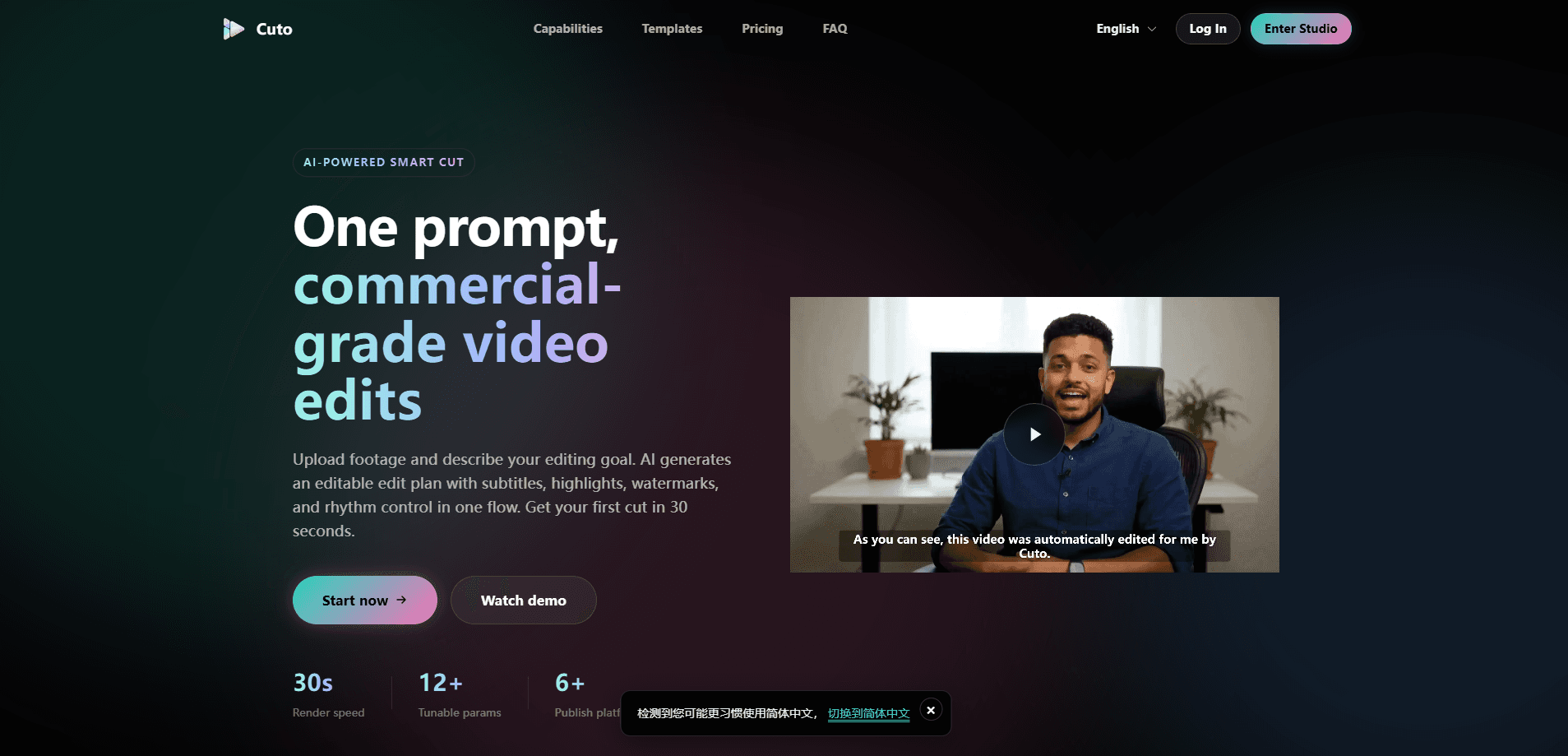
Cuto is an AI video editing tool built for creators who need commercial-grade cuts without touching a traditional timeline. It works as an AI video editor first and a manual workspace second, which flips how most people approach post-production. You upload footage, and it does the rest. You upload your footage, describe the edit you want in plain language, and Cuto returns an editable plan with subtitles, highlight clips, watermarks, and rhythm control in one pass. It's fast. It targets marketing teams, solo creators, and design shops that publish video editing for social media across Shorts, Reels, TikTok, and similar short-video platforms.
About Cuto
What Is Cuto
Cuto is a browser-based smart editing workspace that handles the boring parts of video post-production for you. Instead of cutting clips, syncing captions, and placing transitions by hand, you describe your goal and let the AI build a draft you can then adjust. Everything lives in a single workspace, so there's no hopping between a subtitle tool, a highlight finder, and a watermark app. One tab. No switching. That's the whole idea, and it's a welcome change if your current setup spans five browser windows and a spreadsheet.
The main problem it solves is turnaround. A talking-head video shot over an hour still needs a tight 9:16 version for social, and that used to mean a long manual pass. Cuto analyzes your clips in parallel, pulls the high-energy video highlights, and matches transitions to the beat. It also works as an automatic subtitle generator and writes the titles, descriptions, and hashtags while you export, which saves a separate copywriting step that most teams dread doing at the end of a long edit session.
The biggest limitation is that Cuto is a paid tool with no free tier, and credits are the currency. Uploads are charged by source size, exports cost a fixed amount, and you get up to 12 video files per run. That sounds simple until you realize a weekly publishing schedule keeps drawing down credits, and the cost scales with how much footage you push through rather than how many videos you make. If you edit occasionally, the running credit cost matters more than the headline subscription price. There's also no public API, so it won't slot into an automated pipeline yet. That's a real gap for teams already running scripted workflows.
Getting Started
- Create an account on the Cuto site and pick a plan, since there's no free option to test with.
- Open the workspace and drag in your video files plus any .srt or .vtt subtitle files you already have.
- Describe your editing goal in plain language, such as a 30-second product highlight that keeps the opening hook and closing call to action.
- Let the AI generate the edit plan, then refine clips on the timeline or tune form parameters.
- Export the video and grab the auto-generated platform copy, then publish.
Product Information
A quick look at Cuto's pricing, supported platforms, and performance.
Best for
The users, tasks, and scenarios where this tool fits best.
Users
- Solo creators
- Marketing teams
- Small studios
Tasks
- Cutting a long talking-head video into high-energy clips
- Generating subtitles and highlights
- Writing publishing copy
Scenarios
- Turning a product launch into a 30-second promo
- Repurposing a live stream
- Producing unboxing or educational content
Key features
Prompt-driven smart editing
You describe the edit you want and Cuto builds an editable plan. It analyzes multiple clips at once, extracts the strongest moments, and drops the duplicate shots. Rhythm and transitions get matched automatically. No more blank timeline. The draft already feels cut.
Subtitles, highlights, and watermark in one panel
Captions, key-info highlights, and branded watermarks all happen in the same place, so you never bounce a finished cut into a second app just to add a logo. There are four subtitle styles with AI segmentation and six adaptive highlight styles. You control the watermark content, position, and look, which matters when every export has to carry your brand consistently across a dozen posts a week.
Multi-platform copy generation
While your video renders, Cuto writes platform-ready titles, descriptions, and hashtags that are tuned to each channel's length and tone. It covers Shorts, Reels, TikTok, and Douyin, and supports bilingual output. That removes the usual step of drafting a separate caption for each channel by hand, which is the kind of task that quietly eats thirty minutes every single time you publish. Copy done. Next.
Three editing modes
You can fine-tune with a visual timeline, a form-based parameter panel, or raw JSON. That range suits people who want to drag clips around and people who'd rather edit settings directly. Want more control? Drop to raw parameters. Not many AI editors let you do that. Nice touch.
Scene presets and reuse
Cuto ships with presets for talking-head cuts, product reviews, unboxing, education, and live clips. Each preset auto-adjusts the strategy and parameters for that format, and you can save your own custom scenes to reuse in one click. Setup once, reuse forever. It saves real time on recurring series, especially when the same brand look has to carry across every episode you publish.
Multi-format asset ingest
You can upload several videos at once, bring in external .srt or .vtt subtitle files, and let Cuto detect media metadata on import without you tagging anything by hand. The per-run cap is 12 video files, which is plenty for a batch of short clips but tight for a long multi-part shoot. Plan around it.
Pros and cons
Pros
- Cuts the first draft automatically, so you start from a real edit instead of a blank timeline.
- Keeps subtitles, highlights, and watermark in one workspace rather than three separate tools.
- Writes platform copy alongside the export, covering Shorts, Reels, TikTok, and Douyin.
- Offers timeline, form, and raw JSON editing, so both visual editors and tinkerers are served.
- Scene presets and custom scene saving reduce repeated setup across similar projects.
Cons
- No free plan. You have to pay to try it, so you can't evaluate output quality first.
- Credits are consumed on upload by source size and on every export, which means frequent renderers pay more than the sticker price suggests.
- The 12-file cap per run limits long projects that involve many separate recordings.
- No public API, so teams that want to automate video editing inside their own pipeline are out of luck.
Frequently asked questions
Smart editing means the AI builds the edit plan for you. You upload footage and describe your goal, and Cuto returns an editable plan so you're not assembling a cut from an empty timeline. It handles the structural work that normally eats an afternoon, then hands you something you can actually refine. A traditional editor leaves all of that structuring to you.
Related content
Explore related tools, skills, and articles for Cuto.
Cuto Alternatives
Griffin by Tavus
Tavus · Voice & Language · Video · ChatbotGriffin by Tavus is the first Human Interaction Model: a full-duplex, video-to-video system that watches, listens, and answers during a live video call in real time.

Syllaby AI Avatar 2.0
Syllaby · Video · MarketingSyllaby AI Avatar 2.0 turns a script into a presenter-led video with a reusable AI avatar, natural voice, B-roll and automatic subtitles, all in one browser workflow.

Vitra.ai
Vitra.ai · Voice & Language · Video · MarketingVitra.ai is an agentic content platform that creates, translates, reviews, and publishes video, images, documents, and app content in 120 languages from one shared brief.