

Day AI
Day AI · Productivity · Marketing · Business
Day AI is a go-to-market platform that pairs a shared context graph with a roster of named AI agents. The context graph pulls from your team's email, calendar, meetings, and Slack, so nobody has to log activities by hand. On top of that, agents with titles and job descriptions run pipeline work, build customer lists, and draft follow-ups on their own schedules without waiting for a prompt or a person to chase them. It's built for teams running go-to-market on Claude. That's the full pitch, and it leaves out a lot, so here's what actually matters.
About Day AI
What Is Day AI
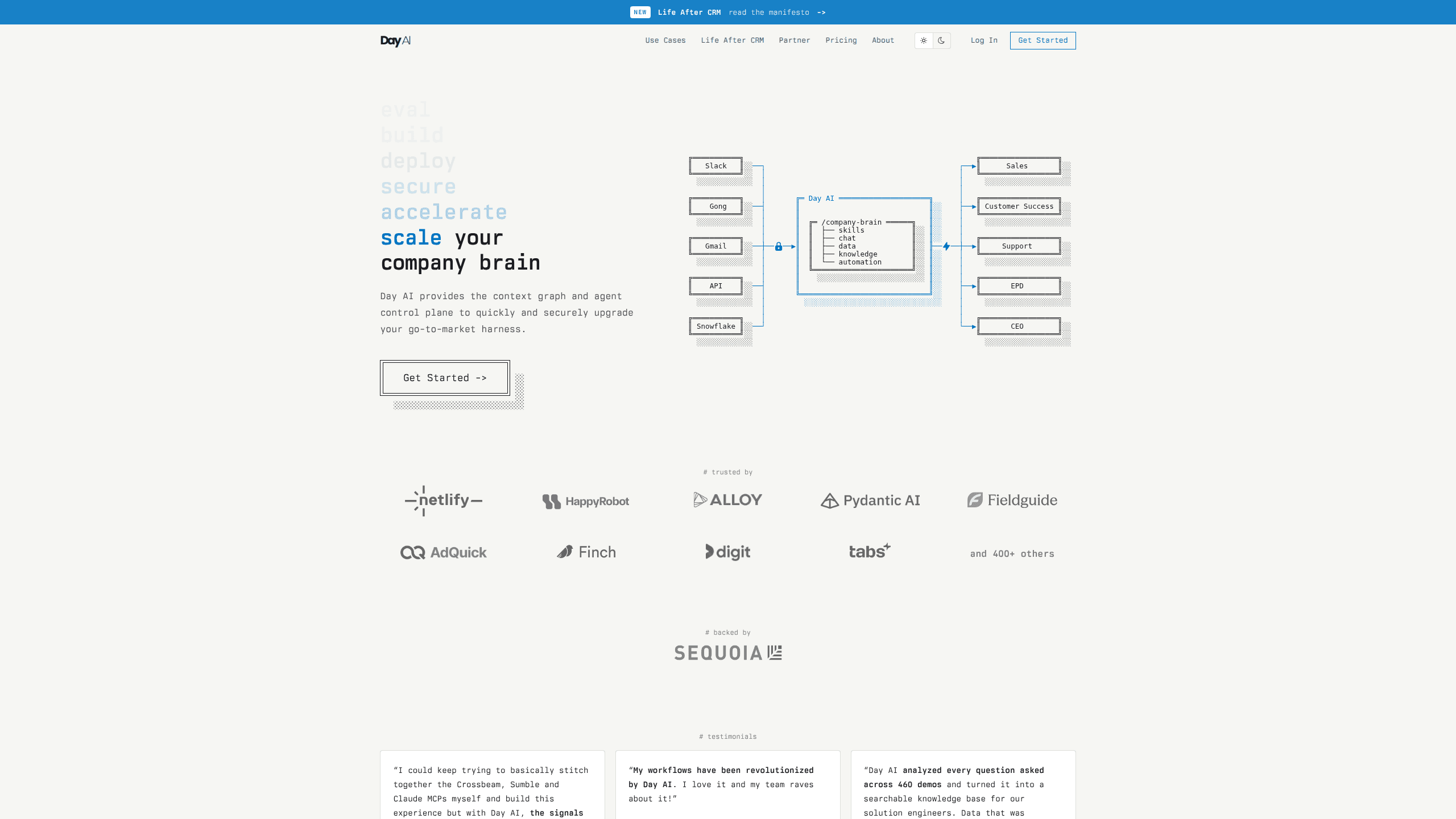
Day AI is a context graph and an agent control plane for sales and go-to-market teams. It builds itself from permissioned ingestion of email, calendar, meetings, and Slack, and keeps one automatic record of every call and thread. The agents sit on top of that shared memory.
They already know the account history. No briefing needed.
The company was founded by Christopher O'Donnell and Michael Pici, both former HubSpot executives, and raised a seed round led by Sequoia back in a period when investors were still figuring out what an AI-native sales tool should even look like. O'Donnell led the platform at HubSpot, and his pitch for Day AI is blunt: this isn't a better CRM, it's the infrastructure for the teams that outgrow one. Work started in mid-2023.
The main catch is scope. Day AI isn't a lightweight app you spin up on a whim. It's a team workspace with per-agent pricing, and the useful agents start at the Professional tier. Small teams or solo operators will find the entry cost hard to justify. The whole thing also leans on Claude as the model layer, so your stack choice matters going in.
Getting Started
- Create a workspace at day.ai and connect Gmail, Google Calendar, and Slack so the context graph can start ingesting.
- Invite teammates, since free users can search, view, and share the same customer memory.
- Pick your agents from the roster. Turbo covers meeting notes and task automation; Professional and Executive open up pipeline management and prospecting.
- Set up automated skill slots and schedules so agents act on events without a prompt.
- Review the audit trail, and approve anything before it goes out.
Product Information
A quick look at Day AI's pricing, supported platforms, and performance.
Best for
The users, tasks, and scenarios where this tool fits best.
Users
- Sales and go-to-market teams already running on Claude
- RevOps and GTM engineers
- Founders and small GTM teams drowning in manual CRM entry
Tasks
- Pipeline and opportunity management
- Meeting capture and follow-up
- Prospecting and list building
Scenarios
- Daily running of an existing sales motion
- Onboarding a new rep who needs account history fast
- Reviewing overnight agent activity before anything ships
Key features
Context Graph (Customer Memory)
The context graph is the foundation. It builds an LLM-optimized ontology from automatically permissioned ingestion of your team's email, calendar, meetings, and Slack, which means every call, thread, and meeting lands in one place whether or not anyone remembered to write it down. Everybody sees one central record that you control. Nobody has to backfill what happened. The payoff shows up in speed and accuracy, since agents answer from real account history instead of a summary someone typed after the fact.
Agent Control Plane
Agents here have names, job descriptions, and titles, and they live in a shared org chart. They hear feedback. They improve at their jobs over time. That's a real difference from a single monolithic agent running frozen skills out of a repo, which never gets better at anything. You manage a roster, not a script.
GTM Brain RevOps Tooling
GTM Brain is what the company calls the world's first RevOps tool, and it gives ops and GTM engineers a place to deploy, evaluate, and update agent behavior at scale. It's built for the person who owns how AI shows up across a whole team. You change one agent's instructions and it applies across the roster.
Automated Skill Slots
Each tier caps how many automated skills an agent can run. Turbo allows 2, Professional allows 5, and Executive allows 10. That cap is the real throttle on how much work runs without you asking. More slots means more of the pipeline moves on its own.
Audit Trail and Approval Gates
When something looks wrong at 2 a.m., the audit trail says exactly what ran. Nothing goes out without your approval. That matters for teams that can't afford an agent emailing a customer the wrong thing.
Claude Code Management
Day AI runs its GTM operations from Claude Code, and the platform is positioned for teams already on Claude. If your team already lives in that stack, and most of your prompts, workflows, and internal tooling assume Claude is the model doing the thinking, the agents slot in with far less glue work than a tool that assumes a different model.
Pros and cons
Pros
- Automatic ingestion of email, calendar, meetings, and Slack removes the manual CRM data entry that most sales teams hate, which frees reps to actually sell instead of updating records after every call and email.
- Named agents with job descriptions and an org chart make it clear who's responsible for which work.
- Per-agent pricing scales down as you add more, so larger teams pay less per seat.
- Free users can search, view, and share the same customer memory, which lowers the cost of getting teammates in.
- Approval gates and an audit trail give admins real control over what agents send.
Cons
- Entry pricing starts at $24/mo per agent for Turbo, and the agents that handle pipeline work need the $60/mo Professional tier. Costs add up fast.
- The platform is tied to Claude, so teams on other model stacks face a bigger migration than the pricing alone suggests.
- Without a connected calendar, email, and Slack, the context graph has little to work with. Setup is front-loaded.
- API availability isn't documented on the public site, which makes custom integrations a question mark.
Frequently asked questions
It builds a shared context graph from your team's email, calendar, meetings, and Slack, then runs named AI agents on top of that memory to handle pipeline work, follow-ups, and prospecting. The goal is to remove manual CRM entry and let agents work on their own schedules.
Related content
Explore related tools, skills, and articles for Day AI.
Day AI Alternatives

Swms
Swms AI · Writing · Productivity · BusinessSwms is an AI safety compliance tool that turns a plain description of a job into ready-to-use safety documents. Describe your project, trade, and known hazards, and it writes a safe work method statement, job hazard analysis, safe work procedure, RAMS, or safety data sheet in seconds. It also ships with Oscar, a chat assistant that answers workplace safety questions in any language. Teams in construction, mining, transport, and warehousing use it to cut the paperwork that usually eats into a workday.

Wordly AI Translation
Wordly · Voice & Language · ProductivityWordly AI Translation is a real-time AI translation and captioning platform built for meetings, conferences, and events. It delivers live translation, captions, transcripts, and summaries in more than 60 languages, and attendees join by scanning a QR code or opening a link instead of using dedicated headsets. The platform works with Zoom, Microsoft Teams, Google Meet, and Webex, and it's designed for organizations that want multilingual access without hiring human interpreters for every session. Simple as that.

Rows
Rows (Superhuman) · Productivity · BusinessRows is an AI spreadsheet and data analysis tool that imports live data from more than 50 sources, then lets you work with it using plain language instead of SQL queries or nested formulas. You can pull numbers out of PDFs, connect ad platforms, databases, and bank accounts, and ask the AI to build reports, merge datasets, or set up models that recalculate themselves. It runs in the browser, works like a spreadsheet, and now sits under the Superhuman umbrella.