

Deciphr AI
Deciphr LLC · Video · Productivity
Deciphr AI turns a podcast, webinar, or meeting recording into show notes, articles, audiograms, and reels in one upload. Built for B2B marketers and podcasters on web.
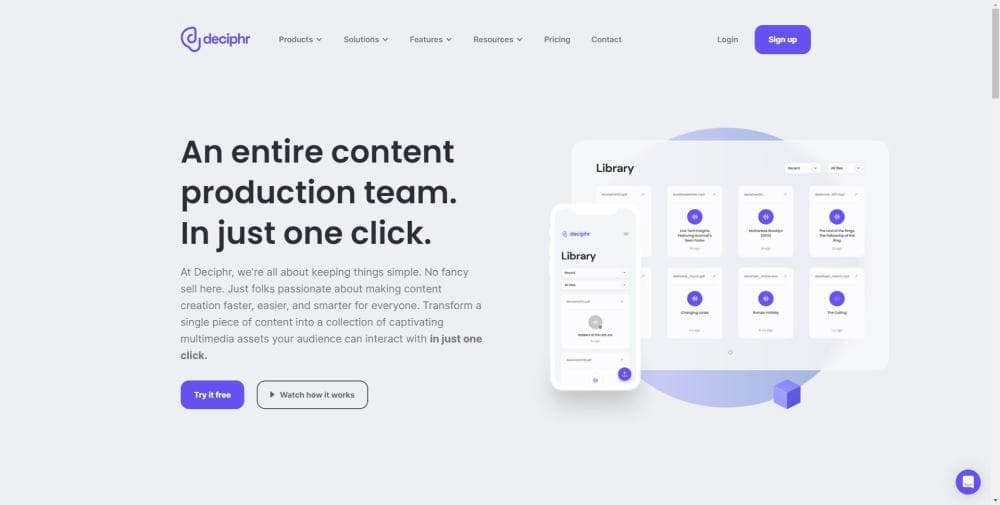
About Deciphr AI
What Is Deciphr AI
Deciphr AI is a web app from Deciphr LLC that works as an AI podcast repurposing tool, turning one long recording into a stack of marketing assets. You upload an audio file, a video file, a transcript, or a YouTube and RSS link, and the tool returns session recaps, quotes, chapters, articles, newsletters, landing pages, captions, and transcripts within minutes. The pitch on the vendor site is blunt: a person wrestling with a GPT prompt needs five to twenty minutes per output. Deciphr claims the whole suite in under eight minutes.
That gap is the product's reason to exist. B2B content repurposing usually means one recording and a dozen channels to fill. Splitting that work across a copywriter, an editor, and a designer is slow and expensive. Deciphr pushes the whole chain into one window.
The limits are real too. Everything happens in the cloud, so a weak connection slows uploads and processing. The free plan caps you at 60 minutes of upload, and the media outputs such as audiograms and reels sit on paid plans. Anyone who needs custom integrations or unlimited seats will end up on the custom plan.
Getting Started
- Sign up at deciphr.ai with an email address and land on the upload screen in the app.
- Drop in an audio or video file, or paste a YouTube, playlist, RSS feed, or channel URL for batch processing.
- Pick the content types you want, then start generation and wait a few minutes for the first pass.
- Open the in-app editor to fix names, tighten paragraphs, and ask the AI Assistant for tone or length changes.
- Download the written files, export audiograms and reels, then send everything to your channels.
Product Information
A quick look at Deciphr AI's pricing, supported platforms, and performance.
Best for
The users, tasks, and scenarios where this tool fits best.
Users
- Podcasters
- B2B content marketers
- Coaches and course creators
- Agencies
Tasks
- Writing podcast show notes
- Repurposing a webinar into written content
- Making social clips
- Keeping terminology consistent
Scenarios
- Launching a new season
- Turning one conference talk into a month of posts
- Running a lean marketing team
Key features
Promptless Content Generation
Deciphr's core promise is that you do not write a prompt, which makes it a podcast show notes generator and caption writer by default rather than a chat window you have to steer. Upload the file and the engine returns a preset bundle of written formats without instructions. The vendor lists more than 75 content assets from one file, which covers recaps, quotes, chapters, articles, white papers, FAQs, newsletters, landing pages, captions, and transcripts. Under the hood it doubles as podcast transcription software, since every written format starts from the same transcript. For teams that already burn time tuning prompts for each deliverable, the saved setup time is the point.
Batch Import from YouTube and RSS
A single episode is easy. A backlog is not. Batch upload takes a YouTube channel, a playlist, or an RSS feed and queues every file inside it, so a podcaster moving to a new tool can rebuild a season of content in one pass. Agencies get the same lever for client catalogs, which is where scalable production actually happens.
Audiograms and Video Reels
Text is only part of the output. Deciphr builds audiograms, the square or vertical video that pairs a waveform with a captioned quote, and video reels for feeds and Stories. In practice it's an audiogram maker and a video reels generator in the same window, so nothing has to move between apps. Templates and an in-app editor handle the layout, and captions come pre-generated. These are automatic on the Professional plan, so the clips follow straight from the transcript without a separate design pass.
AI Assistant and In-App Editor
The first draft is rarely the one you publish. The in-app editor lets you rewrite passages, find and replace terms, and mark speakers by hand, while the AI Assistant takes chat requests such as a tone shift or a shorter section. The regenerator lets you rerun a content type from an old file, which means a single upload can be mined again months later for a new angle.
Deciphr Dictionary
Product names, internal acronyms, and guest surnames get mangled by most transcription engines. The Dictionary stores preferred spellings and flags common misspellings, and a boost setting decides how firmly those terms override the model's default output. Building the glossary once saves a manual correction pass on every future file.
Search, Chat, and Analytics
Elite adds a searchable library and a chatbot that answers questions across your uploaded files, so you can pull a quote from an episode you barely remember. Real-time audience analytics show how the published clips perform. Deciphr Brain, the vendor's longer-term knowledge layer, ships with Elite as well.
Pros and cons
Pros
- One upload produces a full set of written formats, so the team avoids a separate tool for show notes, captions, and articles.
- Batch import from a YouTube channel or RSS feed turns a whole back catalog into content without file-by-file work.
- The Dictionary and boost setting keep brand terms and guest names consistent across every asset.
- The Flexi Free plan covers 60 minutes of upload, which is enough to test the writing quality before paying.
- Collaborator seats on Professional and Elite let a small team edit the same library.
Cons
- Audiograms and video reels need the Professional plan at $69 per month, so the free tier shows text output only.
- Free-plan users get text-only content, which means a podcaster cannot judge the media output before subscribing.
- Cloud processing makes upload and generation wait on connection speed, and long webinar files take noticeably longer.
- The pricing page lists a limited-time promotional rate, so the number you see may not hold on renewal.
Frequently asked questions
It turns long recordings and transcripts into marketing content. Podcast episodes, webinars, and meetings become show notes, chapters, articles, newsletters, captions, audiograms, and video reels, so one file feeds several channels.
Related content
Explore related tools, skills, and articles for Deciphr AI.
Deciphr AI Alternatives

ngram 2.0
ngram · Video · Marketingngram 2.0 is an AI video generator for teams. It turns a prompt, a screen recording, or a product URL into a narrated explainer, product demo, or AI avatar video, and every scene stays editable.

OpenScreen 2
OpenScreen (open-source project) · Video · ProductivityOpenScreen 2 is a free, open-source screen recorder and demo video editor for Windows, macOS, and Linux, with automatic zooms, styled frames, local captions, and agent edits.

Skreno
Skreno · Video · ProductivitySkreno is a browser screen recorder that captures a tab, a window or your whole display, then attaches AI transcripts, summaries and console logs to one share link.