

DeepKolor
DeepKolor · Video
DeepKolor is a conversational AI design agent built for ecommerce image work. It works as an AI product photo generator and editing tool: you upload a product photo, describe what you need in plain words, and refine the result by chat until it's ready to export. As a result, it doubles as an AI listing image tool, an A+ Content generator and a product photography tool in one place. New users get free credits, so you can test it on a real project before paying.
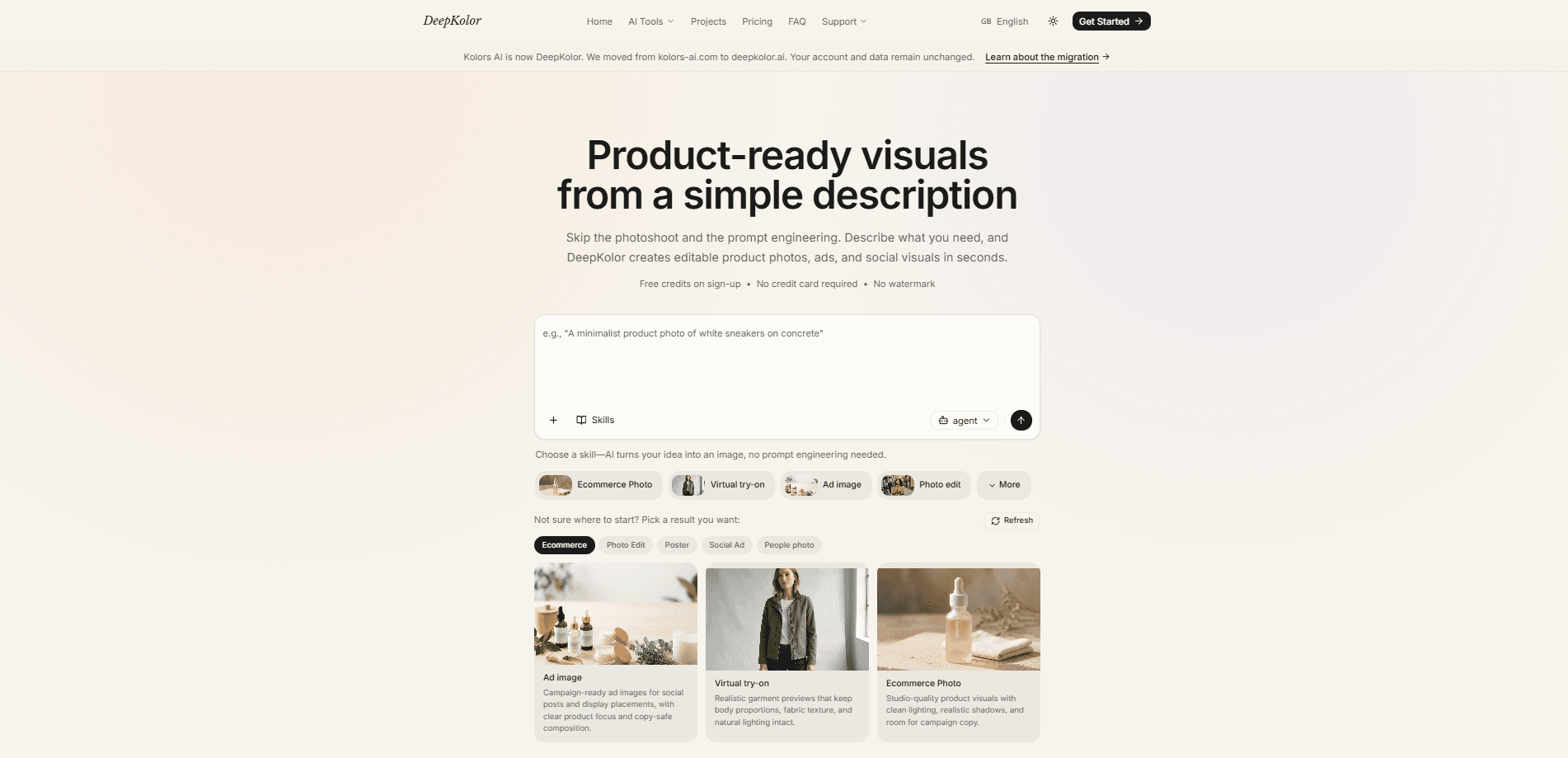
About DeepKolor
What Is DeepKolor
DeepKolor is an AI design agent and AI product photography tool that handles the image side of selling online. Instead of a blank prompt box, it works like a conversation: you bring a photo, say what the shot needs to be, and adjust from there. The pitch is simple. A phone shot is enough to start. No studio lighting, no retouching, no prompt engineering experience required.
The product is aimed squarely at people who ship listings fast. Ecommerce sellers, Etsy and Shopify shops, Amazon sellers and cross-border teams all deal with the same bottlenecks, and DeepKolor targets each one directly. Studio shoots are slow and costly. Outlined editing drags on for days. Main images and A+ modules get rejected because they don't match Amazon's specs. The tool tries to solve all of that inside one chat window.
The main limitation is scope. DeepKolor is built for product and marketing visuals, not illustration, concept art or general graphic design. If your work looks more like branding decks or hand-drawn art, this isn't the tool for it. It's also web-based, so there's no desktop app or mobile shortcut to fall back on.
Getting Started
- Sign up on the DeepKolor website. Free credits land in your account as soon as you register.
- Upload a product photo. A plain phone shot works, and no lighting setup or retouching is needed beforehand.
- Describe the deliverable in plain words, like "an Amazon main image," "summer scene images" or "an A+ module for this feature."
- Refine the result in the same conversation until it matches what you want.
- Export at the exact size your platform requires, then publish.
Product Information
A quick look at DeepKolor's pricing, supported platforms, and performance.
Best for
The users, tasks, and scenarios where this tool fits best.
Users
- Ecommerce sellers
- Etsy and Shopify shop owners
- Amazon sellers and cross-border teams
- Growth marketers
- Independent creators
Tasks
- Creating Amazon listing main images
- Building A+ Content modules
- Shooting scene images
- Editing photos
- Making social ad visuals
Scenarios
- A shop owner needs listing images tonight and has no studio time
- An Amazon seller keeps getting A+ modules rejected on specs
- A team wants to preview a campaign look before a studio booking
- A marketer needs quick format variations for a product's social ads
Key features
Conversational Editing
The core of DeepKolor is the chat workflow. You describe the change you want, see the result, and keep the conversation going rather than rewriting a prompt from scratch. That's a real difference for people who've fought with prompt syntax before. The same conversation carries through from the first request to the final export, so context isn't lost between edits.
Product Photography from Phone Shots
DeepKolor turns everyday product photos into polished shots without a studio. A phone image is enough to begin, and the tool handles lighting and cleanup as part of generation. For sellers who shoot products on a table at home, this removes the need to book a photographer or buy lighting gear before making a listing.
Amazon-Ready Listing Images
Listing images can be generated at Amazon's required specs. A main image, for example, can be placed on a pure white background with the product filling at least 85% of the frame, and the rest of the gallery planned from there. Why does that matter? Anyone who's waited on a review only to be told the specs are off knows the answer.
A+ Content Modules
DeepKolor builds A+ Content modules directly. Layouts come out at platform dimensions like 1464×600. You describe the benefit to feature and the tool generates the module with compliance-clean copy. It plans detail page modules too, putting the core benefit on top with scene proof below, which is the structure most listings already follow.
Scene and Lifestyle Sets
Beyond single images, DeepKolor generates scene sets: model, usage and lifestyle shots in one consistent campaign style. Consistency is the hard part of doing these by hand, and keeping a single style across multiple scenes usually means a lot of manual matching. The tool handles that in one pass from the same source product photo.
Multiple Image Models in One Place
DeepKolor bundles current and new image models into a single workstation, so you're not juggling separate subscriptions for different looks. Paid plans include all current and new models, with priority generation during peak hours. For teams that already pay for several image tools, that consolidation is part of the appeal.
Commercial Rights and Watermark-Free Export
Every paid plan includes commercial usage rights and downloads without a watermark. That's a practical detail for anyone selling products, since a watermarked image can't go on a listing. Exports come out at the exact size your platform requires, so files are ready to publish without a trip through a separate resizer.
Pros and cons
Pros
- Chat-based editing keeps context, so you refine a visual instead of rewriting prompts each time.
- Phone photos work as input. No studio lighting or retouching needed.
- Amazon listing images and A+ Content modules are generated at platform specs, which cuts down on review rejections.
- Paid plans include commercial rights and no watermark, and you can test the workflow first on free credits.
- Multiple image models sit in one workstation, so you don't need separate subscriptions.
Cons
- It's focused on product and marketing visuals. Illustration, concept art and general graphic design aren't the target, so it won't replace a full design suite.
- It runs in the browser only, which means no desktop app or offline workflow for teams that want one.
- The free credits are limited, so heavier projects will need a paid plan before long.
- Credits are metered by volume, so high-output teams should check that a given tier's monthly credits cover their workload.
- No public API is documented yet, so teams that want to automate generation through their own systems can't do that today.
Frequently asked questions
DeepKolor is an AI design agent for ecommerce image work. It creates product photos, scene images, Amazon listing images, A+ Content modules and social ad visuals from a product photo and a plain-language request. It's built for sellers and marketing teams rather than illustrators.
Related content
Explore related tools, skills, and articles for DeepKolor.
DeepKolor Alternatives

Vadu AI
Vadu AI · Image · VideoVadu AI is a web-based AI video generator that turns written prompts or still images into short clips, and it can also generate images on its own. You type what you want, pick a model and style, and the platform renders the result in minutes. A free plan covers light testing, while paid tiers run from $9 to $77.40 per month based on how many credits you burn.

Mykaraoke Video
MyKaraoke Video · VideoMykaraoke Video is an online karaoke video maker and lyric video maker that turns any song into a finished, lyrics-synced video right in your browser. It handles the slow part for you. The AI pulls vocals out of the mix and locks the lyrics to the beat, then lets you customize background, fonts, and colors before exporting in 1080p MP4. If you make lyric videos for social media, party nights, or music promotion, it skips the software installs and manual timing work entirely. Want a karaoke video generator that doesn't eat your whole evening? That's the pitch here.

Finalframe
Finalframe · VideoFinalframe is a set of free, browser-based tools for grabbing exact frames out of a video clip. Its best-known feature, the Final Frame Extractor, lets you extract the last frame of any video so you can use it as the starting image for AI video tools like Luma Dream Machine, Runway, or Kling. Want to keep a clip going? That last frame is your starting point. The tool runs locally in your browser, needs no sign-up, and costs nothing. A separate paid AI video-generation app from the same team is currently offline while it's rebuilt.