

Design Rocket
Design Rocket · Image
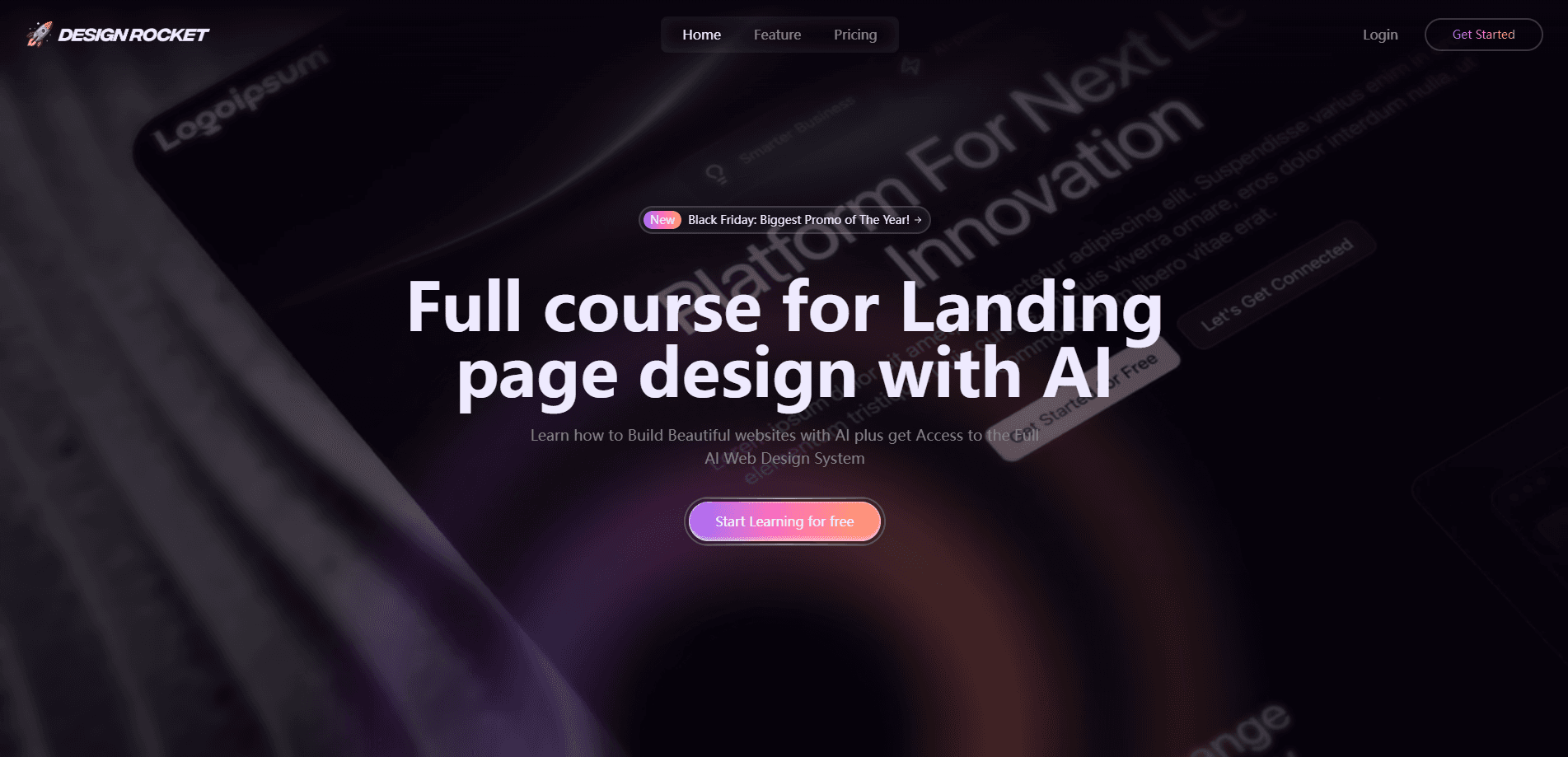
Design Rocket is an online learning platform that teaches you how to design and ship complete websites using AI tools. It bundles a step-by-step video course, a library of ready-made website templates, downloadable motion assets, and an AI builder you can practice on while you learn. The pitch is simple: skip the six-month bootcamp and go from a blank screen to a live site in days rather than weeks. This Design Rocket review breaks down what you actually get for the price.
About Design Rocket
What Is Design Rocket
Design Rocket is a training program, not a drag-and-drop design app. The core product is a structured video course that walks you through building modern, high-end websites with AI as your main production tool. Lessons cover the whole path: setting up the process, generating your first landing page, and turning a rough draft into an animated, client-ready site. No theory dumps. Just builds.
The promise behind it? Speed. Instead of hand-coding every layout or paying an agency thousands per project, you learn a repeatable system where AI handles the heavy lifting and you focus on the creative direction and the client conversation. That framing is aimed squarely at freelancers and small studios who want to take on more work without hiring.
The biggest limit is scope. Design Rocket teaches a method and hands you templates, but it doesn't replace design judgment. If you can't tell a good layout from a bad one, the AI output won't save you. The templates also lean heavily on AI, SaaS, and agency aesthetics, so it suits clients in those niches better than, say, a boutique retail brand.
Getting Started
- Create your account on the Design Rocket site and pick a free or paid plan.
- Work through the intro module to see how AI fits into each step of the design process.
- Follow the "zero to your first AI website" lessons and build a landing page from a blank screen.
- Grab a premium template and rebuild it with your own prompts to practice the workflow.
- Publish your project, then repeat the process on a real client brief.
Product Information
A quick look at Design Rocket's pricing, supported platforms, and performance.
Best for
The users, tasks, and scenarios where this tool fits best.
Users
- Freelance web designers
- Startup founders and solo makers
- Marketers and no-code builders
Tasks
- Building an AI-powered landing page
- Turning a template into a custom site
- Adding animation and motion backgrounds
Scenarios
- Landing your first paying design client
- Scaling a freelance workload
- Learning AI design tools on a budget
Key features
Step-by-Step Video Curriculum
The course runs in modules that build on each other, from an introduction to what Design Rocket calls its AI design operating system, through building your first site, to animating it fast with AI. Lessons are short and project-based, so you're producing something at every stage instead of watching theory. It's the backbone of the whole product.
Ready-Made Website Templates
Design Rocket ships a set of premium templates built for AI startups, SaaS products, agencies, and portfolios, with names like Sync, Radiant, AI Datalog, and Simple Start. You can study them to see how a professional layout is structured, then rebuild them with your own content. That's the fastest route to a live site. Start here.
AI Site Builder
The platform includes a builder so you can create real projects while you're working through the lessons. That matters. Design skills stick when you apply them immediately. You're not just copying a finished file, you're generating and iterating on your own pages as you go.
Motion Videos and Animated Backgrounds
Alongside the templates, Design Rocket throws in motion videos and animated backgrounds you can drop into your builds. Animation is usually the part beginners skip because it's fiddly, so having a stash of ready assets lowers the bar for making a site feel polished and current. Small thing. Big difference.
Lifetime Updates
Once you're in, new lessons, templates, and assets are added at no extra cost. That matters a lot here. The field moves as fast as AI design, and the tools you learn on will keep changing underneath you. Pay once, keep getting new material.
Freelance-Focused Teaching
A lot of the material is framed around client work: pricing a project, delivering fast, and charging for the speed AI gives you. If your goal is income rather than a hobby, that business angle is baked into the lessons, not bolted on at the end.
Pros and cons
Pros
- Project-based lessons get you building a real website from the first module, not just watching tutorials.
- Includes premium templates, motion assets, and an AI builder, so you're not paying separately for starting points.
- The curriculum is priced well below a typical design bootcamp and has a free tier to test it.
- Lifetime updates keep the training current as AI design tools change.
- Content is aimed at freelancers and founders, with client and pricing advice built in.
Cons
- It teaches a method on top of third-party AI tools, so you'll still pay for those tools separately.
- The templates lean toward AI, SaaS, and agency styles, which limits how well they fit other niches.
- No API or developer integrations, so it's a learning product rather than something you plug into a workflow.
- If you can't judge design quality yet, polished AI output alone won't get you to professional results.
Frequently asked questions
It's an online course and resource library for learning AI-assisted web design. You get video lessons, website templates, motion assets, and an AI builder, all centered on shipping complete sites quickly.
Related content
Explore related tools, skills, and articles for Design Rocket.
Design Rocket Alternatives

X Ray Interpreter
X-ray Interpreter · ImageX Ray Interpreter is a web-based AI radiology tool that turns X-rays, CT scans, MRI, ultrasound, and PET images into plain-language reports. You upload a scan, get a preliminary X-ray interpretation in moments, then ask follow-up questions if something needs explaining. It works as a second opinion and a learning aid, not as a medical diagnosis.

Aieasypic
AIEasyPic · ImageAIEasyPic is an AI image generator that turns plain text prompts into finished artwork in seconds. You can also train custom models on your own photos, swap faces in existing images, and create short video clips from text, all from a browser. It suits casual creators who want quick visuals and hobbyists who want to build a personal model without touching any code.

Chargen
Chargen · ImageChargen is an AI character generator and worldbuilding toolkit built for Dungeons & Dragons and other tabletop RPGs. It turns a one-line idea into a painted character portrait, spins up NPCs, monsters, maps and encounters from the same session, and keeps every creature's details close at hand. The tabletop RPG art side runs on a credit system called Gold, while the text generators stay free for everyone.