

Detail for Mac and iOS
Detail Technologies B.V. · Video
Detail is an AI video editor for iPhone, iPad and Mac. It records podcasts, talking videos and reaction clips, then Auto Edit trims, captions and cuts them for you.
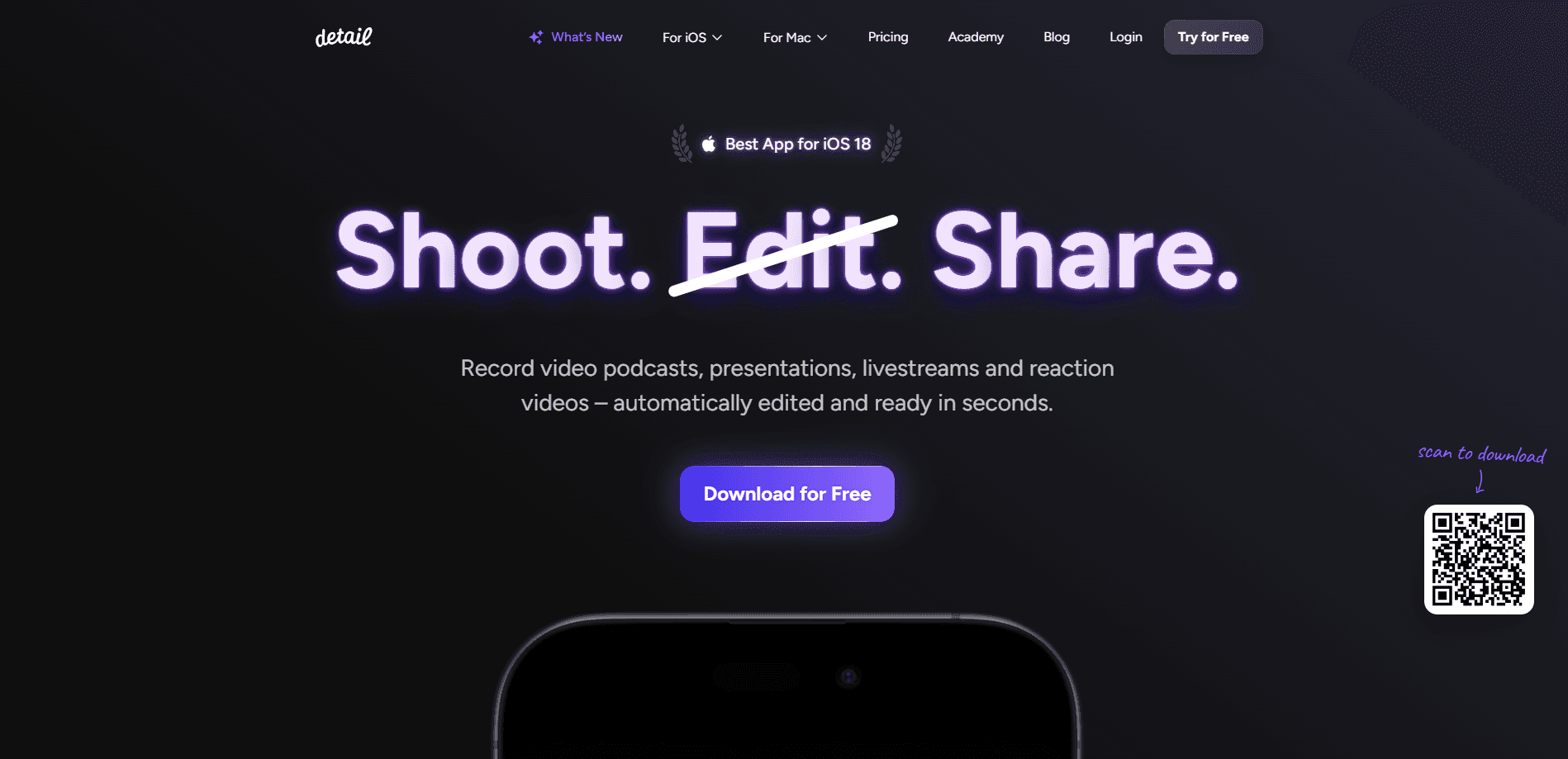
About Detail for Mac and iOS
What Is Detail
Detail is a video app that handles both sides of the job: recording and editing. You point it at a podcast, an interview, a talking-head video or a reaction clip, hit record, and then let the built-in AI cut the result. The pitch is that the editing pass, which usually eats an evening, collapses into a few seconds.
The app comes from Detail Technologies B.V., a team that builds for Apple hardware first. That shows in the details. Auto Edit runs on the device itself rather than in the cloud, so a ten-minute video finishes in about fourteen seconds on an iPhone 17 Pro, and it still works with no signal. Nothing you record leaves the phone to get edited.
There are two things to know before you start. In most languages, the AI features need a recent chip, an A13 or later for Auto Edit, so an old iPhone will run the basic recorder but not the automatic editing. And Detail for iOS and Detail Studio for Mac are sold as separate apps with separate subscriptions, so a Pro plan on your phone doesn't cover the Mac version.
Getting Started
- Download Detail free from the App Store and open a new project
- Pick a recording mode, such as talking video, podcast or reaction video, and frame your shot
- Record with the teleprompter if you have a script, or import an existing clip by pasting a video link
- Tap Auto Edit to remove silence, cut filler words and add captions, then export or share the finished file
Product Information
A quick look at Detail for Mac and iOS's pricing, supported platforms, and performance.
Best for
The users, tasks, and scenarios where this tool fits best.
Users
- Solo podcasters
- Video content creators
- Reaction video makers
- Remote interviewers
- Small marketing teams
Tasks
- Recording a podcast episode
- Editing a talking-head video
- Making reaction videos
- Adding automatic captions
- Livestreaming
- Removing a background
Scenarios
- Publishing weekly podcast clips
- Reacting to a video the day it drops
- Recording an interview with a guest in another city
- Shooting on the move
- Going live from a phone
- Cutting filler words from a rough take
Key features
AI Auto Edit
Auto Edit is the feature that replaces the manual cutting pass. You record or import a video, tap once, and it writes the transcript, cleans the audio, removes filler words and picks the moments worth keeping. It also assembles short clips for social out of a longer recording. The current version runs entirely on your device, which is why it finishes in seconds and keeps working offline.
On-Device Transcription and Captions
Detail transcribes your recording and turns it into captions you can style. It listens to a few seconds of audio and picks the language on its own, so you don't have to choose an engine. Captions arrive in several animation styles, and the paid plan unlocks every style plus more control over fonts and colors. Because the models run on the phone, the transcript stays private.
Teleprompter with Voice Tracking
The in-app teleprompter shows your script while you record, and voice tracking adjusts its speed as you read. If you don't have a script, the AI script tools help you turn an outline or a draft into a polished one, add a hook or tighten the wording for delivery. On Apple Watch you can start and stop recording and control the teleprompter from your wrist.
Multi-Camera and Remote Recording
You can record from more than one angle and switch between cameras live, or bring a guest in over a browser link while both feeds stay synced. That setup covers podcasts, interviews and product demos where you want a second viewpoint without extra hardware. The Mac app pulls in an iPhone or iPad as an extra camera as well.
Reaction Videos and Video Import
Detail is built for reaction content. You paste a link to a video from YouTube or TikTok, record yourself over it, and the app produces a split-screen cut with captions. The import step skips screen recording entirely, which is the part that usually makes reaction videos slow to make.
Live Green Screen and Picture-in-Picture
The green screen editor removes your background in a tap and drops you into any setting, without a physical screen behind you. Layouts let you move and resize a picture-in-picture window, in a rectangle or a circle, and Auto Framing keeps faces in frame when people move. This is the layer that makes a single phone shoot look like a produced segment.
Export, Publishing and Livestreaming
Finished videos export up to 4K, and free exports carry a watermark that the Pro plan removes. You can push a recording straight to YouTube, Twitch, Instagram or any RTMP target, or publish to Subwave, which turns your video into a podcast episode, an article and short clips. Music from a royalty-free library can be dropped onto an edit from inside the app.
Pros and cons
Pros
- Auto Edit runs on the device, so a ten-minute video is edited in seconds and works offline
- One app covers recording, teleprompting, multi-camera and editing instead of a stack of tools
- The free Basic plan includes unlimited recording, editing and exports, so you can try the whole flow
- Named iPad App of the Year at the 2025 App Store Awards, which speaks to the interface quality
- Reaction video workflow imports a video by URL and skips screen recording
Cons
- iOS Pro and Mac Studio Pro are separate subscriptions, so paying on one device doesn't cover the other
- Auto Edit needs an A13 chip or later, which rules out older iPhones and iPads
- Watermark-free exports and the full caption styles sit behind the Pro plan, so free exports are branded
- The app is built for Apple hardware only, with no Android or Windows version
Frequently asked questions
Detail records and edits videos on iPhone, iPad and Mac. It is built for podcasts, interviews, talking videos and reaction clips, and its Auto Edit feature cuts the footage for you by removing silence, trimming filler words and adding captions.
Related content
Explore related tools, skills, and articles for Detail for Mac and iOS.
Detail for Mac and iOS Alternatives

ngram 2.0
ngram · Video · Marketingngram 2.0 is an AI video generator for teams. It turns a prompt, a screen recording, or a product URL into a narrated explainer, product demo, or AI avatar video, and every scene stays editable.

OpenScreen 2
OpenScreen (open-source project) · Video · ProductivityOpenScreen 2 is a free, open-source screen recorder and demo video editor for Windows, macOS, and Linux, with automatic zooms, styled frames, local captions, and agent edits.

Skreno
Skreno · Video · ProductivitySkreno is a browser screen recorder that captures a tab, a window or your whole display, then attaches AI transcripts, summaries and console logs to one share link.