

Devicehub
Devicehub · Productivity · Business
Devicehub is an IoT device management platform that helps teams monitor, control, and update connected devices remotely from one dashboard.
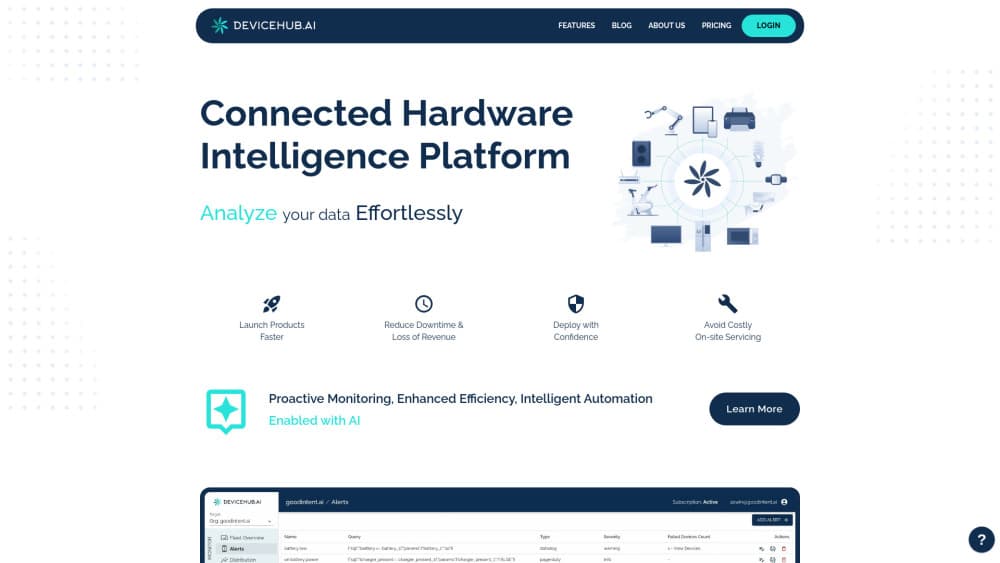
About Devicehub
What Is Devicehub
Devicehub is a cloud platform for managing fleets of connected devices. It puts device monitoring, remote control, and firmware updates in one place, so you don't have to juggle separate tools for each product you ship.
The platform targets the gap between collecting device data and actually acting on it. Instead of waiting for a field technician or a support ticket, an operator can watch live device state, push a fix, and confirm the result from a browser. That matters most when your devices sit in places you can't easily reach: retail kiosks, delivery trucks, or factory floors. Nobody wants to drive three hours to reboot a screen.
The catch is scope. Devicehub is built for teams running connected hardware, not for casual users who want to link a few smart home gadgets. That's a narrow audience, by design. If your fleet is small and never changes, the setup overhead may outweigh the benefit, and you'll want to confirm current capabilities directly with the vendor since the product keeps evolving.
Getting Started
- Create an account on the Devicehub website and pick the workspace that matches your team.
- Register your first device using its identifier, then group devices by location, model, or customer.
- Connect your device telemetry so Devicehub starts showing live status and history.
- Set alerts for the conditions you care about, such as an offline device or a failed update.
- Roll out a change to a small batch first, check the results, then widen it once you're confident.
Product Information
A quick look at Devicehub's pricing, supported platforms, and performance.
Best for
The users, tasks, and scenarios where this tool fits best.
Users
- IoT operations teams
- Hardware developers
Tasks
- Remote device monitoring
- Firmware and software updates
- Incident response
Scenarios
- A retail chain with kiosks in dozens of locations
- A logistics fleet that moves between networks
Key features
Real-Time Device Monitoring
Devicehub shows the current state of each connected device and keeps a history you can scroll back through. No more guessing. You get a timeline of what each unit reported and when it went quiet. For teams supporting hardware in the field, that difference in visibility is the whole point.
Remote Control and Management
You can act on devices without being physically near them. Restart a stuck unit, change a setting, or trigger a routine on a whole group at once. This is what turns a monitoring tool into something you actually operate with. The value shows up when a problem hits at 2 a.m. and nobody wants to drive to a site. Big difference.
Firmware and Software Updates
Pushing updates across a fleet is one of the harder parts of shipping connected hardware, and Devicehub handles it as a managed task. You stage a build, send it to a subset of devices, and watch delivery and failure rates before going wider. If a version misbehaves, you know quickly and can pull it back. That's how it should work.
Grouping and Fleet Organization
Devices can be sorted by location, model, customer, or any label that fits how you work. This is IoT fleet management in practice, and it matters more than it sounds. Grouping lets you say "update every kiosk in this region" instead of picking units one by one. At scale, that's the difference between a ten-minute job and an afternoon.
Alerts and Notifications
You set the conditions that matter, like a device going offline or an update failing, and Devicehub tells you when they happen. The intent is to catch problems before a customer reports them. Easy to set up. Tune them once, and you're done. Teams that tune alerts well spend less time reacting and more time on planned work.
Security and Access Control
Who gets to touch which device? Devicehub answers that inside the platform by managing device access and account permissions. You decide who can see or control which devices. For anyone handling devices tied to customers, that separation isn't optional. It keeps a contractor from touching units outside their job.
Pros and cons
Pros
- Consolidates monitoring, remote control, and updates in one web dashboard.
- Remote device management cuts down on site visits for routine fixes.
- Fleet grouping makes large-scale updates practical.
- Alerts help catch failures before users notice them.
Cons
- It's aimed at connected-hardware teams, so individual users and small setups get little from it.
- Pricing and free-tier details aren't published clearly, which makes budgeting hard before you talk to sales.
- Limited public information on API access means you may need to confirm integrations directly.
Frequently asked questions
Devicehub is used to manage and monitor fleets of connected devices from one place. Teams use it to see device status, control units remotely, and push firmware updates without being on site.
Related content
Explore related tools, skills, and articles for Devicehub.
Devicehub Alternatives

Swms
Swms AI · Writing · Productivity · BusinessSwms is an AI safety compliance tool that turns a plain description of a job into ready-to-use safety documents. Describe your project, trade, and known hazards, and it writes a safe work method statement, job hazard analysis, safe work procedure, RAMS, or safety data sheet in seconds. It also ships with Oscar, a chat assistant that answers workplace safety questions in any language. Teams in construction, mining, transport, and warehousing use it to cut the paperwork that usually eats into a workday.

Wordly AI Translation
Wordly · Voice & Language · ProductivityWordly AI Translation is a real-time AI translation and captioning platform built for meetings, conferences, and events. It delivers live translation, captions, transcripts, and summaries in more than 60 languages, and attendees join by scanning a QR code or opening a link instead of using dedicated headsets. The platform works with Zoom, Microsoft Teams, Google Meet, and Webex, and it's designed for organizations that want multilingual access without hiring human interpreters for every session. Simple as that.

Rows
Rows (Superhuman) · Productivity · BusinessRows is an AI spreadsheet and data analysis tool that imports live data from more than 50 sources, then lets you work with it using plain language instead of SQL queries or nested formulas. You can pull numbers out of PDFs, connect ad platforms, databases, and bank accounts, and ask the AI to build reports, merge datasets, or set up models that recalculate themselves. It runs in the browser, works like a spreadsheet, and now sits under the Superhuman umbrella.