

Devika AI Software Engineer
Stition AI · Coding
Devika is an open-source AI software engineer from Stition AI. You describe a goal in plain English, and it plans the steps, researches the web, then writes code in a local project folder.
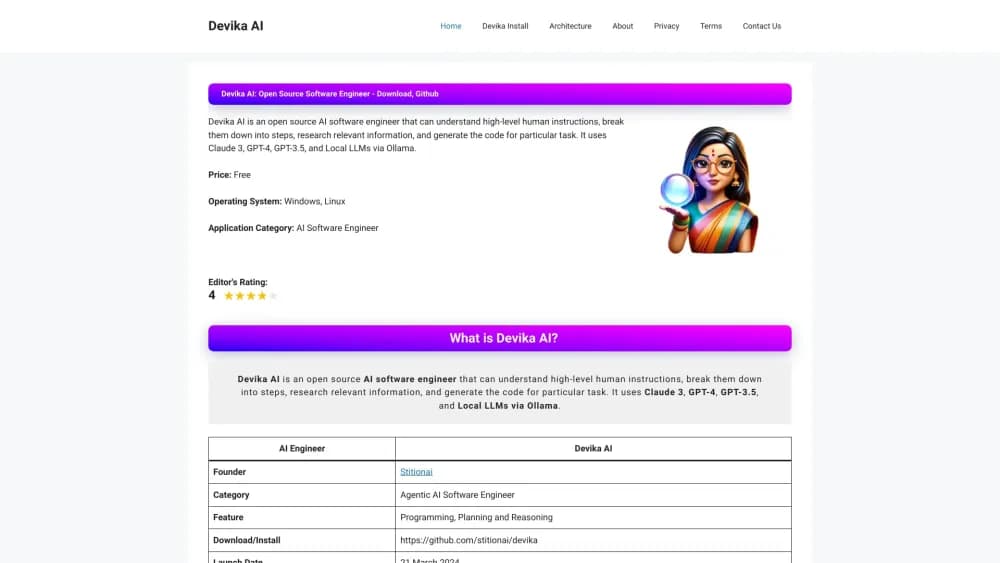
About Devika AI Software Engineer
What Is Devika
Devika is a self-hosted coding agent that runs in your browser at a local address. You bring the model keys, point it at a project folder, and describe what you want. It started as a Devin alternative, and the repository has carried that framing since March 2024.
The job it takes on is the messy middle of development: a feature request written in one sentence, a bug report with no stack trace, a small app that doesn't exist yet. Devika splits the request into steps, pulls in search results and docs pages, then writes files and runs commands. The chat window shows which agent is working, so you can follow the plan instead of waiting on a black box. In practice it behaves like an AI pair programmer that keeps its own notes.
The catch is maturity. The maintainers describe the project as early and experimental, and the issue tracker backs that up. Model support stops at Claude 3, GPT-4o, Gemini 1.5, Mistral, and Llama 3 through Groq, with Ollama and LM Studio for local weights. Nothing newer has landed in the model menu.
Getting Started
- Install Python 3.10 or 3.11, Node 18 or newer, uv, and bun. Python 3.12 breaks the install, so check the version before you start.
- Clone the repository, create a virtual environment, install requirements.txt, then run playwright install --with-deps for the browser tools.
- Start the backend with python devika.py, open a second terminal in ui/, run bun install and bun run start, then load http://127.0.0.1:3001.
- Create a project, pick a model and search engine, paste your API keys in settings, and send the first instruction. Expect to correct a step or two before usable code lands.
Product Information
A quick look at Devika AI Software Engineer's pricing, supported platforms, and performance.
Best for
The users, tasks, and scenarios where this tool fits best.
Users
- Developers who want an AI coding agent they can inspect
- Teams that can't send code to a vendor
- Solo builders testing agentic coding on a budget
Tasks
- Adding a feature to an existing project
- Fixing a bug from a plain description
- Scaffolding a small app from scratch
- Researching before you build
Scenarios
- Prototyping an internal tool over a weekend
- Learning how planning agents work
- Running coding experiments offline
Key features
Planner and Researcher Agents
Devika starts by turning your message into a numbered plan, then hands each step to a researcher that writes search queries and reads the results. A formatter agent strips ads and navigation from fetched pages before the text reaches the model. That chain is why a vague request still produces a usable first step instead of a wall of guesses.
A Model Menu That Includes Local Weights
You can run Devika on Claude 3, GPT-4o, GPT-4 Turbo, Gemini 1.5, Mistral, or Llama 3 through Groq. Ollama and LM Studio cover local models, and the settings page swaps providers without a restart. The project recommends Claude 3 for best results, which tells you where the prompts were tuned.
Web Research With Your Own Search Keys
Search runs through the Bing Search API or the Google Custom Search API, and you supply the keys. There's no scraping fallback, so a task that needs current documentation fails politely when those keys are missing. Playwright handles the page visits, which means the agent can read JavaScript-heavy docs that a plain fetch would miss.
Project Workspace With Live Agent State
Every project gets its own folder, and the UI lists files as they're written. A socket connection streams the current agent, its reasoning, and terminal output into the chat, so you can stop a bad plan early. Files stay on disk in plain form, which makes git and your editor work as usual.
Six Actions, Including Run and Deploy
The action agent sorts each message into answer, run, deploy, feature, bug, or report. Run executes the project, deploy pushes a web project to Netlify with the API key you provide, and report writes up what changed. One action per message keeps the loop predictable. A request that mixes two jobs has to be split by hand.
An Extensible Codebase Under MIT
The license lets you fork, rebrand, and ship Devika inside a company tool. Adding a provider means writing a client in src/llm, and adding a behavior means a new agent folder with a prompt template. There's no plugin marketplace and no hosted control plane, so extension happens in code.
Pros and cons
Pros
- The MIT license and local install remove vendor lock-in; you can fork the agent loop or ship it internally.
- Prompt templates for every agent are readable, which turns the repo into a practical reference for building your own planner.
- Local models through Ollama and LM Studio give you a zero API cost path for experiments.
- Search and browsing are wired in, so the agent can pull current docs instead of relying on training data.
- Deploy and run actions close the loop from generated code to a working URL.
Cons
- The maintainers call it early and experimental, and many issues stay open; expect broken steps in longer tasks.
- The model list is frozen in 2024, with no entries for models released after mid-2024, so pointing it at a current frontier model means editing code.
- Setup assumes developer skills: Python 3.10 or 3.11 only, Node, bun, Playwright, and a config file.
- Commands run on your machine inside the project folder with no container isolation by default, so a bad plan can touch real files.
Frequently asked questions
Devika takes a written goal and works it like a coding task: it plans steps, searches the web, writes files, and runs the project. Typical jobs are adding a feature, fixing a described bug, or scaffolding a small app.
Related content
Explore related tools, skills, and articles for Devika AI Software Engineer.
Devika AI Software Engineer Alternatives
Forefront
Forefront · CodingForefront is a web platform for building with open-source AI. It lets you fine-tune leading open-source language models on your own data, evaluate how they perform, and run them through an API or export them to host yourself. Developers who want the convenience of a closed-source platform but insist on owning their models and data are the target audience here.

Startkit
StartKit.AI · CodingStartkit is a boilerplate for building AI SaaS and AI wrapper products. Think of it as an AI startup boilerplate with the boring parts already wired up: authentication, Stripe and Lemon Squeezy payments, usage limits, transactional email, and an AI API starter that talks to OpenAI, Anthropic, Groq, or Llama. You clone the repo, set your price, and start on the part of your product that people actually pay for. It's Next.js under React and Tailwind, so most of the boilerplate code already feels familiar.
Testim
Tricentis · CodingTestim is an AI-powered test automation platform for building and running end-to-end tests across web, mobile, and Salesforce applications. It leans on machine learning to keep tests stable when an interface changes, so teams spend less time fixing broken selectors. Not bad for an automated testing tool you can start using today. You create tests by recording actions in a browser, then optionally add JavaScript when you need more control. It's a solid pick for busy QA teams.