

Dex
Dex · Coding · Marketing
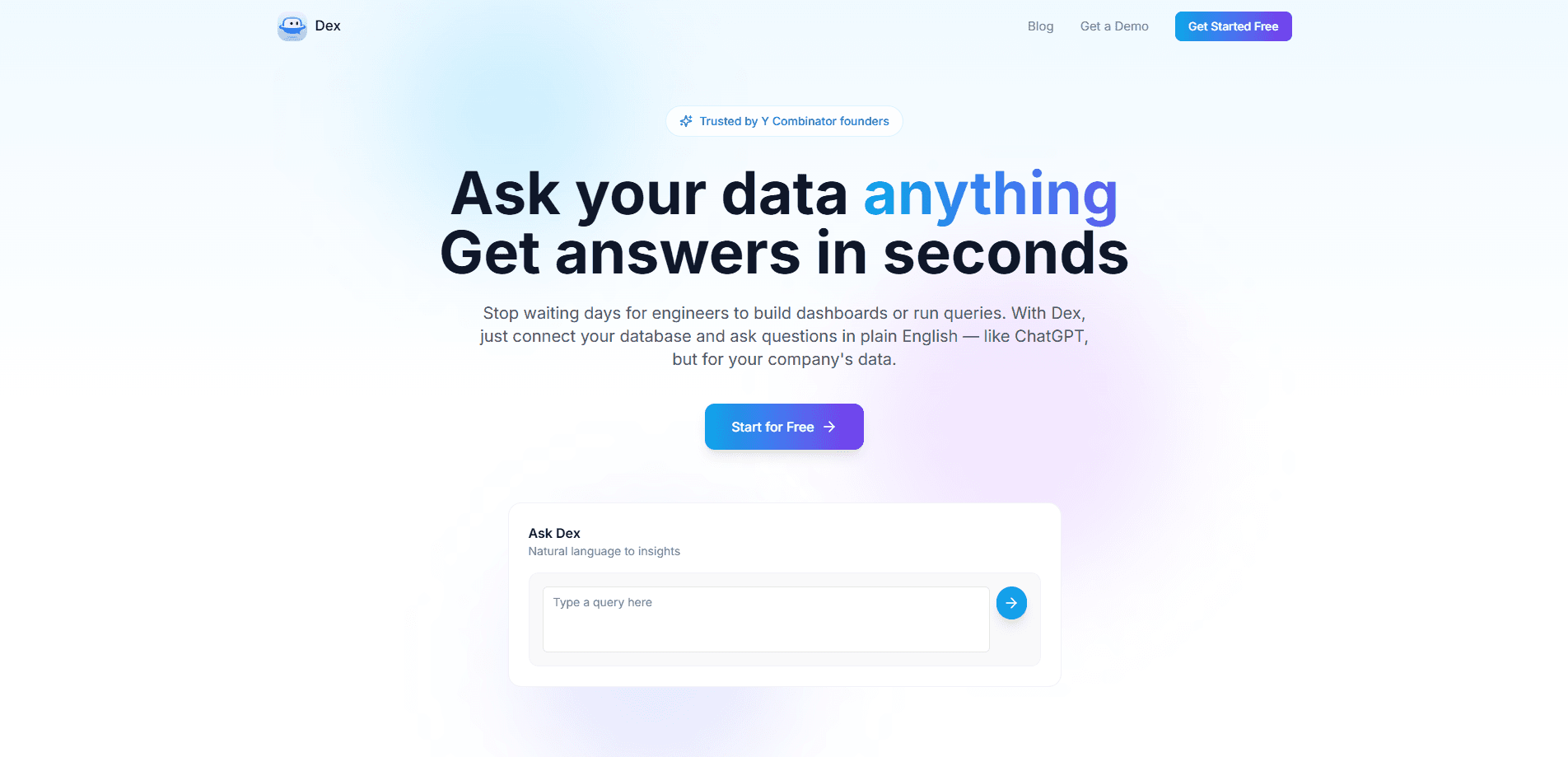
Dex is an AI data analytics platform that lets you ask questions about company data in plain English and get answers in seconds. Instead of filing a ticket and waiting for an engineer to build a dashboard, you connect a database and type something like "Why did revenue dip last week?" Dex writes the SQL, runs it, and returns charts, tables, and a short explanation. It's built for founders and teams who need fast answers without touching SQL themselves.
About Dex
What Is Dex
Dex is an AI data assistant that sits on top of the databases you already use. You connect a source like PostgreSQL, Snowflake, BigQuery, or MySQL, and it maps your plain-language question to the underlying schema before generating a query. The pitch is simple, and it plays well for anyone who has ever waited a week for a dashboard that answered a question nobody was asking anymore by the time it finally landed in their inbox.
The problem it targets is real. Getting a basic number out of a company's data usually means a ticket, a queue, and a dashboard that shows up a week later, by which point the question has changed. Dex shortens that loop to a few seconds for anyone on the team, not just analysts, and that shift matters more than any single feature when your team is small and moving fast.
It isn't a free-for-all. Dex reads your schema and runs queries against live data, so it still needs credentials and the right permissions set up. It's also a query layer, not a warehouse. If your data isn't already somewhere it can connect to, Dex has nothing to work with.
Getting Started
- Create a Dex workspace and sign in, starting on the free tier.
- Connect a data source with encrypted credentials, choosing from PostgreSQL, Snowflake, BigQuery, or MySQL.
- Let Dex read the schema so it knows which tables and columns hold what.
- Ask a question in plain English and review the generated SQL, chart, and explanation.
- Wire Dex into Slack if you want answers without leaving your team's chat.
Product Information
A quick look at Dex's pricing, supported platforms, and performance.
Best for
The users, tasks, and scenarios where this tool fits best.
Users
- Founders and operators
- Non-technical team members
- Small data teams
Tasks
- Ad-hoc metric checks
- Recurring reporting
- Slack-based lookups
Scenarios
- A weekly revenue dip shows up and you want to know the cause before the next standup.
- Someone in Slack asks for a usage number and you'd rather not interrupt an engineer.
- A new hire needs to explore company data without a crash course in the schema.
Key features
Natural Language to SQL
You type a question the way you'd ask a colleague, and Dex turns it into a working SQL query. It parses your intent, maps it to the database schema, and builds a query plan before running anything. The result is a real query you can inspect, not a black box. So what does that look like in practice?
Instant Answers With Charts
Results come back fast, and Dex doesn't just hand you a table. It renders the data as charts, adds context, and explains what the numbers mean. You can export to CSV or PNG when you need to drop something into a deck or a doc.
Warehouse and Database Connections
Dex connects to the sources most teams already run on, including PostgreSQL, Snowflake, BigQuery, and MySQL. Connections use encrypted credentials over SSL/TLS, so you're not pasting passwords into a chat window. It reads your schema structure to understand what lives where before it writes a query. Ask a question, and the SQL query tool does the rest.
Slack Integration
The Slack integration is where Dex earns its keep for a lot of teams. You ask a question in a channel and get the answer back in the same thread, which means nobody has to leave the conversation to look something up. That's conversational analytics in the tool your team already lives in. It's a small thing that cuts a lot of back-and-forth.
Privacy-First Data Handling
Dex says it never stores your actual database records, and query results are processed in real time rather than saved. Your data isn't used to train or fine-tune the AI models, and each interaction is handled on its own. Everything is encrypted in transit and at rest with AES-256, which matters a lot when the data in question is your company's revenue, customers, and internal numbers.
Pros and cons
Pros
- Answers arrive in seconds instead of days, which matters most when a question is time-sensitive.
- No SQL knowledge required. Non-technical teammates can self-serve instead of filing tickets.
- Connects to the big four warehouses and databases out of the box, covering most team setups.
- The privacy stance is clear: no data storage, no AI training on your records, AES-256 encryption.
- Slack integration keeps answers inside the tools your team already uses.
Cons
- The pricing page isn't public. You'll need a demo or a chat with sales before you can compare paid tiers.
- This kind of data analytics software relies on a connected database, so teams without one get nothing out of it.
- Responses depend on how clean your schema is. Messy table names mean messier questions and answers.
Frequently asked questions
Dex is an AI data analytics platform that converts plain-English questions into SQL, runs them against your connected database, and returns charts and explanations. You don't write the query yourself.
Related content
Explore related tools, skills, and articles for Dex.
Dex Alternatives
Forefront
Forefront · CodingForefront is a web platform for building with open-source AI. It lets you fine-tune leading open-source language models on your own data, evaluate how they perform, and run them through an API or export them to host yourself. Developers who want the convenience of a closed-source platform but insist on owning their models and data are the target audience here.

Startkit
StartKit.AI · CodingStartkit is a boilerplate for building AI SaaS and AI wrapper products. Think of it as an AI startup boilerplate with the boring parts already wired up: authentication, Stripe and Lemon Squeezy payments, usage limits, transactional email, and an AI API starter that talks to OpenAI, Anthropic, Groq, or Llama. You clone the repo, set your price, and start on the part of your product that people actually pay for. It's Next.js under React and Tailwind, so most of the boilerplate code already feels familiar.
Testim
Tricentis · CodingTestim is an AI-powered test automation platform for building and running end-to-end tests across web, mobile, and Salesforce applications. It leans on machine learning to keep tests stable when an interface changes, so teams spend less time fixing broken selectors. Not bad for an automated testing tool you can start using today. You create tests by recording actions in a browser, then optionally add JavaScript when you need more control. It's a solid pick for busy QA teams.