

DocDriven
DocDriven · Coding
DocDriven is a web based API design tool for frontend and backend teams. It combines visual API design, live review, mock servers and AI code generation in one shared workspace.
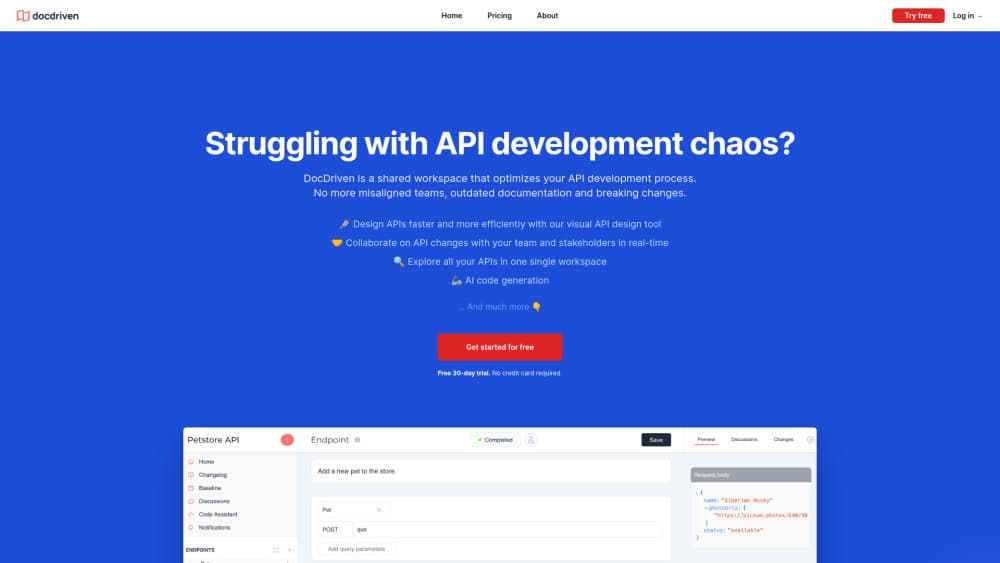
About DocDriven
What Is DocDriven
DocDriven is a workspace where a team drafts an API before anyone writes the code behind it. Backend developers build endpoints in a visual editor, frontend developers read the same spec and leave comments, and product managers watch the changes land instead of chasing status updates in chat.
The problem it targets is familiar. Specs live in one tool, tickets in another, and the real behavior lives in someone's head. DocDriven puts the API definition, the discussion around it, the generated mock responses and the API documentation in one place, so a change to a field shows up for everyone who depends on it.
The limits matter too. This is a design and documentation layer, not a runtime. You still deploy and host your own services, and the AI code generation produces starter code rather than finished production logic. The free tier is a 30 day trial on one workspace, not a permanent plan, and after it ends your account goes on hold until you pick a paid plan.
Getting Started
- Sign up at app.docdriven.com. The 30 day trial starts on a single workspace with every feature unlocked, and no card is required.
- Create a workspace and add the people who touch the API, including the frontend developers and any guests who only need to read.
- Build the first endpoints in the visual editor, or sketch the data model and let the tool lay out the routes.
- Share the draft for review. Teammates comment on specific endpoints, open issues and assign owners.
- Generate mock responses so the frontend can build against the shape before the backend ships. Turn on AI code generation when you want a starting implementation.
Product Information
A quick look at DocDriven's pricing, supported platforms, and performance.
Best for
The users, tasks, and scenarios where this tool fits best.
Users
- Backend developers who own the API contract
- Frontend developers blocked on someone else's work
- Product managers and team leads
- Small engineering teams of three to fifteen
Tasks
- Drafting a new API from a user story
- Reviewing a breaking change before it ships
- Unblocking frontend work with an API mock server
- Producing API documentation that stays current
Scenarios
- A redesign that touches twenty endpoints
- A client facing integration with an external partner
- Onboarding a developer onto an unfamiliar service
Key features
Visual API Design
You build endpoints, fields and relationships in a visual editor rather than hand writing a spec file. The editor keeps the structure consistent, so a nested object or a renamed field propagates through the design. Teams that hate YAML indentation tend to like this part.
Real Time Review and Issue Tracking
Reviewers comment on a specific endpoint, open issues and assign an owner. The point is timing: feedback arrives while the design is a draft, not after the sprint has shipped. Notifications close the loop when an issue gets resolved.
API Mock Server
Every design can produce mock responses, and the count isn't capped on any plan. Frontend developers point their app at the mock and build the interface against real shapes. It covers the happy path well, and you'll still test your own error states against the live service.
AI Code Generation
DocDriven generates boilerplate from your design, following the conventions you set. It saves the boring part of writing controllers and models by hand. Treat the output as a starting point: the business logic, validation rules and tests are still yours to write.
API Changelog
Changes to a design are recorded as a changelog entry instead of vanishing into a commit history. Anyone who consumes the API can see what was added or removed and when. For external partners, this is often the feature that makes the review process tolerable.
One Workspace for Every API
All internal and external APIs sit in a single workspace you can search. Multiple workspaces are available from the Team plan upward, which is how most companies separate client projects from internal services.
Pros and cons
Pros
- The design, the discussion and the API documentation live in the same place, so there is one version of the truth instead of three.
- Mock servers ship on the free trial with no cap, which makes it cheap to test the workflow before paying.
- Review happens at the design stage, where a change costs minutes rather than a sprint.
- The Team plan starts at three users with unlimited guests, so occasional reviewers don't need a seat.
- AI code generation removes the repetitive scaffolding work that nobody wants to do by hand.
Cons
- There is no permanent free plan. After 30 days the account goes on hold until you choose a paid plan, which rules out hobby projects and long evaluations.
- The tool designs and documents APIs but doesn't host them. You still need your own infrastructure for anything that serves traffic.
- AI output covers scaffolding, not finished logic. Teams without a developer who can review generated code will get less from it.
- Public pricing stops at the Team plan. Enterprise cost requires a sales conversation, which slows down budgeting for larger teams.
Frequently asked questions
It's an API design tool. You define endpoints and data models in a visual editor, review them with your team, generate mocks and documentation from that design, and export starter code. It doesn't run your API.
Related content
Explore related tools, skills, and articles for DocDriven.
DocDriven Alternatives
Forefront
Forefront · CodingForefront is a web platform for building with open-source AI. It lets you fine-tune leading open-source language models on your own data, evaluate how they perform, and run them through an API or export them to host yourself. Developers who want the convenience of a closed-source platform but insist on owning their models and data are the target audience here.

Startkit
StartKit.AI · CodingStartkit is a boilerplate for building AI SaaS and AI wrapper products. Think of it as an AI startup boilerplate with the boring parts already wired up: authentication, Stripe and Lemon Squeezy payments, usage limits, transactional email, and an AI API starter that talks to OpenAI, Anthropic, Groq, or Llama. You clone the repo, set your price, and start on the part of your product that people actually pay for. It's Next.js under React and Tailwind, so most of the boilerplate code already feels familiar.
Testim
Tricentis · CodingTestim is an AI-powered test automation platform for building and running end-to-end tests across web, mobile, and Salesforce applications. It leans on machine learning to keep tests stable when an interface changes, so teams spend less time fixing broken selectors. Not bad for an automated testing tool you can start using today. You create tests by recording actions in a browser, then optionally add JavaScript when you need more control. It's a solid pick for busy QA teams.