

Doclime
Doclime · Productivity · Business
Doclime is an AI PDF chat tool built for textbooks, research papers, and contracts, and it answers with page-level citations back to the source.
About Doclime
What Is Doclime
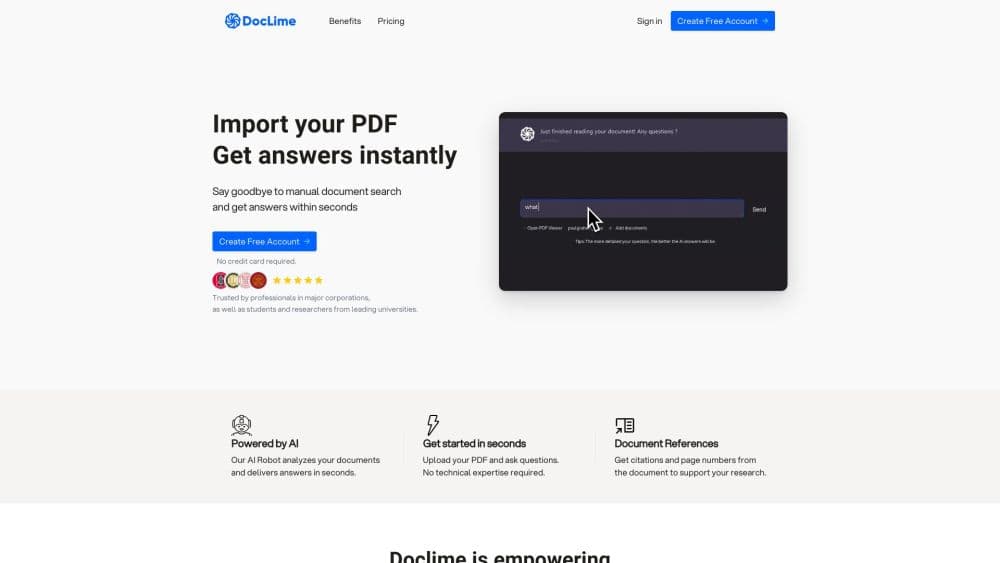
Doclime is a web app that reads your PDFs and answers questions about them in a chat panel. You upload a file, ask in plain language, and get a reply that names the pages it used. That last part matters more than it sounds. Most document chatbots hand you a confident paragraph and leave you to hunt for the sentence it came from.
The workspace around the chat is the real product. A document tree keeps uploads and notes apart, a viewer handles search and page jumps, and notes sit next to the answer so you can write while you read. Everything runs on AWS, with files encrypted in transit and at rest, and stored privately by default. That workspace is what makes AI document analysis practical at book length.
The limits are worth knowing before you pay. Doclime is PDF only, so Word files, spreadsheets, and slide decks have to be converted first. There's no free tier, and the cheapest plan costs more than most chat subscriptions. It's a tool for people who read long documents for a living, not a casual PDF summarizer for the occasional file.
Getting Started
- Create an account at doclime.com with an email address. No card is needed for signup, but you pick a paid plan before you can upload.
- Drop a PDF into the file tree under Documents. Scanned files go through OCR first, which takes a moment on long reports.
- Open the file and ask your first question in the chat panel. Add a second or third document as context if the answer depends on more than one source.
- Follow the numbered references in the reply. Each one opens the matching page in the viewer at the sentence level.
- Copy what you need into the note editor, or keep the split screen open and work through the document section by section.
Product Information
A quick look at Doclime's pricing, supported platforms, and performance.
Best for
The users, tasks, and scenarios where this tool fits best.
Users
- Graduate students
- In-house counsel and compliance reviewers
- Consultants and analysts
Tasks
- Literature review
- Clause and obligation checks
- Lesson and study material prep
Scenarios
- Due diligence with a hard deadline
- Writing a dissertation over several months
- Learning an unfamiliar technical domain
Key features
Answers With Numbered References
Every reply carries numbered citations that link to the page it drew from, so you can check a claim in one click instead of scrolling. This is the feature that separates a usable PDF chat assistant from a plausible one. When the answer looks wrong, the reference usually shows why: the model read a footnote, or it merged two sections that say different things.
OCR for Scanned PDFs
Old contracts, printed manuals, and photocopied book chapters upload without extra work. OCR for scanned PDFs runs on the server and converts the image text into something the model can quote. Accuracy tracks scan quality, so a clean 300 dpi file behaves far better than a phone photo of a page.
Split Screen Reading
The viewer, the notes, and the chat share one screen, and you can open several documents side by side. In practice you read on the left, ask on the right, and write in the middle without losing your place. It's a small design decision that removes a lot of alt-tabbing.
Note Editor With Version History
The note panel is a rich text editor with bold, italics, underlines, and real-time saving. Version history means yesterday's summary is still recoverable after you rewrite it. AI note taking here means pulling an answer into your own outline, not letting the model write the whole page.
Context-Aware Search Across Files
Search runs across your library, and you can attach context files to a single conversation. Ask a question that needs three sources and Doclime answers across all three, citing each one separately. That beats uploading the same documents again in a new chat.
Screenshot Questions
You can capture any region of a page and ask about it directly. Charts, tables, and diagrams that resist text extraction become answerable this way. Useful for financial tables where the numbers matter more than the prose around them.
Model Choice From OpenAI and Anthropic
Conversations can run on frontier models from OpenAI, Anthropic, and other providers. Switching models is useful when one handles a long legal section better and another is faster on short factual questions. You don't manage API keys or pay per token; the message allowance covers it.
Pros and cons
Pros
- Cited answers make verification fast, which matters when the output feeds a paper or a legal memo.
- OCR handles scanned PDFs on upload, so older documents don't need a separate conversion step.
- The split screen, notes, and file tree turn a chat window into a workspace you can actually work in for hours.
- Context files let one question pull from several documents, with each source cited separately.
- Model choice across OpenAI and Anthropic gives you a fallback when one model misreads a dense section.
Cons
- There's no free plan. The Hobby tier starts at $40/mo, which is double a standard chatbot subscription and hard to justify for occasional use.
- Document caps are tight: 10 files on Hobby and 100 on Standard. A dissertation or a diligence room blows past both, and the $500 Pro tier is the only way to 400 files.
- PDF only. Word documents, spreadsheets, and slide decks need converting first, and layout-heavy files lose structure in the process.
- No public API and no mobile app, so the reading workflow stays manual. Anything you want to automate has to be done by hand in the browser.
Frequently asked questions
No. Doclime sells three paid tiers and offers no free trial on the pricing page, so the first step after signup is a subscription. Yearly billing gives two months free, and you can cancel in one click.
Related content
Explore related tools, skills, and articles for Doclime.
Doclime Alternatives

Swms
Swms AI · Writing · Productivity · BusinessSwms is an AI safety compliance tool that turns a plain description of a job into ready-to-use safety documents. Describe your project, trade, and known hazards, and it writes a safe work method statement, job hazard analysis, safe work procedure, RAMS, or safety data sheet in seconds. It also ships with Oscar, a chat assistant that answers workplace safety questions in any language. Teams in construction, mining, transport, and warehousing use it to cut the paperwork that usually eats into a workday.

Wordly AI Translation
Wordly · Voice & Language · ProductivityWordly AI Translation is a real-time AI translation and captioning platform built for meetings, conferences, and events. It delivers live translation, captions, transcripts, and summaries in more than 60 languages, and attendees join by scanning a QR code or opening a link instead of using dedicated headsets. The platform works with Zoom, Microsoft Teams, Google Meet, and Webex, and it's designed for organizations that want multilingual access without hiring human interpreters for every session. Simple as that.

Rows
Rows (Superhuman) · Productivity · BusinessRows is an AI spreadsheet and data analysis tool that imports live data from more than 50 sources, then lets you work with it using plain language instead of SQL queries or nested formulas. You can pull numbers out of PDFs, connect ad platforms, databases, and bank accounts, and ask the AI to build reports, merge datasets, or set up models that recalculate themselves. It runs in the browser, works like a spreadsheet, and now sits under the Superhuman umbrella.