

DocsAlot
DocsAlot · Coding
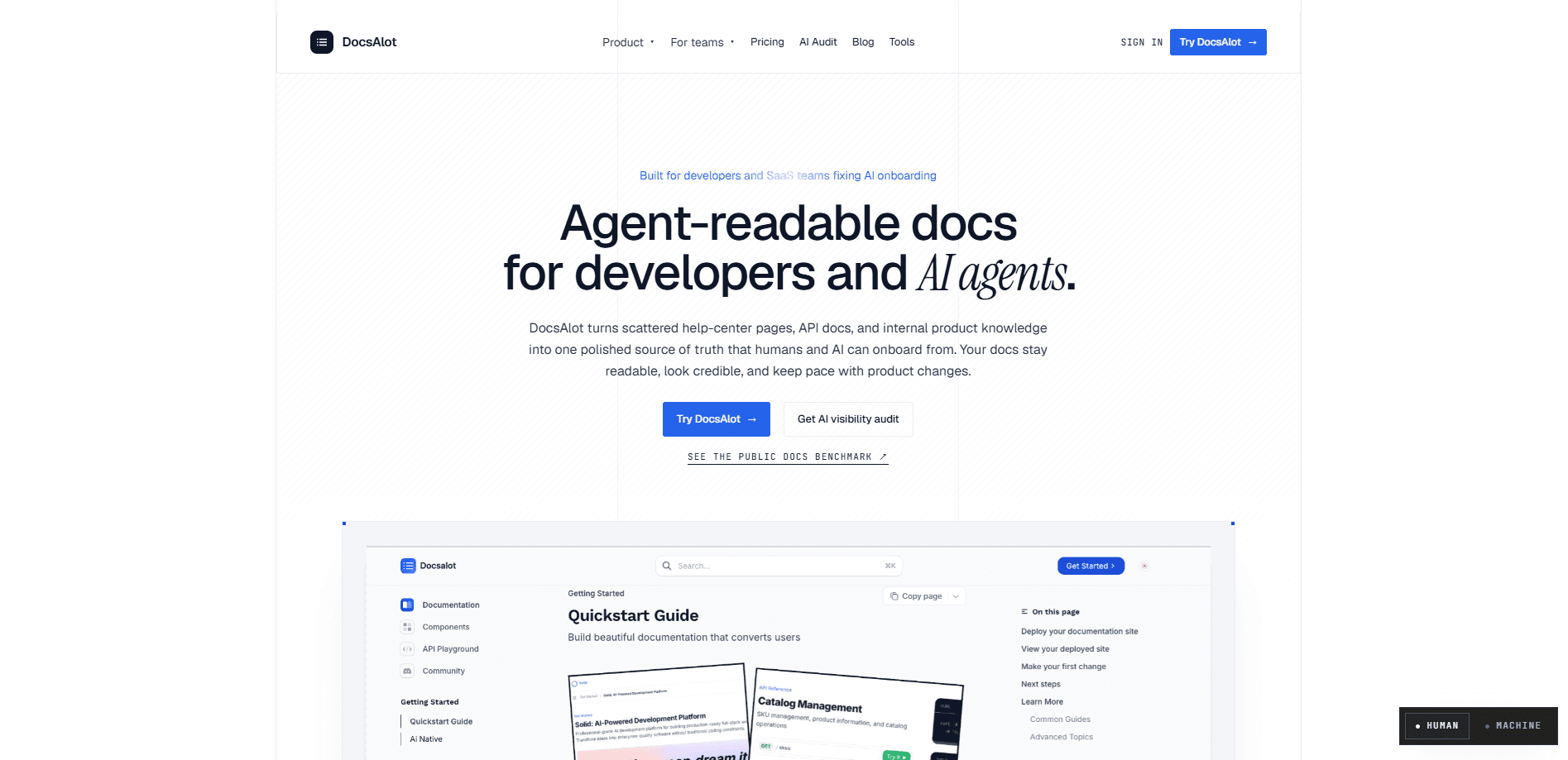
DocsAlot is a hosted, AI-readable documentation platform that helps startups and small teams turn scattered help centers, knowledge bases, and developer docs into a single source of truth. It publishes normal human-facing pages, then adds AI-ready outputs like llms.txt, skill.md, and a hosted MCP server so that AI systems can read, search, and cite your docs. Point it at your existing content. It keeps the docs drafted, structured, and distributed from one place.
About DocsAlot
What Is DocsAlot
DocsAlot is documentation infrastructure aimed at teams that never hired a docs person. Instead of stitching together a wiki, help center software, and a folder of Markdown files, you host all of it in one spot and let the platform draft and maintain the content. The pitch is simple. Your product changes fast. Your docs should keep up without someone writing every page by hand.
The part that separates it from a standard help center tool is the AI angle. Every docs site it publishes also comes with machine-readable outputs, so chatbots and AI assistants can pull the canonical answer instead of guessing. Why does that matter? Because it decides how your product shows up in AI search and answer tools.
The honest caveat is that DocsAlot is built for small teams, not large enterprises with a dedicated technical writing department. If you already run a mature docs pipeline with dozens of contributors and strict review rules, you'll find the core product limiting and you'll want the Enterprise tier.
Getting Started
- Create an account on the DocsAlot site and pick the plan that matches your traffic and privacy needs.
- Connect a source, whether that's an existing help center, a Markdown repo, or your product and support content.
- Let the platform draft and structure pages, then review and edit them in the editor.
- Publish to a hosted docs site, and optionally attach a custom domain on the Team plan.
- Share the AI-readable outputs, such as llms.txt and the MCP endpoint, with the assistants and tools you use.
Product Information
A quick look at DocsAlot's pricing, supported platforms, and performance.
Best for
The users, tasks, and scenarios where this tool fits best.
Users
- Startup founders
- CTOs and founding engineers
- Support and customer success leads
- Product marketing and onboarding leads
Tasks
- Consolidating fragmented docs
- Publishing AI-readable docs
- Cutting repetitive support answers
- Setting up developer docs
- Migrating off an older docs system
Scenarios
- A small team shipping weekly and tired of docs going stale between releases.
- A founder who wants the product explained accurately inside AI chat tools and search answers.
- A support team drowning in the same five questions, looking to write the answers once.
- A developer-tools company that needs public docs and machine-readable outputs from a single host.
Key features
AI-Readable Outputs
DocsAlot publishes llms.txt, skill.md, frontmatter, and stable anchors alongside your normal pages. These files give AI systems a clean, canonical version of your docs to read, so assistants answer with your wording instead of a guess. If AI discoverability is on your roadmap, this is the feature that makes the platform worth a look.
Hosted MCP Server
The platform ships a hosted MCP server that exposes docs retrieval and search as callable tools. AI clients query your documentation directly instead of scraping pages. That's a real difference. For teams wiring agents into their product, this turns your docs into a live data source.
AI Drafting and Upkeep
DocsAlot drafts and updates pages using your product context, including code, support content, and your existing docs. You still review and edit. The heavy lifting of turning raw material into structured pages is handled for you. The goal is docs that stay current because updating them takes minutes, not a sprint.
Versioned Publishing Workflows
The Team plan adds preview, review, and publish workflows so changes don't go live half-finished. You can stage updates, check them, and push when ready. Ever published a typo straight to production docs? This is the safety net you want.
Custom Domains and Private Docs
Higher tiers support custom domains and subfolder hosting, plus private docs and authenticated help centers. Your docs can live on your own domain and behind a login when the content isn't meant for the open web.
Multi-Language Support
The Startup plan includes 2 languages and the Team plan includes 5, with no per-seat charge for collaborators. That covers the common case of shipping help content in English plus a few key markets. No paying per editor.
Analytics and Governance
The Enterprise tier adds detailed analytics with account-level visitor identification, lead-gen signals from high-intent docs traffic, SSO with SAML, SCIM, and automated drift checks. That's aimed at teams treating docs as a growth and compliance surface, not just a support cost.
Pros and cons
Pros
- One place for help centers, knowledge bases, and developer docs, so you stop maintaining three systems.
- AI-ready outputs and a hosted MCP server come built in, which is unusual for a docs platform at this price.
- No per-seat charge for collaborators, so adding reviewers doesn't inflate the bill.
- Clear, low starting price at $39/month makes it easy to try with a small team.
- Migration and done-for-you setup options exist if you're moving off a messier stack.
Cons
- There's no free plan, so you can't evaluate the hosted product without paying $39/month.
- Pricing caps AI messages and language counts by tier, and hitting those limits means upgrading.
- The most valuable governance features, like SSO, SCIM, and drift checks, sit behind custom Enterprise pricing, so smaller teams can't get them without a sales conversation.
Frequently asked questions
It hosts your documentation and publishes it in two forms at once: normal pages for people and machine-readable files like llms.txt and skill.md for AI systems. You also get a hosted MCP server so AI tools can search your docs directly.
Related content
Explore related tools, skills, and articles for DocsAlot.
DocsAlot Alternatives
Forefront
Forefront · CodingForefront is a web platform for building with open-source AI. It lets you fine-tune leading open-source language models on your own data, evaluate how they perform, and run them through an API or export them to host yourself. Developers who want the convenience of a closed-source platform but insist on owning their models and data are the target audience here.

Startkit
StartKit.AI · CodingStartkit is a boilerplate for building AI SaaS and AI wrapper products. Think of it as an AI startup boilerplate with the boring parts already wired up: authentication, Stripe and Lemon Squeezy payments, usage limits, transactional email, and an AI API starter that talks to OpenAI, Anthropic, Groq, or Llama. You clone the repo, set your price, and start on the part of your product that people actually pay for. It's Next.js under React and Tailwind, so most of the boilerplate code already feels familiar.
Testim
Tricentis · CodingTestim is an AI-powered test automation platform for building and running end-to-end tests across web, mobile, and Salesforce applications. It leans on machine learning to keep tests stable when an interface changes, so teams spend less time fixing broken selectors. Not bad for an automated testing tool you can start using today. You create tests by recording actions in a browser, then optionally add JavaScript when you need more control. It's a solid pick for busy QA teams.