
Docsbot AI
DocsBot · Productivity · Business · Chatbot
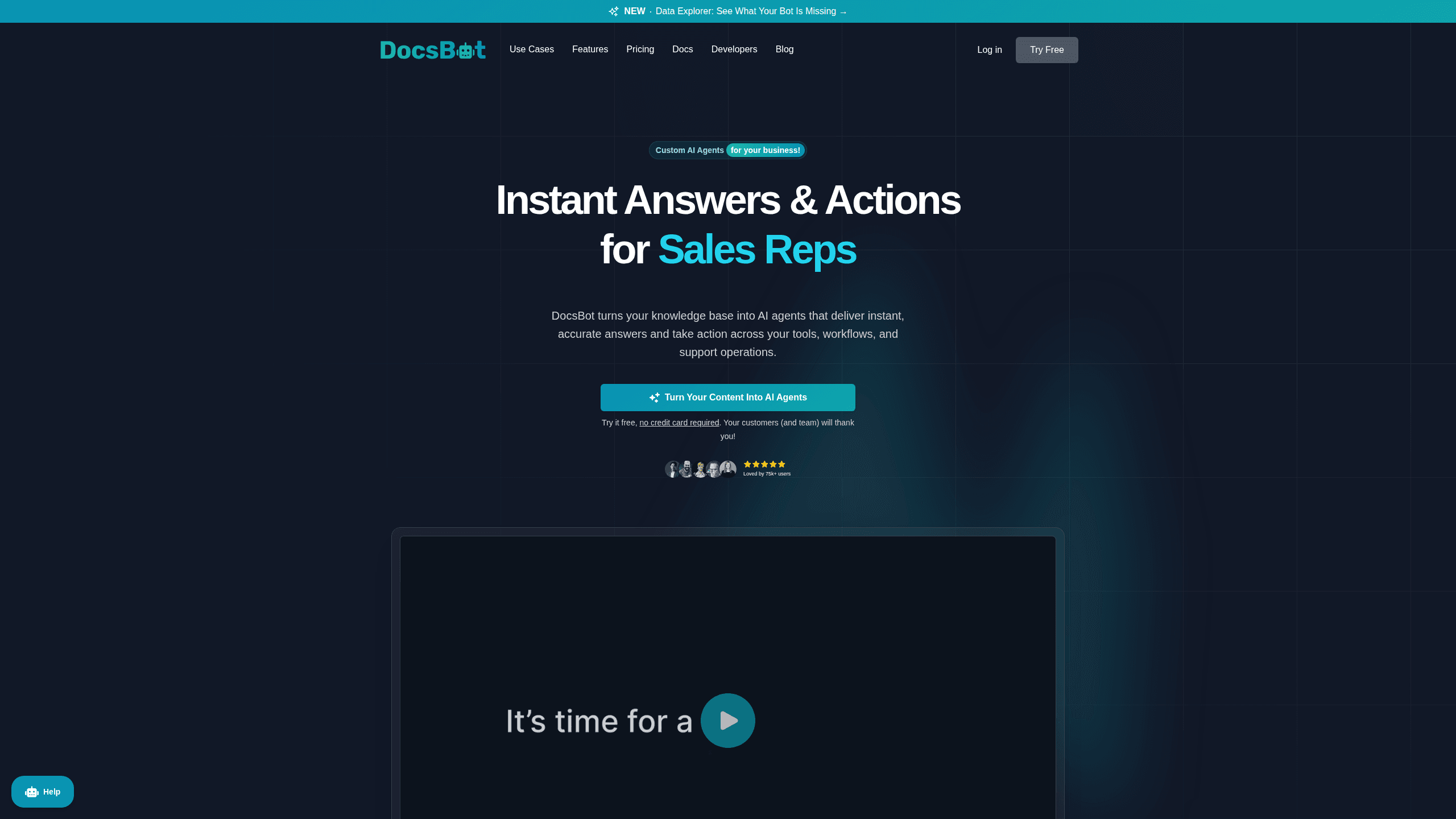
DocsBot AI is a platform for building AI agents that answer questions from your own content. You feed it docs, help center articles, or PDFs, and it uses that material to respond to customers and employees across chat widgets, Slack, and messaging apps. It works as an AI customer support chatbot when you point it at help content, and as an internal knowledge bot when you point it at staff docs. Beyond answering, it can run actions like collecting leads, creating tickets, or handing off to a human. So it fits both support teams and internal knowledge use.
About Docsbot AI
What Is DocsBot AI
DocsBot AI is a no-code tool for turning company knowledge into chatbots. You connect a source, the bot learns from it, and then you embed or link it wherever people ask questions. The pitch is simple: fewer repeated questions for your team, faster answers for everyone else.
That's the core of any AI knowledge base chatbot, and it doubles as an AI agent builder for teams that want more than canned replies. The platform splits into two main jobs. Customer-facing bots handle pre-sales and support, while internal bots answer staff questions about processes and policies. Both share the same training pipeline and integrations, so you're not managing two separate systems.
The catch is that quality depends on your source material. Messy docs produce messy answers. The free tier caps you at one bot with 50 source pages, which is enough to test but not to run a real support desk.
Getting Started
- Sign up at docsbot.ai with an email or Google account. No credit card is needed for the free plan.
- Create a bot and connect a source, such as a website, help center, PDF, or raw text.
- Let DocsBot AI train on the content, then preview sample questions in the dashboard.
- Customize the look of the chat widget and add any actions or integrations you want, like lead forms or Slack.
- Embed the widget on your site or share the hosted link with your team.
Product Information
A quick look at Docsbot AI's pricing, supported platforms, and performance.
Best for
The users, tasks, and scenarios where this tool fits best.
Users
- Support teams
- Small businesses
- Internal help desks
Tasks
- Answering product questions
- Capturing leads
- Automating routine support
Scenarios
- Handling after-hours traffic
- Onboarding new hires
- Scaling peak-season support
Key features
Knowledge Base Training
DocsBot AI learns from the sources you connect, whether that's a live website, a help center, a PDF, or plain text. You can retrain as content changes, which keeps answers current. The bigger plans raise the source page limit from 50 on the free tier up to 100,000 on Business. Old docs hurt. Retraining fixes that.
Action Buttons and Automations
Bots do more than talk. You can add actions per bot that collect leads, create tickets, or trigger a Zapier workflow. That's where customer support automation gets real. Standard and Business plans allow more actions apiece, which matters if you want the bot to actually resolve requests instead of pointing people to a form.
Multi-Channel Deployment
The same bot works as a website widget, a hosted link, or an integration inside Slack, Messenger, WhatsApp, and Telegram. Personal plans and up open up the messaging channels, so customers can reach you where they already spend time.
Human Handoff and Escalation
When a bot can't resolve something, it can pass the conversation to a person or open a support ticket. This matters for trust. A bot that traps users in a loop with no exit is worse than no bot at all.
Conversation Analytics
Standard and higher plans track what people ask, how conversations go, and which topics cause trouble. You can spot gaps in your documentation from the questions the bot couldn't answer well. That turns support data into a docs to-do list.
Enterprise Controls
The Business plan adds unbranded widgets, client-side PII redaction, rate limiting, and per-bot roles for reselling or managing multiple workspaces. These are aimed at companies that need to run the bot at scale without exposing customer data.
Pros and cons
Pros
- Free plan lets you build and test a bot without entering payment details.
- Sources cover websites, help centers, PDFs, and plain text. No developer needed.
- Integrations reach Slack, Messenger, WhatsApp, and Telegram, not just a website widget.
- Actions and automations let bots resolve requests rather than only answering questions.
- Analytics on higher tiers show which questions your docs fail to cover.
Cons
- Free plan caps you at 1 bot and 50 source pages. That's a trial, not a working setup.
- AI credit limits are shared across messages and actions, so heavy usage can hit the ceiling before the month ends even on paid plans.
- Answer quality depends on your source material. Old or messy docs lead to unreliable responses.
- The jump from $149 to $499/mo for advanced reporting is steep for small teams.
Frequently asked questions
It trains a chatbot on your own content and uses it to answer questions from customers or employees. You can deploy it as a website widget or inside tools like Slack, and add actions so it does things beyond replying.
Related content
Explore related tools, skills, and articles for Docsbot AI.
Docsbot AI Alternatives

Swms
Swms AI · Writing · Productivity · BusinessSwms is an AI safety compliance tool that turns a plain description of a job into ready-to-use safety documents. Describe your project, trade, and known hazards, and it writes a safe work method statement, job hazard analysis, safe work procedure, RAMS, or safety data sheet in seconds. It also ships with Oscar, a chat assistant that answers workplace safety questions in any language. Teams in construction, mining, transport, and warehousing use it to cut the paperwork that usually eats into a workday.

Wordly AI Translation
Wordly · Voice & Language · ProductivityWordly AI Translation is a real-time AI translation and captioning platform built for meetings, conferences, and events. It delivers live translation, captions, transcripts, and summaries in more than 60 languages, and attendees join by scanning a QR code or opening a link instead of using dedicated headsets. The platform works with Zoom, Microsoft Teams, Google Meet, and Webex, and it's designed for organizations that want multilingual access without hiring human interpreters for every session. Simple as that.

Rows
Rows (Superhuman) · Productivity · BusinessRows is an AI spreadsheet and data analysis tool that imports live data from more than 50 sources, then lets you work with it using plain language instead of SQL queries or nested formulas. You can pull numbers out of PDFs, connect ad platforms, databases, and bank accounts, and ask the AI to build reports, merge datasets, or set up models that recalculate themselves. It runs in the browser, works like a spreadsheet, and now sits under the Superhuman umbrella.