

DocuAssist.AI
FastTech.AI Pte Ltd · Productivity · Business
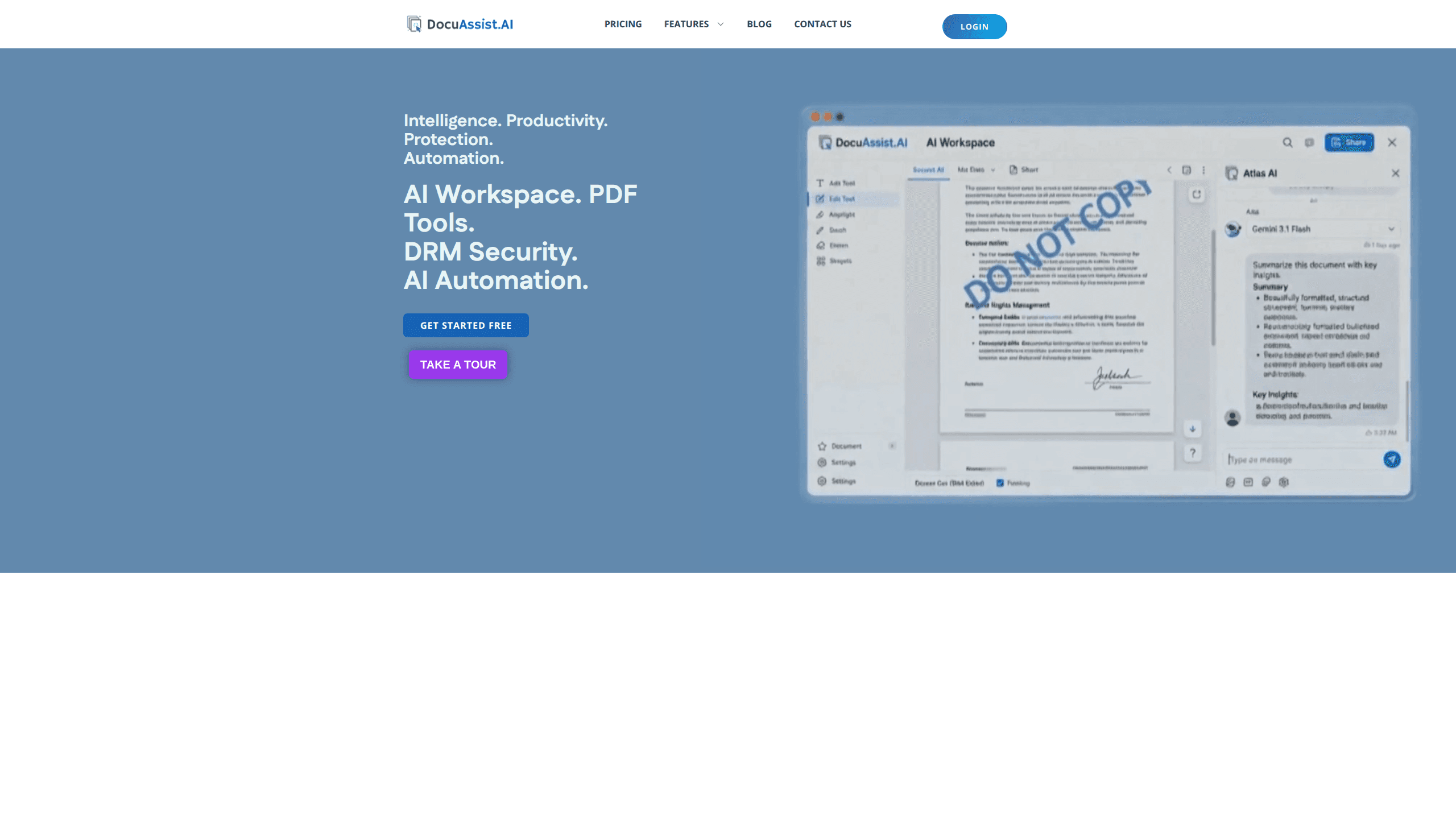
DocuAssist.AI is an AI document assistant built for teams that drown in PDFs, contracts, and purchase paperwork. It combines a multi-model AI workspace, a full PDF toolkit, DRM-protected sharing, and no-code automation for Order to Cash and Procure to Pay cycles. Upload a file. Ask a question in plain language. You get answers, summaries, or drafts without leaving the page.
About DocuAssist.AI
What Is DocuAssist.AI
DocuAssist.AI is a document platform from FastTech.AI Pte Ltd, a Singapore-based software company. The product covers four jobs that usually live in separate apps: reading and searching documents with AI, editing and processing PDFs in bulk, sharing copyrighted files with digital rights management, and automating back-office cycles like invoicing and procurement.
The pitch is that you shouldn't need a stack of subscriptions to handle a single contract. One workspace handles capture, classification, and retrieval, so a legal team can find a clause and a finance team can match an invoice without hopping between tools.
The main limitation is the audience. DocuAssist.AI aims at professionals, freelancers, and businesses rather than casual users, and its most valuable features, like DRM controls and O2C/P2P automation, sit behind paid plans or a demo request. There's a free entry point to explore, but the serious work needs a paid seat.
Getting Started
- Create an account at the DocuAssist.AI portal and pick the Personal workspace to explore the basics.
- Upload a document to the inbox; the AI classifies and organizes it automatically for semantic search.
- Open the AI Workspace and ask a question about your file in plain language, then switch between GPT, Gemini, or Claude if one model gives a better answer.
- Use the PDF tools to fill forms, edit, or redact files, and apply DRM protection when you need to share something sensitive.
- Upgrade to Professional if you need multiple projects, AI Automate, or universal search across cloud services.
Product Information
A quick look at DocuAssist.AI's pricing, supported platforms, and performance.
Best for
The users, tasks, and scenarios where this tool fits best.
Users
- Freelancers and consultants
- Legal and financial professionals
- Small businesses testing AI
Tasks
- Answering questions about long documents
- Bulk PDF processing
- Automating invoice and procurement workflows
Scenarios
- A finance team matching purchase orders to payments every week
- A consultancy sending a confidential report to a client
- A small firm sorting years of scattered PDFs
Key features
Multi-Model AI Workspace
The workspace lets you summarize, extract insights, and draft from any document in GPT, Gemini, or Claude without leaving the page. Switching models matters when a clause-heavy contract trips up one model but reads cleanly in another. So when does that help? Picture a 40-page vendor agreement. One model misses a liability cap. Another quotes it back with the page number. You ask questions in normal language and get answers, not a list of search results to sift through.
All-in-One PDF Toolkit
DocuAssist.AI bundles smart form-filling, precision editing, and secure redaction into one suite. Instead of buying separate tools for each job, teams handle the full PDF lifecycle in a single place. Bulk processing is the standout: the platform is built to chew through hundreds of files at once rather than one at a time.
DRM Document Protection
For copyrighted or confidential files, the platform adds digital rights management on top of sharing. You can restrict copying, screenshots, and viewing, set auto-expiration dates, and revoke remote access after a document is already out. Advanced tiers go further. Think watermarking that changes per viewer, geofencing, and device-based access rules.
Order to Cash and Procure to Pay Automation
The platform automates two heavy back-office cycles end to end. It captures documents and emails, validates the data, and processes each step of the Order to Cash and Procure to Pay flows. For teams stuck doing the same invoice and purchase order checks by hand, that's the difference between a full afternoon and a few minutes. Not a small win.
Intelligent Document Workspace and Semantic Search
Upload or capture files and the assistant classifies and organizes them for you. Semantic search then finds documents by what they mean, so a query about a payment term surfaces the right contract even if you don't remember its name. That's the real time saver. It's the feature that quietly saves the most time over a year.
Cloud Service Integration
The platform connects to cloud storage, and the Professional plan extends search across multiple services at once. If your files live in more than one place, you search once instead of opening each drive in turn. The Personal tier keeps to a single project and basic cloud connections. Fine for testing. Tight for daily use.
Pros and cons
Pros
- Combines AI document Q&A, PDF editing, DRM, and workflow automation in one platform, cutting down on subscription sprawl.
- Multi-model support lets you pick GPT, Gemini, or Claude per task instead of being locked to one.
- DRM features like remote revocation and auto-expiration give real control over shared files, not just nominal protection.
- Bulk PDF processing handles large batches, which suits teams with recurring document loads.
Cons
- Pricing isn't published as fixed numbers, so you need to request a quote or a demo to know what a paid tier costs.
- The most useful features, including DRM and O2C/P2P automation, aren't available on the free plan, so real evaluation requires paying.
- There's no public API documentation, which makes it hard to judge how easily it fits into an existing tech stack.
- It's aimed at professionals and businesses, so casual users will find more capability than they need.
Frequently asked questions
It's used to manage the full document lifecycle with AI. That covers asking questions about files, processing PDFs in bulk, sharing protected documents, and automating invoice or procurement workflows.
Related content
Explore related tools, skills, and articles for DocuAssist.AI.
DocuAssist.AI Alternatives

Swms
Swms AI · Writing · Productivity · BusinessSwms is an AI safety compliance tool that turns a plain description of a job into ready-to-use safety documents. Describe your project, trade, and known hazards, and it writes a safe work method statement, job hazard analysis, safe work procedure, RAMS, or safety data sheet in seconds. It also ships with Oscar, a chat assistant that answers workplace safety questions in any language. Teams in construction, mining, transport, and warehousing use it to cut the paperwork that usually eats into a workday.

Wordly AI Translation
Wordly · Voice & Language · ProductivityWordly AI Translation is a real-time AI translation and captioning platform built for meetings, conferences, and events. It delivers live translation, captions, transcripts, and summaries in more than 60 languages, and attendees join by scanning a QR code or opening a link instead of using dedicated headsets. The platform works with Zoom, Microsoft Teams, Google Meet, and Webex, and it's designed for organizations that want multilingual access without hiring human interpreters for every session. Simple as that.

Rows
Rows (Superhuman) · Productivity · BusinessRows is an AI spreadsheet and data analysis tool that imports live data from more than 50 sources, then lets you work with it using plain language instead of SQL queries or nested formulas. You can pull numbers out of PDFs, connect ad platforms, databases, and bank accounts, and ask the AI to build reports, merge datasets, or set up models that recalculate themselves. It runs in the browser, works like a spreadsheet, and now sits under the Superhuman umbrella.