

Document collection by Superdash
Superdash · Coding · Productivity
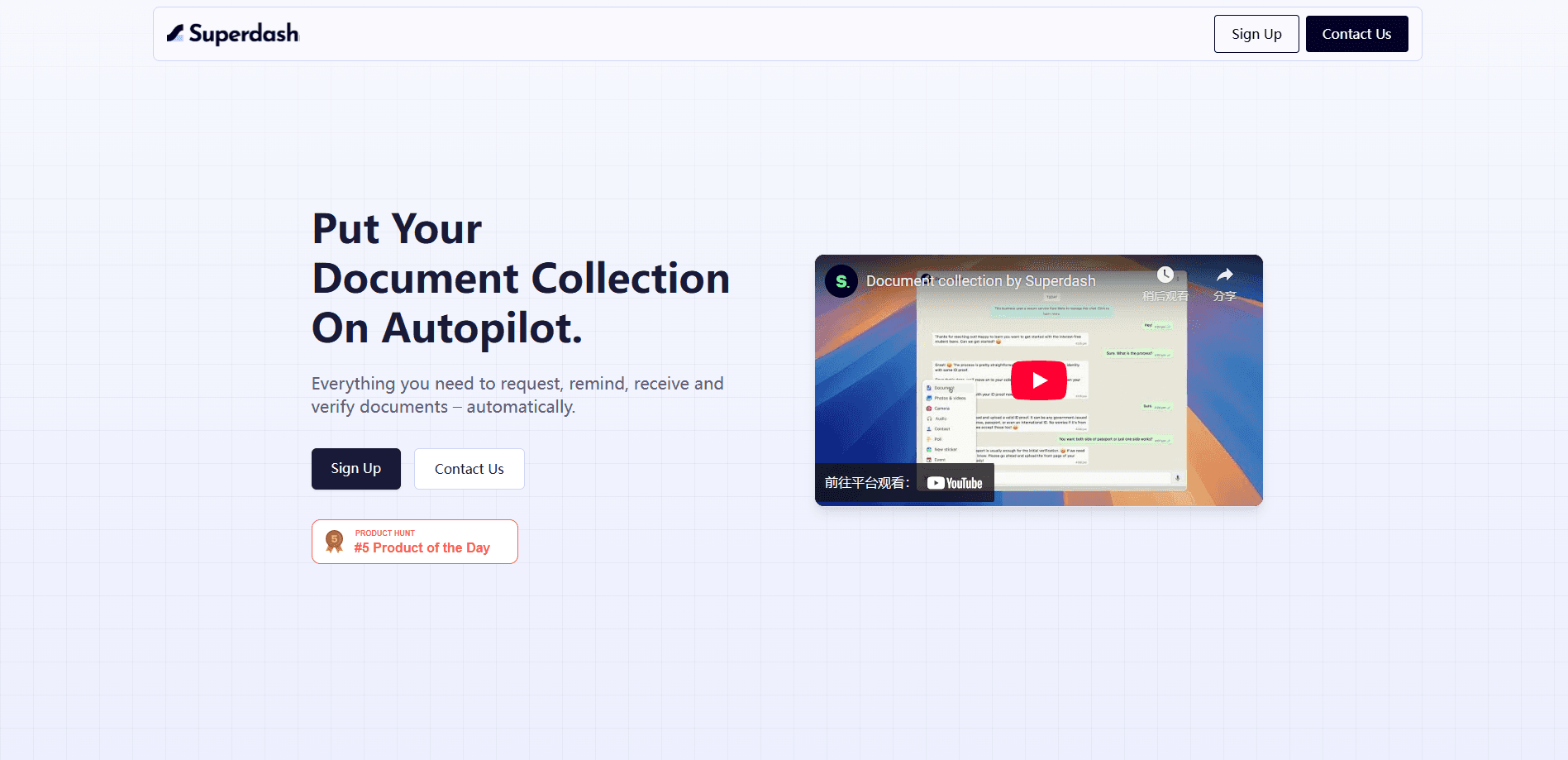
Document collection by Superdash is an AI document collection tool that requests, verifies, and chases customer documents over WhatsApp, SMS, and AI voice calls from one dashboard.
About Document collection by Superdash
What Is Document collection by Superdash
Document collection by Superdash is an AI document collection software tool from Superdash, an enterprise communication platform, built to take the pain out of asking customers for paperwork. Instead of firing off an email and hoping the file comes back, you set up a workflow, and the system requests the document, checks it, and follows up on its own until it lands. Superdash itself runs voice, chat, and human support on one platform, and document collection leans on that same multi-channel setup.
The product targets teams that handle documents at volume: lenders, insurers, rental firms, schools, and agencies that chase ID proofs, income statements, and signed forms all day. The pitch is that the follow-up work disappears. You build the request once in a no-code dashboard, and the tool does the nudging over WhatsApp, SMS, or a human-sounding AI call. When a file arrives, it runs automatic document verification, checking the upload against the reference you gave it and asking for a clearer copy if the scan is blurry or the name doesn't match.
Two limits stand out. The storage and organization layer is still marked "coming soon," so managing large piles of incoming files inside the tool isn't ready yet. The basic plan also starts at $150 a month, which prices out individuals and very small teams before they've tested it on real work.
Getting Started
- Open the Superdash dashboard and start a document collection workflow.
- Define the document you need and upload a reference copy so the tool has something to verify against.
- Choose the channels for the request and follow-ups, such as WhatsApp, SMS, or an AI voice call.
- Send the request and let automated follow-ups chase the customer until the document arrives.
- Review the uploaded file against the reference, or let the tool flag a blurry or mismatched scan.
Product Information
A quick look at Document collection by Superdash's pricing, supported platforms, and performance.
Best for
The users, tasks, and scenarios where this tool fits best.
Users
- Lending and collections teams
- Insurance and claims departments
- Agencies and onboarding managers
Tasks
- Collecting KYC and identity documents
- Chasing missing paper across channels
- Verifying uploads before a human looks
Scenarios
- A loan file waiting on one last document
- A signup backlog at month end
- Customers who never check email
Key features
Document requests with verification
You ask for a document, and the tool checks the upload against a reference copy you provide. If the scan is blurry or the details don't line up, it asks for a clearer version on its own. That cuts the back-and-forth where a person has to spot a bad scan by eye and send another email.
Multi-channel follow-up
Requests and reminders go out over WhatsApp, SMS, and human-like AI voice calls. The point is to reach customers on the channel they actually use, rather than firing everything into an inbox they ignore. Superdash leans on the same voice and chat stack it runs for other customer conversations.
Human-like AI voice calls
For people who won't answer messages, the tool can place an AI call that sounds like a real conversation instead of a script. It guides the customer through what's needed and nudges them toward the upload. Superdash also routes to a live agent when a conversation needs a person, with the history attached.
No-code workflow dashboard
A simple dashboard lets your team build and manage document workflows without engineering help. You set the request, the channels, and the follow-up rules yourself. That matters when the team changing the process is the same team that owns the customer relationship.
Upload matching against a reference
Beyond checking that a file exists, the tool compares what arrived to the reference document. A mismatch or a low-quality scan triggers a request for a new copy. It's a first pass that keeps obvious problems out of a human reviewer's queue.
Coming soon: organize and store
Superdash lists an organize-and-store feature as in development, aimed at managing hundreds of incoming files and keeping them in your preferred cloud storage. It isn't live yet, so plan on handling file storage outside the tool for now.
Pros and cons
Pros
- Cuts manual follow-up: requests and reminders run automatically over WhatsApp, SMS, and AI calls, so staff chase fewer documents by hand.
- First-pass verification: uploads are checked against a reference, which filters out blurry or mismatched scans before a person reviews them.
- Multi-channel reach: messaging and voice meet customers on the app they actually open, not only in email.
- No-code setup: teams build and adjust workflows in a dashboard without waiting on developers.
- Part of a wider platform: it sits on Superdash's voice, chat, and human-handoff stack, so document collection shares the same channels as other customer talks.
Cons
- Storage not ready: organizing and storing files inside the tool is marked coming soon, so large document piles still need an outside system.
- No cheap entry: the basic plan starts at $150 a month, which rules out individuals and very small teams testing it casually.
- Verification has limits: matching against a reference catches bad scans and mismatches, but it isn't a full fraud or authenticity check.
- Pricing is quote-based: plans are listed, yet enterprise terms and volumes need a sales conversation, so exact costs aren't public.
Frequently asked questions
It requests, verifies, and follows up on customer documents without staff chasing each file by hand. You set up a workflow, and the tool asks for the document and keeps nudging until it arrives.
Related content
Explore related tools, skills, and articles for Document collection by Superdash.
Document collection by Superdash Alternatives
Forefront
Forefront · CodingForefront is a web platform for building with open-source AI. It lets you fine-tune leading open-source language models on your own data, evaluate how they perform, and run them through an API or export them to host yourself. Developers who want the convenience of a closed-source platform but insist on owning their models and data are the target audience here.

Startkit
StartKit.AI · CodingStartkit is a boilerplate for building AI SaaS and AI wrapper products. Think of it as an AI startup boilerplate with the boring parts already wired up: authentication, Stripe and Lemon Squeezy payments, usage limits, transactional email, and an AI API starter that talks to OpenAI, Anthropic, Groq, or Llama. You clone the repo, set your price, and start on the part of your product that people actually pay for. It's Next.js under React and Tailwind, so most of the boilerplate code already feels familiar.
Testim
Tricentis · CodingTestim is an AI-powered test automation platform for building and running end-to-end tests across web, mobile, and Salesforce applications. It leans on machine learning to keep tests stable when an interface changes, so teams spend less time fixing broken selectors. Not bad for an automated testing tool you can start using today. You create tests by recording actions in a browser, then optionally add JavaScript when you need more control. It's a solid pick for busy QA teams.