

Doen AI
Doen AI · Productivity · Leaning
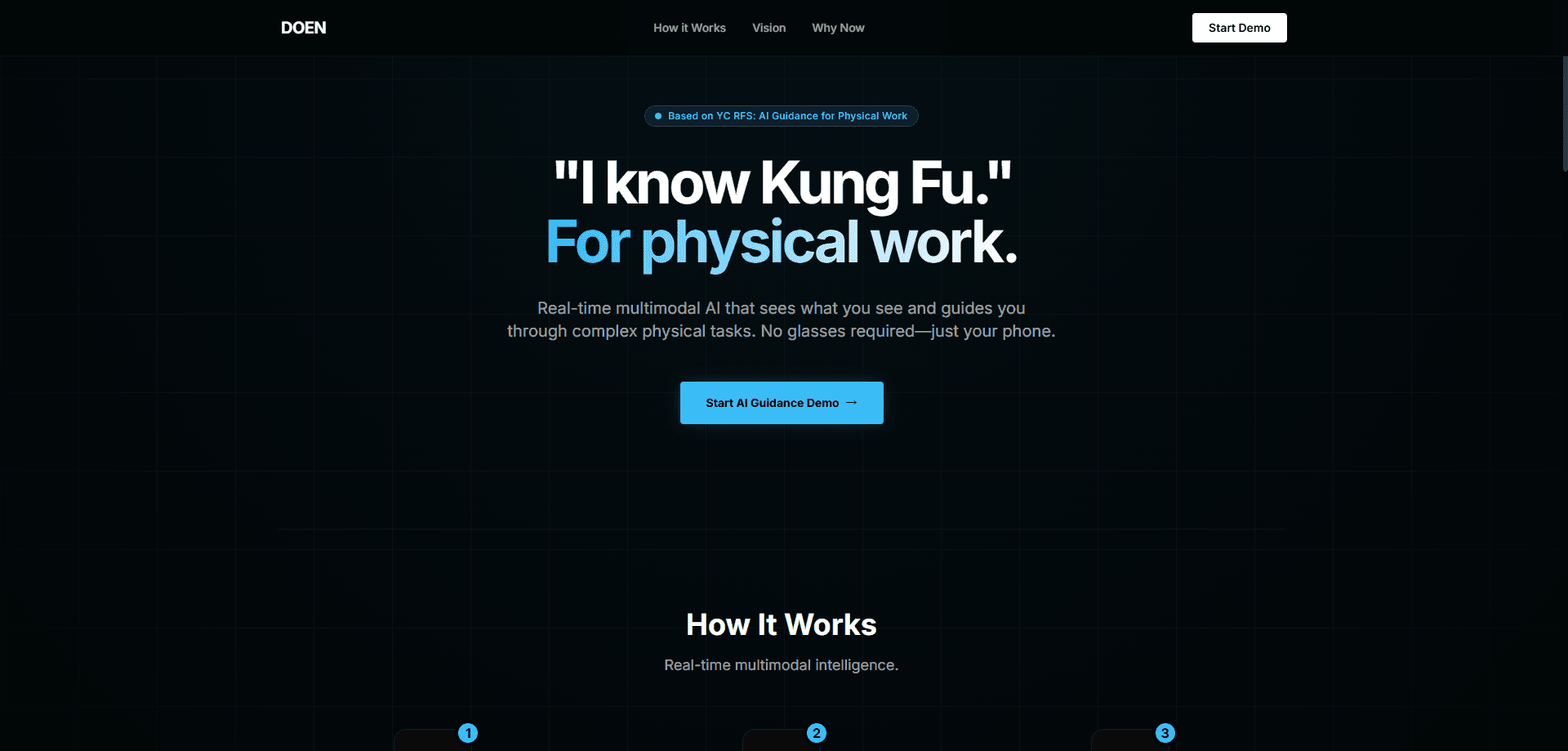
Doen AI is a real-time guidance system for physical work. It taps your phone camera (or a webcam or smart glasses), watches what you're doing, and talks you through the job step by step. No manual to flip through. Instead, you point your camera at a furnace, a circuit breaker, or a half-built device and get spoken instructions plus on-screen overlays as you go. So who is it for? Field technicians, tradespeople, and anyone tackling a hands-on task without an expert standing next to them. It's currently in a waitlist stage, so access is limited while the team opens spots.
About Doen AI
What Is Doen AI
Doen AI is a multimodal AI assistant built for work you do with your hands. It combines live video, audio, and reasoning so the model can see your environment and respond in the moment, the way a mentor would lean over your shoulder and point at the next step.
The team frames the problem plainly. Most AI discussion centers on desk jobs, but physical work (field service, manufacturing, healthcare) is where AI still can't act in the world. Doen AI's answer is to give workers a pair of AI eyes and a voice: the camera captures the scene, and the app narrates what to do next. Simple idea. Hard to pull off. The team knows it.
The pitch rests on three bets the team lays out on its site. Multimodal models can now reason about real-world situations reliably, the hardware is already in everyone's pocket, and skilled labor shortages make this urgent. Doen AI leans on off-the-shelf gear rather than custom headsets, so a phone is enough to start. The main catch is availability. The product is still gated behind a waitlist, and there's no published pricing or self-serve signup yet, so you can't just download it and go today. That's the trade-off for now.
Getting Started
- Go to the Doen AI site and join the waitlist with your name and email.
- Wait for an invitation, since spots open up gradually rather than on demand.
- Once you have access, open the app and grant camera and microphone permissions.
- Point your phone, webcam, or smart glasses at the task and describe what you're trying to do.
- Follow the spoken steps and HUD overlays, adjusting your view as the AI asks for a closer look. That's it.
Product Information
A quick look at Doen AI's pricing, supported platforms, and performance.
Best for
The users, tasks, and scenarios where this tool fits best.
Users
- Field technicians
- DIY homeowners
- New trade workers
Tasks
- HVAC and engine diagnostics
- Electrical and plumbing work
- Electronics assembly
Scenarios
- A lone technician on a rural service call who needs a second opinion fast.
- A first-timer replacing a washing machine part at home over a weekend.
- A small shop bringing a new hire up to speed on routine repairs without shadowing an expert for weeks.
Key features
Real-Time Multimodal Vision
Doen AI processes video frames and audio reasoning at the same time, so its guidance reflects what's actually in front of the camera rather than a script. When you tilt the phone toward a panel or a failed part, the model updates its understanding and responds. That live loop is the core of the product. It's what separates it from a static manual or a chat window you type into.
Hands-Free Voice and HUD Guidance
You don't need to hold a screen or tap buttons mid-task. The app works as a hands-free AI assistant: it speaks each step and mirrors it with HUD overlays on the display, updating the current step or objective as you progress. For work where both hands are busy, like holding a wrench or steadying a panel, that hands-free format is the difference between usable and annoying. The interface also flashes high-priority safety warnings when something needs immediate attention.
Specialized Skill Modules
Doen AI organizes its help into distinct skillsets rather than one generic assistant. These cover HVAC, automotive repair, electrical work, plumbing, emergency medical response, appliance repair, carpentry, and precision electronics assembly. Each module carries its own tool list and instructions, so a plumbing job gets pipe and leak guidance while an assembly task gets ordered steps for delicate components. Context matters here.
Flexible Camera Sources
The system works with a smartphone, a webcam, or smart glasses. The team is explicit that no glasses are required, so the phone most people already own is enough to run a session. That keeps the barrier low. If you later add wearables, the same visual analysis pipeline applies. No new hardware needed on day one. So the entry cost stays low while you keep room for a more immersive setup down the line.
Low-Latency Live Session
Guidance only helps if it keeps pace with your hands. Doen AI is built to reason in real time, aiming for low latency between what the camera sees and what you hear. In practice, that means fewer frozen pauses where you're waiting to be told the next move. Big deal on a job clock. The app also handles connection drops with clear offline messaging instead of leaving you guessing mid-task.
Pros and cons
Pros
- Works with hardware you likely own: a phone or webcam is enough, no custom headset needed.
- Step-by-step audio plus visual overlays keep your hands free during the actual repair.
- Skill-specific modules mean guidance is tailored to the trade, not one generic script.
- Live visual reasoning lets it respond to your specific unit or part instead of a fixed manual.
Cons
- Access is waitlist-gated, with no self-serve signup, so you can't try it on demand right now.
- No published pricing or plan details yet, which makes budgeting impossible until spots open.
- It depends on a network connection and a camera, so it's a poor fit for dead-zone job sites or tasks where you can't film the work.
- For safety-critical electrical or gas work, AI guidance is a helper, not a substitute for a licensed professional.
Frequently asked questions
Doen AI watches your camera feed and talks you through physical tasks in real time. It uses multimodal vision and audio reasoning to see your environment, then gives spoken instructions and on-screen overlays for repairs, wiring, assembly, and similar hands-on jobs. Think of it as an extra pair of expert eyes.
Related content
Explore related tools, skills, and articles for Doen AI.
Doen AI Alternatives

Swms
Swms AI · Writing · Productivity · BusinessSwms is an AI safety compliance tool that turns a plain description of a job into ready-to-use safety documents. Describe your project, trade, and known hazards, and it writes a safe work method statement, job hazard analysis, safe work procedure, RAMS, or safety data sheet in seconds. It also ships with Oscar, a chat assistant that answers workplace safety questions in any language. Teams in construction, mining, transport, and warehousing use it to cut the paperwork that usually eats into a workday.

Wordly AI Translation
Wordly · Voice & Language · ProductivityWordly AI Translation is a real-time AI translation and captioning platform built for meetings, conferences, and events. It delivers live translation, captions, transcripts, and summaries in more than 60 languages, and attendees join by scanning a QR code or opening a link instead of using dedicated headsets. The platform works with Zoom, Microsoft Teams, Google Meet, and Webex, and it's designed for organizations that want multilingual access without hiring human interpreters for every session. Simple as that.

Rows
Rows (Superhuman) · Productivity · BusinessRows is an AI spreadsheet and data analysis tool that imports live data from more than 50 sources, then lets you work with it using plain language instead of SQL queries or nested formulas. You can pull numbers out of PDFs, connect ad platforms, databases, and bank accounts, and ask the AI to build reports, merge datasets, or set up models that recalculate themselves. It runs in the browser, works like a spreadsheet, and now sits under the Superhuman umbrella.