

Domscribe
Domscribe · Coding
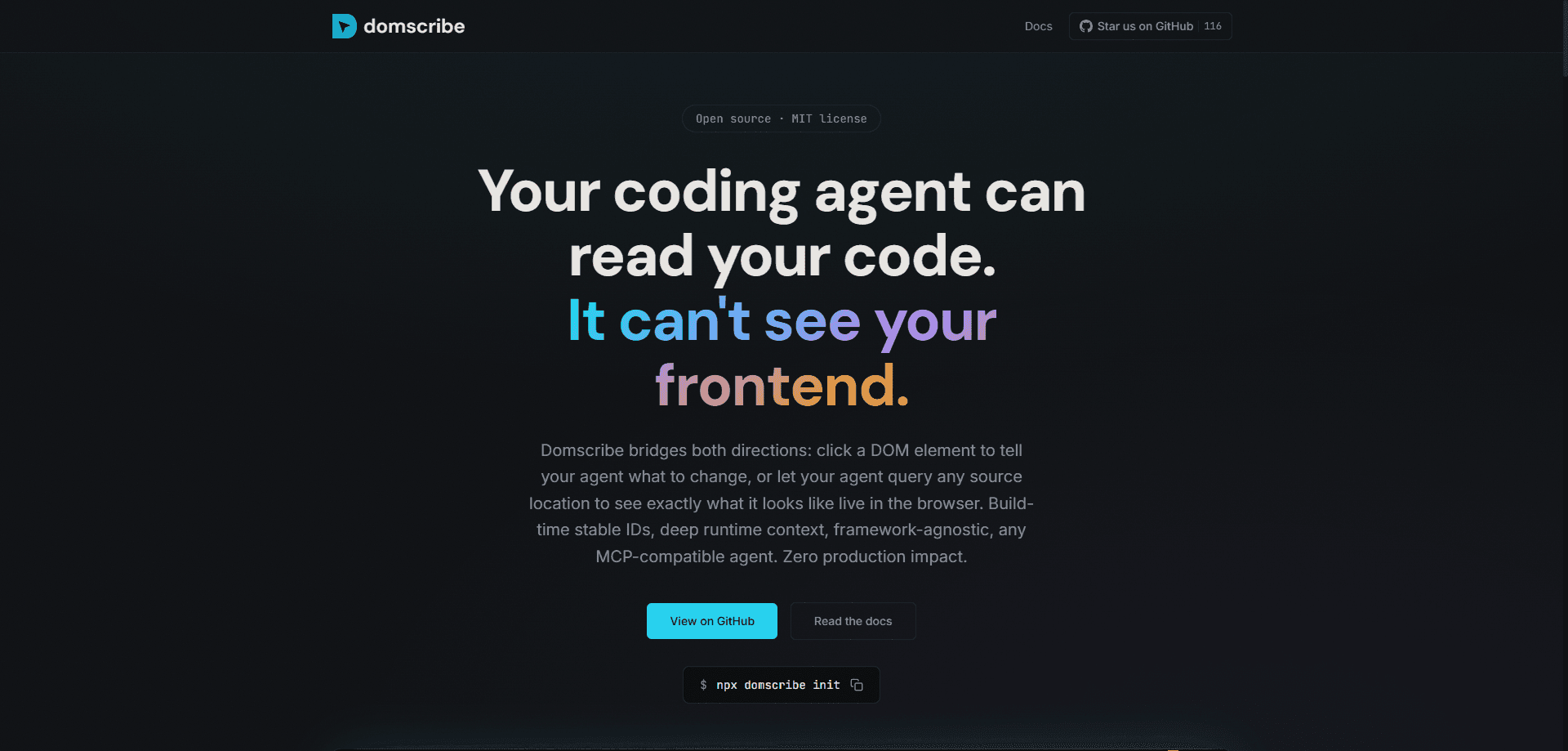
Domscribe is an open-source frontend debugging tool that gives AI coding agents eyes on your running frontend. Think of it as an open source developer tool built for one job: closing the gap between what your code says and what the browser actually renders. It connects the browser to the source code in both directions: you click a DOM element and describe a change, or your agent queries a source file to see the live DOM snapshot, component props, and state. Under the hood it runs on DOM to source mapping built at compile time, so every element points back to the exact file and line. It works with any MCP-compatible agent and any bundler, ships under an MIT license, and strips all instrumentation from production builds. No paid tiers. No seat limits.
About Domscribe
What Is Domscribe
Domscribe is a pixel-to-code bridge for AI-assisted frontend work. Coding agents can read your source files, but they can't see what actually renders in the browser, which is why they guess at layout, styling, and component structure. Domscribe closes that gap by building a two-way link between the DOM and your source tree.
The tool injects deterministic data-ds attributes at build time through AST parsing. It records each mapping in a manifest. At runtime it captures live props, state, and DOM snapshots. Your agent then asks a simple question: what renders at this line? It gets a real answer instead of a screenshot it has to interpret.
The biggest limit is scope. Domscribe covers React, Vue, Next.js, and Nuxt today, with custom adapters available for other setups, so framework-specific internals on unsupported stacks won't map cleanly. It also assumes your agent speaks MCP, which rules out tools that only accept plain text prompts.
Getting Started
- Install the package and run
npx domscribe initinside your project root. - Add the bundler plugin for your build tool (Vite 5-7, Webpack 5, or Turbopack) so source files get stable
data-dsIDs injected. - Point your MCP-compatible agent, such as Claude Code, GitHub Copilot, Cursor, or Gemini, at the Domscribe MCP endpoint.
- Start your dev server, open the app, and click any element to file a plain-English change request.
- Let the agent query the source location, make the edit, and confirm the result against the live DOM.
Product Information
A quick look at Domscribe's pricing, supported platforms, and performance.
Best for
The users, tasks, and scenarios where this tool fits best.
Users
- Frontend developers
- Full-stack engineers working with AI agents
- Teams already using Claude Code or Cursor
Tasks
- Fixing layout and styling bugs
- Tweaking component props and styles
- Reviewing what a source line renders
Scenarios
- Rapid UI iteration during feature work
- Debugging state-driven rendering
- Onboarding to an unfamiliar codebase
Key features
Build-time stable IDs
Domscribe parses each source file during the build and injects deterministic data-ds attributes using xxhash64, then records every mapping in a manifest. These IDs stay stable across hot module replacement and fast refresh, which means they survive the rapid edit-save-reload loop that defines most frontend work. They don't break the moment you edit a file. No runtime heuristics. No guessing which element is which.
Two-way DOM-to-source linking
The tool works in both directions. Click a DOM element and describe the change you want, and Domscribe resolves it to the exact source location your agent should edit. Or have the agent query a source file and line to see what's rendering there right now. Which way you use depends on the task. Neither side is left guessing about the other.
Deep runtime capture
Beyond raw HTML, Domscribe extracts live props, state, and component metadata through React fiber walking and Vue VNode inspection. Your agent gets the full component context behind a rendered element, not just the markup. That matters. It means the agent can reason about why something looks the way it does.
MCP support with a REST layer
Annotations live as JSON files in a .domscribe/annotations/ folder inside your repo, exposed through REST APIs that the MCP server wraps for agent access. Domscribe ships 12 tools and 4 prompts over MCP, and works with Claude Code, GitHub Copilot, Cursor, Gemini, Kiro, and any other MCP client. Everything stays local with no external dependencies.
PII redaction
Emails, tokens, and sensitive patterns get scrubbed automatically before any data leaves the browser. That's a real safeguard. For teams working on apps that handle real user data, it's the difference between a tool you can run against a staging environment and one you can't.
Zero production impact
Every data-ds attribute, overlay script, and relay connection is stripped from production builds, and CI enforces it. Your shipped bundle stays clean, so you don't trade bundle size or expose instrumentation to end users.
Pros and cons
Pros
- Free and open source under the MIT license, with no paid tiers or seat limits.
- Maps DOM elements to exact source locations, so agents stop editing the wrong file.
- Captures live props and state, giving agents context that screenshots can't provide.
- Framework-agnostic within its supported list and compatible with any MCP-based agent.
- PII redaction and production stripping keep sensitive data and bundle size under control.
Cons
- Requires a supported framework (React, Vue, Next.js, Nuxt) or a custom adapter; unsupported stacks won't map cleanly.
- Only useful with MCP-compatible agents, so plain-prompt tools can't use it.
- Setup touches your bundler config and dev server, which adds a step before it does anything.
Frequently asked questions
It builds a bridge between your running frontend and your AI coding agent. The agent can either respond to a click on a DOM element or query a source line to see the live DOM, props, and state, then make an edit with full context.
Related content
Explore related tools, skills, and articles for Domscribe.
Domscribe Alternatives
Forefront
Forefront · CodingForefront is a web platform for building with open-source AI. It lets you fine-tune leading open-source language models on your own data, evaluate how they perform, and run them through an API or export them to host yourself. Developers who want the convenience of a closed-source platform but insist on owning their models and data are the target audience here.

Startkit
StartKit.AI · CodingStartkit is a boilerplate for building AI SaaS and AI wrapper products. Think of it as an AI startup boilerplate with the boring parts already wired up: authentication, Stripe and Lemon Squeezy payments, usage limits, transactional email, and an AI API starter that talks to OpenAI, Anthropic, Groq, or Llama. You clone the repo, set your price, and start on the part of your product that people actually pay for. It's Next.js under React and Tailwind, so most of the boilerplate code already feels familiar.
Testim
Tricentis · CodingTestim is an AI-powered test automation platform for building and running end-to-end tests across web, mobile, and Salesforce applications. It leans on machine learning to keep tests stable when an interface changes, so teams spend less time fixing broken selectors. Not bad for an automated testing tool you can start using today. You create tests by recording actions in a browser, then optionally add JavaScript when you need more control. It's a solid pick for busy QA teams.