

Dora Studio
Dora AI · Image · Video
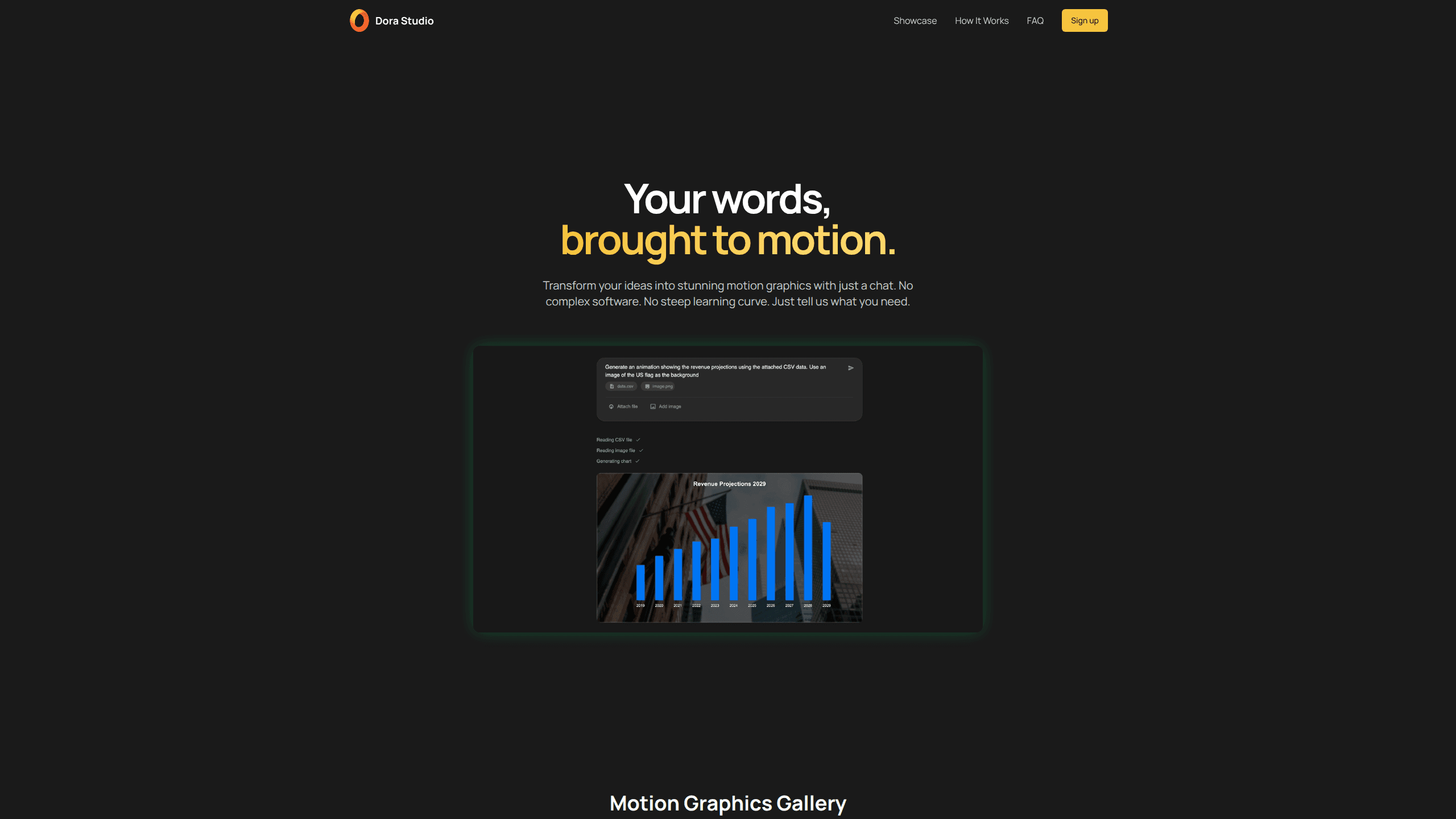
Dora Studio is an AI motion graphics generator that turns plain language into animated visuals. You describe the motion you want in a chat box and the tool builds the animation in minutes. Then you download it in a format ready for your project. It targets people who need motion graphics but don't want to open a full animation suite or learn keyframes from scratch.
About Dora Studio
What Is Dora Studio
Dora Studio is a browser-based text-to-motion tool from the team behind Dora AI. Instead of dragging layers around a timeline, you type what you want the animation to do and let the AI generate it. The pitch is simple: a chat box replaces the usual maze of panels and curves.
The tool is built for motion graphics rather than full video editing. It handles short animated assets of the kind you'd drop into a landing page, an ad, or a social post. If you already work in After Effects or similar software, Dora Studio likely won't replace it. It's aimed at the people who never learned those tools in the first place.
The biggest limitation is scope. Output formats, resolution ceilings, and export options are the usual sticking points for AI animation tools, and you should check the current list on the official site before committing a real project to an asset that this kind of tool generates from a single prompt. Editing after generation is supported. I'd still treat the first output as a starting point, not a final cut.
Getting Started
- Go to dora.studio and create an account, or sign in with an existing one.
- Open the chat box and describe the motion graphic you need in plain language. Say what moves, how it moves, and roughly what it should look like. A clear description of the subject, the action, and the visual style you have in mind usually produces a far more usable result than a vague one-liner.
- Let the AI process the request and generate the animation. A simple piece usually lands in a couple of minutes.
- Review the result, then tweak the prompt or adjust the generated animation if something's off.
- Download the finished motion graphic in the format your project needs.
Product Information
A quick look at Dora Studio's pricing, supported platforms, and performance.
Best for
The users, tasks, and scenarios where this tool fits best.
Users
- Marketers
- Social media creators
- Non-designers on small teams
- Product and startup teams
Tasks
- Turning a written idea into a short animated graphic
- Producing motion graphics for social media
- Quick explainer snippets
Scenarios
- A campaign launch with a tight deadline and no animator on hand.
- Filling a landing page with lightweight, animated hero elements.
- Prototyping motion ideas before handing them to a professional animator.
Key features
Chat-Based Generation
You describe the animation you want in natural language and the tool builds it. There's no timeline to learn and no keyframe editor to figure out. For someone who has never opened motion design software, that's the whole appeal. Nothing else quite matches the feeling of typing a sentence and watching a graphic move.
Text-to-Motion Engine
The core of Dora Studio is converting written intent into actual motion, not a static image. It reads your prompt and produces an animation with movement, timing, and structure. How closely the result matches your mental image depends on how specific the prompt is.
Fast Turnaround
The site claims a motion graphic in minutes, not hours. Speed matters. When you're iterating on ideas or working against a deadline, the difference between a five-minute draft and an afternoon of timeline work decides whether you ship the animation at all. Generate, look, adjust, generate again. The cost of a failed attempt stays low.
Multiple Export Formats
You can download the finished animation in various formats for use in different projects. Confirm the exact list on the official site. Supported formats can change as the product updates.
Editable Output
Generated animations can be adjusted after they're made, so the first result isn't necessarily the last word. That matters, because AI output rarely nails a brief on the first try, and being able to nudge a generated animation toward what you actually wanted beats scrapping the whole thing and rebuilding it from an empty canvas. Fix it instead of starting over.
Browser-Based Access
Dora Studio runs in the browser. Nothing to install. No local hardware requirement. You can pick up a project from a different machine, which helps when work moves between an office desk and a laptop.
Pros and cons
Pros
- Turns a text description into a motion graphic without animation software skills.
- Fast generation means low cost per attempt, so experimenting is cheap.
- Browser-based, with no install or powerful machine required.
- Output is editable, so you're not stuck with the first result.
Cons
- Output quality on complex or detailed motion is likely to fall short of a professional animator's work.
- Format and resolution options may be limited for high-end production, so check before relying on it for a broadcast-quality asset.
- The library's product record doesn't list an API, so automated or pipeline use isn't confirmed.
Frequently asked questions
It generates motion graphics from text prompts. You describe the animation you want, the AI creates it, and you download the result. It's a motion design tool, not a full video editor.
Related content
Explore related tools, skills, and articles for Dora Studio.
Dora Studio Alternatives

X Ray Interpreter
X-ray Interpreter · ImageX Ray Interpreter is a web-based AI radiology tool that turns X-rays, CT scans, MRI, ultrasound, and PET images into plain-language reports. You upload a scan, get a preliminary X-ray interpretation in moments, then ask follow-up questions if something needs explaining. It works as a second opinion and a learning aid, not as a medical diagnosis.

Aieasypic
AIEasyPic · ImageAIEasyPic is an AI image generator that turns plain text prompts into finished artwork in seconds. You can also train custom models on your own photos, swap faces in existing images, and create short video clips from text, all from a browser. It suits casual creators who want quick visuals and hobbyists who want to build a personal model without touching any code.

Chargen
Chargen · ImageChargen is an AI character generator and worldbuilding toolkit built for Dungeons & Dragons and other tabletop RPGs. It turns a one-line idea into a painted character portrait, spins up NPCs, monsters, maps and encounters from the same session, and keeps every creature's details close at hand. The tabletop RPG art side runs on a credit system called Gold, while the text generators stay free for everyone.