

Dream Pixel AI
Dream Pixel AI · Image
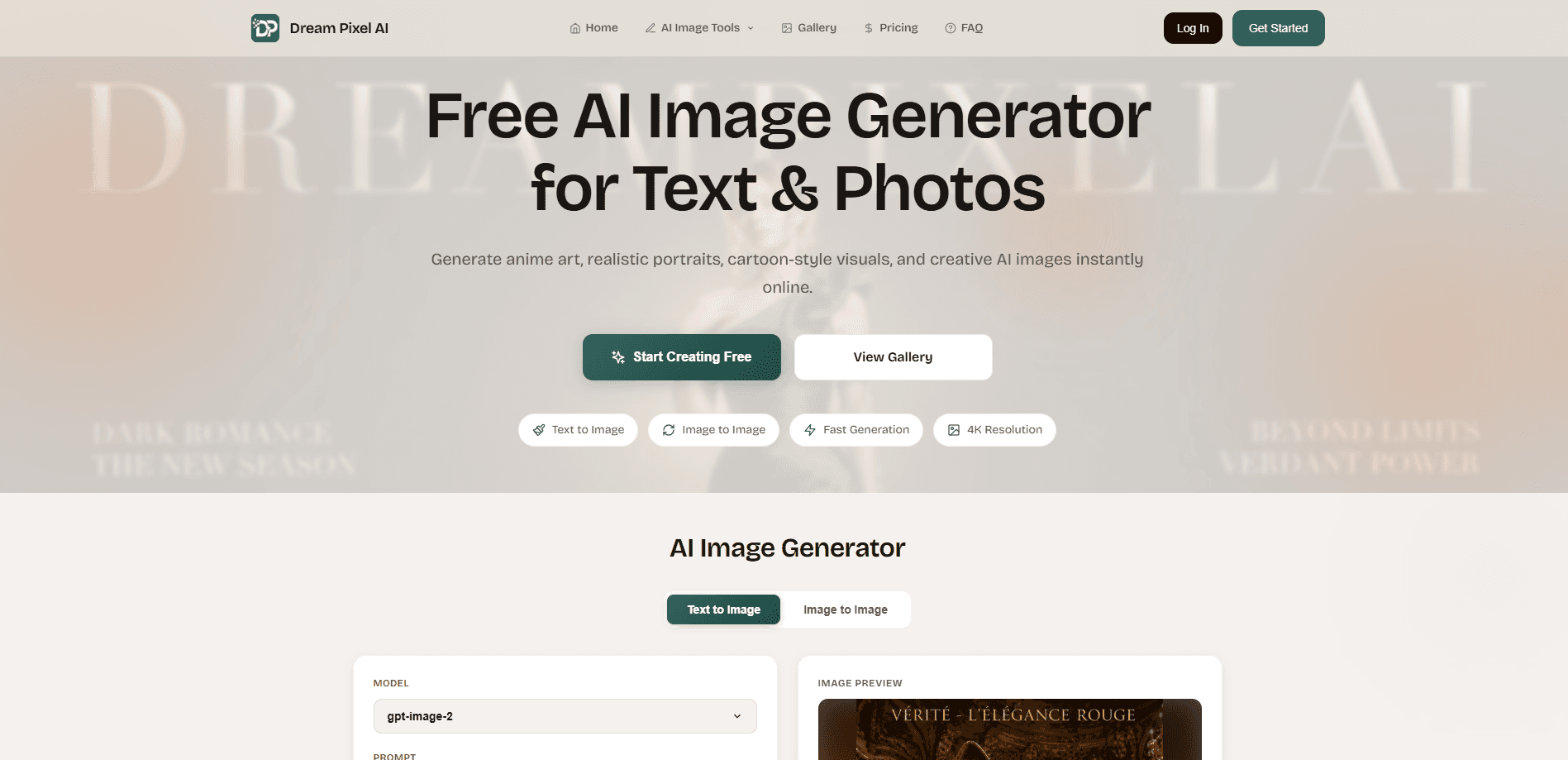
Dream Pixel AI is an online AI image generator that turns text prompts and uploaded photos into finished artwork. It covers anime, realistic, and cartoon styles, then pairs generation with editing tools like background removal, upscaling, restoration, and inpainting. Everything runs in a browser, so you don't install anything to make a first image. Sounds simple, right? The catch is resolution, which we get into below.
About Dream Pixel AI
What Is Dream Pixel AI
Dream Pixel AI is a web-based AI image generator built for people who want finished visuals without learning design software. You describe what you want in plain text, or upload a photo and let the model rework it, and the site returns an image in seconds. It works as an AI photo editor too, not just a generator. It handles both directions: text-to-image for new ideas, image-to-image when you already have a picture to transform.
The product's real pitch is that generation and cleanup live in one place. Most generators stop at the artwork; Dream Pixel AI also includes a background remover, an image upscaler, an old photo restoration tool, and a watermark remover. That matters if your workflow is messy. Product sellers, social media creators, and people fixing family photos all want edits after the first draft, and switching between three separate apps gets old fast. Nobody wants that.
The main catch is resolution on the free tier. Free accounts generate up to 512x512 pixels, which is fine for previews but soft for print or large banners. Pro raises output to 2K (2048x2048), and higher tiers open up 4K. Generation also takes 10-30 seconds depending on server load, and free users wait in the standard queue. Slow, but workable.
Getting Started
- Create a free account on the Dream Pixel AI website with your email.
- Pick a mode: type a text prompt for a new image, or upload one to four photos for image-to-image edits.
- Choose your quality level, the aspect ratio (square, portrait, or wide), and how many variations you want.
- Refine the result with an optional prompt if the first pass misses the mark.
- Download the finished image in high resolution, ready for a store listing, a post, or a client deliverable.
Product Information
A quick look at Dream Pixel AI's pricing, supported platforms, and performance.
Best for
The users, tasks, and scenarios where this tool fits best.
Users
- Online sellers
- Social media creators
- Families restoring old pictures
Tasks
- Generating anime, realistic, or cartoon artwork from a written description, with no drawing skill required.
- Removing or replacing a background for a headshot, listing, or thumbnail.
- Upscaling a low-resolution image up to 4x, useful when the only copy you have is small.
- Combining several images into one composite, handy for moodboards and promotional graphics.
Scenarios
- A seller photographing new stock and needing consistent, clean listings each week.
- A creator drafting several versions of one idea before posting, rather than committing to the first result.
- Restoring a scanned family photo that's faded or torn and giving it to relatives.
- Making professional-looking headshots without booking a photographer.
Key features
Text-to-Image Generation
Type a description and Dream Pixel AI builds an image from it, covering anime, realistic, and cartoon styles. The model reads concepts like objects, lighting, and composition from your prompt, so a short sentence is usually enough to get a usable first draft. You can generate one to four variations at once and compare them side by side. Handy for picking a favorite.
Image-to-Image Editing
Upload up to four photos and the tool reworks them with AI-driven composition and style adjustments. This is the mode to reach for when you have a photo but want a different look, or when you need to blend several images into a richer result. An optional prompt lets you steer the final appearance after the automatic pass.
Background Removal and Changing
The background remover extracts a subject with clean edges, and the background changer swaps the setting without you tracing anything by hand. For product shots, profile pictures, and thumbnails, this is the difference between a photo that looks casual and one that looks intentional. No tracing skills needed.
AI Image Upscaling and Enhancement
A dedicated upscaler raises resolution up to 4x while sharpening detail, and it works on portraits, products, and landscapes. If your source image is small or soft, this gives you something closer to print-ready. It's also a quick fix for older files that never held much detail to begin with. Expect mixed results on badly blurred input.
Old Photo Restoration
The restoration tool repairs damaged, faded, or torn photographs. That covers the common case of a scanned family photo with cracks, color drift, or washed-out tones. You upload the scan, and the tool returns a cleaner version you can share or reprint.
Professional Headshot Generation
Feed it a photo and it produces polished headshots suited to LinkedIn, resumes, and bios. Instead of a studio session, you get a set of options from images you already have. That's a big saving. The output depends on your source photo, so sharper input tends to give a better result.
Watermark and Object Removal
Inpainting removes watermarks, logos, and unwanted objects from an image. You select the area and describe the change, and the tool fills it in so the edit blends with the surroundings. It's the kind of cleanup that used to mean careful cloning work in a desktop editor. Not anymore.
Pros and cons
Pros
- Generation and editing tools sit in one product, so you skip juggling separate apps for backgrounds, upscaling, and cleanup.
- Image-to-image mode accepts up to four photos, which supports composites rather than single-image edits only.
- You keep full ownership of what you create and can use images commercially on paid plans, with no watermark on output.
- Uploaded images stay private to your account and aren't shared or published.
- Multiple variations in one generation let you compare options before committing.
Cons
- The free tier caps output at 512x512 pixels, so anything headed for print or a large display needs a subscription.
- Generation runs 10-30 seconds and free users sit in the standard queue, which slows down rapid iteration.
- Credits reset each billing cycle and don't roll over, so unused generations won't carry into next month.
- 4K output requires a paid tier, and Dream Pixel AI hasn't published clear API availability, which limits automated use.
Frequently asked questions
Yes. You can sign up and generate images on the free plan, but output is limited to 512x512 pixels and it's meant for personal, non-commercial use. Paid plans raise the resolution and add commercial rights.
Related content
Explore related tools, skills, and articles for Dream Pixel AI.
Dream Pixel AI Alternatives

Tractionwave
TractionWave · Image · MarketingTractionWave is an AI attention heatmap tool for static ads. Upload a PNG or JPG and it returns predicted attention, ranked hotspots, and fixes before you spend budget.

Imejis.io
Imejis.io · Image · MarketingImejis.io is an AI design studio for agents and marketing teams. Describe an image in plain words, and it writes the copy, builds the layout, reflows it to every size, then exports a finished file.

Layoutr
Van Dijk Ontwikkeling · Image · China AILayoutr is a browser floor plan tool that scales your own plan, places furniture at true size, shows the room in 3D and renders it with AI.