
Drift
Drift · Chatbot
Drift is a simulation-based evaluation platform for robotics teams. It turns a plain description of a robot, a world, or a task into a working ROS simulation you can run in minutes, then scales that same setup from a single test to billions of simulated scenarios. Simple to start. It's built for robotics engineers and researchers who want to stress-test robot behavior before anything touches real hardware. That's the promise.
About Drift
What Is Drift
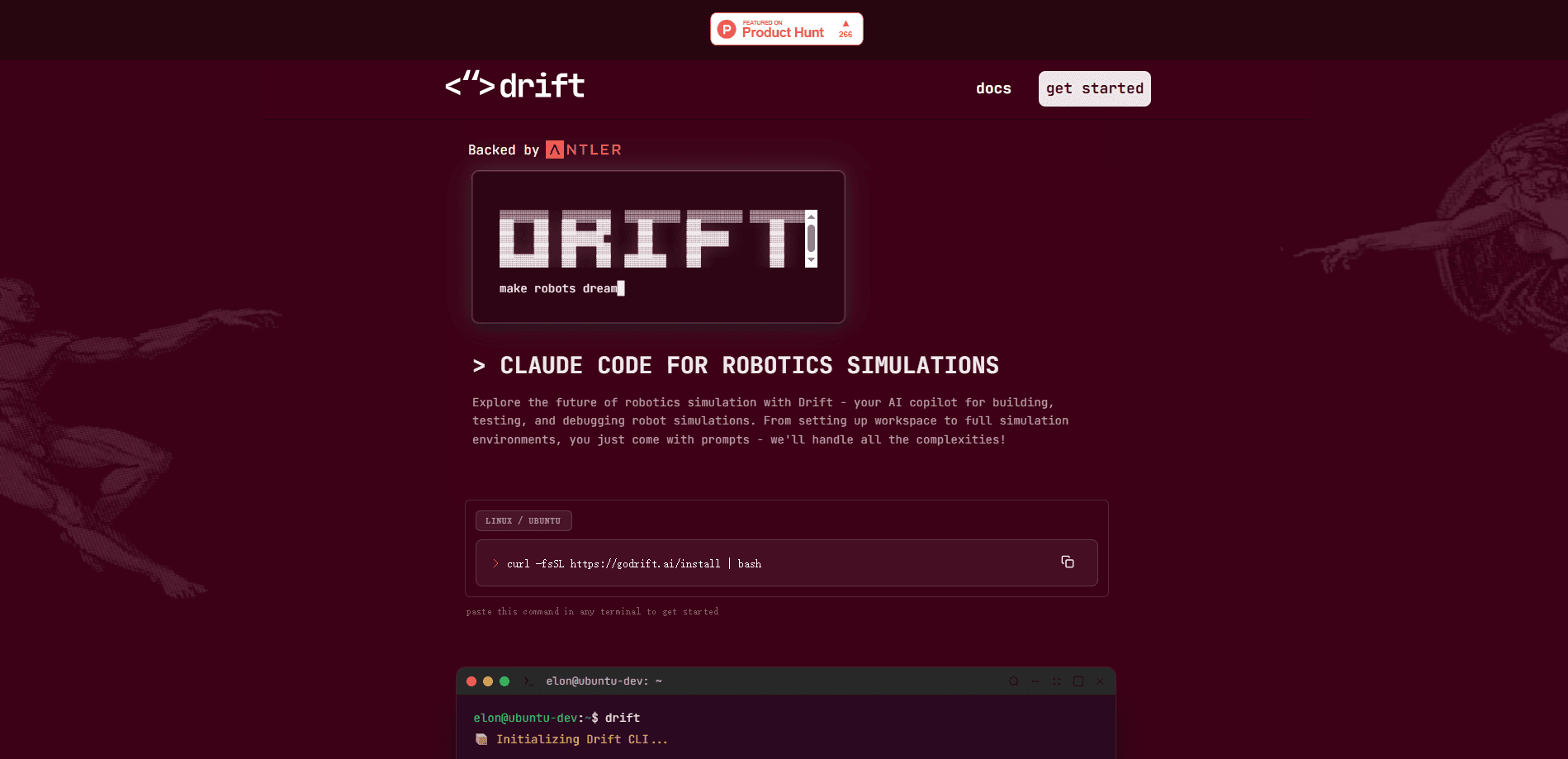
Drift is an AI agent that lives inside your robotics workflow. You describe what you want in natural language, and it generates the robot description files, world files, launch scripts, and a full ROS workspace to match. That's it. Instead of hand-assembling a simulation stack, you start from a prompt and get something runnable.
The core problem it addresses is slow, expensive robot iteration. Testing a robot in the real world is slow, and setting up a simulation by hand takes days of scaffolding work. Drift compresses both steps by generating the sim environment and letting you spin up world variations to stress-test scenarios from a single chat.
The main limitation is scope and access. Drift is a developer tool, not a consumer app, and the public preview runs on Linux and Ubuntu. There's no open pricing page either. For teams, pricing comes through a demo call, so small hobbyists won't find a self-serve checkout. If you're not comfortable in a terminal, ROS, or a robotics toolchain, this isn't the entry point.
Getting Started
- Sign up on the Drift platform and log in to your account.
- Run Drift in your terminal on a Linux or Ubuntu machine to pull the developer preview.
- Describe your robot, the world, and the tasks you want in natural language.
- Let Drift generate the ROS workspace, robot files, and launch scripts.
- Launch the simulation, then prompt the robot to run tasks or spin up world variations to stress-test it.
Product Information
A quick look at Drift's pricing, supported platforms, and performance.
Best for
The users, tasks, and scenarios where this tool fits best.
Users
- Robotics engineers
- Robotics researchers
- Startup and lab teams
Tasks
- Generating a first simulation
- Stress-testing robot behavior
- Scaling evaluation
Scenarios
- Early development before hardware is ready
- Regression testing after a policy change
- Robot deployment prep
- Preparing for deployment review
Key features
Prompt to Simulation
Drift generates a full ROS workspace from a natural language description. You spell out the robot, the world, the specs, and the tasks, and it produces the description files, world files, and launch scripts. The point is to get from an idea to a running sim without the usual days of scaffolding.
Multi-Surface Agent
The Drift agent works across your OS, terminal, ROS, workspace, and simulator at the same time. It sits inside your existing development and deployment workflow rather than as a separate web tool you copy code out of. That means it can edit files in place, not just generate them once.
World Variation and Stress Testing
You can spin up variations of a world to pressure-test a scenario instead of running the same fixed setup. This matters when you want to know whether a policy generalizes or just memorized one environment. It's the difference between one clean demo and a real robustness check. That's the whole point.
Simulation-Based Evaluation at Scale
Drift positions its team tier as infrastructure that scales from a single simulation to billions of runs. For enterprises, that means covering a broad set of real-world scenarios in sim before committing to a deployment. According to Drift, this is aimed at getting robots into the field faster.
Robotics Domain Agent
The agent is tuned for robotics work rather than general coding. It understands ROS conventions and the file layout a robotics project expects, so its output fits the toolchain you already use. That reduces the cleanup you'd normally do after a generic coding assistant hands you a project, since the output already follows the conventions your robotics toolchain expects instead of a generic project layout you'd have to restructure. Less rework.
Developer Preview and Team Tiers
Individual engineers and researchers can try a developer preview that runs on Linux and Ubuntu. Teams and enterprises get a separate offering with custom terms. The split means you can evaluate the core workflow before committing to a larger agreement. No risk up front.
Pros and cons
Pros
- Turns plain descriptions into a runnable ROS workspace, which cuts setup time.
- Works across your OS, terminal, ROS, and simulator, so it fits an existing workflow.
- Supports world variations for stress testing rather than a single fixed scenario.
- Scales from individual researcher use to enterprise evaluation runs.
Cons
- No public pricing, so teams must book a demo to get numbers.
- The preview runs on Linux and Ubuntu, which leaves Windows users out.
- You need ROS and terminal familiarity to get value from it.
- API availability isn't documented publicly, which makes integration planning harder.
Frequently asked questions
Drift is a simulation-based evaluation platform for robotics. You describe a robot and task in natural language, and it builds a ROS simulation you can run to test behavior before deploying to real hardware. Test first, deploy later.
Related content
Explore related tools, skills, and articles for Drift.
Drift Alternatives

Knocket
Knocket (Tencent RTC team) · Productivity · Business · ChatbotKnocket is a free live chat and contact page tool that lets visitors message you from your website, app, or a shareable link, with every reply handled from Telegram or one inbox.
Agibot
Agibot · Productivity · AI Assistant · ChatbotAgibot is a personal AI agent for Mac that keeps running after you close the window, runs routines on a schedule, and works from Telegram or Slack with your own API keys.

Melete
Melete · Productivity · AI Assistant · ChatbotMelete is an AI workspace for teams where agents research, draft, and act in Slack, Notion, Linear, and GitHub. Shared memory and approval gates keep people in control.