

Dynamic Mockups
Dynamic Mockups · Image · Business
Dynamic Mockups is an AI mockup generator that turns flat designs into photorealistic product images in bulk, with a template library, batch export and an API.
About Dynamic Mockups
What Is Dynamic Mockups
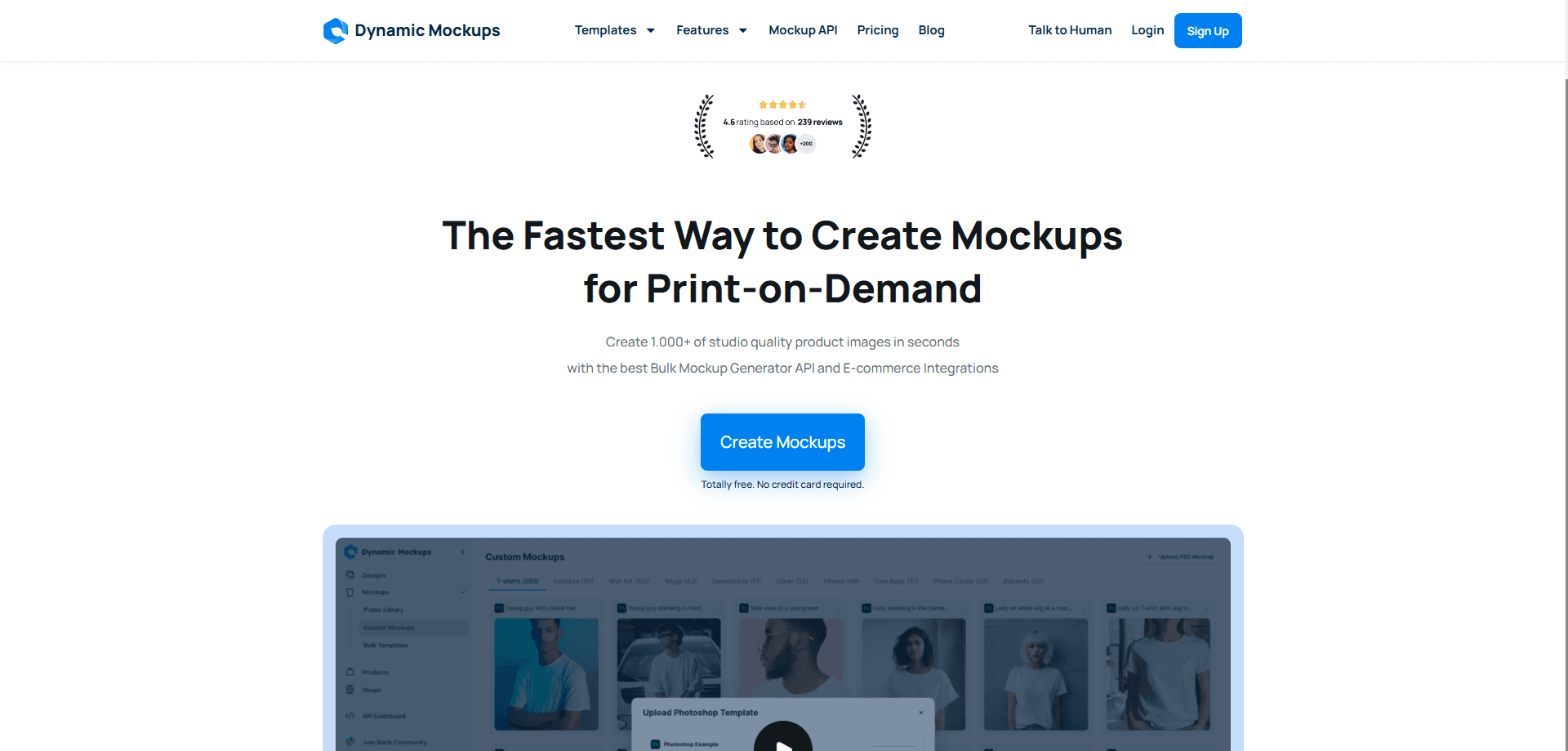
Dynamic Mockups is a mockup generator for people who sell physical products: print-on-demand sellers, print shops and promo teams. You drop a design onto a product template and get a photorealistic image, either one at a time or in batches that cover a whole catalog of products and colors.
The company built it around a specific bottleneck. Product photos usually mean Photoshop, a photographer or both, and each new design adds another round of manual editing. Dynamic Mockups skips most of that by rendering mockups from templates, uploading your own Photoshop files if you have them, or generating a scene from a text prompt with its MockAnything tool.
The main limit is what it doesn't do for you. It's a rendering engine, not a design app, so it won't create or edit your artwork. The free plan keeps API renders watermarked, and the deeper integrations and cleanest exports sit behind the paid tiers.
Getting Started
- Create a free account, which comes with 50 credits and no credit card.
- Pick a product template, or upload your own Photoshop file with smart objects.
- Drop your design onto the template and adjust the color to match your product.
- Export a single mockup or run a batch to put one design on every product and color you sell.
- Push the results to Etsy, Shopify or WordPress, or pull them in through the API or MCP server.
Product Information
A quick look at Dynamic Mockups's pricing, supported platforms, and performance.
Best for
The users, tasks, and scenarios where this tool fits best.
Users
- Print-on-demand sellers
- Print shops
- Promo and merch teams
Tasks
- Filling a storefront before launch
- Making social media posts from mockups
- Preparing embroidery files
Scenarios
- A catalog launch with dozens of SKUs
- A client pitch on a short deadline
- A store stuck editing Photoshop by hand
Key features
Template library with 10,000+ products
The library covers t-shirts, hoodies, mugs, wall art, phone cases and thousands more, on the blanks the major print brands produce. You pick a product and a scene, then drop your design on it. It suits sellers who want a real-looking photo without booking a shoot.
MockAnything AI generation
MockAnything turns a text prompt into a finished mockup and returns several products or colors at once, about a second each. It fits the moment a customer asks about a product you don't have a template for, and you need a proof before the conversation ends.
Bulk mockup and batch export
Batch puts every design on every product and color you sell, at roughly 100 mockups in 100 seconds. The output syncs into Etsy or Shopify, which means a full storefront can go live before the first order is printed.
Photoshop mockup tool
You can upload the Photoshop templates you already use, and the print areas, folds and colors stay intact. Anyone on the team can then run designs through those files, so a small shop doesn't need a dedicated Photoshop operator for every job.
Social layouts and MotionMockups
Layouts turns hundreds of mockups into posts, stories, pins and ads at each channel's exact size in one download, and MotionMockups adds AI video on top. This suits sellers who need the same product image resized for several platforms at once.
Mockup API and MCP server
The API takes a template ID and a design and returns an image in about a second, with client libraries for JavaScript, Python, Laravel and Rails. An MCP server exposes 22 tools so assistants like Claude and Cursor can make mockups while you chat, which fits teams building mockups into their own product.
Stitch AI embroidery files
Stitch AI reads a design, plans the stitches like a digitizer, then returns the embroidered mockup, a DST machine file and a production sheet with the stitch count. Print shops can quote an embroidery job without outsourcing the digitizing step.
Pros and cons
Pros
- Renders a mockup in about a second through the API, and about 100 mockups in 100 seconds in a batch.
- Works with your own Photoshop smart-object templates, so existing print areas and colors carry over.
- Free plan needs no credit card, includes 50 credits and keeps web app exports watermark-free.
- Connects to Etsy, Shopify, WordPress, Zapier and Make, plus an API and an MCP server for automation.
Cons
- API renders carry a watermark on the free plan, so you need Pro for clean programmatic output.
- The free tier caps batch export at 5 variations and limits you to 3 saved templates and 1 catalog.
- It renders mockups rather than editing artwork, so you still need a separate tool to create the design itself.
- The free 50 credits are a one-time balance, not a monthly refill, so heavy testing burns through them quickly.
Frequently asked questions
Dynamic Mockups is used to turn flat designs into photorealistic product images for listings, client pitches and social posts. You place a design on a product template and export a single mockup or a whole catalog, so you can show a finished product before anything is manufactured.
Related content
Explore related tools, skills, and articles for Dynamic Mockups.
Dynamic Mockups Alternatives

X Ray Interpreter
X-ray Interpreter · ImageX Ray Interpreter is a web-based AI radiology tool that turns X-rays, CT scans, MRI, ultrasound, and PET images into plain-language reports. You upload a scan, get a preliminary X-ray interpretation in moments, then ask follow-up questions if something needs explaining. It works as a second opinion and a learning aid, not as a medical diagnosis.

Aieasypic
AIEasyPic · ImageAIEasyPic is an AI image generator that turns plain text prompts into finished artwork in seconds. You can also train custom models on your own photos, swap faces in existing images, and create short video clips from text, all from a browser. It suits casual creators who want quick visuals and hobbyists who want to build a personal model without touching any code.

Chargen
Chargen · ImageChargen is an AI character generator and worldbuilding toolkit built for Dungeons & Dragons and other tabletop RPGs. It turns a one-line idea into a painted character portrait, spins up NPCs, monsters, maps and encounters from the same session, and keeps every creature's details close at hand. The tabletop RPG art side runs on a credit system called Gold, while the text generators stay free for everyone.