

Earth Zoom Out AI
Earth Zoom Out AI · Image · Video
Earth Zoom Out AI is a browser-based AI video generator that turns a single photo into a cinematic Earth zoom out video. Upload an image, and the tool scales outward from the close-up through neighborhood, city, and country layers until the camera pulls back to show the whole planet. It's built for creators who want a scroll-stopping cosmic perspective video for social media without learning a video editor. Just upload. The rest is automatic.
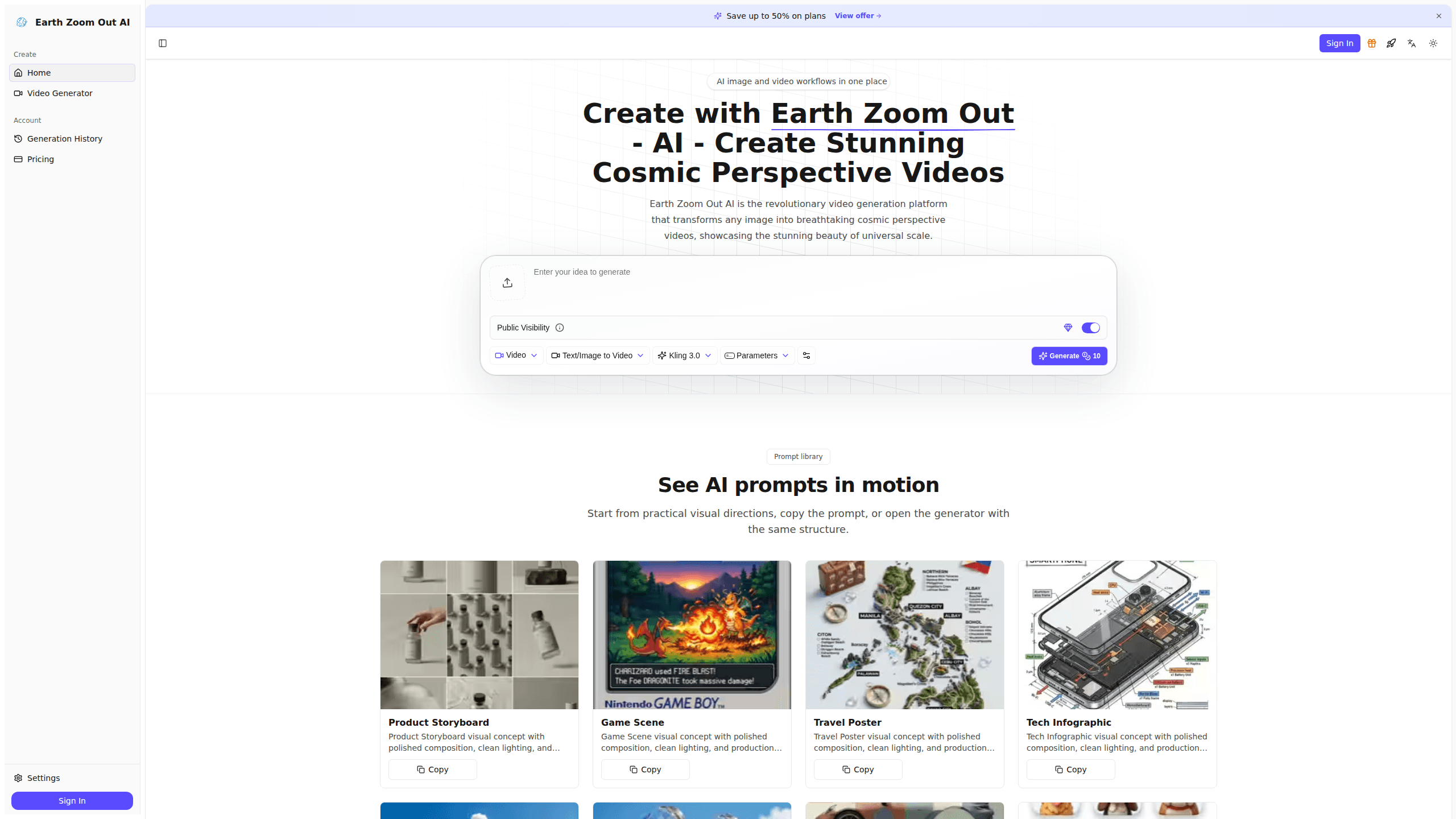
About Earth Zoom Out AI
What Is Earth Zoom Out AI
Earth Zoom Out AI is a web tool for producing the "Earth zoom out" style of video that went viral on TikTok, Instagram, and YouTube. You give it one image, and its AI generates a smooth sequence of scale jumps that end with a view of Earth from space.
The company says the effect combines deep learning models, satellite imagery, and geospatial data so each zoom feels geographically plausible rather than random, which means the pull-back usually lands somewhere that looks like a real place instead of generic space footage. That's the main selling point.
It's a single-purpose tool, which cuts both ways. You won't find a full NLE here, so any real editing after export happens elsewhere. It's also credit-based, so heavy users need to watch how many videos each plan covers. Credits run out fast.
Getting Started
- Create an account on the Earth Zoom Out AI website using your email.
- Upload the image you want to start from. A clear, well-lit photo gives the cleanest zoom out video.
- Pick your output settings, including resolution and duration.
- Generate the video and let the AI build the scale transitions.
- Download the finished clip, or export it and polish it in your editor of choice.
Product Information
A quick look at Earth Zoom Out AI's pricing, supported platforms, and performance.
Best for
The users, tasks, and scenarios where this tool fits best.
Users
- Social media creators
- Marketers and brand teams
- Hobbyists curious about AI video
Tasks
- Making a scroll-stopping intro
- Visualizing a location
- Building a hook for a longer edit
Scenarios
- Posting daily short-form content
- Explaining a global idea
- Testing a concept before a big spend
Key features
Cosmic Perspective Transformation
This is the core trick. The AI takes your uploaded image and generates a smooth pull-back through several scale levels: building, neighborhood, city, country, and finally Earth from space. The result is a video that makes a small subject feel part of something much larger. If you've seen an Earth zoom out video on social media, this is the effect it's recreating. That's the whole idea.
Geographic Precision
The tool draws on satellite data and geospatial information so the zoom out lands somewhere that matches the starting image. The company claims the transitions are geographically accurate and visually coherent. What that means for you: the pull-back should read as a real place, not a random stock shot of the planet.
Cinematic Output Quality
Videos render at standard or high resolution depending on your plan, and the higher tiers give you 1080p and higher-resolution output. The style is meant to look production-ready. A clip can sit next to professionally shot content without standing out as obviously AI-made.
Simple Image-to-Video Workflow
There's no timeline, no keyframing, and no manual camera work. You upload a photo, choose a few settings, and generate. That keeps the image-to-video step short even for people who've never touched editing software. Want to fine-tune the zoom? You can't do that in the tool, so adjustments happen after export. Simple as that.
Credit-Based Pricing Tiers
The plans scale by credits rather than seats. The trial gives 20 credits, and the Studio tier gives 1,000 credits, which you spend on video seconds at your chosen resolution. This makes cost predictable per video, but it also means longer or higher-resolution clips eat through your balance faster.
Commercial License and API Access
Every plan includes a commercial license, so you can use the videos in client work and branded content rather than just personal posts. The top Studio plan adds API access, which lets developers plug the zoom out effect into their own apps or automated pipelines.
Batch Processing and Priority Rendering
The higher tiers add batch processing and priority processing, which matter if you're producing cosmic perspective videos at volume. Instead of queuing behind free-tier traffic, paid users at the Creator and Studio levels get their jobs pushed through sooner.
Pros and cons
Pros
- Produces a ready-to-share zoom out effect from a single image, no editing skills needed.
- Uses satellite and geospatial data, so the pull-back looks like a real place.
- Commercial license included on every paid plan.
- Clear credit-based pricing from a $2.99 trial up to a $79.90 studio tier.
- API access on the top plan lets you automate the effect.
Cons
- No free plan, so you have to pay before you can test the AI video generator.
- Credit limits mean long or high-resolution videos cost more than you might expect.
- It's a single-purpose tool with no built-in editor, so any fine-tuning happens in separate software.
Frequently asked questions
It turns a single photo into a video that zooms outward until the frame shows Earth from space. The clip runs through several scale levels and ends with the whole planet in view. AI blends each transition so the pull-back looks continuous.
Related content
Explore related tools, skills, and articles for Earth Zoom Out AI.
Earth Zoom Out AI Alternatives

X Ray Interpreter
X-ray Interpreter · ImageX Ray Interpreter is a web-based AI radiology tool that turns X-rays, CT scans, MRI, ultrasound, and PET images into plain-language reports. You upload a scan, get a preliminary X-ray interpretation in moments, then ask follow-up questions if something needs explaining. It works as a second opinion and a learning aid, not as a medical diagnosis.

Aieasypic
AIEasyPic · ImageAIEasyPic is an AI image generator that turns plain text prompts into finished artwork in seconds. You can also train custom models on your own photos, swap faces in existing images, and create short video clips from text, all from a browser. It suits casual creators who want quick visuals and hobbyists who want to build a personal model without touching any code.

Chargen
Chargen · ImageChargen is an AI character generator and worldbuilding toolkit built for Dungeons & Dragons and other tabletop RPGs. It turns a one-line idea into a painted character portrait, spins up NPCs, monsters, maps and encounters from the same session, and keeps every creature's details close at hand. The tabletop RPG art side runs on a credit system called Gold, while the text generators stay free for everyone.