

Edgee
Edgee · Coding
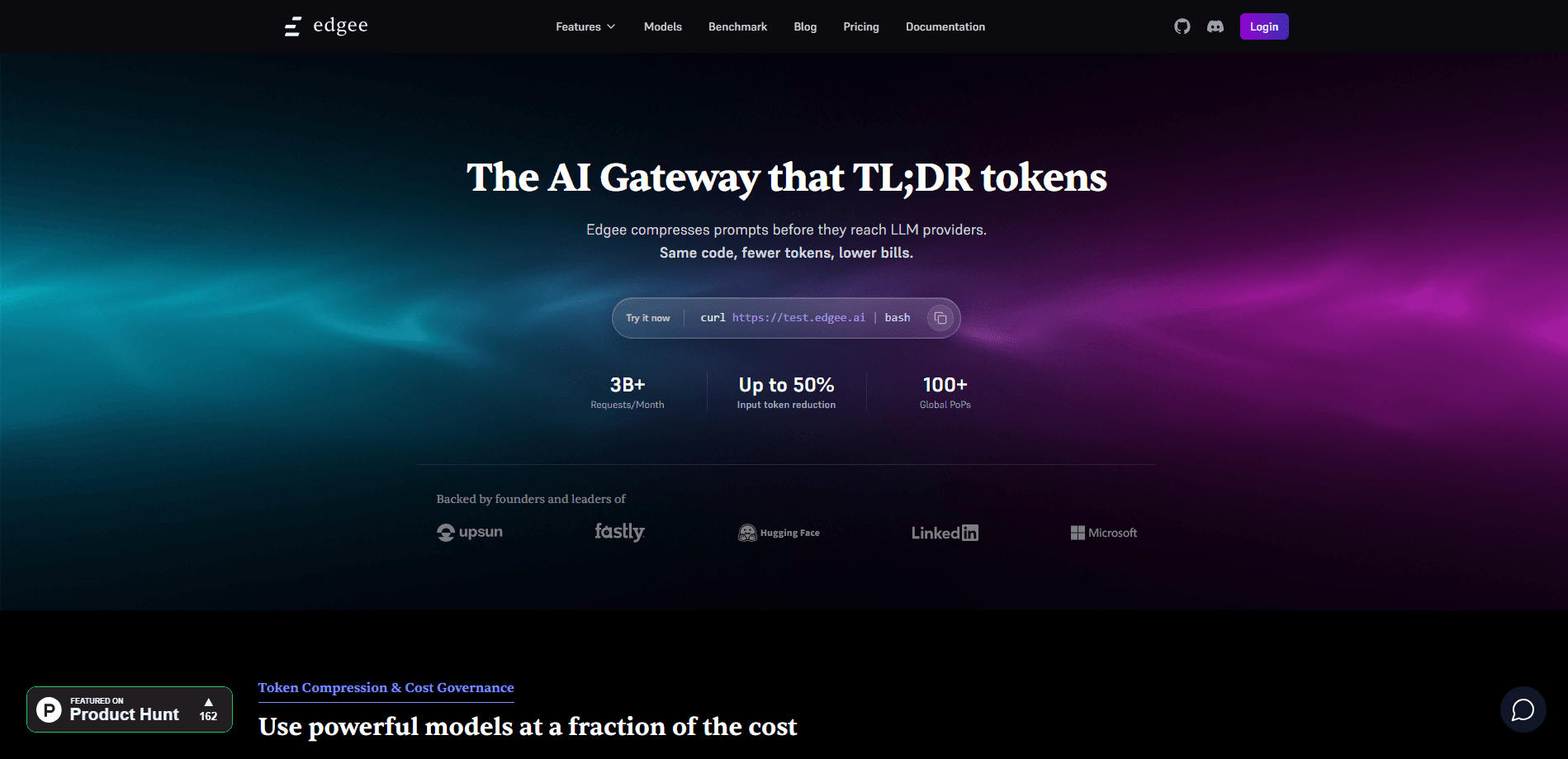
Edgee is an AI agent gateway for engineering teams that sits between your coding agents and LLM providers. It compresses token payloads, routes requests across 200+ frontier and open weight models, and tracks cost per developer, repo, or pull request. Teams use it for LLM cost reduction without touching application code or losing output quality.
About Edgee
What Is Edgee
Edgee is infrastructure, not an app you open in a browser. It's an AI agent gateway that intercepts every request your coding agent sends to a model provider, applies routing and compression rules, then forwards the request. You install a CLI. Connect Claude Code, Codex, Copilot, Cursor, or OpenCode. The gateway takes over metering from there. The goal is simple. Keep the same model output and pay fewer tokens for it.
Here's the problem it solves. Runaway spend on coding agents. Once a team puts an agent on every developer's machine, nobody can say which repo or which person burned the budget until the invoice lands. That visibility gap hurts. Edgee gives engineering leaders the picture in real time, and it lets them set token budgets per developer or per squad. When a budget fills, requests reroute to an open weight model mid-task instead of stopping.
Scope is the main limit. Edgee targets coding agents and API-based LLM calls, not consumer chat products. It won't manage a personal ChatGPT subscription. The free plan covers a single developer, and features like SSO, private gateway hosting, and custom data residency sit behind the Enterprise tier, which uses custom pricing.
Getting Started
- Install the Edgee CLI with
curl -fsSL https://install.edgee.ai | bash, Homebrew on macOS, or the PowerShell installer on Windows. - Launch your coding agent through the gateway, for example
edgee launch claudeoredgee launch codex. - Assign a routing policy and token budget to a developer, a squad, or the whole organization from the dashboard.
- Optionally plug in your own provider keys (BYOK) for billing control, or use Edgee-provided keys and pay a 5% platform fee on top-ups.
- Review usage and cost per developer, repo, and PR in the session analytics link the CLI prints on exit.
Product Information
A quick look at Edgee's pricing, supported platforms, and performance.
Best for
The users, tasks, and scenarios where this tool fits best.
Users
- Solo developers
- Engineering managers
- Platform teams with compliance needs
Tasks
- Cutting token bills on coding agents
- Keeping agents running through outages
- Attributing LLM spend
Scenarios
- A team whose Claude Pro or Max quota runs out mid-sprint
- A company standardizing many agents under one policy
- An organization with data residency rules
Key features
Intelligent Model Routing
Edgee routes each request based on the budget and policy you set, and it keeps a configurable chain of providers behind every rule. If one provider returns a 5xx error or times out, the request moves to the next model instead of failing. When a spending cap is reached, routing shifts to an open weight model mid-task, so a coding session doesn't stall, and the request continues on a model that's benchmarked for coding work rather than dropping the task entirely. Sessions don't break. That matters during a long refactor.
Token Compression
The gateway trims redundant tokens in two layers. Input compression handles roughly 99% of token volume by cutting tool result payloads, the bulky file contents and command output that agents read but rarely need again, while output compression targets the smaller but higher-value stream of model responses. Edgee describes this as semantically lossless for coding work, meaning you get the same model output with fewer tokens billed. No application code changes are needed.
Team Observability
Cost and usage break down per developer, per repo, per PR, and per model. Engineering leaders see spend in real time rather than waiting for a monthly bill. The Team plan adds spending caps per seat with alerts when a developer approaches the limit, plus GitHub integration for repo and PR attribution.
Open Weight Models
Edgee serves GLM, Kimi, and MiniMax at turbo speed for a flat monthly price. These are the models routing policies fall back to, and they're benchmarked for coding tasks. They give teams a cheaper target that keeps quality close enough to finish the work.
Bring Your Own Keys
You can use Edgee's provider keys for convenience, or plug in your own keys for billing control and custom models. Edgee charges no markup on tokens you already pay a provider for, which keeps BYOK setups cost-neutral on the gateway side.
On-Premise Deployment
The same gateway runs inside your own infrastructure via Docker Compose or Helm, connected or air-gapped. Prompts, completions, and provider keys never leave your network, which is what makes the product usable for regulated teams.
Model Catalog
The catalog spans frontier and open weight models across every major provider, with live pricing and context sizes. As of writing it lists 221 models and 974 provider routes, and any one of them is a valid target for a routing rule.
Single API for Multiple Providers
Apps and agents can call LLMs through one Edgee API instead of juggling separate provider SDKs. Usage on that path is pay-as-you-go with no plan required, billed at a 5% platform fee when you top up Edgee credits.
Pros and cons
Pros
- Cuts token spend through compression without changing application code.
- Routes across 200+ models with fallback and mid-task rerouting when providers fail or limits hit.
- Granular cost tracking by developer, repo, and pull request closes the visibility gap on agent spend.
- Supports BYOK, on-premise deployment, and air-gapped setups for teams with strict data rules.
- Generous free tier for a single developer with access to every major coding agent.
Cons
- Category value isn't available in the product record, so the Info table lists it as N/A.
- Enterprise features like SSO, private model hosting, and custom data residency require custom pricing, which means a sales conversation.
- The compression savings are framed by Edgee as lossless for coding tasks specifically, so teams using agents for other work should verify output quality themselves.
Frequently asked questions
It's an AI agent gateway that intercepts requests between your coding agent and LLM providers. Edgee compresses tokens, routes across models under the budgets you set, and reports cost and usage per developer, repo, and PR. Think of it as an API gateway for AI traffic.
Related content
Explore related tools, skills, and articles for Edgee.
Edgee Alternatives
Forefront
Forefront · CodingForefront is a web platform for building with open-source AI. It lets you fine-tune leading open-source language models on your own data, evaluate how they perform, and run them through an API or export them to host yourself. Developers who want the convenience of a closed-source platform but insist on owning their models and data are the target audience here.

Startkit
StartKit.AI · CodingStartkit is a boilerplate for building AI SaaS and AI wrapper products. Think of it as an AI startup boilerplate with the boring parts already wired up: authentication, Stripe and Lemon Squeezy payments, usage limits, transactional email, and an AI API starter that talks to OpenAI, Anthropic, Groq, or Llama. You clone the repo, set your price, and start on the part of your product that people actually pay for. It's Next.js under React and Tailwind, so most of the boilerplate code already feels familiar.
Testim
Tricentis · CodingTestim is an AI-powered test automation platform for building and running end-to-end tests across web, mobile, and Salesforce applications. It leans on machine learning to keep tests stable when an interface changes, so teams spend less time fixing broken selectors. Not bad for an automated testing tool you can start using today. You create tests by recording actions in a browser, then optionally add JavaScript when you need more control. It's a solid pick for busy QA teams.