
Editapp
Editapp · Video · Productivity
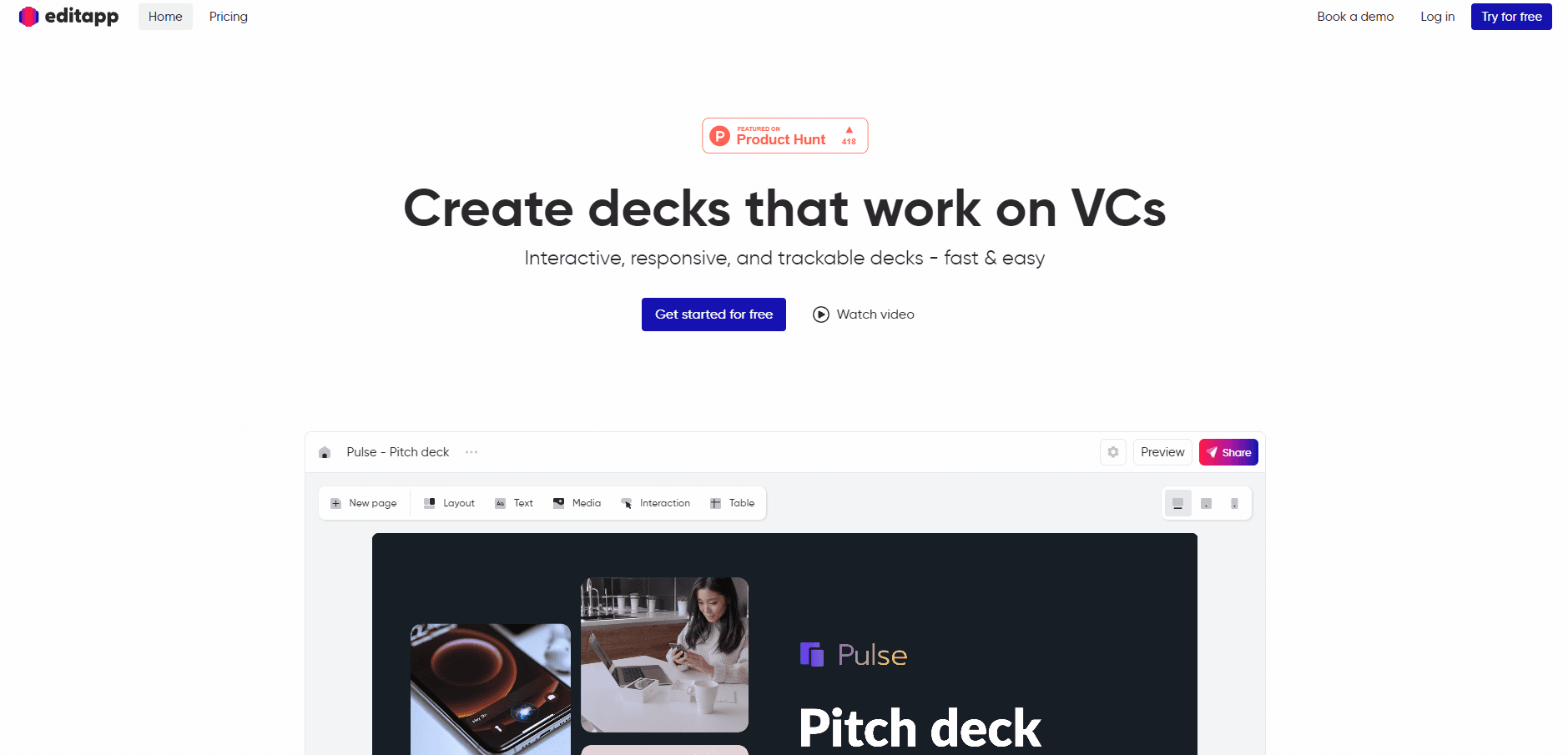
Editapp is a browser-based smart document builder for creating interactive, responsive, and trackable pitch decks and reports that you share with a link.
About Editapp
What Is Editapp
Editapp (editapp.io) is an online document editor for building what the company calls smart documents: presentations, pitch decks, portfolios, and reports that behave more like web pages than like slides. Instead of exporting a static PDF, you build in the browser and share a link. Readers open it on any screen, click through embedded content, and leave behind data you can actually look at.
As pitch deck software, the product is aimed at founders and small teams who pitch for a living. Its own tagline is blunt about the target use: create decks that work on VCs. The bet is that a deck which adapts to a phone, embeds a live calendar or a demo video, and reports which pages got attention will land better than a 30-slide attachment nobody opens.
The limits are worth knowing up front. Editapp lives in the browser, so there is no desktop app, and the workflow assumes you want a web link rather than a PowerPoint file. Free storage is capped at 50 MB, analytics are limited to a handful of documents on paid plans, and collaboration and branding options sit behind the paid tiers. If your audience expects a .pptx file, this is not the tool for that job.
Getting Started
- Create a free account at app.editapp.io, or book a demo first if you are evaluating it for a team.
- Start from a template (pitch deck, portfolio, report) or a blank page, then drag and drop text, media, tables, and interactive blocks.
- Format each page, then switch to the tablet and mobile views and re-adjust them so the layout holds on every screen.
- Add interactivity such as navigation buttons, sliders, carousels, embedded videos, or a Calendly block.
- Hit share to get a lightweight link (of the form sdoc.li/your-deck) and send it to your readers.
Product Information
A quick look at Editapp's pricing, supported platforms, and performance.
Best for
The users, tasks, and scenarios where this tool fits best.
Users
- Founders raising a round
- Freelancers and agencies pitching clients
- Small sales and marketing teams
- Photographers and creatives who need a portfolio
Tasks
- Building an investor pitch deck
- Turning a static PDF into a smart document
- Embedding live content in a presentation
- Measuring how a document performs
- Sharing a document by link
Scenarios
- An investor reads your deck on the train
- You pitch a client and want them to book a call
- You update a sales catalog sent to customers last month
- You need a portfolio fast
Key features
Responsive layouts for every screen
Every smart document adapts to desktop, tablet, and mobile. You design the desktop version, then re-adjust the tablet and mobile views by hand until they hold up. The point is that a reader on a phone gets a layout built for a phone rather than a shrunken slide, which is the failure mode of most PDF decks.
Interactive and embedded content
You can place videos, images, tables, buttons, sliders, and carousels inside a page. The editor also connects to third parties, so you can drop in a Calendly scheduler, a Figma frame, a Google Form, a Google Map, a YouTube video, or a Giphy animation. Content that would be a dead image in a PDF stays clickable here.
Real-time page analytics
Paid plans track how readers move through a document. You can see which pages they focus on and how long they spend per section, then rework the deck around what actually gets read. It turns a send-and-hope pitch into something you can measure and revise.
Share by lightweight link
Instead of exporting a file, you share a link of the form sdoc.li/your-document. It opens in a browser on any device and travels easily through WhatsApp, Slack, or a text message. Editing the source updates what every link displays, so a shared document never goes stale.
Drag-and-drop editing with auto-adjust layout
You build pages by dragging content blocks into place, and the layout shrinks or expands them to fit. The editor calls the editing behavior magic editing: added content resizes and positions itself so you do not fight the grid. It keeps the design from breaking as the document grows.
Templates and one-click design
The template gallery covers smart decks, portfolios, and reports, and you can also start from scratch. A one-click design control switches the whole document between looks, so restyling does not mean rebuilding each page. Custom templates are available, and Business adds on-demand template work.
Rebranded viewer and team collaboration
You can rebrand the viewer so a shared document carries your identity rather than Editapp's. Collaboration, a shared smart library, brand themes, and extra storage come with paid plans. These are the features teams reach for once more than one person touches the same deck.
Document UX score tool
Editapp offers a free side tool that scores a PDF you upload on accessibility, readability, compatibility, interactivity, navigation, and weight. It returns a score in about ten seconds and says it will not keep your file. It is a way to see how a current document measures up before you rebuild it here.
Pros and cons
Pros
- Produces genuinely responsive documents, so a deck reads properly on a phone instead of a zoomed-out slide.
- Page-level analytics on paid plans show which slides readers actually engage with.
- A shareable link replaces heavy attachments and keeps working after you edit the source.
- Ten-plus integrations (Calendly, Figma, Google Forms and Maps, YouTube, Unsplash, and others) keep content live inside the page.
- A free plan with unlimited documents, sharing links, and workspaces makes it cheap to try before paying.
Cons
- It is browser-only, so there is no desktop or mobile app and no PowerPoint export for people who need a .pptx file.
- Free storage tops out at 50 MB and analytics only cover a few documents, so media-heavy decks hit the paid wall.
- Analytics, collaboration, and custom branding sit behind paid plans, so the free tier is mostly a trial.
- The interactive, trackable format is a harder sell to a traditional audience that expects a plain attachment.
Frequently asked questions
Editapp is an online editor for building interactive, responsive, and trackable smart documents such as pitch decks, portfolios, and reports. You create in the browser and share a link instead of a file.
Related content
Explore related tools, skills, and articles for Editapp.
Editapp Alternatives

ngram 2.0
ngram · Video · Marketingngram 2.0 is an AI video generator for teams. It turns a prompt, a screen recording, or a product URL into a narrated explainer, product demo, or AI avatar video, and every scene stays editable.

OpenScreen 2
OpenScreen (open-source project) · Video · ProductivityOpenScreen 2 is a free, open-source screen recorder and demo video editor for Windows, macOS, and Linux, with automatic zooms, styled frames, local captions, and agent edits.

Skreno
Skreno · Video · ProductivitySkreno is a browser screen recorder that captures a tab, a window or your whole display, then attaches AI transcripts, summaries and console logs to one share link.