

Editimg AI
Editimg AI · Image
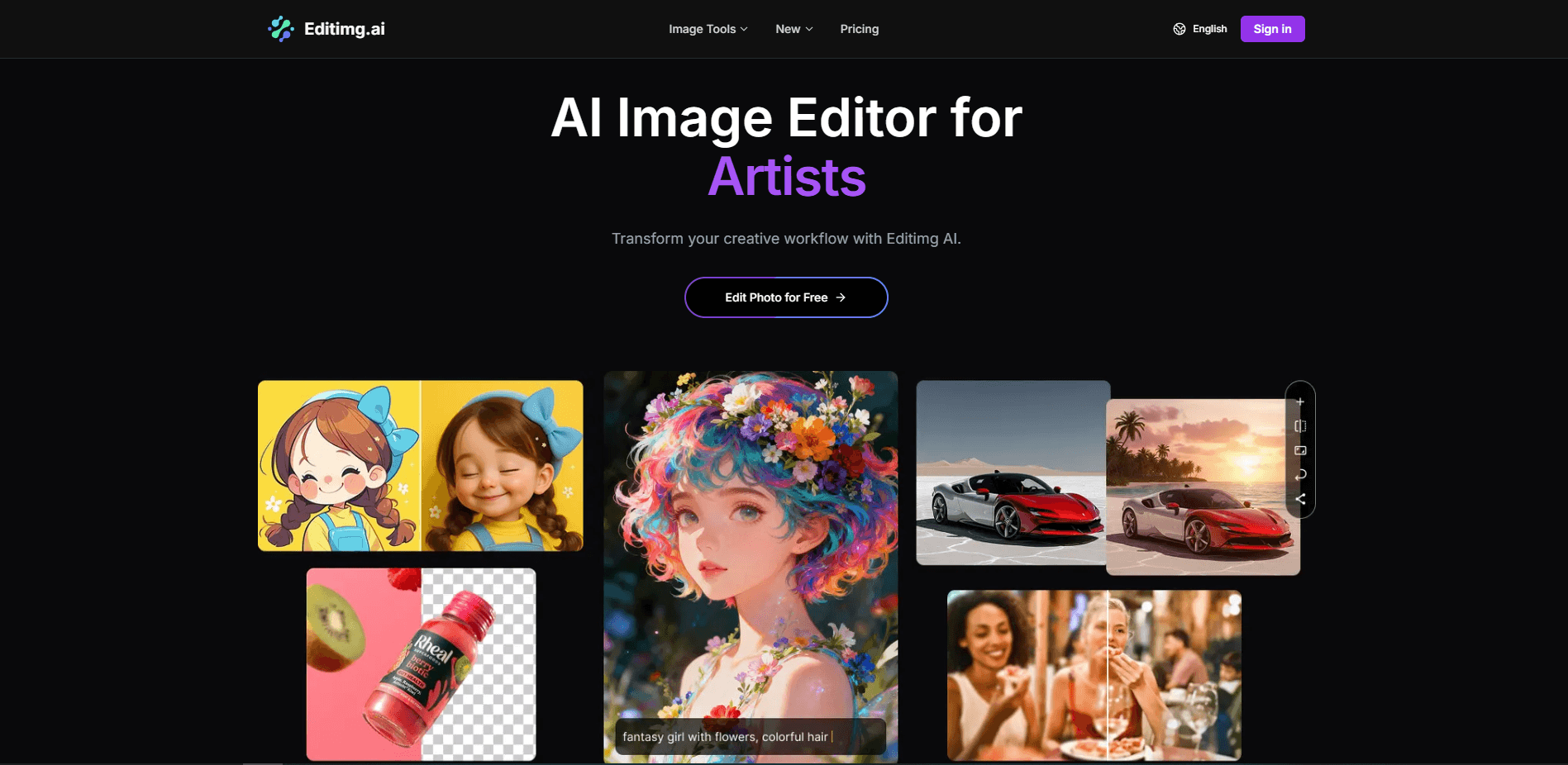
Editimg AI is an online AI image editor that blends text prompts with image uploads to edit, generate, upscale, and restyle photos in a browser. You drop in a picture, describe the change you want, and the platform applies it with a choice of models like GPT-4o Image, Nano Banana, and Seedream 4. It runs in the cloud, so there's nothing to install. No downloads, no setup. A small free tier lets you test the workflow before you pay.
About Editimg AI
What Is Editimg AI
Editimg AI is a web-based photo editor built around prompts rather than layers and sliders. Instead of learning a complex toolbox, you write what you want changed and the tool handles the rest, and that single shift is what makes the whole thing approachable for someone who has never touched professional editing software before. That lowers the barrier for people who want clean results without a design background.
It handles many jobs at once. Remove backgrounds. Erase objects. Upscale blurry shots. Retouch portraits. Generate new images from text. The same workspace also holds more than 20 editing tools and 30 effect filters, so you rarely need a second app for a single project.
The catch? It's cloud-only and credit-based. That's the trade-off for an AI photo editing tool. Every generation and most edits burn credits, so heavy users should watch their balance. There's no desktop version, and free users get a very small allowance that runs out fast.
Getting Started
- Go to editimg.ai and sign up with an email or social account.
- Upload an image from your device, or start a text-to-image generation from scratch.
- Pick an AI model and choose an editing tool, then describe the change you want in plain language.
- Fine-tune the result, then download it as a JPG or PNG at up to 4K resolution.
Product Information
A quick look at Editimg AI's pricing, supported platforms, and performance.
Best for
The users, tasks, and scenarios where this tool fits best.
Users
- Content creators and social media managers
- E-commerce sellers
- Casual photographers
- Marketers and designers
Tasks
- Removing backgrounds and unwanted objects
- Upscaling and colorizing old photos
- Generating images from text
- Retouching portraits
Scenarios
- Rushing a product photo for a same-day listing
- Turning a selfie into an anime or Ghibli-style avatar for a profile update.
- Preparing social graphics for a campaign without opening Photoshop.
- Restoring a family photo before printing it as a gift.
Key features
Prompt-Based Editing
The core of the AI photo editor is talking to it. You upload an image and describe the change, and the tool reads the context of the photo to apply it before you commit to anything. This means no layers, masks, or brush work, which is the main reason beginners can get usable results on the first try.
Multiple AI Models in One Place
Editimg AI gives you GPT-4o Image for smart edits, Nano Banana for fast processing, and Seedream 4 for creative generation, plus Qwen Image Edit, Imagen 4, and Ideogram 3 on paid plans. Switching models happens inside the same workspace, so you don't juggle separate subscriptions.
Text to Image Generator
The built-in AI image generator turns written descriptions into visuals. It fits concept art, product mockups, and quick creative projects where you need a custom image and don't have one on hand. For designers and marketers, it's fast. No blank canvas paralysis.
Background Remover and Object Eraser
Two of the most-used tools handle cleanup. The AI background remover cuts subjects out cleanly, and the object remover deletes unwanted items from a scene. Both replace the manual masking work that eats up time in traditional editors. Big time saver.
AI Image Upscaler
The upscaler fixes blurry or low-resolution images by adding detail as it enlarges them. Push the output up to 4K. That matters if a photo needs to hold up in print or on a large screen.
Effects and Filters Library
More than 30 filters cover style transfer, anime conversion, pixel art, vintage film looks, and seasonal effects. You can convert a portrait to a Ghibli-style illustration or add a Santa hat in one click, and the same panel keeps a running history of what you've tried so you can compare versions side by side. For social content, this library is where a lot of the fun lives.
Portrait and Face Tools
The face editor smooths skin, adjusts features, and changes expressions, along with eye color and makeup effects. Results stay realistic. Not plastic. It's aimed at people who want polished portraits without a full retouching suite.
Pros and cons
Pros
- Runs entirely in a browser, so there's no software to install or update.
- Bundles generation, editing, upscaling, and effects in one place, cutting app switching.
- Offers a free tier with 15 credits to test the workflow before paying.
- Supports multiple leading models like GPT-4o Image and Nano Banana under one subscription.
- Outputs up to 4K JPG or PNG, and paid plans include a commercial license.
Cons
- Credit-based pricing means heavy editing can drain your balance quickly; the free 15 credits allow only about 2 images.
- No desktop or mobile app, so you need a stable internet connection to work.
- The free plan lacks 4K output and a commercial license, which limits professional use.
Frequently asked questions
It's an online AI image editor for editing, generating, upscaling, and restyling photos. It's an AI photo editing tool you run in a browser. You upload an image or describe one, and the tool applies changes from a prompt.
Related content
Explore related tools, skills, and articles for Editimg AI.
Editimg AI Alternatives

X Ray Interpreter
X-ray Interpreter · ImageX Ray Interpreter is a web-based AI radiology tool that turns X-rays, CT scans, MRI, ultrasound, and PET images into plain-language reports. You upload a scan, get a preliminary X-ray interpretation in moments, then ask follow-up questions if something needs explaining. It works as a second opinion and a learning aid, not as a medical diagnosis.

Aieasypic
AIEasyPic · ImageAIEasyPic is an AI image generator that turns plain text prompts into finished artwork in seconds. You can also train custom models on your own photos, swap faces in existing images, and create short video clips from text, all from a browser. It suits casual creators who want quick visuals and hobbyists who want to build a personal model without touching any code.

Chargen
Chargen · ImageChargen is an AI character generator and worldbuilding toolkit built for Dungeons & Dragons and other tabletop RPGs. It turns a one-line idea into a painted character portrait, spins up NPCs, monsters, maps and encounters from the same session, and keeps every creature's details close at hand. The tabletop RPG art side runs on a credit system called Gold, while the text generators stay free for everyone.