

EditWithAva
Avlana Team · Video
EditWithAva is an AI video editing agent that handles the editing work most people dread. You bring the footage and a rough direction, and the agent watches your clips, helps shape a script, and assembles a cut. It runs in the browser, so there's nothing to install, and the people behind it, the Avlana team in Switzerland, pitch it to anyone who wants decent video without learning a timeline editor. The core idea is simple. You stay the director, Ava does the cutting. So how well does the pitch hold up? Let's break it down.
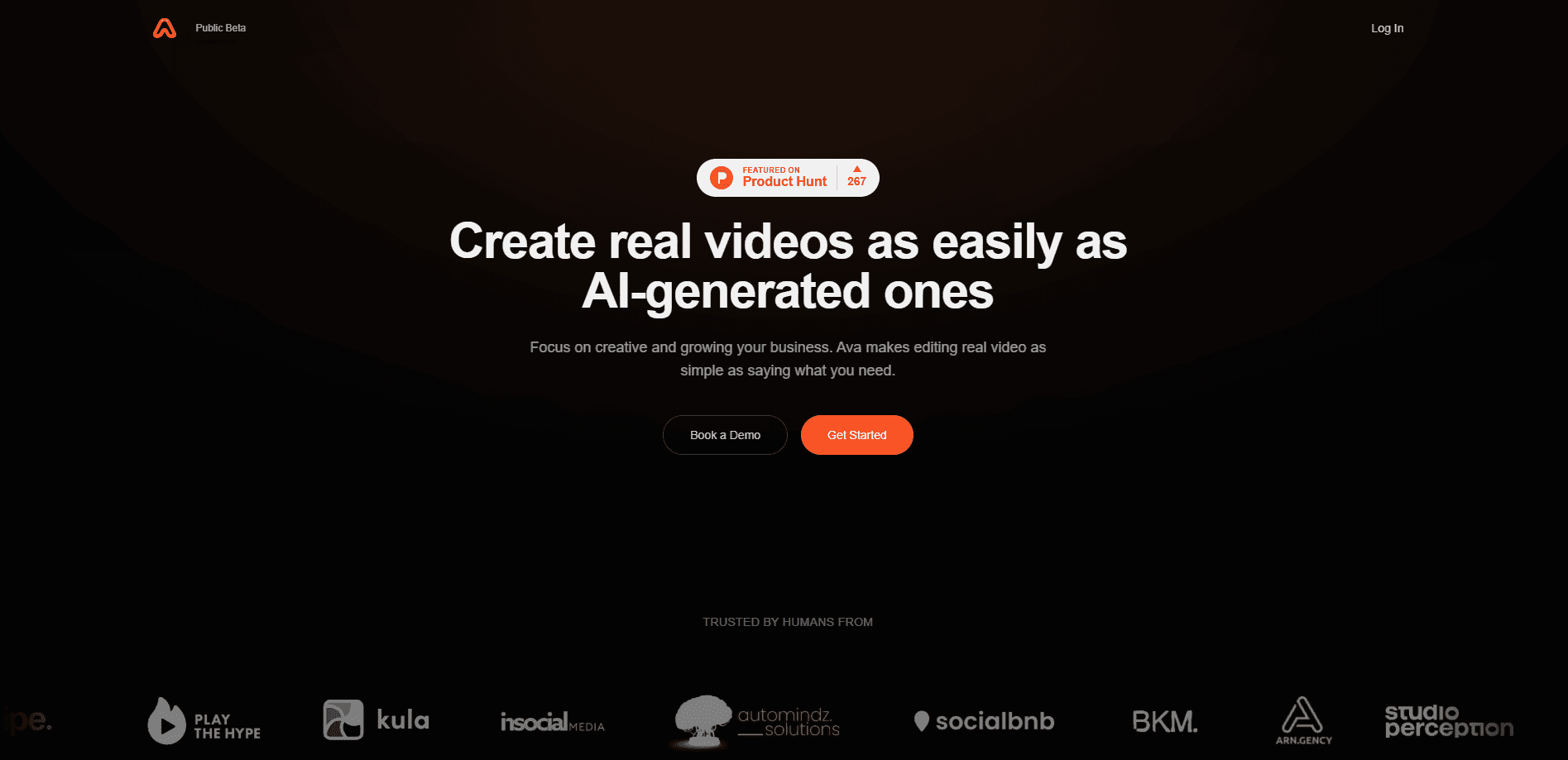
About EditWithAva
What Is EditWithAva
EditWithAva is a web-based AI video editor built around an agent rather than a plugin. Instead of handing you a timeline full of tools and letting you figure out the workflow, it reads your footage and does the first pass itself.
The product targets a specific gap. Most people can shoot video, but they can't edit it, and the tools that do the job well reward years of practice. EditWithAva trades that learning curve for a conversation. You describe what you want, point it at your clips, and it produces a draft you can react to.
The biggest limit is still the usual one for AI editing. The finer a cut needs to be, the more you'll want to step in and fix it yourself. It's a starting point and a speed boost, not a replacement for a human editor on a high-stakes project.
Getting Started
- Sign up for an account on the EditWithAva website, since the whole product runs in the browser.
- Upload the raw footage you want to work with, or point the agent at a project you've already started.
- Tell Ava what the video is for, its intended audience, and the rough story you want it to follow.
- Let the agent watch the clips, propose a script or structure, and generate a first cut.
- Review the draft, request changes in plain language, and export the version you're happy with.
Product Information
A quick look at EditWithAva's pricing, supported platforms, and performance.
Best for
The users, tasks, and scenarios where this tool fits best.
Users
- Solo creators who shoot footage but stall at the edit
- Small marketing teams without an in-house editor
- People who avoid timeline editors
Tasks
- Turning raw event or interview footage into a first assembly
- Drafting a script from existing clips
- Cutting quick social edits from longer recordings
Scenarios
- A weekend of travel footage that needs to become a two-minute recap
- A product demo recorded in one take that needs tightening
- Weekly content for a small channel
Key features
Agent-Based Editing
EditWithAva's headline is that it behaves like an agent, not a tool panel. It watches your footage and makes editing decisions on its own, then shows you the result. That matters because most AI video editors still make you drive every action; here the default is that the software does the work and you approve it.
Script Co-Writing
The agent helps build the script alongside the edit instead of treating writing as a separate step. You get a proposed narrative that matches what's actually in your clips, which cuts the back-and-forth of writing copy and then hunting for footage to fit it.
Footage-Aware Cuts
Because Ava examines the content before cutting, the edit responds to what's really on screen, not just timestamps. For anyone assembling interview or event footage, that means fewer obvious mistakes to clean up in the first draft.
Browser-Based Workflow
Everything runs on the web. There's no install, no plugin, and no export-import dance between apps, so you can pick up a project from any machine. For teams sharing a link rather than a project file, that's a real convenience.
No-Experience Onboarding
The pitch is that you don't need editing experience to edit videos without ever opening a timeline. You direct in plain language and the agent handles the mechanics, which lowers the barrier for people who've never touched an editor before. That's the whole promise in one line.
Pros and cons
Pros
- Cuts the first-pass editing work that eats most of a creator's week.
- Runs in the browser, so there's nothing to install and projects follow you across devices.
- The conversational approach is easier to learn than a traditional timeline editor.
- Script writing and editing sit in one place instead of two separate apps.
- Suits people who can direct but can't or won't learn manual editing software.
Cons
- Pricing and free-plan details aren't published clearly, so you can't budget without contacting the team first.
- Fine control is limited: precision cuts and detailed pacing still need a human editor.
- It's a young product, so features and reliability are still maturing compared with established editors.
- The agent's output depends heavily on how well you describe what you want, which is its own skill.
Frequently asked questions
It's an AI video editing agent that watches your footage and produces an edited draft for you to review. You supply the clips and the direction, and it handles the assembly.
Related content
Explore related tools, skills, and articles for EditWithAva.
EditWithAva Alternatives

ngram 2.0
ngram · Video · Marketingngram 2.0 is an AI video generator for teams. It turns a prompt, a screen recording, or a product URL into a narrated explainer, product demo, or AI avatar video, and every scene stays editable.

OpenScreen 2
OpenScreen (open-source project) · Video · ProductivityOpenScreen 2 is a free, open-source screen recorder and demo video editor for Windows, macOS, and Linux, with automatic zooms, styled frames, local captions, and agent edits.

Skreno
Skreno · Video · ProductivitySkreno is a browser screen recorder that captures a tab, a window or your whole display, then attaches AI transcripts, summaries and console logs to one share link.