

Educhain
Build Fast with AI · Leaning
Educhain is a Chrome extension from Build Fast with AI that turns any webpage into study material with AI summaries, generated multiple-choice questions, and a quiz mode.
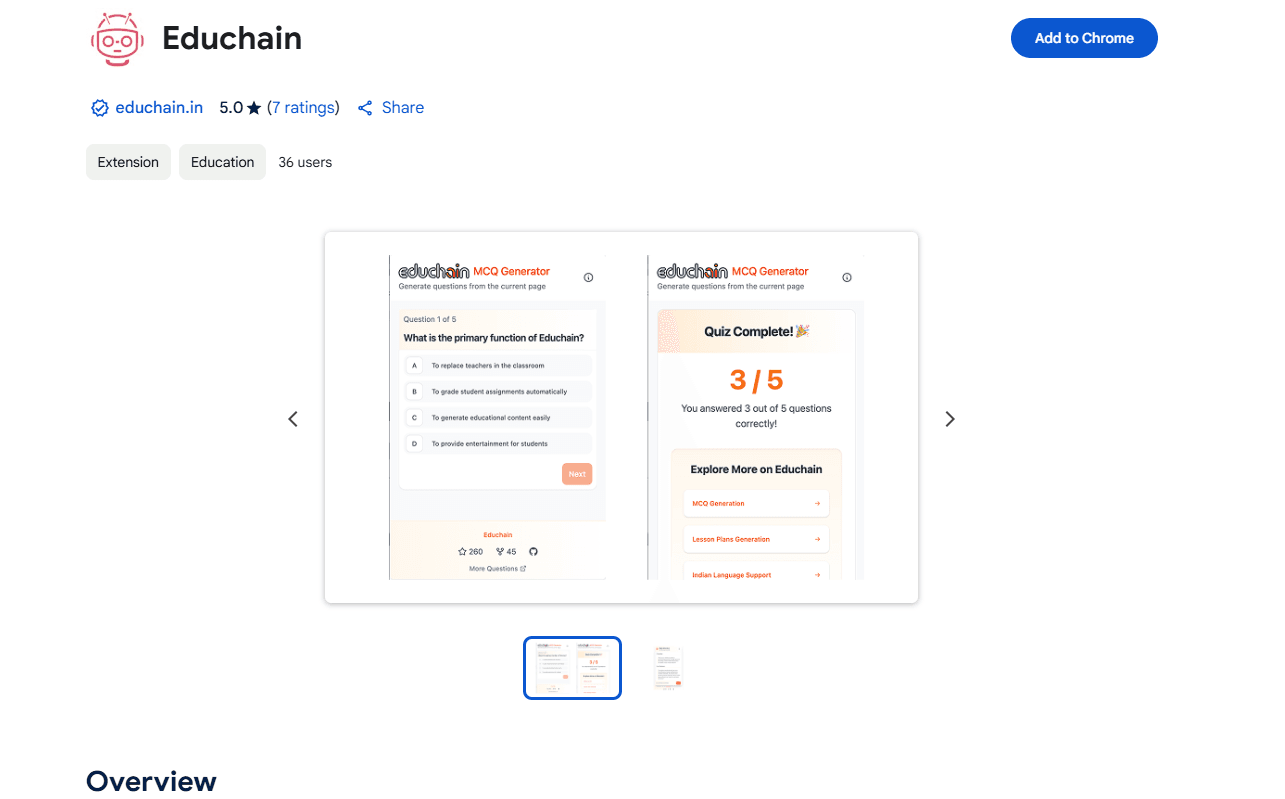
About Educhain
What Is Educhain
Educhain is an AI learning assistant built as a Chrome extension, made by the team at Build Fast with AI. It sits on top of whatever page you're reading and reshapes the text into something you can study. That means a summary you can skim, practice questions drawn from the page itself, and a short quiz to check whether the material stuck.
The pitch is simple. Most people read long articles, documentation, or lecture notes and forget most of it within a day. Educhain gives you a way to convert that passive reading into active recall without copying anything into a separate app. You stay on the page, open the extension, and work through what's there.
There are a few things to keep in mind. The extension leans on AI to generate its output, so summaries and questions can miss nuance or get a detail wrong. It works page by page, so it won't track a course or build a study plan across sessions. It's also limited to Chrome on desktop, and it needs a working internet connection because the processing happens off-device.
Getting Started
- Open the Chrome Web Store listing and add Educhain to your browser.
- Pin the extension to your toolbar so it's one click away.
- Go to any page with text you want to learn from, then click the Educhain icon.
- Pick a mode: generate a summary, create multiple-choice questions, or start quiz mode and test yourself.
Product Information
A quick look at Educhain's pricing, supported platforms, and performance.
Best for
The users, tasks, and scenarios where this tool fits best.
Users
- Students
- Teachers
- Researchers and analysts
Tasks
- Pre-exam revision
- Reading comprehension checks
- Quick triage of long content
Scenarios
- Working through a long help doc or spec at your desk and wanting a fast recap.
- Studying on a laptop before a class or interview, with no time to build flashcards by hand.
- Skimming several articles on the same topic and testing yourself after each one.
Key features
Smart Page Summary
Educhain reads the page you're on and produces a condensed version with the key points pulled out. You open it from the extension popup, so you never leave the original article. It's meant for fast comprehension and revision rather than deep analysis.
MCQ Generation
The extension turns page content into multiple-choice questions with an AI model behind the scenes. You can adjust how the questions are generated, which helps when a page covers several distinct ideas. The questions are a study aid, not a graded exam, so expect to spot the occasional weak or ambiguous item.
Interactive Quiz Mode
Once questions exist, quiz mode walks you through them and lets you check your answers. Reviewing what you got wrong is where most of the learning happens. It's a lightweight loop: read, answer, correct, repeat.
Runs Inside the Page You're Reading
There's no separate dashboard to learn and nothing to copy and paste. The extension opens over the current tab, works on the text already on screen, and closes when you're done. That keeps the whole workflow inside your browser.
Small Footprint and Simple Permissions
The extension is a few hundred kilobytes and asks for just the active tab, which means it can read the page you've opened but isn't requesting broad access to your browsing. That's a reasonable signal for a tool that only needs the current page.
Built for Education Use Cases
The listing frames Educhain around students, teachers, and researchers, and the store puts it under productivity and education. The feature set follows that intent: summaries, questions, and quizzes rather than general-purpose AI chat.
Pros and cons
Pros
- Works on almost any webpage, so you can study from articles, docs, and wikis without reformatting them.
- Combines summary, question generation, and quizzing in one popup, which covers the read-then-recall loop.
- Permissions are limited to the active tab, so it doesn't ask for broad browsing access.
- Free to install, with no account required to get started.
Cons
- AI-generated summaries and questions can miss nuance, so you still need to check them against the source.
- It handles one page at a time and won't track progress or build a plan across sessions.
- Chrome only, and it needs an internet connection because processing runs on a server.
- The product website tied to the listing no longer resolves to the original service, so support details are hard to verify.
Frequently asked questions
It's a Chrome extension that turns the webpage you're viewing into study material. You get an AI summary, auto-generated multiple-choice questions, and a quiz mode to test yourself, all from the current tab.
Related content
Explore related tools, skills, and articles for Educhain.
Educhain Alternatives
Coddy
Coddy · Coding · LeaningCoddy is a gamified platform to learn to code through short interactive lessons in 20+ languages, with a browser editor, an AI tutor and free certificates.

Marv
Cameron (independent developer) · Coding · Productivity · LeaningMarv is an AI cursor companion for Windows and Mac. It sees your screen, answers out loud, and draws arrows and highlights that show you the next click.

Teachoo
iAsk AI · Leaning · ChatbotTeachoo is a free AI homework helper that walks students through math, science, writing and coding problems one step at a time, with photo input, hints and flashcards.