

Effects SDK
Damiko Inc. · Video
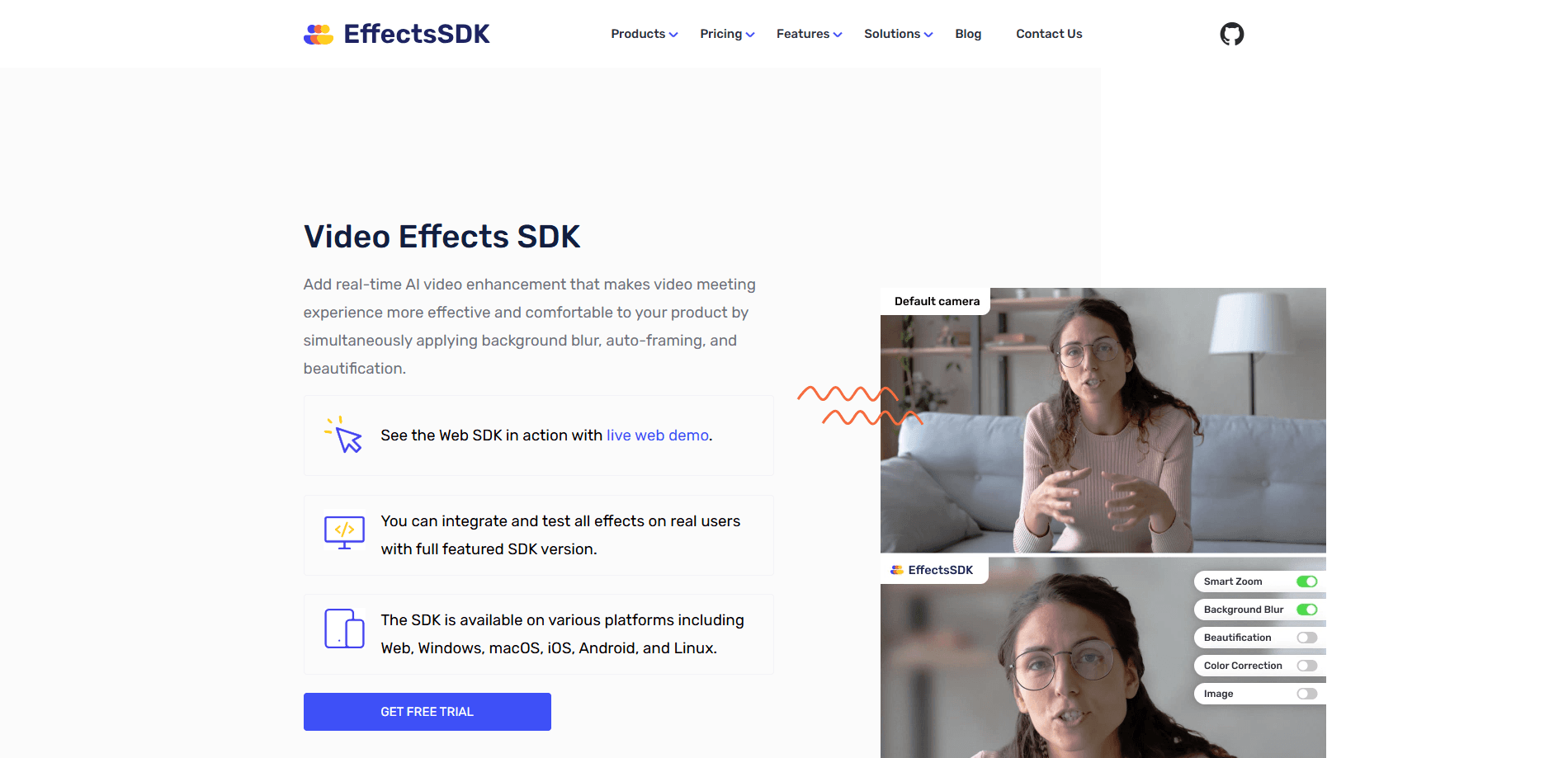
Effects SDK is a cross-platform toolkit from Damiko Inc. that drops real-time AI video effects into web and native apps. It handles background blur, background replacement, auto-framing, skin smoothing, denoise, and color grading on live webcam video, so developers can ship the polished look users expect from Zoom or Google Meet without building the machine learning pipeline themselves. The SDK runs on Windows, macOS, iOS, Android, Linux, and the web, and it works with any application flow that taps into a camera stream. No ML team required.
About Effects SDK
What Is Effects SDK
Effects SDK is software that gives a live camera feed a professional look. Instead of sending raw webcam video, an app calls the SDK and gets back a frame with the background blurred, replaced, or removed, the speaker framed automatically, and skin softened. It targets product teams building video calls, streaming tools, virtual webcams, telehealth platforms, and presentation apps.
The main problem it solves is the gap between what users want and what most apps ship, because people working from home care about how their room and face look on camera, and once Zoom and Microsoft Teams offered virtual backgrounds, users started expecting the same from every video tool. Building that in-house means training segmentation models, tuning them for cheap webcams, and getting them to run fast on phones and laptops. Effects SDK packages that work so a small team can add it without hiring an ML group.
The biggest limit is licensing. There's no free tier for production use. The free option is a 7-day trial, and real deployments run on session-based pricing that starts around $50 a month. That fits funded products but rules out hobby projects. Effects SDK also isn't a consumer app you open and click through. You have to write code against its API to see anything.
So who is this actually for? Mostly product teams with a camera feed and a deadline.
Getting Started
- Sign up for the Developer Console and request a trial for the platform you need, which unlocks full features for seven days.
- Grab your Customer ID, then read the SDK docs and run the bundled code samples for your target platform.
- Add the SDK library to your project and initialize it against the camera or video stream you want to improve.
- Turn on the effects you need at runtime, such as background blur or auto-framing, and tune their strength through the API.
- Track sessions in the Developer Portal and move to a pay-as-you-go plan once you have real usage data.
Product Information
A quick look at Effects SDK's pricing, supported platforms, and performance.
Best for
The users, tasks, and scenarios where this tool fits best.
Users
- Product developers
- Startups testing an idea
- Companies with strict privacy rules
Tasks
- Adding a virtual background to a video meeting app
- Cleaning up grainy webcam footage
- Keeping the speaker centered during a call
Scenarios
- Building a video conferencing feature that needs to match Zoom or Google Meet on background effects.
- Running a telehealth platform where patients want a neutral, private background without showing their home.
- Shipping a virtual webcam tool or streaming app that boosts how creators look on live video.
Key features
Virtual Background
The SDK blurs, replaces, or fully removes the background in a live webcam feed while developers swap in a custom image or even an animated video at runtime and set the blur strength on the fly. It also returns a transparent frame with a segmentation mask, so teams can apply their own post-processing on top. According to the company, the model is tuned for real-world rooms, meaning poor lighting and cluttered walls, not studio setups. Real messy rooms. That's the point.
Intelligent Camera Framing
Auto-framing keeps the speaker in view by combining face tracking with motion detection and a digital zoom. It follows the person at a predefined zoom level, so the subject stays centered even if they shift in their seat. No pan-tilt camera needed. For meeting apps and recording tools, that means less fiddling and a steadier shot without a physical pan-tilt camera.
Skin Smoothness and Beautification
This effect softens skin in real time, smoothing texture and reducing the look of acne and eye bags while keeping the result natural, which matters because an over-smoothed face reads as fake and can make a call feel less trustworthy. In short, it's face beautification that doesn't look plastic. It adds a gentle softness to the lighting, which is a common request from creators and anyone who's self-conscious on camera. The processing is fast enough to run on live video rather than as a post-step.
AI Denoise
AI denoise strips digital noise from grainy webcam feeds, the kind you get from a budget camera in a dim room. The result is a cleaner, sharper image without the blurring that a simple low-pass filter would cause. Big difference. It pairs well with background effects, since noisy footage makes clean segmentation harder.
AI Color Grading
Color grading adjusts colors, exposure, contrast, saturation, and temperature in one pass, pushing a plain webcam feed toward a more cinematic look. The point isn't creative styling so much as fixing whatever the camera and lighting got wrong. Simple as that. For meetings and streams, it makes the difference between washed-out and professional.
Cross-Platform and GPU Accelerated
Effects SDK ships on Windows, macOS, iOS, Android, Linux, and the web, including WebRTC flows. It supports DirectX, OpenGL, and Metal, and it can use OpenVINO, WinML, and CoreML to run on the GPU, which is what keeps the effects smooth on lower-powered devices like phones and budget laptops that would choke on a CPU-only pipeline. That breadth matters if you build once and ship to desktop, mobile, and browser without rewriting the video layer.
Pros and cons
Pros
- Real-time effects on live video, not just recorded clips, so it fits calls, streams, and virtual webcams.
- On-device processing means no user video leaves the device, which eases privacy and compliance concerns.
- Broad platform coverage lets one integration reach desktop, mobile, and browser apps.
- Bundled code samples and documented API lower the cost of a first integration.
- Session-based pricing counts one SDK start rather than tracking session length, so long calls don't cost more.
Cons
- No free production tier, so hobbyists and unfunded projects are priced out from the start.
- Requires development work against an API, which means it's not useful to non-technical users.
- Startups have to request a trial and a Customer ID before they can test anything, which adds a setup step.
Frequently asked questions
It adds real-time AI video effects to apps that use a camera or video stream. Developers use it for background blur and replacement, auto-framing, skin smoothing, denoise, and color grading in video meetings, streaming tools, and virtual webcam software. That covers most live-video use cases.
Related content
Explore related tools, skills, and articles for Effects SDK.
Effects SDK Alternatives

ngram 2.0
ngram · Video · Marketingngram 2.0 is an AI video generator for teams. It turns a prompt, a screen recording, or a product URL into a narrated explainer, product demo, or AI avatar video, and every scene stays editable.

OpenScreen 2
OpenScreen (open-source project) · Video · ProductivityOpenScreen 2 is a free, open-source screen recorder and demo video editor for Windows, macOS, and Linux, with automatic zooms, styled frames, local captions, and agent edits.

Skreno
Skreno · Video · ProductivitySkreno is a browser screen recorder that captures a tab, a window or your whole display, then attaches AI transcripts, summaries and console logs to one share link.