

Eklipse: AI Gaming Clip Maker
Eklipse · Video
Eklipse is an AI gaming clip maker that watches your Twitch, Kick, YouTube, or Facebook stream and turns the best moments into vertical clips for TikTok and Shorts.
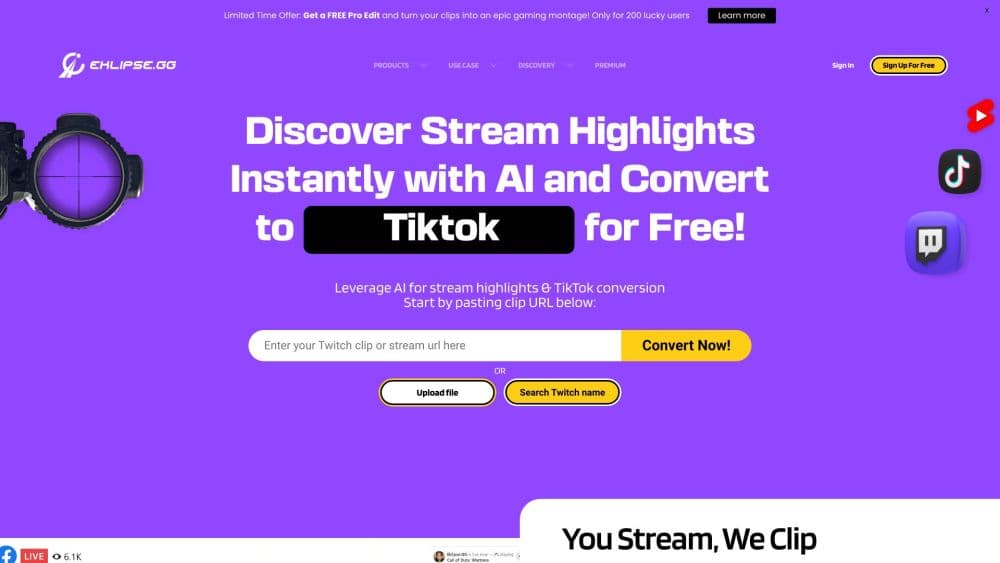
About Eklipse: AI Gaming Clip Maker
What Is Eklipse
Eklipse connects to your streaming channel and clips your highlights for you. You link Twitch, Kick, YouTube, or Facebook once, and after each stream it scans the full VOD, scores the moments worth keeping, and hands back a list of vertical clips ready for TikTok, Reels, and Shorts. There's nothing to upload and no recording software to run next to your game. The company behind it says more than 1.5 million creators use it.
The tool is built around one gap: the space between finishing a stream and posting anything. Scrubbing a five-hour VOD for eight good moments is slow work, and it's the first thing people skip when they're tired. Eklipse automates that first pass so you review candidates instead of the whole stream.
Two limits matter before you commit. Eklipse ended its free tier in June 2026 and is now a paid product, so ongoing clipping needs a subscription. And detection reads the game and your reactions, which works well for competitive titles but depends on clean source footage.
Getting Started
- Sign up at eklipse.gg with Twitch, Kick, YouTube, or Facebook. An account is free and no card is needed.
- Link a channel. Do this once, and Eklipse picks up new VODs on its own after every stream.
- Let the AI scan. Detection runs across the full stream, scoring game events, audio peaks, and on-screen markers, then ranks what it found.
- Review and edit. Open the clip list, keep what you like, and use the editor to trim, cap, and stylize. The mobile app handles the same job on your phone.
- Export or post. Download clips in 1080p, or send vertical clips straight to TikTok, Reels, and Shorts.
Product Information
A quick look at Eklipse: AI Gaming Clip Maker's pricing, supported platforms, and performance.
Best for
The users, tasks, and scenarios where this tool fits best.
Users
- Streamers who never find time to clip
- New creators without editing skills
- Variety and Just Chatting streamers
- Mobile-first posters
Tasks
- Turning a long stream into shorts
- Catching moments you didn't react to
- Adding vertical formatting and captions
- Marking a moment live
- Publishing from your phone
Scenarios
- Posting daily clips without editing sessions
- Clipping a six-hour marathon VOD
- Growing a channel as a beginner
Key features
AI Highlight Detection
This is the engine that does the cutting. Eklipse reads the game instead of only listening to your mic, scoring kills, clutches, wins, boss fights, and round results from on-screen graphics and markers. Laughter and shouting get scored alongside the gameplay, and when both spike together the clip ranks higher. That's why a quiet no-scope still gets caught, which is the part speech-only clippers miss.
Per-Game Tuning Across 3,000+ Titles
Detection isn't one generic model. Scoring is tuned by category, because a Valorant round and a Minecraft build don't look alike to a machine. Competitive FPS leans on kill feeds and scoreboard changes, battle royales weight final circles and win screens, and sandbox and co-op titles raise audio and chat signals where there's no kill feed to read.
Just Chatting, IRL, and Podcast Support
Since the July 2026 engine update, detection isn't game-only. Just Chatting bits, IRL segments, and podcast moments get scored on conversational signal, so variety streamers aren't stuck clipping by hand. This widened the tool beyond gameplay clips, which is where a lot of streamers actually spend their airtime.
Voice Command Clipping
Say "clip it" mid-match and Eklipse marks that moment without you touching a key. It covers the things a model can't score on its own, like an inside joke with chat or a running gag, and it works while you're still playing, so you don't break focus to hit a hotkey.
Mobile App for Editing and Sharing
The iOS and Android app puts your clips on your phone. Connect a channel once and your highlights are waiting after every stream, already vertical and captioned, so you can trim and post without opening a PC. Everything renders in the cloud and your account stays in sync across web and mobile.
Ready-to-Post Vertical Output
Clips arrive cropped to 9:16 and captioned, which is the format TikTok, Reels, and Shorts expect. Paid plans unlock 1080p exports with no watermark and access to Eklipse Studio, AI Edit, and Pro Edits for heavier customization. Export happens in the browser or the app, so the finished clip is ready to publish.
Pros and cons
Pros
- The AI reads the game, not just your microphone, so it catches silent clutches and quiet wins that speech-only clippers miss.
- Per-game tuning across more than 3,000 titles means detection matches the genre instead of applying one generic model to everything.
- It scans the full stream end to end, so long streams get scored without you watching them back.
- The mobile app lets you review, trim, and post from your phone, closing the gap between finishing a stream and publishing.
- Detection now covers Just Chatting, IRL, and podcast segments, which suits variety streamers, not just gamers.
Cons
- There's no free clipping plan since June 2026, so any ongoing use needs a subscription, roughly $12.50 a month on annual billing.
- Detection depends on clean source footage and clear on-screen signals, so a blurry stream or an obscure title can lower clip quality.
- The most advanced editing features, like Pro Edits and AI Edit, sit behind the paid tier, so you can't fully judge output before subscribing.
Frequently asked questions
No, Eklipse is not free for clipping. It moved to a fully paid product in June 2026, so the AI clipping workflow needs a subscription. Signing up is still free, the homepage preview unlocks a couple of clips from your own stream, and a set of browser tools like the emote and thumbnail makers stay free without an account.
Related content
Explore related tools, skills, and articles for Eklipse: AI Gaming Clip Maker.
Eklipse: AI Gaming Clip Maker Alternatives

ngram 2.0
ngram · Video · Marketingngram 2.0 is an AI video generator for teams. It turns a prompt, a screen recording, or a product URL into a narrated explainer, product demo, or AI avatar video, and every scene stays editable.

OpenScreen 2
OpenScreen (open-source project) · Video · ProductivityOpenScreen 2 is a free, open-source screen recorder and demo video editor for Windows, macOS, and Linux, with automatic zooms, styled frames, local captions, and agent edits.

Skreno
Skreno · Video · ProductivitySkreno is a browser screen recorder that captures a tab, a window or your whole display, then attaches AI transcripts, summaries and console logs to one share link.