

Emoji Combiner
Emoji Combiner · Image · AI Assistant
Emoji Combiner is a free browser tool that blends any two emojis into one image using Google's Emoji Kitchen. Pick a pair, then copy, download, or share the mixed emoji.
About Emoji Combiner
What Is Emoji Combiner
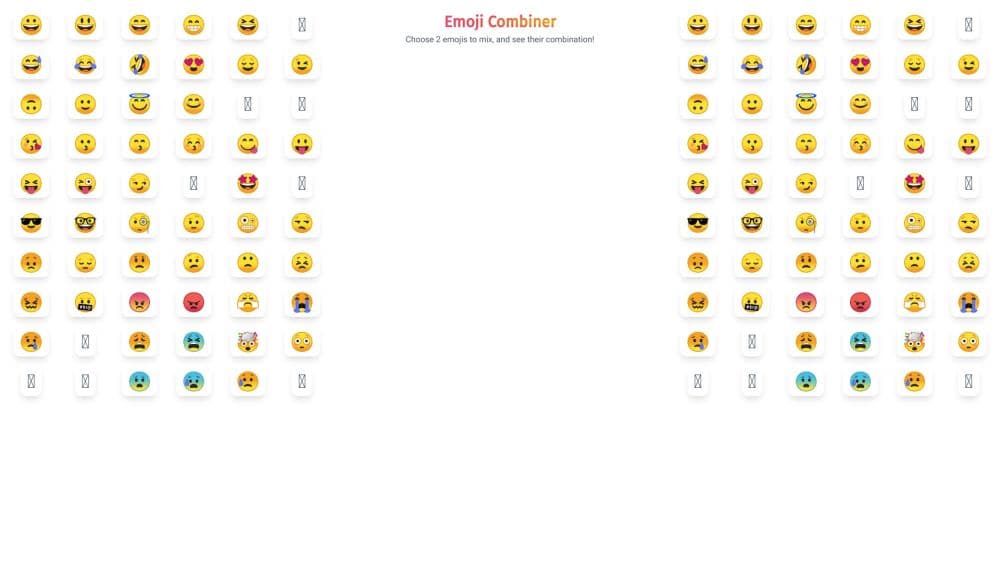
Emoji Combiner is a single page emoji mixer for making a character that doesn't exist in the standard set. You pick one emoji for each of two slots, and the page returns the merged design as an image. There's no editor, no canvas, and no layers. The whole interaction is two taps and a preview.
The mixing comes from Google Emoji Kitchen, the Gboard feature that draws hybrid faces by stitching two emoji designs together. Emoji Combiner acts as a friendly front end to that artwork. Instead of hunting through a keyboard on an Android phone, you open a browser tab and use the grid.
That shortcut is also where the limits sit. The site only shows combos Google has already drawn, so it can't invent a mashup on demand. The result is a picture file, not a Unicode character you can type. For chat stickers and reaction images that's fine. For anything that needs real text, it isn't.
Getting Started
- Open emojicombiner.com in any modern browser. Nothing to install and no account to create.
- Tap an emoji in the grid to fill the first slot, then pick a second one for the other slot.
- Watch the preview area. The combined image appears as soon as both slots are filled.
- Press the copy button to send the image to your clipboard, or use download to save a file.
- Hit share to post the creation to a social network, or start over with a new pair.
Product Information
A quick look at Emoji Combiner's pricing, supported platforms, and performance.
Best for
The users, tasks, and scenarios where this tool fits best.
Users
- People who live in group chats
- Social media managers
- Teachers and parents
- Design-curious hobbyists
Tasks
- Making a custom emoji for a Discord server or Slack workspace
- Answering a message with a specific mood
- Building sticker sets for a small brand
- Testing how two ideas read together
Scenarios
- A late night argument about whether a cat plus a fire emoji is funny
- Preparing reaction images before a live stream or a group watch party
- A classroom activity about visual language
Key features
Two Slot Picker With a Full Emoji Grid
The interface gives you two slots and a scrollable grid of standard emojis. You tap one face for the left side and one for the right, and the preview updates immediately. There's no search field or category filter, so finding an unusual emoji means scrolling. For common faces and animals that's a short trip.
Google Emoji Kitchen Combinations
Every result comes from Google's Emoji Kitchen library, which is why the merges look professionally drawn instead of pasted together. A smiley plus a heart becomes a face with heart eyes. A ghost plus a party horn becomes something ridiculous. This is the core of the emoji mashup experience here, and the artwork quality is the main reason to use the site.
One Tap Copy to Clipboard
A copy button writes the combined image straight to your clipboard, ready to paste into WhatsApp, Telegram, Discord, or a document. On browsers that block image clipboard access, the button falls back to copying the image URL instead. That fallback is less useful, and you'll notice it most on older mobile browsers.
Download the Combined Image
The download button saves the merged emoji as an image file you can keep. This matters for sticker packs and server emoji, where you need an actual file rather than a clipboard paste. Files keep the source resolution, so they look sharp on a phone screen and hold up when scaled up a little.
Share Straight to Social
A share button opens a pre-filled post on X with the combined emoji attached, plus a short line about the two emojis you used. It's a one click route from browser tab to timeline. There's no built-in gallery and no profile, so sharing is the only way the site helps you show off a creation.
No Account, No Install, No Upload
Using the emoji blender requires nothing but a browser tab. There's no sign up wall, no app store download, and no photo upload, which keeps the privacy story simple: the only thing you choose is a pair of emoji characters. It also means the tool works on a borrowed laptop or a locked down work machine.
Pros and cons
Pros
- Free with no account, no email, and no download, so trying it costs nothing but a click.
- The artwork comes from Google Emoji Kitchen, which gives clean, consistent designs rather than rough cut and paste jobs.
- Copy, download, and share are all one tap, which suits fast chat replies.
- Works on phones, tablets, and desktops through the browser, with a layout that adapts to small screens.
Cons
- Only pairs that exist in Google's library produce a result, so some combinations show nothing at all.
- The output is an image, not a typing emoji, so you can't insert it into a sentence as a character.
- The picker has no search or category filter, which makes a specific emoji slow to find in a long grid.
- Interface text is English only, and there's no public API for automating batches.
Frequently asked questions
It merges two emojis into a single image. You pick one emoji for each slot, the page shows the combined design from Google Emoji Kitchen, and you can copy, download, or share it.
Related content
Explore related tools, skills, and articles for Emoji Combiner.
Emoji Combiner Alternatives

X Ray Interpreter
X-ray Interpreter · ImageX Ray Interpreter is a web-based AI radiology tool that turns X-rays, CT scans, MRI, ultrasound, and PET images into plain-language reports. You upload a scan, get a preliminary X-ray interpretation in moments, then ask follow-up questions if something needs explaining. It works as a second opinion and a learning aid, not as a medical diagnosis.

Aieasypic
AIEasyPic · ImageAIEasyPic is an AI image generator that turns plain text prompts into finished artwork in seconds. You can also train custom models on your own photos, swap faces in existing images, and create short video clips from text, all from a browser. It suits casual creators who want quick visuals and hobbyists who want to build a personal model without touching any code.

Chargen
Chargen · ImageChargen is an AI character generator and worldbuilding toolkit built for Dungeons & Dragons and other tabletop RPGs. It turns a one-line idea into a painted character portrait, spins up NPCs, monsters, maps and encounters from the same session, and keeps every creature's details close at hand. The tabletop RPG art side runs on a credit system called Gold, while the text generators stay free for everyone.