

Engage AI
Engage AI · Marketing
Engage AI is a LinkedIn growth platform that pairs a peer engagement community with AI writing tools. Members trade real comments and likes on each other's posts.
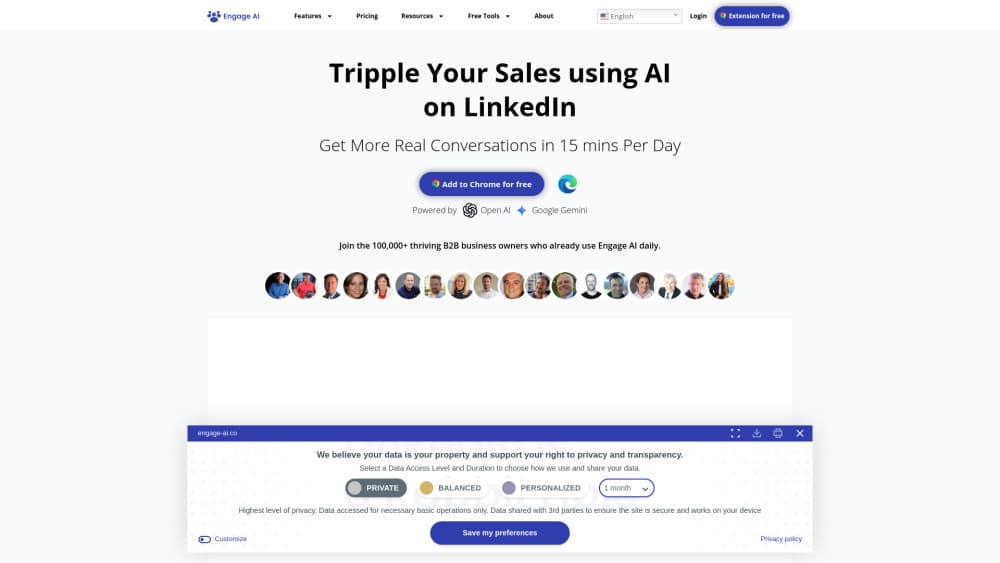
About Engage AI
What Is Engage AI
Engage AI is a LinkedIn growth tool that runs on a trade. You leave comments on other members' LinkedIn posts, and 15 of them leave comments on yours. The software handles the queue, the deadlines, and the attendance rules that a group chat can't enforce. That's the core of the product. Around it sits a set of AI helpers for writing and formatting the posts themselves.
Those helpers cover the slow parts of publishing. You get a headline generator, a hook generator, a summary generator, a carousel builder, a font formatter, and a preview tool that shows how a post will render in the feed. Paid tiers add AI comment suggestions you can edit before posting, plus wider tracking of what your posts did.
Three limits decide whether this fits. Every post has to be in English. Your link only enters a session if you submit it during the scheduled windows, which run on Monday, Wednesday, and Friday. And the system depends on reciprocity: skip your assigned comments and you get a warning from the platform. A consultant who posts twice a week can hold that rhythm. A team that wants a boost the moment a post goes live will find it rigid.
Getting Started
- Choose a plan on engage-ai.co. The Individual plan covers one account. The Group plan adds unlimited sub-accounts for clients or teammates.
- Connect your LinkedIn profile and pick the session that matches your timezone. Sessions run for APAC, Europe and the UK, and the US East Coast.
- Submit a post link during a scheduled window. The platform assigns it to other members in that session.
- Clear your own quota. Open each assigned post, read it, and write a specific comment instead of a generic one.
- Review the result. Comments and likes land in a staggered sequence over the following days, which keeps the post circulating in feeds.
Product Information
A quick look at Engage AI's pricing, supported platforms, and performance.
Best for
The users, tasks, and scenarios where this tool fits best.
Users
- Independent consultants and coaches
- B2B sales reps building a pipeline
- Agencies and ghostwriters
- Community managers at coworking spaces, chambers of commerce, or accelerators
Tasks
- Getting a post past the quiet first hour
- Writing comments when you have nothing to say
- Formatting a post before publishing
- Running LinkedIn for several clients
Scenarios
- Launch week for a new offer
- A founder with expertise and no audience
- An agency adding social visibility to its service list
- A job search or a consulting pipeline that has gone quiet
Key features
Scheduled Engagement Sessions
Sessions run three days a week, once per region, and each one has a fixed start and end. You submit a post inside that window and it goes out to the members assigned to you. The schedule is the point: it forces a rhythm instead of leaving engagement to chance.
Fifteen Comments and Likes per Post
Each submitted post is assigned to 15 community members, and each of them is expected to comment and like. That's a predictable baseline, not a viral spike. The value sits in the consistency, since a post with 15 early comments looks alive to everyone who sees it afterward.
The 13-1-1 Comment Spread
Engage AI spaces comments across five days instead of dumping them in one hour. A few arrive early, the rest trickle in on a schedule. For LinkedIn's feed, that pattern reads as an ongoing conversation, which keeps the post eligible for another round of distribution.
AI Assist for Comments and Headlines
The AI commenting tool reads a post and suggests comment angles, which you edit before publishing. The free tools take a similar approach to headlines, hooks, summaries, carousels, and post previews. Treat the drafts as a first pass: they remove the blank page, not the thinking.
Group Plan with Unlimited Sub-Accounts
The $250/month Group plan bundles unlimited client or team accounts under one subscription. Each member gets a separate login and their own community access, and the account owner gets faster support. For an agency, that math beats buying a seat per client.
Quota Tracking and Session Rules
The platform tracks who submitted, who commented, and who skipped. Members who leave low-effort replies or miss sessions get warnings, and repeat problems cost them access. That enforcement is what separates this from an informal LinkedIn engagement pod held together by group chat reminders.
Pros and cons
Pros
- Comments come from real professionals who read the post, so the engagement looks and reads like normal LinkedIn activity.
- Each post gets a predictable baseline of 15 comments and likes, which makes planning a content calendar easier.
- The Group plan covers unlimited client accounts for one flat fee, a real advantage for agencies and ghostwriters.
- Free AI writing tools let you test the output quality before paying for a community seat.
- A 30-day money-back guarantee applies if you take part at least three times in the first month.
Cons
- Posts must be in English, which rules out anyone building an audience in another language.
- You have to submit during fixed windows on Monday, Wednesday, and Friday, so spontaneous posting gets no boost.
- Comments come from members across many industries, and there's no way to restrict engagement to your own field.
- There's no free trial for the community plans, so the $50 entry price is a commitment before you see results.
Frequently asked questions
It builds LinkedIn post engagement through a member community, then adds AI tools for writing and formatting. You use it to get comments and likes on your posts in exchange for commenting on other members' posts.
Related content
Explore related tools, skills, and articles for Engage AI.
Engage AI Alternatives

Tractionwave
TractionWave · Image · MarketingTractionWave is an AI attention heatmap tool for static ads. Upload a PNG or JPG and it returns predicted attention, ranked hotspots, and fixes before you spend budget.

OpenSEO - AI Visibility
EveryApp · Coding · Marketing · BusinessOpenSEO is an open source SEO platform for keyword research, backlinks, rank tracking, site audits, and AI visibility, with usage-based pricing and MCP access for AI agents.

Plugins Radar
Plugins Radar · Marketing · BusinessPlugins Radar tracks where your ChatGPT plugin ranks in directory and in-chat search, which competitors outrank it and what changed, with hourly checks on 9,885 listings.