

Epigos AI
Epigos Ltd · Image
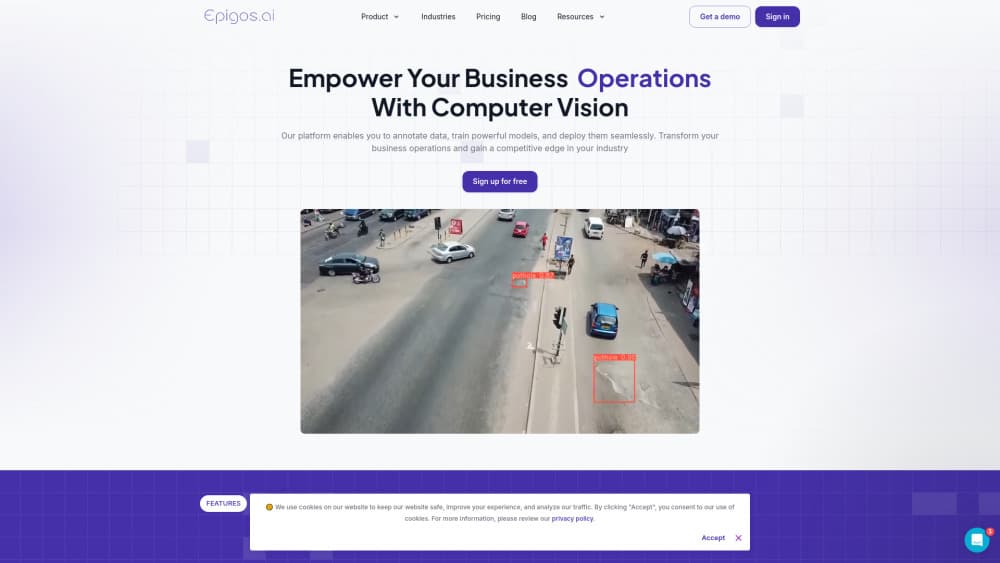
Epigos AI is a computer vision platform that covers the whole pipeline: organize and label image datasets, train models on hosted GPUs, then deploy them as an API or to edge hardware.
About Epigos AI
What Is Epigos AI
Epigos AI is a no-code computer vision platform from Epigos Ltd, a small AI research and development company that builds vision systems for businesses in the US and Europe. The product bundles four jobs that usually live in four different tools: storing and versioning image datasets, labeling them, training a model, and putting that model in front of real traffic.
The problem it targets is the gap between a notebook prototype and a working deployment. Most teams can train a detector. Fewer can keep a labeled dataset clean across versions, retrain when the data shifts, and serve predictions from a camera on a factory floor. Epigos sells that middle layer as a subscription with credits for labeling, training, and inference.
The limits are worth knowing up front. It's built for images rather than text, audio, or tabular data, and the model library leans on established architectures instead of frontier research. Custom work beyond the published plans goes through a sales conversation, so you can't self-serve an enterprise setup.
Getting Started
- Create an account on epigos.ai. The free plan needs no credit card and includes 1,000 dataset images.
- Upload images into a project, then split them into train, validation, and test sets. Version control keeps earlier snapshots around.
- Label the data by hand in the browser editor, or run auto labeling and correct whatever the model suggests.
- Pick a task type and a base model, then start a training job on hosted GPUs. Each run draws from your training credits.
- Deploy the trained model as a hosted endpoint, call it through the REST API or Python SDK, or export it to a device such as a Jetson board or a Raspberry Pi.
Product Information
A quick look at Epigos AI's pricing, supported platforms, and performance.
Best for
The users, tasks, and scenarios where this tool fits best.
Users
- Operations teams with a camera problem
- Data scientists at small companies
- Agencies and consultancies delivering vision projects
Tasks
- Building a defect detector for a production line
- Sorting product photos into categories
- Counting objects in camera or drone footage
- Moving a prototype off a laptop
Scenarios
- Retail shelf audits
- Medical imaging pilots
- Agricultural inspection from drones
Key features
Dataset Management
Projects hold image sets you can view, sort, and filter, with configurable split sizes for training, validation, and test data. Version control keeps an earlier snapshot of the dataset so a retrain doesn't silently change the baseline. A Python SDK lets you script uploads instead of dragging files through the browser, which is the difference between a one-off experiment and a repeatable pipeline.
Browser Image Annotation
The editor covers bounding boxes and category annotation, with a moderation step so a second person can review labels before they enter training. It's the kind of tool a small team can hand to a non-specialist: draw, name, submit, and let a reviewer approve. Annotation speed is the real bottleneck on vision projects, and data annotation is where most of the working hours go.
Auto Labeling
Auto labeling runs open-vocabulary models such as GroundingDINO, Florence-2, and PaliGemma over your images and proposes labels. You can point it at one image or a whole batch, add a few prompt labels to steer it, then approve or fix the results. It ships on every plan including the free tier. Auto labeling won't replace a careful human pass on edge cases, but it cuts the boring first pass on thousands of images.
Hosted Model Training
Training runs on Epigos hardware, billed in credits per run, so you don't need a GPU cluster of your own. The library focuses on proven architectures, and the workflow covers the full model lifecycle: start a run, watch it, compare results, and keep the version you want. For a team without infrastructure, this removes the most annoying setup work.
Deployment to API and Edge Devices
A trained model can be served as a hosted endpoint and called with a REST request or the Python SDK, which returns label, confidence, and box coordinates. Export goes further: the same model can run on NVIDIA Jetson, iOS devices, OAK cameras, Raspberry Pi, or inside a browser. That range is the practical answer to the usual question of whether a vision model can run where the camera actually is.
Managed Data Labeling Service
If your team has no time to annotate, Epigos sells labeling as a service with its own labelers and domain specialists, working under stated security standards. You send the images, they return a labeled dataset, and your engineers stay on modeling. It's the part of the platform that turns a software subscription into an outsourced workflow.
Pros and cons
Pros
- One subscription covers dataset versioning, image annotation, training, and inference, so you skip stitching three vendors together.
- Auto labeling works on the free plan, which gives you a real feel for the tool before paying.
- Edge export covers Jetson, iOS, OAK cameras, and Raspberry Pi, which is broader than most hosted-only vision APIs.
- The managed data labeling service is a genuine option for teams with more images than hours.
- The Python SDK and REST API make it straightforward to wire predictions into an existing application.
Cons
- There's no self-serve enterprise tier. Anything past 20 projects and 50,000 images means talking to sales.
- Training credits are metered per run, and a failed experiment still costs credits, so heavy iteration adds up.
- It's image-only. Text, video streams, and tabular models need other tools.
- Documentation is thin in places, and newcomers may spend the first day figuring out which task type fits their problem.
Frequently asked questions
It's a computer vision platform for the full model lifecycle: upload and version image datasets, label them manually or with auto labeling, train a model on hosted GPUs, then deploy it as an API endpoint or to edge hardware.
Related content
Explore related tools, skills, and articles for Epigos AI.
Epigos AI Alternatives

Tractionwave
TractionWave · Image · MarketingTractionWave is an AI attention heatmap tool for static ads. Upload a PNG or JPG and it returns predicted attention, ranked hotspots, and fixes before you spend budget.

Imejis.io
Imejis.io · Image · MarketingImejis.io is an AI design studio for agents and marketing teams. Describe an image in plain words, and it writes the copy, builds the layout, reflows it to every size, then exports a finished file.

Layoutr
Van Dijk Ontwikkeling · Image · China AILayoutr is a browser floor plan tool that scales your own plan, places furniture at true size, shows the room in 3D and renders it with AI.