

Epismo
Epismo · Productivity
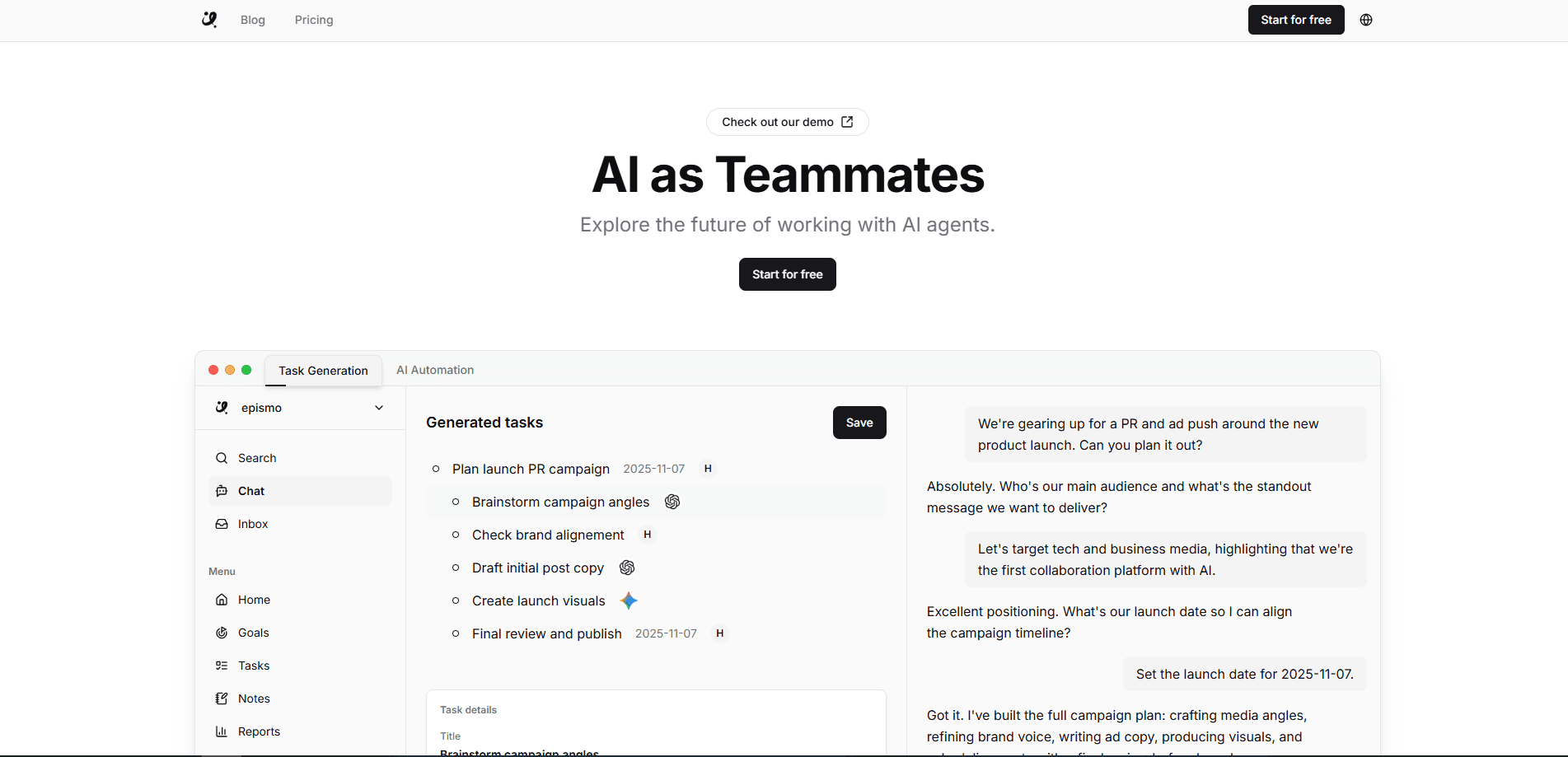
Epismo is an AI project management platform built for teams that mix people and AI agents on the same work. Instead of starting every task from a blank chat, you save purpose, constraints, and current decisions in one place, then hand the work off to the next person or AI. Along the way Epismo reviews the saved result and writes notes about what still needs checking. When a piece of work goes well, it can become a reusable playbook for the next run. Think of it as an AI collaboration tool that keeps the thread alive across tools.
About Epismo
What Is Epismo
Epismo bills itself as a collaboration OS for people and AI agents. The core idea is simple: work shouldn't restart every time you switch tools or hand off a task. You drop your work in progress onto a case, add the point of it and the limits you're working under, and the next turn in Cursor, Claude, or ChatGPT picks up from there. That's human-AI collaboration in practice, not a slogan.
So what breaks without a shared case? A conversation ends. Context disappears. The person who takes over then has to reconstruct everything by asking questions, and that's where a surprising share of project time quietly goes. Epismo keeps that context alive so a handoff costs minutes, not an afternoon. The real problem isn't the AI. It's the broken thread between turns.
The main limit is the model behind it. Epismo doesn't replace your AI agent or your chat tool. It sits alongside them and organizes the work. If your team already runs smoothly with plain documents and a shared drive, the payoff is smaller, because the platform is really solving a coordination problem that a well-run group may barely feel. It pays off most when several people and several agents keep touching the same project.
Getting Started
- Go to epismo.ai and start free. No credit card is needed for the Free plan.
- Create a workspace and, if you're on Pro, invite the people who'll share it.
- Open a case and drop in the work you have so far, along with its purpose and constraints.
- Let Epismo review the saved result, then read the notes it writes about what still needs a human check.
- Connect your AI agent through the CLI or MCP, and continue the same work there instead of starting a new chat.
- When a run works out, save it as a playbook so the next case can start from a proven method.
Product Information
A quick look at Epismo's pricing, supported platforms, and performance.
Best for
The users, tasks, and scenarios where this tool fits best.
Users
- Small teams juggling several AI tools
- Freelancers handing work to a client's AI
- Team leads on a shared workspace
Tasks
- Mid-project handoffs
- Reviewing AI output
- Turning one-off wins into repeatable methods
Scenarios
- Picking up a project someone else paused
- Switching between Cursor, Claude, and ChatGPT on the same task
- Onboarding a new teammate onto live work
Key features
Context Handoff Between People and AI
Epismo's headline feature is the handoff. You save a piece of work with its purpose, constraints, and current decisions, and the next person or AI continues from that exact state. It's the difference between forwarding a file and forwarding an understanding. The handoff works across tools, so the AI that picks up doesn't have to be the one that started.
Automatic Review of Saved Results
When you leave work on a case, Epismo reads it and writes notes about what still needs checking. Those notes sit beside the result, and the next turn in your AI tool starts from them. For a reviewer, this turns a vague "look it over" into a specific list. Failed operations don't consume credits, so there's no cost to letting it run.
Playbooks From Real Work
Epismo doesn't ask you to design a process up front. You work first, and the pattern shows up later. When a run succeeds, you keep it as a playbook: what counts as evidence, what a person should check, and what the next piece of work should look like. Over time the library of playbooks becomes your team's method, built from things that actually worked.
Agent Access via CLI and MCP
Epismo connects to AI agents through a command-line interface and the Model Context Protocol. That means an agent can read and write cases directly, rather than you copy-pasting between a chat window and a project doc. An AI agent workflow that used to die at the end of a chat now has somewhere to land. Browsing through the web, CLI, and MCP is free and needs no login.
Shared Workspaces With Access Control
Pro moves work into one shared workspace for the team. It adds team-based access control so not everyone sees everything, plus centralized billing and usage history. The plan is priced per workspace, not per seat, so adding members doesn't change the bill.
Credit-Based Usage
Every plan includes monthly credits that cover search, work management, and Epismo's AI features. Browsing is free. Search and work management cost a fixed amount per operation, while AI features scale with the tokens used. You can buy extra credits from $5, and failed operations never draw from your balance.
Pros and cons
Pros
- Keeps project context in one place, so handoffs between people and AI don't restart from zero.
- Automatic review turns AI output into a specific checklist of what a human should verify.
- Works with the AI tools you already use through CLI and MCP, rather than locking you into one.
- Pro is priced per workspace, so a growing team doesn't pay per head.
- The Free plan is genuinely usable for one person, with no credit card required.
Cons
- The concept takes a mental shift. Teams used to plain docs and a shared drive may not see the point at first.
- Pricing runs on credits for AI features, so heavy users have to watch the balance and top up.
- It adds a layer on top of your existing tools. If you only ever use one AI chat and never hand off, that layer earns little.
- True value shows up with the team workspace, which is the paid tier, so solo users get a thinner slice.
Frequently asked questions
It's an AI project management platform that keeps work in one shared place so people and AI agents can hand off tasks, review results, and reuse what worked. You can think of it as an AI project manager that tracks context rather than people. It sits alongside your AI chat tools rather than replacing them.
Related content
Explore related tools, skills, and articles for Epismo.
Epismo Alternatives

Swms
Swms AI · Writing · Productivity · BusinessSwms is an AI safety compliance tool that turns a plain description of a job into ready-to-use safety documents. Describe your project, trade, and known hazards, and it writes a safe work method statement, job hazard analysis, safe work procedure, RAMS, or safety data sheet in seconds. It also ships with Oscar, a chat assistant that answers workplace safety questions in any language. Teams in construction, mining, transport, and warehousing use it to cut the paperwork that usually eats into a workday.

Wordly AI Translation
Wordly · Voice & Language · ProductivityWordly AI Translation is a real-time AI translation and captioning platform built for meetings, conferences, and events. It delivers live translation, captions, transcripts, and summaries in more than 60 languages, and attendees join by scanning a QR code or opening a link instead of using dedicated headsets. The platform works with Zoom, Microsoft Teams, Google Meet, and Webex, and it's designed for organizations that want multilingual access without hiring human interpreters for every session. Simple as that.

Rows
Rows (Superhuman) · Productivity · BusinessRows is an AI spreadsheet and data analysis tool that imports live data from more than 50 sources, then lets you work with it using plain language instead of SQL queries or nested formulas. You can pull numbers out of PDFs, connect ad platforms, databases, and bank accounts, and ask the AI to build reports, merge datasets, or set up models that recalculate themselves. It runs in the browser, works like a spreadsheet, and now sits under the Superhuman umbrella.