

Everyday
Everyday · Productivity
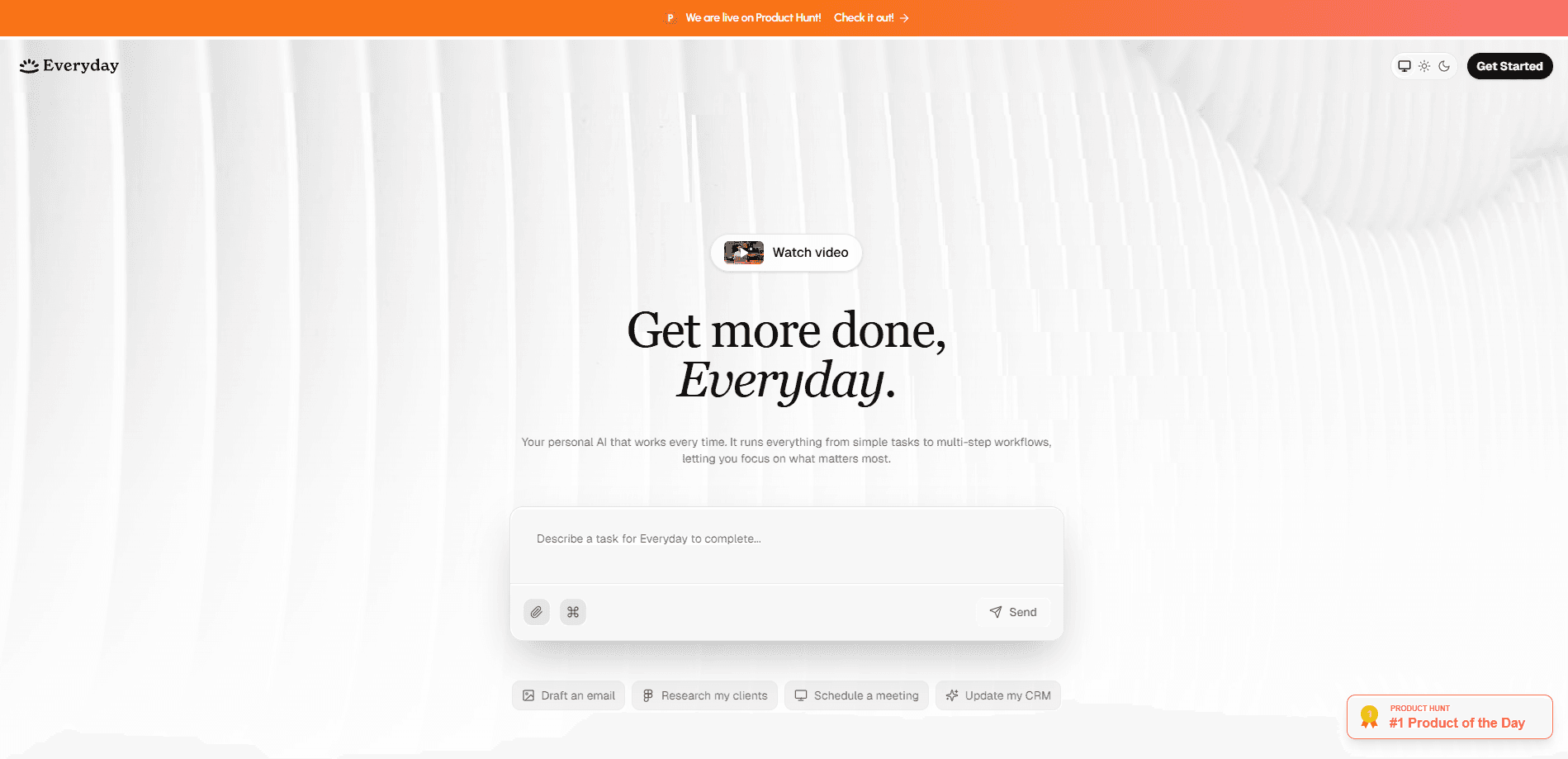
Everyday is a personal AI assistant built to turn intentions into finished work. It clears your inbox, organizes your day, and keeps tasks moving in the background while you focus on what matters. It's an AI productivity assistant, not just a chatbot. Instead of juggling a handful of single-purpose tools, you get one assistant that watches your schedule, drafts your replies, and nudges the next step forward.
About Everyday
What Is Everyday
Everyday is a web-based AI assistant that handles the busywork behind your day. You tell it what you want done, and it works across your inbox, calendar, and task list to make it happen. The pitch is simple. Fewer apps open. Less manual sorting. More done.
It works like a scheduling-first AI assistant app. You make one request and the assistant handles the follow-through across everything you've connected.
It suits people whose day is mostly coordination. Freelancers, founders, and busy professionals spend hours triaging messages and rebuilding their schedule every morning. Everyday targets that load directly. Sound familiar?
The catch is that an assistant is only as useful as the accounts you connect. Give it access to your inbox and calendar and it has real material to work with. Keep it isolated and it can't do much beyond generic planning. So how do you decide if it's worth it? Start by counting how many hours a week go to triage. There's also no public API right now, so you can't wire it into custom workflows the way you might with a developer-first tool.
Getting Started
- Create an account on the Everyday website and confirm your email.
- Connect the accounts you want the assistant to manage, such as your inbox and calendar.
- Set your priorities for the day, either by typing a short brief or letting the assistant propose a plan.
- Review the drafts, summaries, and tasks it produces, then approve or edit them before anything goes out.
- Check back through the day as the assistant updates your schedule and flags new items.
Product Information
A quick look at Everyday's pricing, supported platforms, and performance.
Best for
The users, tasks, and scenarios where this tool fits best.
Users
- Founders and solo operators
- Busy professionals drowning in email
- Freelancers juggling multiple clients
Tasks
- Clearing a backlogged inbox
- Planning the day
- Drafting routine replies
- Tracking follow-ups
Scenarios
- Monday morning catch-up
- Back-to-back meeting days
- Travel and time-zone shifts
- End-of-week wrap-up
Key features
Inbox Management
Everyday reads your incoming messages, groups them by urgency, and drafts replies you can send after a quick edit. The goal is to shrink the time between opening your inbox and being done with it. If you get a lot of routine mail, this is the feature you'll notice first.
Daily Planning
The assistant builds a day plan from your tasks, your calendar, and whatever priorities you state that morning, then orders the work so the important items land in the free slots you actually have. Rather than handing you a flat list, it respects the gaps between meetings. You stay in control, since you approve the plan before it takes effect.
Task Automation
You describe an outcome in plain language and Everyday turns it into steps it can carry out across your connected apps, whether that means sending a reminder, moving an item, or chasing a reply you never got. It's aimed at recurring work, not one-off creative projects.
Natural Language Control
There's no complicated setup screen to learn. You type or say what you want in ordinary sentences, and the assistant translates that into action. That low barrier matters if you don't want to build automations by hand.
Background Execution
Everyday is designed to keep working while you're elsewhere. It watches for new messages, updates your schedule, and flags items that need you, so you're not the one constantly refreshing apps.
Priority Surfacing
Instead of a firehose, the assistant highlights what actually needs your attention. It separates things that can wait from things that can't, which is the difference between a helpful assistant and a noisy one.
Pros and cons
Pros
- Combines inbox, calendar, and task handling in one assistant instead of scattering them across apps.
- Natural language control means no automation-building skills required.
- Drafts and summaries reduce the manual work of routine email and planning.
- Runs in the background, so it keeps working between your check-ins.
Cons
- No public API, so you can't connect it to custom tools or build on top of it.
- It depends on connected accounts, meaning limited value if you keep your inbox and calendar separate.
- Pricing runs higher than basic AI chat tools, so the value depends on how much coordination your day involves.
Frequently asked questions
It's a personal AI assistant that manages your inbox, organizes your day, and carries out routine tasks across the accounts you connect. Think of it as one tool doing the coordination work you'd otherwise do by hand.
Related content
Explore related tools, skills, and articles for Everyday.
Everyday Alternatives

Swms
Swms AI · Writing · Productivity · BusinessSwms is an AI safety compliance tool that turns a plain description of a job into ready-to-use safety documents. Describe your project, trade, and known hazards, and it writes a safe work method statement, job hazard analysis, safe work procedure, RAMS, or safety data sheet in seconds. It also ships with Oscar, a chat assistant that answers workplace safety questions in any language. Teams in construction, mining, transport, and warehousing use it to cut the paperwork that usually eats into a workday.

Wordly AI Translation
Wordly · Voice & Language · ProductivityWordly AI Translation is a real-time AI translation and captioning platform built for meetings, conferences, and events. It delivers live translation, captions, transcripts, and summaries in more than 60 languages, and attendees join by scanning a QR code or opening a link instead of using dedicated headsets. The platform works with Zoom, Microsoft Teams, Google Meet, and Webex, and it's designed for organizations that want multilingual access without hiring human interpreters for every session. Simple as that.

Rows
Rows (Superhuman) · Productivity · BusinessRows is an AI spreadsheet and data analysis tool that imports live data from more than 50 sources, then lets you work with it using plain language instead of SQL queries or nested formulas. You can pull numbers out of PDFs, connect ad platforms, databases, and bank accounts, and ask the AI to build reports, merge datasets, or set up models that recalculate themselves. It runs in the browser, works like a spreadsheet, and now sits under the Superhuman umbrella.