

AI Photo Enhancer - Evoke
Evoke AI · Image
AI Photo Enhancer - Evoke is a free AI photo enhancer for Android and iPhone that handles photo restoration, colorization, AI portrait generation, and AI video creation in a single app. It also ships a companion website for background removal, image conversion, and PDF work, so you can clean up photos on your phone and finish document chores in the browser. The pitch is simple: one toolkit instead of five subscriptions.
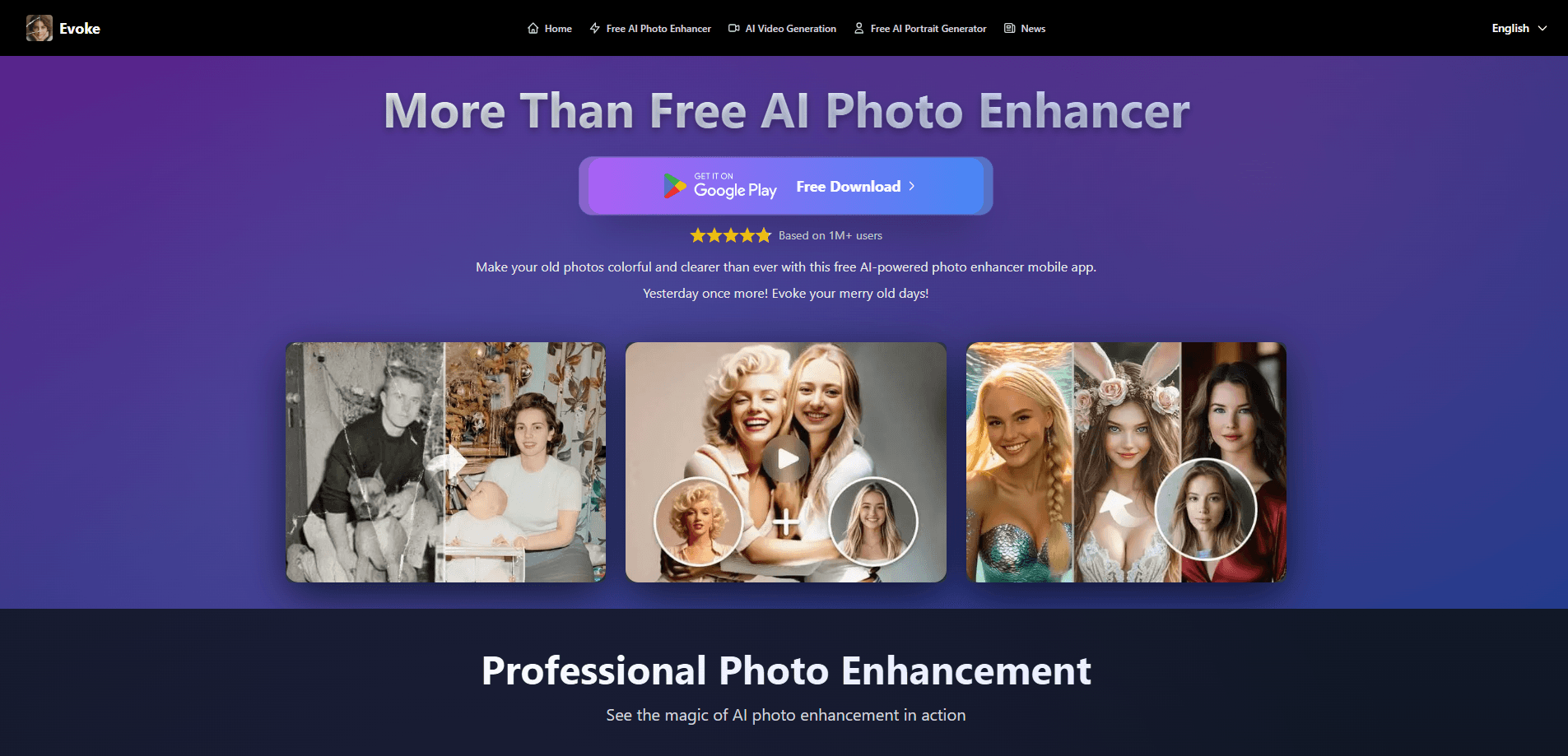
About AI Photo Enhancer - Evoke
What Is AI Photo Enhancer - Evoke
Evoke is a mobile-first AI photo app built for people who want better-looking pictures without learning Photoshop. The core promise is fixing what already exists: blurry shots get sharper, faded family photos get restored, black-and-white images pick up realistic color, and plain selfies turn into styled AI portraits.
It doesn't stop at still images. Evoke also runs AI video generation from a single photo, which is how it rode the Stadium Cam trend in May 2026. Drop one portrait in. The app renders a pseudo-broadcast sports clip in roughly 30-40 seconds.
The honest limitation sits in the free tier. Most of the heavy tools, including full restoration and AI portraits, live behind the mobile app's paywall, and results on grouped, angled, or heavily obscured faces are weaker than on clean front-facing portraits. So what does that mean in practice? If your photo library is mostly portraits of one person, you'll be fine. If it's full of group shots from weddings and parties, expect mixed results.
Getting Started
- Install Evoke from Google Play or the App Store, then open the app and allow photo access.
- Pick a tool from the home screen, like Photo Enhancer, Colorize, or Restoration.
- Upload a photo from your gallery. Front-facing, clearly lit portraits give the best results.
- Let the AI process it, then compare the before and after with the built-in slider.
- Export the result as a 4K image or 1080p video and share it.
Product Information
A quick look at AI Photo Enhancer - Evoke's pricing, supported platforms, and performance.
Best for
The users, tasks, and scenarios where this tool fits best.
Users
- Casual photographers
- People restoring family archives
- Social media creators
Tasks
- Restoring old or damaged photos
- Colorizing black-and-white images
- Generating AI video from a photo
- Quick background removal and file conversion
Scenarios
- Clearing out a phone full of blurry, low-quality camera roll shots
- Prepping a social post the night before it's due
- Digitizing a box of old family photos
Key features
AI Photo Restoration
Evoke repairs scratches, grain, and fading in old photographs. It recovers detail that a standard filter can't touch. It's built for scanned prints and vintage family pictures, and the results hold up at print size. The catch? Badly damaged or very low-resolution sources leave visible artifacts.
Photo Colorization
Evoke can AI colorize photos in one step. Feed it a black-and-white image and it adds color automatically, no manual masking. Historical pictures and old portraits come out looking natural most of the time. Skin tones are the weak spot, and low-quality scans sometimes push colors into odd territory.
AI Portrait Generation
The app works as an AI portrait generator for anyone with one decent selfie. It covers the sort of looks people want for social profiles and profile pictures. You don't need a studio or a photographer. Group photos and extreme angles don't work well here.
AI Video Generation
Evoke renders short 1080p videos from a single image. It includes the viral Stadium Cam and Stands Cam templates that mimic broadcast footage. It's a one-tap flow. You skip the 200-word prompt engineering that DIY workflows demand. Group shots and heavy occlusion break the illusion.
Background Removal and File Tools
The browser side of Evoke removes backgrounds and produces clean transparent PNGs. That's handy for product photos and quick edits. It also works as a free photo editor for conversions between formats like PNG, JPG, WEBP, HEIC, and SVG, plus image-to-PDF and PDF compression. The web tools are free and carry no watermark.
Photo Enhancer for Android and iPhone
The core enhancer sharpens detail and lifts brightness in low-light shots on both mobile platforms. Everything runs inside the app. The mobile version unlocks restoration, colorize, and AI portraits that the website doesn't offer. You need the app for the full AI video generator, too.
Pros and cons
Pros
- Bundles enhancement, restoration, colorize, AI portraits, and AI video in one app. That replaces several separate subscriptions.
- The mobile app and the website split the work well: heavy AI on your phone, quick conversions in the browser.
- The web tools stay free and watermark-free, which is rare for background removal and format conversion.
- AI video generation is fast, turning a single photo into a 1080p clip in roughly 30-40 seconds.
Cons
- The best features, including restoration and AI portraits, sit behind the mobile paywall, so the "free" label only covers part of the app.
- Group photos and angled or obscured faces degrade output quality, which rules out some everyday shots.
- The AI video generator works best on clear front-facing portraits, so casual or candid photos often fall flat.
Frequently asked questions
Yes, there's a free tier, and the website tools like background removal and file conversion cost nothing and add no watermark. The mobile app charges for premium features such as full photo restoration and AI portrait generation.
Related content
Explore related tools, skills, and articles for AI Photo Enhancer - Evoke.
AI Photo Enhancer - Evoke Alternatives

X Ray Interpreter
X-ray Interpreter · ImageX Ray Interpreter is a web-based AI radiology tool that turns X-rays, CT scans, MRI, ultrasound, and PET images into plain-language reports. You upload a scan, get a preliminary X-ray interpretation in moments, then ask follow-up questions if something needs explaining. It works as a second opinion and a learning aid, not as a medical diagnosis.

Aieasypic
AIEasyPic · ImageAIEasyPic is an AI image generator that turns plain text prompts into finished artwork in seconds. You can also train custom models on your own photos, swap faces in existing images, and create short video clips from text, all from a browser. It suits casual creators who want quick visuals and hobbyists who want to build a personal model without touching any code.

Chargen
Chargen · ImageChargen is an AI character generator and worldbuilding toolkit built for Dungeons & Dragons and other tabletop RPGs. It turns a one-line idea into a painted character portrait, spins up NPCs, monsters, maps and encounters from the same session, and keeps every creature's details close at hand. The tabletop RPG art side runs on a credit system called Gold, while the text generators stay free for everyone.