
Evoto
Truesight Technology Inc. · Image
Evoto is an AI photo editor for professional photographers, built to cull, retouch, batch-edit, and deliver large shoots across desktop, iPad, and mobile.
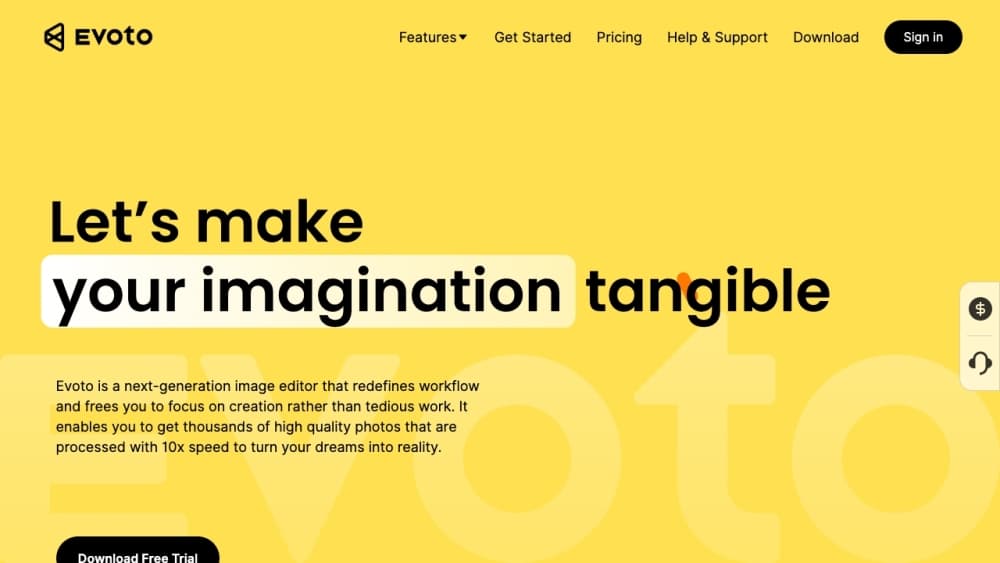
About Evoto
What Is Evoto
Evoto is AI photo editing software from Truesight Technology Inc., aimed at working photographers rather than casual editors. It bundles culling, portrait retouching, color grading, background adjustments, batch processing, and gallery delivery into one workflow, so a wedding or event shooter can move a full set from card to client without switching apps.
The product targets a specific pain: hours of repetitive skin work, color matching, and file sorting between the shoot and the final gallery. Evoto uses per-face AI instead of a global filter, which means each subject gets its own treatment and the original skin texture stays intact. Photographers keep manual control of every slider after the AI runs, so a studio can lock a house style and reuse it across a season.
The limits matter too. Most AI features draw on a credit pool, so high-volume studios should budget around usage, not just the yearly fee. The desktop app runs on Windows and Mac and needs a reasonably modern machine, while some mobile features live in separate apps. Anyone who needs a headless, code-first pipeline won't find a public API here.
Getting Started
- Download Evoto Desktop for Windows or Mac, or install the iPad or mobile app, then sign in with a free account.
- Import a folder of RAW files or tether a supported camera to shoot straight into the session.
- Run AI Culling to drop closed eyes, blurry frames, and duplicates, then let AI auto-adjust exposure and white balance.
- Apply portrait retouching, color match, and background tools, then save the settings as a preset once the look is right.
- Sync edits across the set in batch, then export in JPEG, PNG, TIFF, or full-quality RAW and share the gallery.
Product Information
A quick look at Evoto's pricing, supported platforms, and performance.
Best for
The users, tasks, and scenarios where this tool fits best.
Users
- Wedding and event photographers
- Portrait and headshot studios
- High-volume commercial and ecommerce teams
- Amateur and hobbyist portrait shooters
- Newborn, maternity, and school photographers
Tasks
- Culling a shoot down to keepers
- Retouching skin at scale
- Matching color across a set
- Adjusting backgrounds
- Delivering edited photos
- Keeping a house style
Scenarios
- A wedding shooter editing a 2,000-frame weekend
- A commercial studio churning through product shots
- A headshot photographer on a corporate booking
- A hobbyist learning portrait editing
Key features
AI Culling and Story Groups
Evoto sorts a shoot before you touch it, flagging closed eyes, blurry frames, and near-duplicate shots so the keepers surface first. Story groups add a second pass that clusters photos by moment, which helps a photographer build a sequence rather than a flat pile. For event work, that turns the worst part of the job into a few minutes of review.
Per-Face Portrait Retouching
Rather than one global filter, Evoto treats every face on its own. Skin smoothing, blemish removal, wrinkle and stray-hair cleanup, and teeth fixing all run per subject while preserving real texture. Photographers who moved over from manual cloning and stamping say this is the part that saves the most time, and manual sliders stay available after the AI finishes.
AI Color Match and Grading
Color Match reads a reference image and applies its tones across a set, which is how a shooter keeps a wedding or product line looking like one continuous session. On top of that, standard grading tools like curves, HSL, and 800+ built-in looks give full control. The goal is consistency without redoing the same color pass on every file.
Batch Editing at Volume
Edits applied once can sync across an entire set in seconds, which is the core promise for high-volume work. A studio can lock a look, push it through hundreds of images, and export the batch without exporting and reimporting between each one. The yearly plans scale credits by volume, so heavier workloads move to larger packages rather than slowing down.
Background and Clothing Tools
A full set of background tools removes, blurs, replaces, and extends what's behind a subject, with a bulk background remover and AI scene generation included. Clothing tools handle wrinkles, lint, and color, and AI Body Editor and shape controls adjust silhouettes. Together they cover the cleanup that used to mean masking by hand.
Tethered Shooting and Workflow Automation
Evoto Desktop can tether a supported camera, wired or wireless, so RAW edits happen live as the shoot runs. Auto import and export automate the boring steps between capture and delivery, and custom Workflows chain frequent actions into one command. Camera support covers Canon, Nikon, Sony, and Fujifilm, with wireless on select models.
Cross-Platform and Cloud Sync
The same account works across desktop, iPad, mobile, and a browser editor, with cloud sync so a project picked up on one device continues on another. A single license covers both Windows and Mac on up to two devices. For a photographer who shoots on location and finishes at the studio, the project follows them instead of living on one machine.
Pros and cons
Pros
- Per-face AI retouching preserves real skin texture, which avoids the over-smoothed look that global filters produce.
- Culling, retouching, background work, and delivery sit in one app, so a shoot moves from card to client without bouncing between tools.
- Batch sync applies one edit across a whole set, which is where the biggest time savings land for high-volume shooters.
- Cross-platform sync across desktop, iPad, and mobile lets a project follow the photographer between studio and location.
- A 7-day trial with 50 credits tests the full toolset before any payment, and unused yearly credits roll over on renewal.
- ISO/IEC 27001 and SOC 2 Type II certification, plus a stated policy of not training on your images without permission, suit privacy-minded studios.
Cons
- Most AI features spend credits, so credit planning matters more than the headline yearly price, which runs from $80 to $1,339.
- The desktop editor targets Windows and Mac and expects a modern machine, so older hardware may struggle with large batches.
- There's no public API, so teams that want a headless, code-driven pipeline can't wire Evoto into their own systems.
- Mid-year cancellations don't usually qualify for a refund. Remaining credits stay usable until the term ends.
Frequently asked questions
Evoto is an AI photo editor for professional photographers. It culls a shoot, retouches portraits per face, matches color across a set, adjusts backgrounds, and batch-exports the results. It covers the work between capture and client delivery.
Related content
Explore related tools, skills, and articles for Evoto.
Evoto Alternatives

Tractionwave
TractionWave · Image · MarketingTractionWave is an AI attention heatmap tool for static ads. Upload a PNG or JPG and it returns predicted attention, ranked hotspots, and fixes before you spend budget.

Imejis.io
Imejis.io · Image · MarketingImejis.io is an AI design studio for agents and marketing teams. Describe an image in plain words, and it writes the copy, builds the layout, reflows it to every size, then exports a finished file.

Layoutr
Van Dijk Ontwikkeling · Image · China AILayoutr is a browser floor plan tool that scales your own plan, places furniture at true size, shows the room in 3D and renders it with AI.