

Exla FLOPs
Exla · Coding · Other
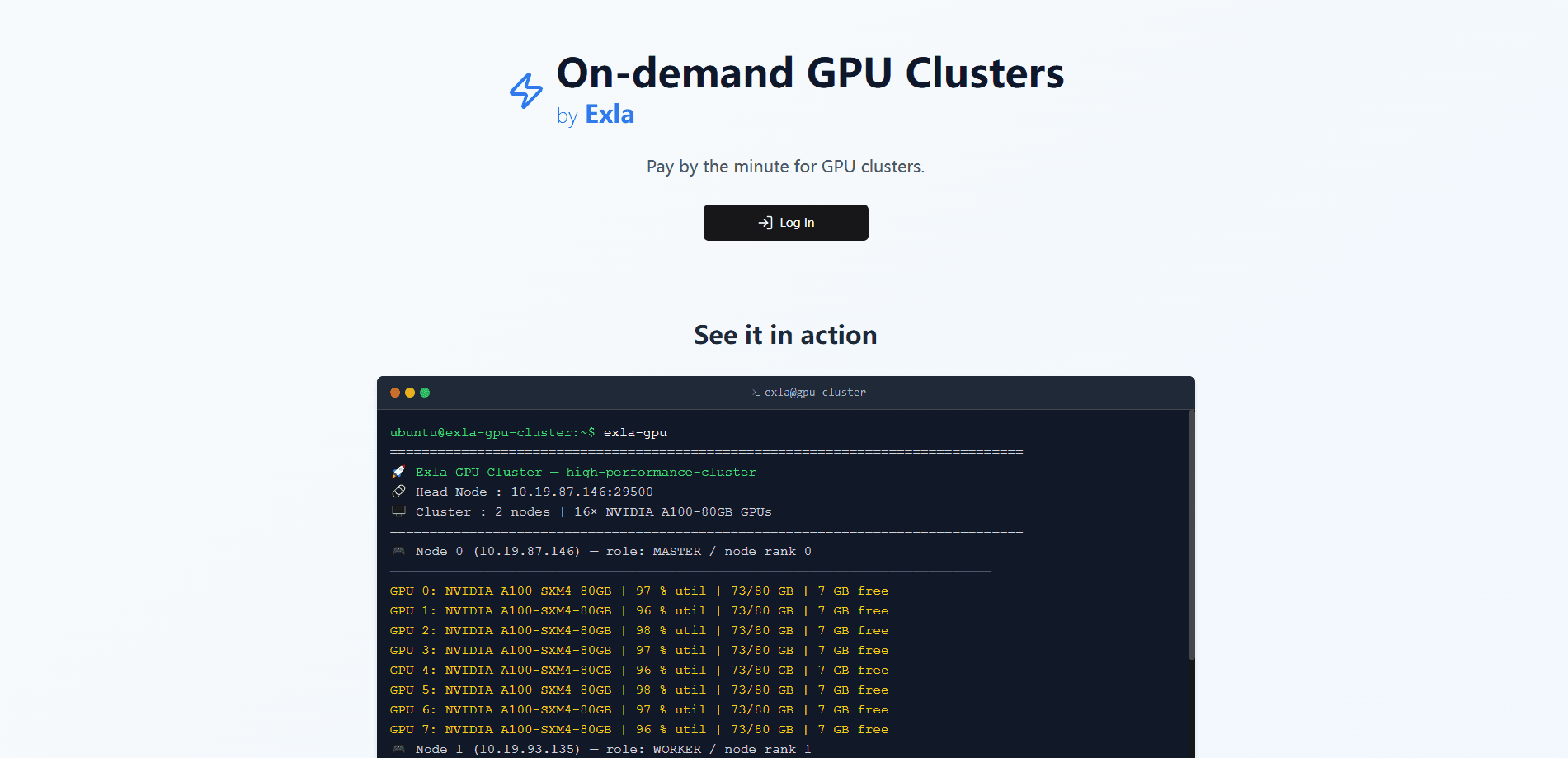
Exla FLOPs is an on-demand GPU cluster service from Exla that spins up multi-node NVIDIA clusters in minutes and bills by the minute, with H100, H200, and A100 class hardware.
About Exla FLOPs
What Is Exla FLOPs
Exla FLOPs is a service for renting GPU clusters on demand, built by Exla, a Y Combinator Winter 2025 company. You pick GPU types, set how many, and get a multi-node cluster with SSH access in minutes. There's no reservation, no sales call, and no minimum commitment, so it fits teams that need training capacity now rather than next month.
The problem it addresses is access. Getting a large block of H100s usually means waiting on a cloud sales team or locking into a contract, and that queue is exactly what stalls an experiment before it starts. Exla FLOPs removes the queue by keeping clusters online and billing per minute, so a burst of 16 or 128 GPUs is something you turn on and off like a tap.
The main limits are worth knowing up front. Clusters run on real NVIDIA datacenter hardware, and availability is estimated and can change, so a popular GPU type may be busy when you need it. You also pay by the minute on live hardware, which means idle clusters keep costing money until you terminate them. Access is SSH-based, so it suits people comfortable with a terminal or an API rather than a click-through notebook.
Getting Started
- Sign in to the Exla FLOPs dashboard and add funds to your wallet, since launching a cluster needs balance for at least an hour of use.
- Register an SSH public key so you can connect to the nodes once they boot.
- Pick your GPU types and counts, then launch the cluster. Exla says you can be training in under five minutes.
- Connect over SSH, or drive the same steps from code with an API key, and terminate the cluster when your job finishes to stop the meter.
Product Information
A quick look at Exla FLOPs's pricing, supported platforms, and performance.
Best for
The users, tasks, and scenarios where this tool fits best.
Users
- ML engineers running training runs
- Research labs on tight budgets
- Startups that need burst capacity
- Platform and MLOps teams
Tasks
- Fine-tuning a large model
- Distributed training
- Short inference or benchmarking jobs
Scenarios
- A deadline crunch before a conference
- Testing a model on hardware you don't own
- A spike in demand
Key features
Instant multi-node clusters
Exla FLOPs is built around speed. You compose a cluster from one or more nodes and launch it in minutes, with the site promising training in under five minutes from sign-in. For teams used to waiting weeks for capacity, that turnaround is the whole point.
Pay-by-the-minute billing
Billing runs per minute on the compute you actually use, and killing a cluster stops the meter right away. There's no minimum and no idle reservation fee, which makes short experiments affordable and long ones predictable. You top up a wallet, and the balance needs at least an hour of funds before a launch.
Mix and match GPU types
A single cluster can combine different GPU types and node counts, so you can pair expensive H100s with cheaper cards where the workload allows. The site warns that mixing architectures can affect performance and precision, so it's a tool for the workloads that can absorb that, not a default.
SSH-ready distributed nodes
Every node arrives with NCCL, drivers, and your SSH keys preloaded, so distributed training setups don't need a day of provisioning first. You register a public key once in the dashboard and reuse it across clusters.
Isolated, dedicated nodes
Each cluster gets dedicated nodes with private interconnects, so your weights and data never share a box with another customer. The site frames that isolation as a default rather than an upgrade, which matters when you're training on proprietary data.
API and dashboard access
Beyond the dashboard, you can create API keys and launch or tear down clusters from code or a CI pipeline. Copy-paste-ready docs cover the endpoints for both humans and coding agents, and a public GPU types endpoint returns live pricing and capacity.
Live capacity across GPU types
The service spans H100 SXM5, H200, A100 SXM, L40S, RTX 4090, RTX 5090, and A6000 class hardware, with availability shown as an estimate. Wide coverage means you can often find a suitable card even when a flagship type is busy.
Pros and cons
Pros
- Clusters launch in minutes with no reservation or sales call, which removes the wait that usually blocks a run.
- Per-minute billing with no minimum keeps short jobs cheap and stops the meter the moment you terminate.
- Multi-node clusters ship with NCCL, drivers, and SSH keys ready, cutting out manual provisioning.
- Dedicated nodes and private interconnects keep your training data off shared hardware.
- An API and public pricing endpoint let CI and coding agents launch clusters programmatically.
- GPU coverage runs from H100 and H200 down to L40S and RTX cards, so you can match hardware to the job.
Cons
- No free tier, and you must fund a wallet before you can launch, so testing the service still costs money.
- Availability is an estimate and can change, so a flagship GPU type may be unavailable when you need it.
- Idle clusters keep billing until you terminate them, so forgetting to shut one down burns budget.
- Access is SSH and API first, with no managed notebook, which raises the bar for less technical users.
Frequently asked questions
Exla FLOPs is an on-demand GPU cluster service from Exla, a Y Combinator Winter 2025 company. You launch multi-node NVIDIA clusters in minutes and pay by the minute, using it for training, fine-tuning, and other compute-heavy jobs.
Related content
Explore related tools, skills, and articles for Exla FLOPs.
Exla FLOPs Alternatives
Forefront
Forefront · CodingForefront is a web platform for building with open-source AI. It lets you fine-tune leading open-source language models on your own data, evaluate how they perform, and run them through an API or export them to host yourself. Developers who want the convenience of a closed-source platform but insist on owning their models and data are the target audience here.

Startkit
StartKit.AI · CodingStartkit is a boilerplate for building AI SaaS and AI wrapper products. Think of it as an AI startup boilerplate with the boring parts already wired up: authentication, Stripe and Lemon Squeezy payments, usage limits, transactional email, and an AI API starter that talks to OpenAI, Anthropic, Groq, or Llama. You clone the repo, set your price, and start on the part of your product that people actually pay for. It's Next.js under React and Tailwind, so most of the boilerplate code already feels familiar.
Testim
Tricentis · CodingTestim is an AI-powered test automation platform for building and running end-to-end tests across web, mobile, and Salesforce applications. It leans on machine learning to keep tests stable when an interface changes, so teams spend less time fixing broken selectors. Not bad for an automated testing tool you can start using today. You create tests by recording actions in a browser, then optionally add JavaScript when you need more control. It's a solid pick for busy QA teams.